
1. Introduction
This manual provides essential information for the proper use and operation of the EBYTE E32-170T30D LoRa Module. The E32-170T30D is a wireless serial port module utilizing LoRa spread spectrum technology, designed for long-range, low-power data transmission. It operates in the 170MHz band and offers robust anti-interference capabilities.
Key features include:
- Operating Frequency: 160~173.5MHz
- Transmission Power: 21~30dBm (1W), software adjustable
- Communication Distance: Up to 8.0 km (line of sight)
- Interface: UART (TTL level output)
- Voltage Compatibility: 3.3V and 5V (recommendation 4.75-5.5V for optimal performance)
- LoRa Spread Spectrum Technology for enhanced penetration and anti-interference
- Industrial-grade crystal oscillators for stability
- Data encryption and compression features
2. Product Overview
The E32-170T30D module is a compact wireless transceiver designed for integration into various electronic projects. It features an SMA antenna connector for external antenna attachment.

Figure 2.1: Top view of the EBYTE E32-170T30D LoRa Module, showing the module's labeling and SMA antenna connector.
The module is equipped with a standard SMA connector for attaching an external antenna, ensuring reliable signal transmission and reception. For secure mounting, the module often includes nuts and washers.
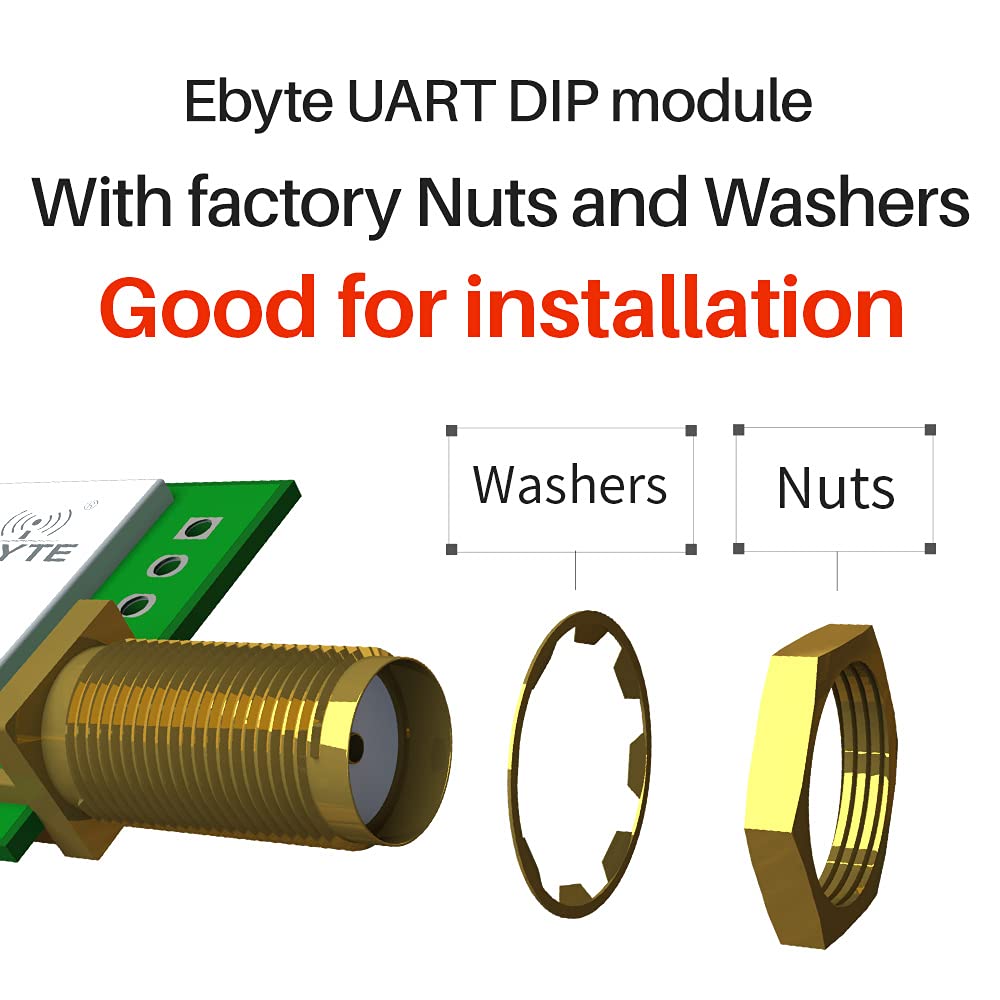
Figure 2.2: Illustration of the E32-170T30D module's SMA connector with accompanying nuts and washers for secure installation.
3. Specifications
| Parameter | Value |
|---|---|
| Model | E32-170T30D |
| Frequency Range | 160 ~ 173.5 MHz |
| Transmission Power | 21 ~ 30 dBm (1W) |
| Communication Distance | Up to 8 km (line of sight) |
| Interface | UART (TTL level) |
| Supply Voltage | 3.3V ~ 5.2V (5.0V recommended) |
| Operating Temperature | -40°C ~ 85°C |
| Air Data Rate | 0.3 kbps ~ 9.6 kbps |
| Antenna Connector | SMA |
4. Setup and Connection
To integrate the E32-170T30D LoRa module into your system, follow these general steps:
- Power Supply: Connect the module to a stable power supply within the 3.3V to 5.2V range. A 5.0V supply is recommended for optimal performance.
- UART Connection: Connect the module's UART pins (TX, RX, GND) to your microcontroller or host device. Ensure proper voltage level shifting if your host device operates at a different voltage than the module.
- Antenna Attachment: Securely attach a compatible 170MHz SMA antenna to the module's SMA connector. The performance of the module is highly dependent on the quality and placement of the antenna.
- Configuration: The module can be configured via its UART interface using specific commands or a dedicated configuration tool provided by EBYTE. Refer to the official EBYTE documentation for detailed programming instructions and parameter settings.
For detailed pinout diagrams and programming guides, please visit the official EBYTE website: www.cdebyte.com
5. Operating Principles
The E32-170T30D module utilizes LoRa (Long Range) spread spectrum technology, which offers significant advantages over traditional FSK (Frequency Shift Keying) modulation, particularly in terms of communication range and interference immunity.

Figure 5.1: Comparison illustrating LoRa spread spectrum communication's superior anti-interference performance compared to FSK.
LoRa's spread spectrum technique encodes data across a wider frequency band, making it more resilient to noise and interference. This allows for longer communication distances and improved reliability in challenging environments.
The module's operation at 170MHz contributes to its strong penetration and diffraction abilities. Lower frequencies generally have longer wavelengths, which enables signals to better penetrate obstacles and diffract around them, extending coverage in non-line-of-sight conditions.

Figure 5.2: Diagram showing how lower frequencies like 170MHz offer better penetration and diffraction compared to higher frequencies (433MHz, 2.4GHz).
6. Applications
The E32-170T30D LoRa module is suitable for a wide range of applications requiring long-range, low-power wireless communication. Its robust performance makes it ideal for:
- Home security alarm systems and remote keyless entry
- Smart home and industrial sensor networks
- Wireless alarm security systems
- Building automation solutions
- Wireless industrial-grade remote control
- Health care product monitoring
- Advanced Meter Reading Architecture (AMI)
- Automotive industry applications
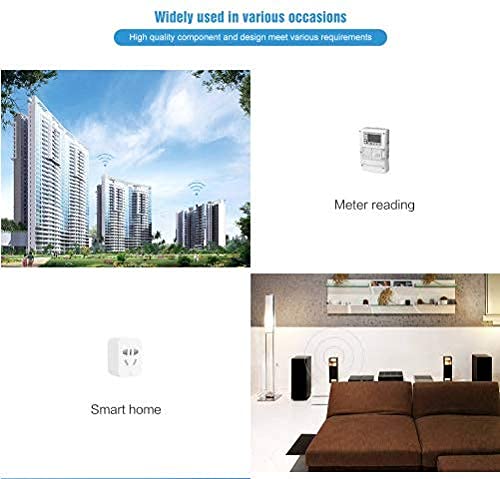
Figure 6.1: Examples of applications including smart home systems and utility meter reading.

Figure 6.2: Further application examples in smart agriculture and oil field monitoring.
7. Maintenance
The E32-170T30D LoRa module is designed for reliable operation with minimal maintenance. To ensure longevity and optimal performance:
- Environmental Conditions: Operate the module within its specified temperature range (-40°C to 85°C) and avoid exposure to excessive moisture, dust, or corrosive substances.
- Physical Handling: Handle the module with care to prevent physical damage to components or connectors. Avoid applying excessive force to the SMA antenna connector.
- Antenna Integrity: Periodically check the antenna connection to ensure it is secure and the antenna itself is not damaged. A damaged or improperly connected antenna can significantly degrade performance.
- Power Supply Stability: Ensure the power supply remains stable and within the recommended voltage range to prevent erratic behavior or damage to the module.
8. Troubleshooting
If you encounter issues with the E32-170T30D module, consider the following troubleshooting steps:
- No Communication:
- Verify power supply connections and voltage levels.
- Check UART connections (TX, RX, GND) for correct wiring and polarity.
- Confirm UART baud rates and other serial parameters match between the module and host device.
- Ensure the antenna is properly connected and undamaged.
- Poor Range/Performance:
- Check antenna type and gain; ensure it is suitable for the 170MHz band.
- Verify antenna placement; avoid obstructions and metallic objects near the antenna.
- Confirm module configuration settings, such as transmission power and air data rate.
- Reduce environmental interference by relocating the module or using shielded cables if necessary.
- Module Not Responding:
- Perform a power cycle (turn off and on) the module.
- Recheck all electrical connections.
- Consult the official EBYTE documentation for specific error codes or diagnostic procedures.
For further assistance, refer to the detailed technical documentation available on the EBYTE website or contact their technical support.
9. Warranty and Support
For information regarding product warranty, please refer to the terms and conditions provided by EBYTE at the time of purchase or visit their official website. EBYTE provides technical support and resources for their products.
Official Website: www.cdebyte.com
It is recommended to check the website for the latest documentation, software updates, and support contact information.


