
Potensic U47
Contents
Potensic U47 Camera Drone User Manual
Model: U47
Introduction
This manual provides essential information for the safe operation and maintenance of your Potensic U47 Camera Drone. Please read it thoroughly before first use to ensure proper functionality and to prevent damage.

Image: The Potensic U47 drone highlighting its key features such as photo recording, FPV, altitude hold, one-button take-off/landing, out-of-range alarm, and WiFi control.
Safety Guidelines
Adhering to these safety guidelines is crucial for preventing accidents and ensuring a positive experience.
- Pre-Flight Check: Always inspect the drone and remote control for any damage before each flight. Ensure propellers are securely attached.
- Environment: Fly in open areas, away from people, animals, buildings, and power lines. Avoid flying in strong winds or adverse weather conditions.
- Battery Safety: Use only the provided charger and battery. Do not overcharge or puncture batteries. Discontinue use if batteries show signs of swelling or damage.
- Line of Sight: Maintain visual line of sight with the drone at all times.
- Age Recommendation: This product is recommended for users aged 14 years and up.
- Low Power Alarm: Pay attention to the low power alarm. Land the drone immediately when the alarm sounds to prevent uncontrolled descent.
Package Contents
Verify that all items are present in your package:
- Potensic U47 Camera Drone
- Remote Control
- Drone Battery (1 Lithium Ion battery included)
- USB Charging Cable
- Spare Propellers
- User Manual

Image: The Potensic U47 drone and its remote control with a smartphone attached, illustrating the complete product package.
Setup
1. Charging the Drone Battery
- Connect the drone battery to the USB charging cable.
- Plug the USB cable into a suitable USB power source (e.g., computer, USB wall adapter).
- The indicator light on the USB cable will show the charging status. Charge until fully charged (typically 2-3 hours).

Image: A close-up of the 1000mAh module battery for the Potensic U47 drone, indicating its capacity.
2. Installing Drone Battery
Insert the charged battery into the designated compartment on the drone until it clicks securely into place.
3. Installing Remote Control Batteries
Open the battery compartment on the back of the remote control and insert 4 x AA batteries (not included), ensuring correct polarity. Close the compartment.
4. Propeller Installation/Replacement
If propellers need to be installed or replaced, ensure they are correctly matched to their respective motor arms (usually marked A and B). Secure them firmly.
5. App Download and Connection
- Download the Potensic app from your smartphone's app store.
- Turn on the drone and the remote control.
- On your smartphone, connect to the drone's Wi-Fi network (usually named 'Potensic-U47-XXXXXX').
- Open the Potensic app to establish the connection and view the FPV feed.
Operating Instructions
1. Pairing the Drone and Remote
- Place the drone on a flat, level surface.
- Turn on the drone, then turn on the remote control.
- Push the left joystick (throttle) up to the maximum position, then pull it down to the minimum position. The drone's indicator lights will stop flashing and become solid, indicating successful pairing.
2. One-Key Take-off and Landing
- Take-off: After pairing, press the One-Key Take-off button. The drone will automatically ascend to a stable altitude.
- Landing: During flight, press the One-Key Landing button. The drone will slowly descend and land automatically.

Image: Illustration of the drone taking off or landing with a single button press, simplifying flight control.
3. Basic Flight Controls
- Left Joystick (Throttle): Up/Down for altitude, Left/Right for rotation (yaw).
- Right Joystick (Direction): Up/Down for forward/backward, Left/Right for left/right sideward flight.
4. Altitude Hold Mode
The drone is equipped with Altitude Hold mode, which automatically maintains a stable height, allowing for easier control and clearer aerial photography.

Image: A boy and his dog observing the drone hovering stably in Altitude Hold mode, demonstrating its ease of use.

Image: The Potensic U47 drone hovering steadily indoors, illustrating the Altitude Hold feature for stable aerial shots.
5. Headless Mode
In Headless Mode, the drone's orientation is relative to the pilot, regardless of the drone's actual front direction. This simplifies control for beginners.
6. Speed Adjustment
The drone offers 3 speed modes (low, medium, high) to accommodate different skill levels, from beginners to advanced pilots. Press the speed adjustment button on the remote to cycle through speeds.

Image: Multiple drones flying at different speeds, indicating the 3-speed adjustment feature for various pilot skill levels.
7. Camera Operation and FPV
The U47 drone features a 720P HD camera for live video transmission and photo/video recording.
- FPV (First Person View): Connect your smartphone to the drone's Wi-Fi and open the app to view real-time video feed.
- Photo/Video: Use the dedicated buttons on the remote control or within the app to capture photos or start/stop video recording.

Image: A close-up of the drone's wide-angle 720P HD camera, with comparison images showing 720P and 480P quality.

Image: A user controlling the drone and viewing the FPV feed on a smartphone, demonstrating real-time video transmission.
8. Path Plan Flight
Utilize the Potensic app to draw a desired flight path on your smartphone screen. The drone will then follow this pre-set route automatically while maintaining its altitude.
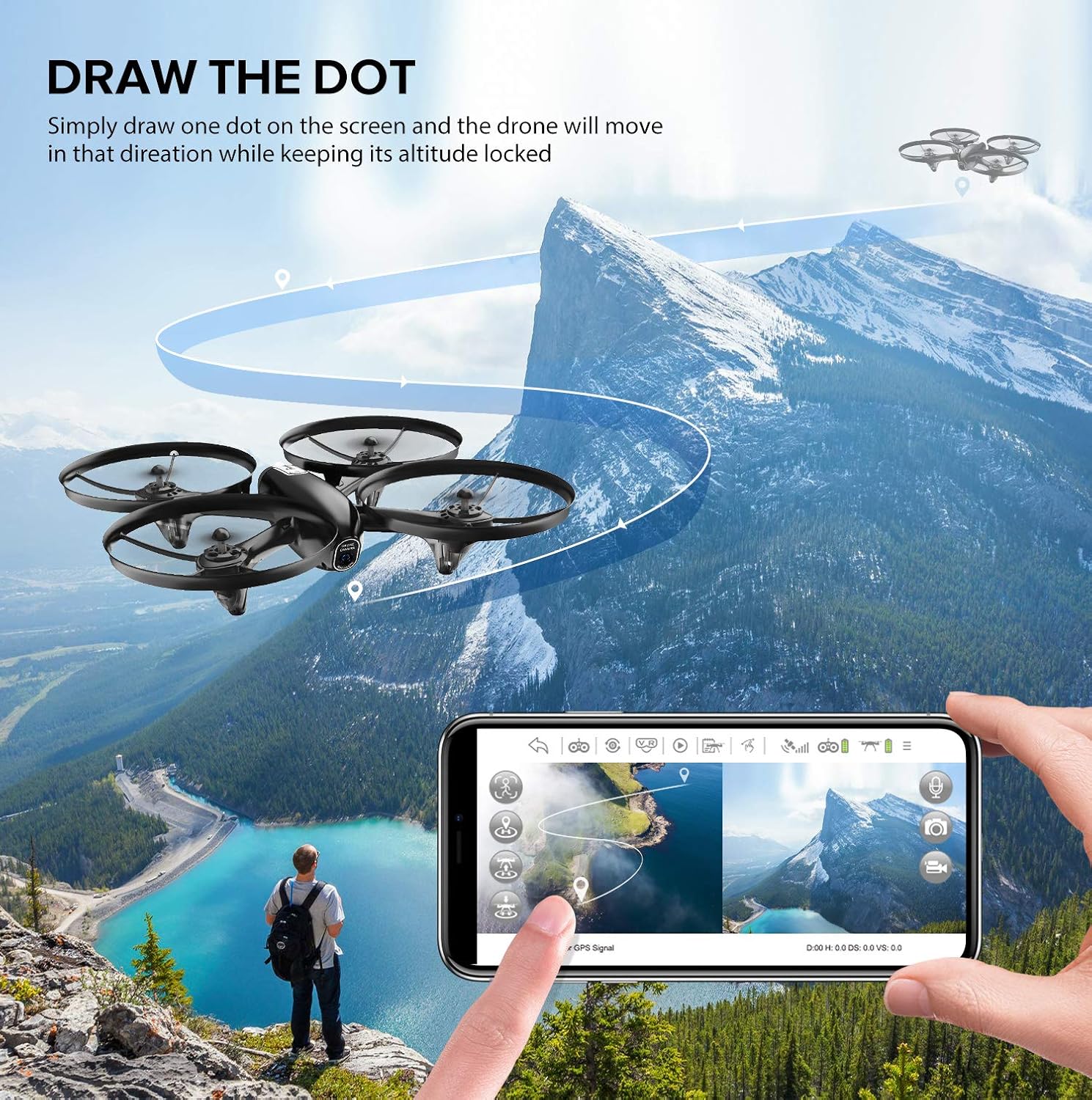
Image: A drone flying along a pre-drawn path on a smartphone screen, showcasing the 'Draw the Dot' flight planning feature over a scenic landscape.
9. Low Power & Out of Range Alarm
The remote controller will emit an audible 'di di di' sound when the drone's battery is low or if it flies out of range. If connected via Wi-Fi, your phone will also vibrate. Land the drone immediately when these alarms are triggered.

Image: An illustration depicting the drone and remote control with a low battery warning icon, indicating the low battery alarm feature.
Maintenance
- Cleaning: Use a soft, dry cloth to clean the drone and remote control. Avoid using water or solvents.
- Storage: Store the drone and its components in a cool, dry place, away from direct sunlight. Remove batteries from the remote control if storing for extended periods.
- Propellers: Regularly check propellers for damage. Replace any bent or broken propellers to ensure stable flight.
Troubleshooting
| Problem | Possible Cause | Solution |
|---|---|---|
| Drone does not respond to remote. | Not paired; low battery in drone or remote. | Re-pair the drone and remote; charge/replace batteries. |
| Drone drifts during flight. | Not calibrated; uneven surface during take-off; strong wind. | Calibrate the drone on a flat surface; fly in calm conditions. |
| Poor camera feed or no FPV. | Weak Wi-Fi signal; app not connected; camera issue. | Ensure strong Wi-Fi connection; restart app and drone; check camera for obstructions. |
| Short flight time. | Battery not fully charged; old battery. | Ensure battery is fully charged; consider replacing old batteries. |
Specifications
- Brand: Potensic
- Model Name: U47
- Color: Black
- Video Capture Resolution: 720p (1280x720 pixels)
- Connectivity Technology: USB, Wi-Fi
- Skill Level: Beginner
- Item Weight: 4.8 ounces
- Video Capture Format: MP4
- Control Type: Remote Control
- Material: Plastic
- Battery Cell Composition: Lithium Ion
- Optical Sensor Technology: CMOS
- Product Dimensions: 10.9 x 9.7 x 2.3 inches
- Manufacturer Recommended Age: 14 years and up
- UPC: 657390375623
Warranty and Support
For warranty information and technical support, please refer to the official Potensic website or contact their customer service directly. Keep your purchase receipt as proof of purchase.
Potensic Official Website: Visit the Potensic Store on Amazon
Documents and downloads
Ask a question about this manual
Ask about setup, troubleshooting, compatibility, parts, safety, or missing instructions. Manuals+ will review the question and use this page’s manual context to help answer it.