Introduction
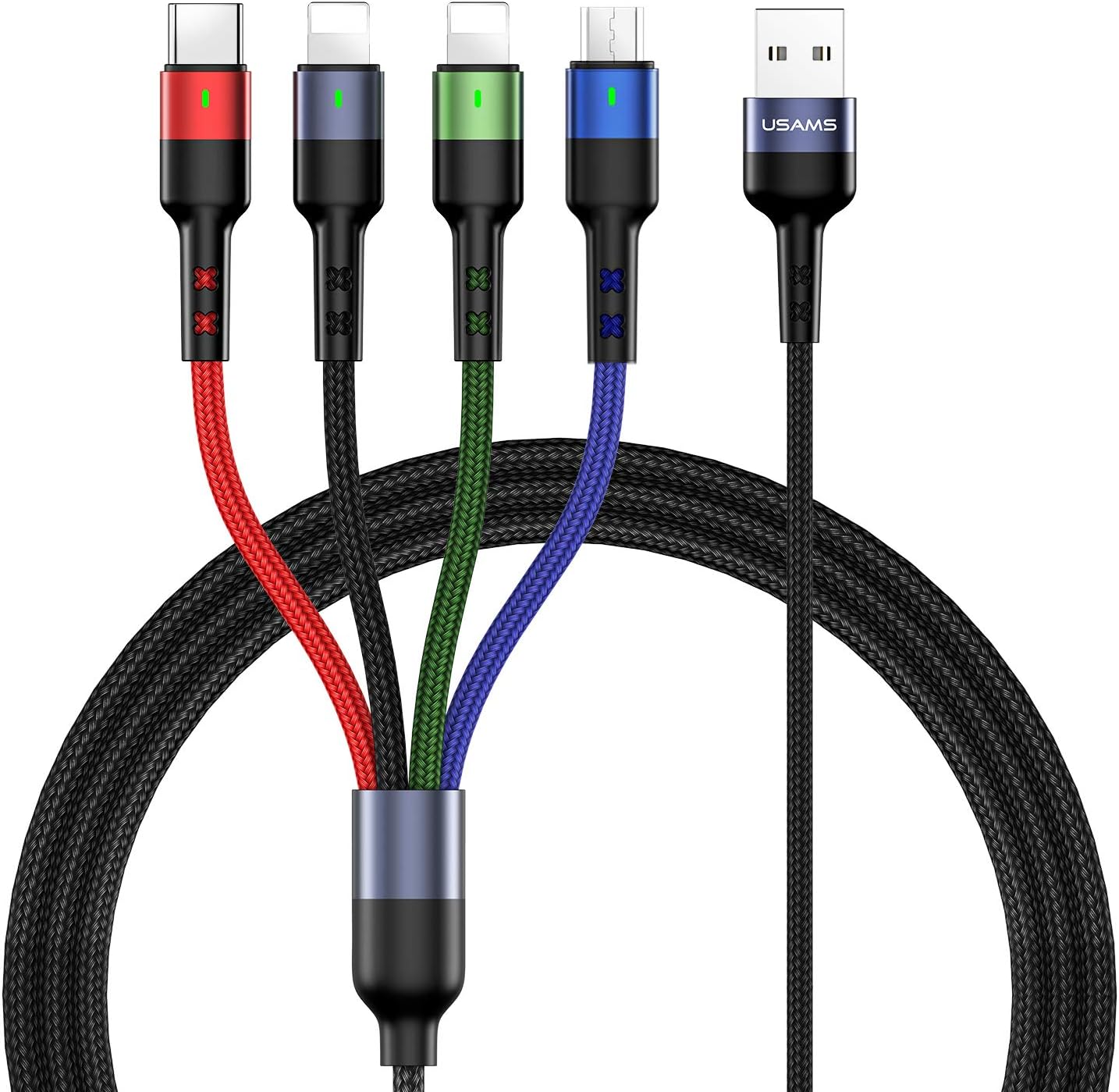
The USAMS 4-in-1 Multi-Charging Cable provides a versatile charging solution for multiple devices simultaneously. This cable features a durable nylon braided design and includes various connectors to support a wide range of smartphones and tablets. This manual provides essential information for the proper use and care of your charging cable.
What's in the Box
- 2 x 4ft 4-in-1 Multi-Charging Cables
Key Features
- 4-in-1 Design: One cable integrates Dual iP (Lightning), Micro USB, and Type-C connectors, allowing charging for a wide array of devices.
- Indicator Light: Special indicator light design on the connectors for convenient use, especially in low-light conditions.
- Enhanced Durability: Constructed with nylon braided material and aluminum alloy connectors, tested for over 10,000 insertions and bends to ensure a longer service life and resistance to heat and corrosion.
- Optimal Length: Each cable is 4 feet (120cm) long, offering flexibility and convenience for various settings such as home, office, or travel.
- Charging Only: Please note that this cable is designed exclusively for charging and does not support data synchronization.
Setup
- Connect the standard USB-A end of the multi-charging cable to a compatible USB power adapter (not included), a USB port on a computer, or a power bank.
- Observe the indicator light on the connector ends. A lit indicator confirms that the cable is receiving power and is ready for use.
Operating Instructions
- Identify the correct charging connector for your device: Dual iP (Lightning) for Apple devices, Micro USB for older Android devices and accessories, or Type-C for newer Android devices and other USB-C compatible electronics.
- Gently plug the appropriate connector into your device's charging port. Ensure a secure connection.
- The cable supports simultaneous charging of up to four devices. Connect all devices as needed.
- Monitor your device's screen to confirm that charging has begun.
Compatibility
The USAMS 4-in-1 Multi-Charging Cable is broadly compatible with devices featuring the following ports:
- Dual iP (Lightning): Compatible with various Apple devices such as iPhone 8, 8 Plus, 7, 7 Plus, 6s, 6 Plus, iPad Air, Air 2, iPad Pro, iPad mini, iPod touch.
- Micro USB: Compatible with many Android smartphones and tablets, including older models of Samsung Galaxy, as well as various Amazon Fire tablets (e.g., Fire 5th-9th Gen, Fire HD 8th-12th Gen, Kindle Fire HD).
- Type-C: Compatible with modern devices such as Samsung Galaxy S10, S9, S8, Google Pixel, OnePlus 3, Huawei P9, Lumia 950, and newer laptops like MacBook 2015, MacBook Pro 2016, and ChromeBook Pixel 2015.
Maintenance
- Keep the cable clean and dry. Use a soft, dry cloth to wipe away any dust or debris.
- Avoid excessive bending or sharp angles, especially near the connectors, to prevent internal wire damage.
- Do not pull the cable by the cord itself when disconnecting; always grasp the connector head.
- Store the cable neatly coiled in a cool, dry place when not in use to prevent tangling and damage.
Troubleshooting
- Device not charging:
- Ensure the USB-A end is fully inserted into a functional power source.
- Verify that the correct connector type is being used for your specific device.
- Check if the indicator light on the connector is illuminated, indicating power flow.
- Try connecting the cable to a different USB port or power adapter.
- Slow charging:
- Ensure your power adapter provides sufficient output (e.g., 2A or higher for optimal speed).
- Charging multiple devices simultaneously may distribute the available current, potentially slowing down individual device charging.
- The actual charging speed depends on the power source, the device being charged, and the number of devices connected.
Specifications
| Brand | USAMS |
| Model Number | USAMS-2pack-4in1cable |
| Connector Type | USB Type C, Micro USB, Dual iP (Lightning) |
| Cable Type | Multi-charging cable |
| Compatible Devices | Smartphones, Tablets |
| Special Feature | Braided, Indicator Light |
| Length | 4 feet (120 cm) |
| Material | Nylon Braided, Aluminum Alloy |
| Number of Items | 2 (in pack) |
| Maximum Voltage | 5 Volts |
| AC Adapter Current (Recommended) | Up to 3 Amps |
| Durability | Connector tested 10,000+ times |
Warranty and Support
For detailed warranty information, product registration, or technical support, please visit the official USAMS website or contact their customer service department directly. Keep your purchase receipt for any warranty claims.
Product Visuals