
Introduction
This manual provides detailed instructions for the safe and efficient use of your Riversong EA33 Rhythm L Bluetooth Headset. Please read this manual thoroughly before using the product and retain it for future reference.
Package Contents
Verify that all items listed below are present in your package:
- Riversong EA33 Rhythm L Bluetooth Headset
- USB Charging Cable
- User Manual (this document)
- Protective Case (if included with your specific model)
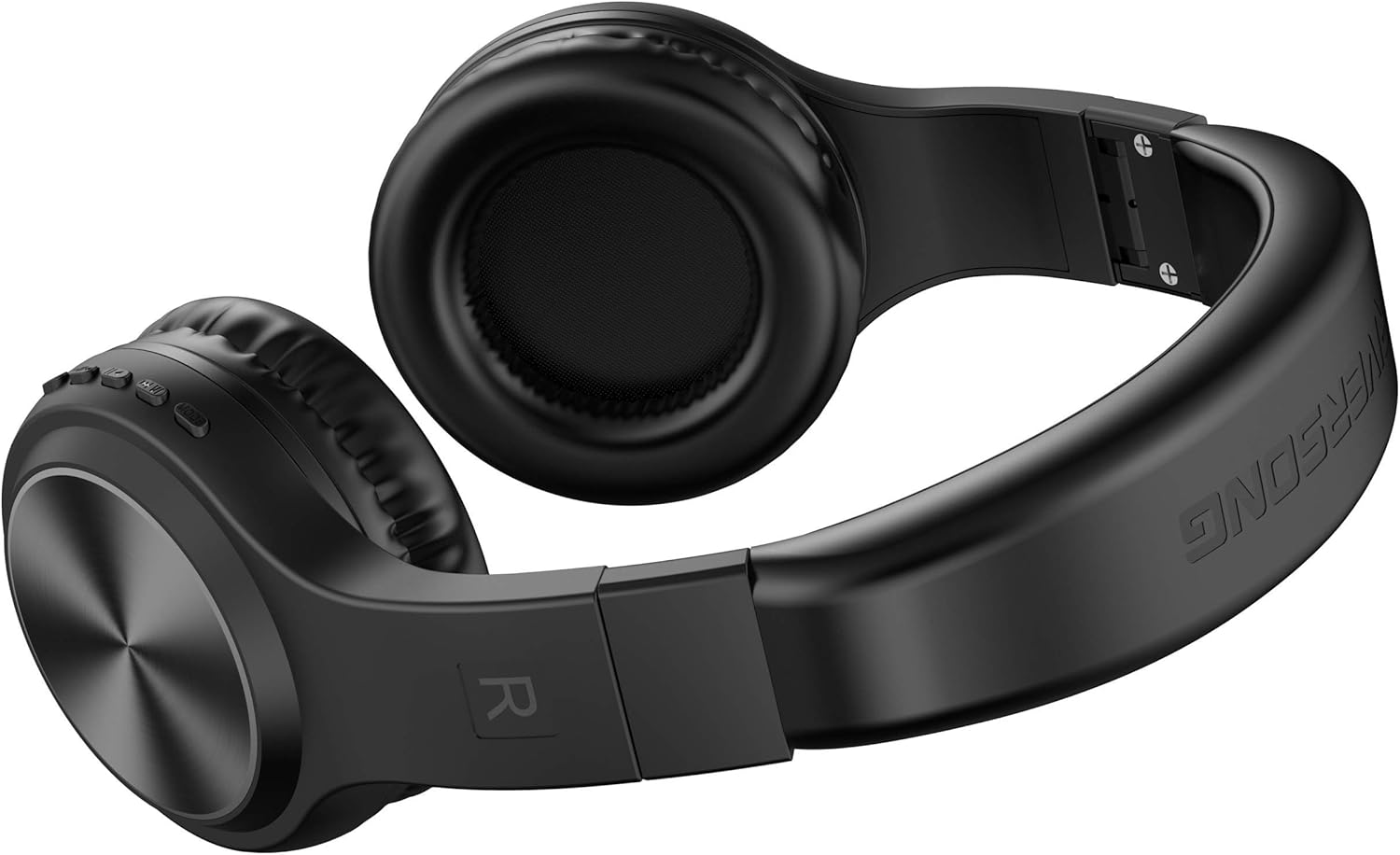
Image: Riversong EA33 Rhythm L Bluetooth Headset with included accessories.
Product Overview
The Riversong EA33 Rhythm L is a wireless on-ear Bluetooth headset designed for audio playback and communication. It features volume controls and can be used wirelessly via Bluetooth or wired via a 3.5mm audio jack (audio cable not always included, check package contents).

Image: Side view of the Riversong EA33 Rhythm L headset, highlighting the control buttons.
Setup
Charging the Headset
- Connect the small end of the USB charging cable to the charging port on the headset.
- Connect the large end of the USB charging cable to a USB power adapter (not included) or a computer's USB port.
- The LED indicator on the headset will illuminate to show charging status. It will typically turn off or change color when fully charged.
- A full charge usually takes approximately 2-3 hours.
Powering On/Off
- To Power On: Press and hold the Multi-function button (usually the power button) for approximately 3-5 seconds until the LED indicator flashes.
- To Power Off: Press and hold the Multi-function button for approximately 3-5 seconds until the LED indicator turns off.
Operating Instructions
Bluetooth Pairing
- Ensure the headset is fully charged and powered off.
- Press and hold the Multi-function button for approximately 5-7 seconds until the LED indicator flashes red and blue alternately. This indicates pairing mode.
- On your device (smartphone, tablet, computer), enable Bluetooth and search for available devices.
- Select "EA33" or "Riversong EA33" from the list of found devices.
- Once paired, the LED indicator on the headset will flash blue slowly.
- If a password is required, enter "0000".
Music Playback
- Play/Pause: Press the Multi-function button once.
- Next Track: Press and hold the Volume Up (+) button.
- Previous Track: Press and hold the Volume Down (-) button.
- Volume Up: Short press the Volume Up (+) button.
- Volume Down: Short press the Volume Down (-) button.
Call Management
- Answer Call: Press the Multi-function button once.
- End Call: Press the Multi-function button once during a call.
- Reject Call: Press and hold the Multi-function button for approximately 2 seconds.
- Redial Last Number: Double-press the Multi-function button.
Wired Connection (3.5mm Audio Jack)
If your headset supports a wired connection (check for a 3.5mm audio port), you can connect it to devices using a 3.5mm audio cable (not always included). When connected via cable, the Bluetooth function will typically be disabled, and the headset will operate as a passive wired headphone.
Maintenance
- Cleaning: Use a soft, dry cloth to clean the headset. Do not use abrasive cleaners or solvents.
- Storage: Store the headset in a cool, dry place, away from direct sunlight and extreme temperatures. Use the protective case (if included) to prevent damage.
- Battery Care: To prolong battery life, charge the headset regularly, even if not in frequent use. Avoid fully discharging the battery for extended periods.
- Water Exposure: This headset is not water-resistant. Avoid exposure to water or excessive moisture.
Troubleshooting
| Problem | Possible Cause | Solution |
|---|---|---|
| Headset does not power on. | Low battery. | Charge the headset fully. |
| Cannot pair with device. | Headset not in pairing mode; Bluetooth disabled on device; device too far. | Ensure headset is in pairing mode (flashing red/blue). Enable Bluetooth on your device. Move device closer to headset (within 10 meters). |
| Sound is intermittent or distorted. | Interference; device too far; low battery. | Move closer to the paired device. Avoid strong electromagnetic interference. Charge the headset. |
| No sound. | Volume too low; headset not connected; incorrect audio output selected on device. | Increase headset and device volume. Re-pair the headset. Check device's audio output settings. |
| Headset disconnects frequently. | Out of range; interference; low battery. | Stay within Bluetooth range (approx. 10 meters). Reduce interference. Charge the headset. |
Specifications
| Model Name: | EA33 Rhythm L |
| Brand: | RIVERSONG |
| Connectivity: | Bluetooth Wireless, 3.5mm Jack (wired option) |
| Headphone Type: | On-Ear |
| Color: | Black |
| Material: | Plastic |
| Dimensions (L x W x H): | 20.5 x 14.5 x 8.3 cm |
| Weight: | 300 g |
| Battery: | 1 Lithium Polymer battery (included) |
| Control Type: | Volume Control |
| Water Resistance: | Not Water Resistant |
Warranty and Support
For warranty information and customer support, please refer to the warranty card included with your product or visit the official RIVERSONG website. Keep your purchase receipt as proof of purchase for warranty claims.
Manufacturer: RIVERSONG
Contact: Please refer to the contact information provided on the product packaging or the official RIVERSONG website for support inquiries.
Safety Information
- Do not disassemble, repair, or modify the headset.
- Do not expose the headset to extreme temperatures, humidity, or corrosive environments.
- Avoid listening at high volume levels for extended periods to prevent hearing damage.
- Keep the headset away from children and pets.
- Dispose of the product and its battery responsibly according to local regulations.
