
1. Introduction
This manual provides essential information for the safe and efficient installation, operation, and maintenance of your Came BX704AGS BX sliding gate motor. This motor is designed for sliding gates weighing up to 400 kg and operates on a 230V power supply. It incorporates advanced features for reliable and secure gate automation.
Key features include:
- Movement control via encoder for precise gate positioning.
- Provision for magnetic limit switch installation, enhancing safety and control.
- An electronic board equipped with terminal blocks, a display, and memory capable of storing up to 250 user codes.
- Developed with CONNECT technology for remote digital management via a gateway or local control using CAME KEY.
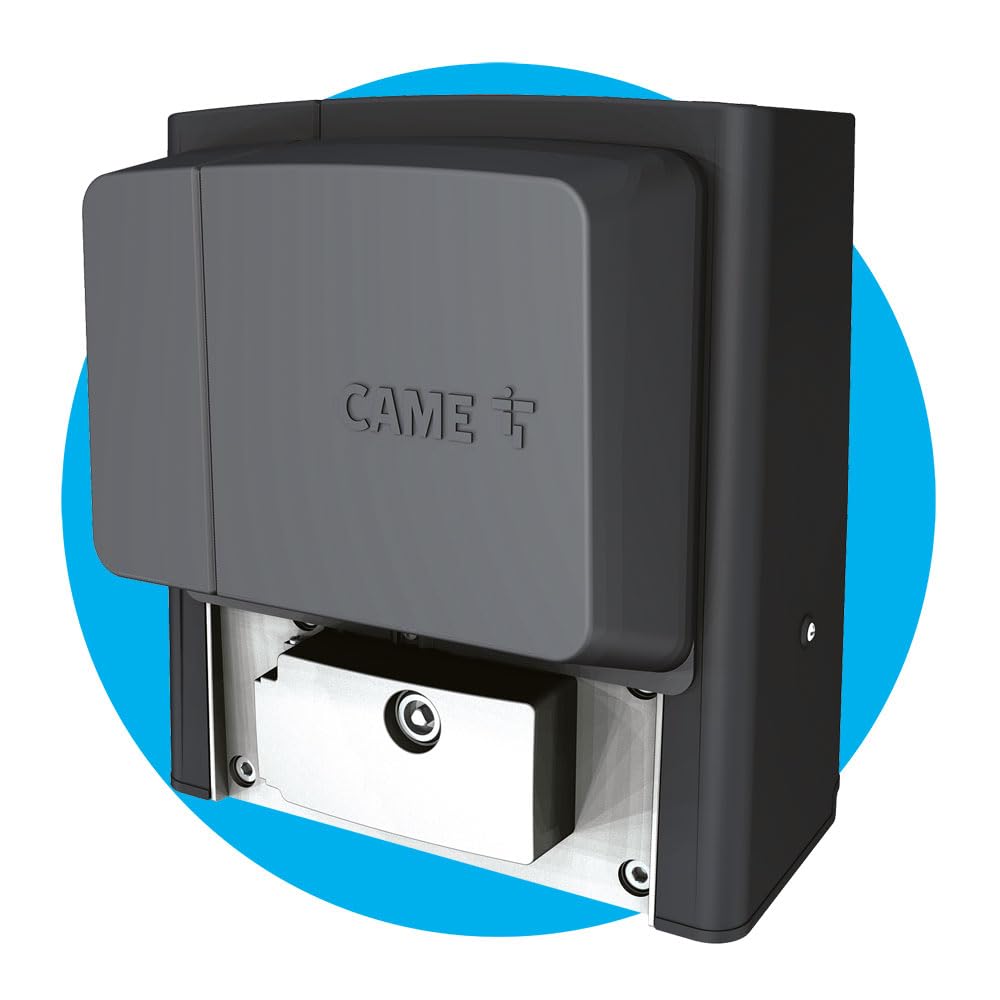
Image 1.1: The Came BX704AGS BX sliding gate motor. This image shows the compact design of the motor unit.
2. Safety Information
WARNING: Improper installation or use can cause serious injury or death. Read all instructions carefully before installation and operation.
- Installation must be performed by qualified personnel in compliance with local regulations and safety standards.
- Ensure the power supply is disconnected before performing any installation, maintenance, or repair work.
- Keep children and pets away from the gate area, especially during operation.
- Do not operate the gate if any part of the system is damaged or malfunctioning.
- Install all necessary safety devices, such as photocells and safety edges, to prevent entrapment.
- Ensure the gate moves freely and is properly balanced before installing the motor.
- Always use original Came spare parts for repairs.
3. Product Overview
The Came BX704AGS BX motor is a robust solution for automating sliding gates. Its design integrates the motor, control board, and mechanical components into a single unit for ease of installation and reliability.

Image 3.1: A sliding gate with the Came BX704AGS motor installed at its base. The motor is positioned to engage with the gate's rack system.

Image 3.2: A detailed view of the Came BX704AGS motor and the gate's toothed rack. This shows the precise engagement mechanism.

Image 3.3: Technical drawing illustrating the dimensions of the Came BX704AGS motor. All measurements are in millimeters.
4. Setup and Installation
The installation process involves mounting the motor, connecting electrical wiring, and configuring the control unit. It is crucial to follow the detailed instructions provided in the separate installation manual that accompanies the product.
4.1. Pre-installation Checks
- Verify the gate structure is sound and capable of smooth movement.
- Ensure the gate track is clean and free of obstructions.
- Confirm the availability of a stable 230V power supply at the installation site.
- Check that all necessary safety devices (photocells, safety edges) are present and functional.
4.2. Mounting the Motor
- Prepare a solid concrete base for the motor, ensuring it is level and stable.
- Securely fasten the motor to the base using appropriate anchor bolts.
- Install the gate rack, ensuring proper alignment with the motor's pinion gear.
4.3. Electrical Connections
- Connect the 230V main power supply to the designated terminals on the control board.
- Wire all safety devices (photocells, emergency stop buttons) to the control board.
- Connect any accessories such as remote controls, keypads, or intercom systems.
- Ensure all wiring is correctly insulated and protected from environmental factors.
4.4. Initial Configuration
- Power on the system and follow the control board's display instructions for initial setup.
- Program the gate's opening and closing limits.
- Enroll remote controls and other access devices.
- Test all safety features to ensure proper operation.
5. Operating Instructions
The Came BX704AGS BX motor offers various operating modes. Refer to the control board's specific programming manual for detailed instructions on setting up different functionalities.
5.1. Standard Operation
- Remote Control: Press the designated button on your remote control to open or close the gate. A second press during movement will stop the gate.
- Keypad/Access Control: Enter your valid code on the keypad or present your access card/tag to activate the gate.
- Manual Release: In case of power failure or malfunction, use the provided key to manually unlock the motor and move the gate by hand. Refer to the motor housing for the manual release mechanism.
5.2. Safety Features
- Photocells: If the photocell beam is interrupted during closing, the gate will stop and reverse.
- Obstacle Detection: The encoder-based movement control detects obstacles and reverses the gate to prevent damage or injury.
- Emergency Stop: Pressing an emergency stop button (if installed) will immediately halt all gate movement.
6. Maintenance
Regular maintenance ensures the longevity and safe operation of your Came BX704AGS BX sliding gate motor. Perform these checks periodically.
6.1. Monthly Checks
- Inspect the gate track and rollers for debris or damage. Clean as necessary.
- Check the gate's smooth movement by manually operating it (after disengaging the motor).
- Verify the functionality of all safety devices (photocells, safety edges).
- Ensure all mounting bolts and screws are tight.
6.2. Bi-Annual Checks (Recommended by a Qualified Technician)
- Lubricate moving parts of the gate and motor as specified in the detailed product manual.
- Inspect electrical connections for wear or corrosion.
- Check motor performance and adjust parameters if needed.
- Verify the integrity of the gate structure and hinges.
Always disconnect power before performing any maintenance on the motor unit.
7. Troubleshooting
This section addresses common issues you might encounter. For more complex problems, consult a qualified technician.
| Problem | Possible Cause | Solution |
|---|---|---|
| Gate does not move | No power; remote control battery low; safety device activated; motor in manual release mode. | Check power supply; replace remote battery; check photocells for obstruction; ensure motor is engaged. |
| Gate stops unexpectedly | Obstacle detected; safety device activated; motor overheating. | Remove obstruction; check safety devices; allow motor to cool down. |
| Remote control not working | Low battery; out of range; not programmed. | Replace battery; move closer to gate; reprogram remote control. |
8. Specifications
| Specification | Detail |
|---|---|
| Manufacturer | Came |
| Item Code | 801MS-0020 |
| Product Dimensions | 40 x 25 x 65 cm |
| Item Model Number | 801MS-0020 |
| Number of Items | 1 |
| Included Components | 1X BX704AGS - motor only |
| Batteries/Piles Included? | No |
| Batteries/Piles Required? | No |
| Item Weight | 15 Kilograms |
| ASIN | B07QX8NXQV |
| Available on Amazon.it from | 19 April 2019 |
9. Warranty and Support
9.1. Warranty Information
For detailed warranty information, please refer to the official warranty documentation provided with your product or visit the manufacturer's website. Warranty terms and conditions may vary based on region and purchase date.
9.2. Customer Support
Should you require technical assistance, spare parts, or further information, please contact Came customer support or visit their official website. You can find more information and products from Came by visiting the Came Store on Amazon.

Image 9.1: A Came technician providing assistance to a customer, demonstrating the brand's commitment to support.

Image 9.2: The official Came logo, emphasizing their brand message.


