1. Introduction
This manual provides essential information for the safe and effective operation of your Project Nursery Portable Sleep Soother Sound Machine and Night Light. Please read this manual thoroughly before use and retain it for future reference.
2. Safety Information
Important Safety Instructions:
- Avoid contact with water.
- Do not use as a toy.
- Handle power sources carefully to avoid electric shock.
- Keep out of reach of infants and young children when not in use or supervised.
3. Product Features
The Project Nursery Portable Sleep Soother is a versatile 4-in-1 device designed to assist with sleep and provide comfort. Key features include:
- Projector: Choose from 3 different themes – shapes, transportation, or sea life images.
- Sound Soother: Features 3 lullabies and 5 pre-loaded natural sounds (total 8 sounds) to promote sleep.
- Night Light: Built-in nightlight provides a soft glow with 3 brightness settings.
- Sleep Timer: Set the soother to constant on or a 60-minute timer. The timer will automatically shut off the light, projector, and sound.
- Portability: Operates with 3 AAA batteries (not included) for on-the-go use or plugs into a wall for continuous operation.

Figure 1: Overview of the 4-in-1 features of the Project Nursery Sleep Soother.
4. Setup
Follow these steps to set up your device:
- Unboxing: Carefully remove the product from its packaging.
- Power Source:
- For portable use, insert 3 AAA batteries (not included) into the battery compartment.
- For continuous use, plug in the AC Power Adapter (if included) into a wall outlet and the device.
- Placement: Place the device on a stable, flat surface near the desired area for soothing sounds, nightlight, or projected images.
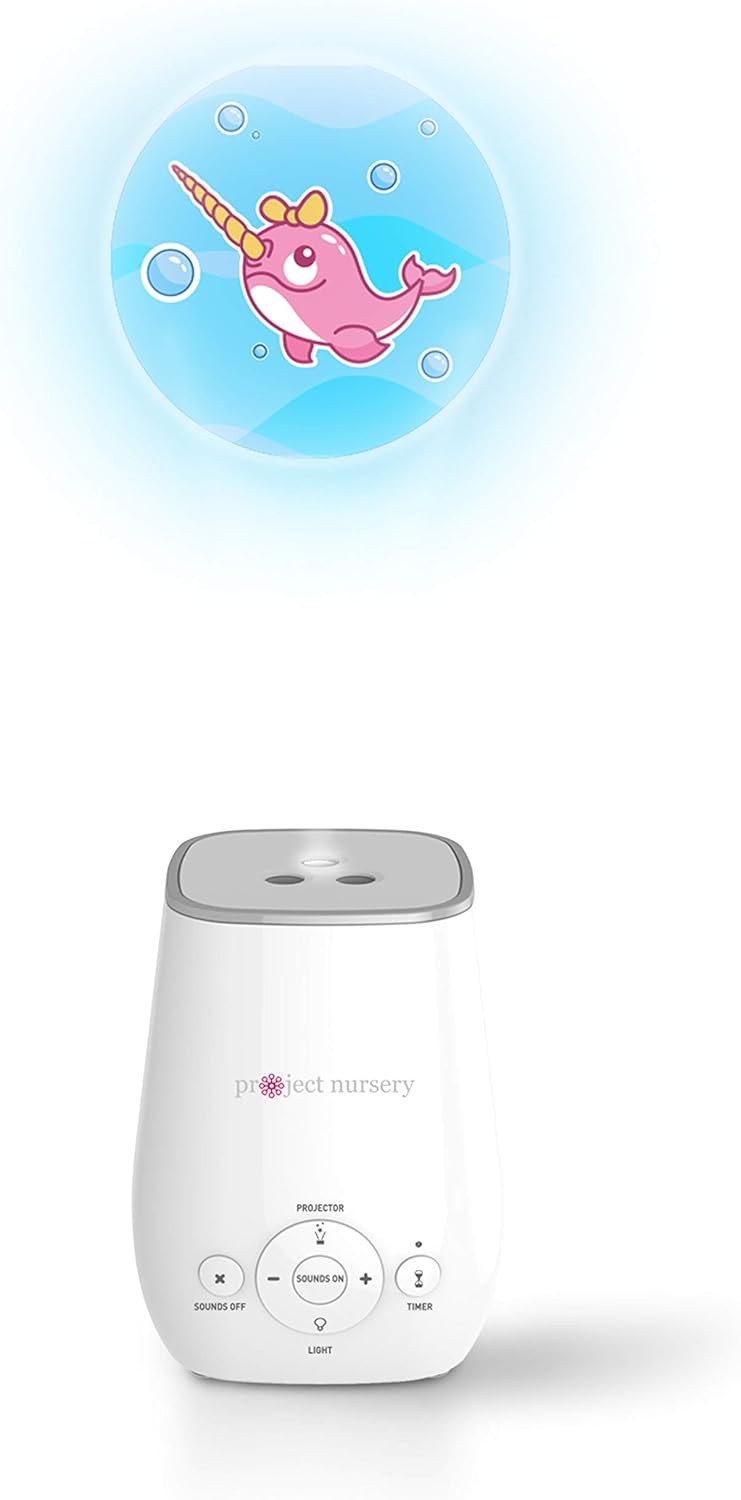
Figure 2: The Project Nursery Sleep Soother in use, projecting an image onto a surface.
5. Operating Instructions
The device features intuitive controls for easy operation.
5.1. Sound Soother
- Turn On/Off: Press the "Sounds On" button (center button) to activate the sound soother. Press "Sounds Off" (left button) to turn off the sound.
- Select Sound: Use the "+" and "-" buttons around the "Sounds On" button to cycle through the 8 pre-loaded sounds (3 lullabies, 5 natural sounds).
- Adjust Volume: The volume is adjusted automatically with the sound selection.
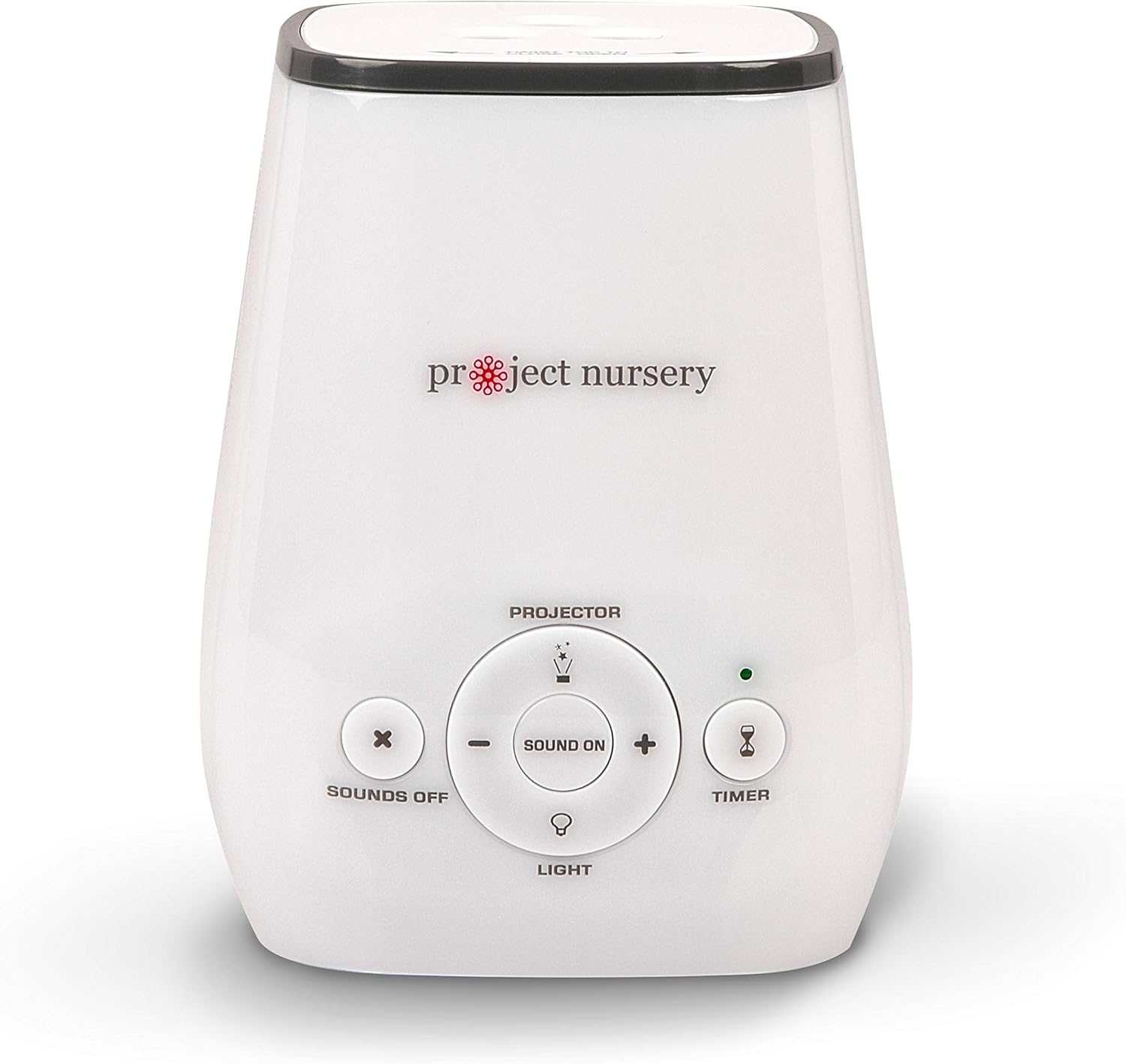
Figure 3: Control panel with buttons for sound selection and volume adjustment.
5.2. Night Light
- Activate Night Light: Press the "Light" button (bottom button) to turn on the night light.
- Adjust Brightness: Press the "Light" button repeatedly to cycle through the 3 brightness settings.
- Turn Off: Continue pressing the "Light" button until the light turns off, or use the main power off.
5.3. Projector
- Activate Projector: Press the "Projector" button (top button) to turn on the image projector.
- Change Themes: To change the projected image theme, twist the top of the unit to open the projector disc compartment. Rotate the disc to select one of the 3 themes (shapes, transportation, or sea life). Close the top securely.
- Turn Off: Press the "Projector" button again to turn off the projector.

Figure 4: Top of the device indicating how to twist to open and change projector themes.
5.4. Sleep Timer
- Set Timer: Press the "Timer" button (right button) to activate the 60-minute sleep timer. The indicator light will illuminate.
- Constant On: To disable the timer and keep the device on continuously, press the "Timer" button again until the indicator light turns off.
6. Maintenance
To ensure the longevity and proper functioning of your device:
- Cleaning: Wipe the device with a soft, dry cloth. Do not use abrasive cleaners or immerse in water.
- Battery Replacement: If using batteries, replace all 3 AAA batteries when the device's performance diminishes. Ensure correct polarity.
- Storage: Store the device in a cool, dry place when not in use for extended periods.
7. Troubleshooting
| Problem | Possible Cause | Solution |
|---|---|---|
| Device does not turn on. | No power or dead batteries. | Ensure AC adapter is securely plugged in or replace batteries. |
| Sound is distorted or too low. | Low battery power or incorrect volume setting. | Replace batteries or adjust volume using the '+' button. |
| Projector image is blurry. | Distance to projection surface is too far or too close. | Adjust the distance of the device from the projection surface. |
8. Specifications
- Model Name: Projector
- Item Model Number: 1
- Brand: Project Nursery
- Color: White
- Power Source: Battery Powered (3 AAA batteries, not included) or AC Adapter
- Package Dimensions: 6.4 x 4.2 x 4.1 inches
- Item Weight: 12 ounces
- Item Depth: 3.5 inches
- Manufacturer: VOXX International Corp.
- Recommended Age: 1 month and up
9. Warranty and Support
For warranty information or product support, please refer to the manufacturer's official website or contact their customer service directly. Keep your purchase receipt for warranty claims.
Legal Disclaimer: Statements regarding dietary supplements have not been evaluated by the FDA and are not intended to diagnose, treat, cure, or prevent any disease or health condition. This product is not a dietary supplement.
10. Additional Resources
Watch this helpful video for a visual guide on features and operation:
Video 1: Project Nursery Sound Machine - Quick Review and How-To! This video provides a quick overview and demonstration of the sound machine's features and operation.


