1. Introduction
This manual provides instructions for the safe and efficient use of your TECHSMARTER TSB7600 12000mAh Wireless Power Bank. Please read this manual thoroughly before using the product and retain it for future reference.
The TECHSMARTER TSB7600 is a portable power bank designed to charge your mobile devices wirelessly and via USB ports. It features anti-slip suction cups for secure attachment to your phone during wireless charging.
2. Package Contents
- TECHSMARTER TSB7600 12000mAh Wireless Power Bank
- USB-C to USB-C Cable
- User Guide (this document)
3. Product Overview
Familiarize yourself with the components of your power bank.

Image 3.1: TECHSMARTER TSB7600 Wireless Power Bank in use, showing wireless charging of a smartphone.

Image 3.2: Diagram illustrating the USB-A Output, USB-C In/Output, Micro USB Input, and 10W Wireless Charging Pad.
Key Features:
- 12000mAh Capacity: Provides multiple charges for smartphones and tablets.
- Anti-Slip Suction Cups: Securely attach the power bank to your device for hands-free wireless charging.
- Multiple Charging Options:
- 18W USB-A Output
- 18W USB-C In/Output (Power Delivery)
- 10W Wireless Charging Pad
- Fast Charging & Recharging: Supports rapid charging for compatible devices and quick recharging of the power bank itself.
- Pass-Through Charging: Allows charging of devices while the power bank is being recharged.
- Travel-Friendly: Meets airline carry-on requirements.
- Case-Friendly: Suction cups are designed to grip smooth, thin phone cases.
4. Setup
4.1 Initial Charge
Before first use, fully charge your power bank. This ensures optimal battery performance.
- Connect the provided USB-C to USB-C cable to the power bank's USB-C port.
- Connect the other end of the cable to an 18W Power Delivery (PD) wall charger (not included).
- The LED indicators on the power bank will illuminate to show charging progress. A full charge typically takes approximately 3 hours with an 18W PD charger.

Image 4.1: The power bank connected to a wall charger for recharging.
5. Operating Instructions
5.1 Wireless Charging
The power bank supports 10W wireless charging for compatible devices.
- Ensure your device is wireless charging compatible (e.g., iPhone 8 and newer, Samsung Galaxy S8 and newer, LG THinQ).
- Align the suction cups on the power bank with the back of your smartphone. Press gently to secure the power bank to your device.
- The power bank will automatically begin wireless charging. If charging does not start, reposition your device on the power bank's wireless charging pad.
- For optimal suction, ensure both the power bank's suction cups and your phone's back surface (or case) are clean and smooth.

Image 5.1: Demonstrating the anti-slip suction cups securing the power bank to a phone for wireless charging.

Image 5.2: Illustrating fast wireless charging capability.
5.2 Wired Charging (USB-A / USB-C)
The power bank offers 18W fast charging via its USB-A and USB-C ports.
- Connect one end of a compatible charging cable (e.g., USB-C to USB-C, USB-A to Lightning, USB-A to Micro USB) to your device.
- Connect the other end of the cable to either the USB-A output port or the USB-C input/output port on the power bank.
- Charging will begin automatically. The LED indicators will show the remaining power.

Image 5.3: The power bank connected to a smartphone via a USB-C cable for 18W fast charging.
5.3 Recharging the Power Bank
To recharge the power bank, use either the USB-C port or the Micro USB input port.
- Connect a USB-C to USB-C cable (included) or a Micro USB cable (not included) to the corresponding input port on the power bank.
- Connect the other end of the cable to a power source, such as an 18W Power Delivery (PD) wall charger.
- The LED indicators will show the charging status. When all LEDs are solid, the power bank is fully charged.
5.4 Pass-Through Charging
The power bank supports pass-through charging, allowing you to charge your devices while the power bank itself is being recharged. Connect the power bank to a wall charger, then connect your device to the power bank (either wirelessly or via USB).
6. Maintenance
- Cleaning: Use a soft, dry cloth to clean the power bank. Do not use harsh chemicals or abrasive materials.
- Suction Cups: If the anti-slip suction cups lose their grip, wipe them with a damp cloth to remove dust or oils, then allow them to air dry.
- Storage: Store the power bank in a cool, dry place away from direct sunlight and extreme temperatures.
- Battery Care: To prolong battery life, fully charge the power bank at least once every three months if not in regular use.
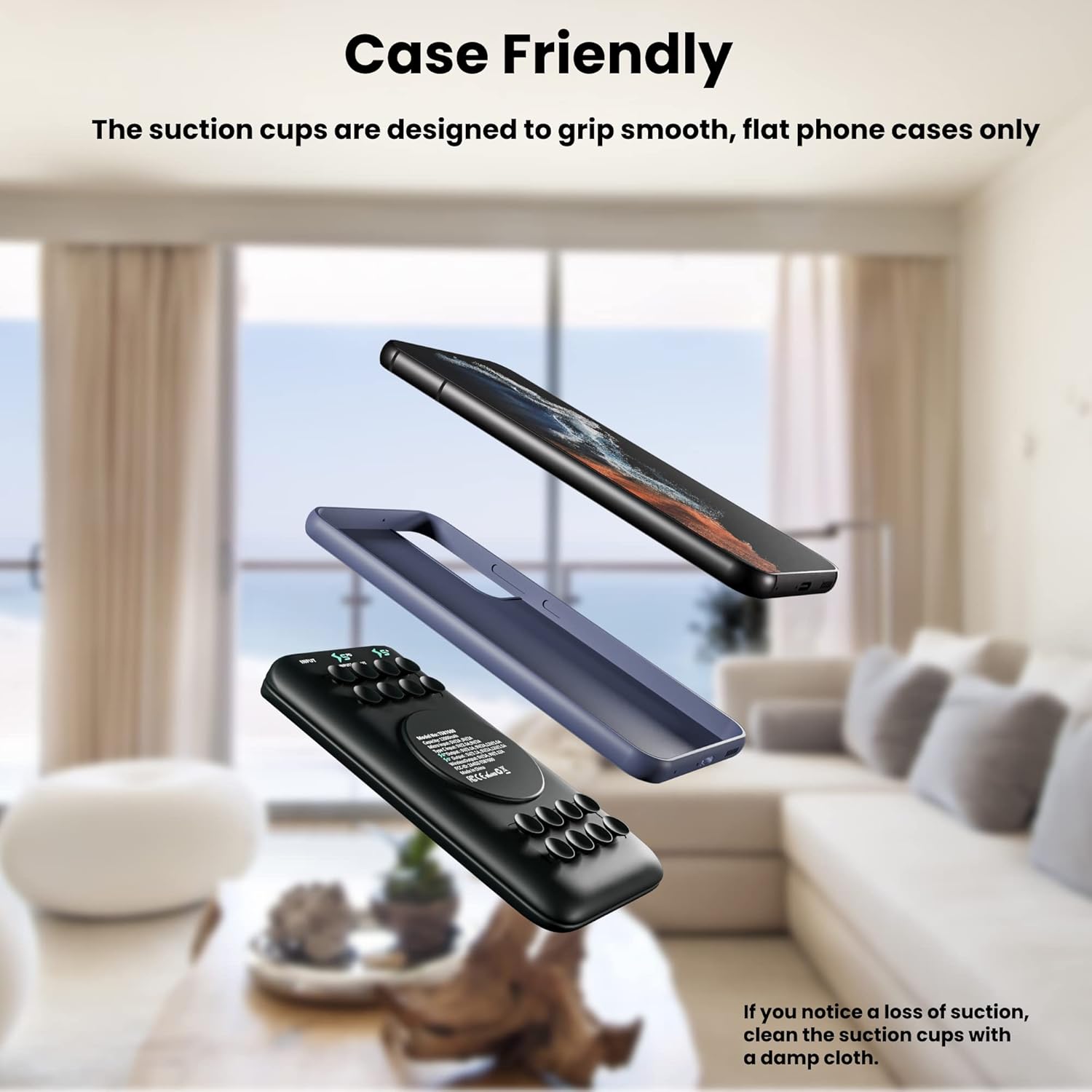
Image 6.1: The power bank's suction cups are designed for smooth, thin phone cases. Clean suction cups if grip is lost.
7. Troubleshooting
| Problem | Possible Cause | Solution |
|---|---|---|
| Device not charging wirelessly. | Device misalignment, incompatible device, thick phone case, dirty suction cups. |
|
| Device not charging via USB. | Cable issue, power bank low on charge, device not compatible. |
|
| Power bank not recharging. | Charger issue, cable issue, power outlet issue. |
|
| Suction cups losing grip. | Dust, oil, or uneven surface. |
|
8. Specifications
| Model Number | TSB7600 |
| Battery Capacity | 12000 mAh |
| Battery Type | Lithium Polymer |
| USB-C Input/Output | 18W Power Delivery (PD) |
| Micro USB Input | 18W Max |
| USB-A Output | 18W Max |
| Wireless Output | 10W |
| Dimensions | 5 x 2.5 x 0.5 inches |
| Weight | 6 ounces |

Image 8.1: The 12000mAh capacity allows for multiple device charges.
9. Safety Information
- Do not expose the power bank to extreme temperatures (above 45°C/113°F or below -10°C/14°F).
- Do not disassemble, modify, or repair the device yourself.
- Avoid dropping, hitting, or subjecting the power bank to strong impacts.
- Keep away from water, moisture, and flammable materials.
- Do not use if the power bank is damaged, swollen, or leaking.
- Keep out of reach of children.
- Dispose of the power bank according to local regulations for electronic waste.
- The power bank meets airline carry-on requirements.

Image 9.1: The power bank is compliant with airline carry-on regulations, making it safe for travel.
10. Warranty and Support
TECHSMARTER products are designed for reliability and performance. For warranty information or technical support, please refer to the official TECHSMARTER website or contact their customer service directly.
For further assistance, please visit: TECHSMARTER Store on Amazon


