
1. Introduction
This manual provides detailed instructions for the safe and efficient use of the Jadeshay AT1-2200X Variable Frequency Drive (VFD). This device is designed to convert single-phase AC 220V input into three-phase AC output, allowing for precise speed control of three-phase motors up to 2.2KW. Please read this manual thoroughly before installation and operation to ensure proper functionality and to prevent damage or injury.
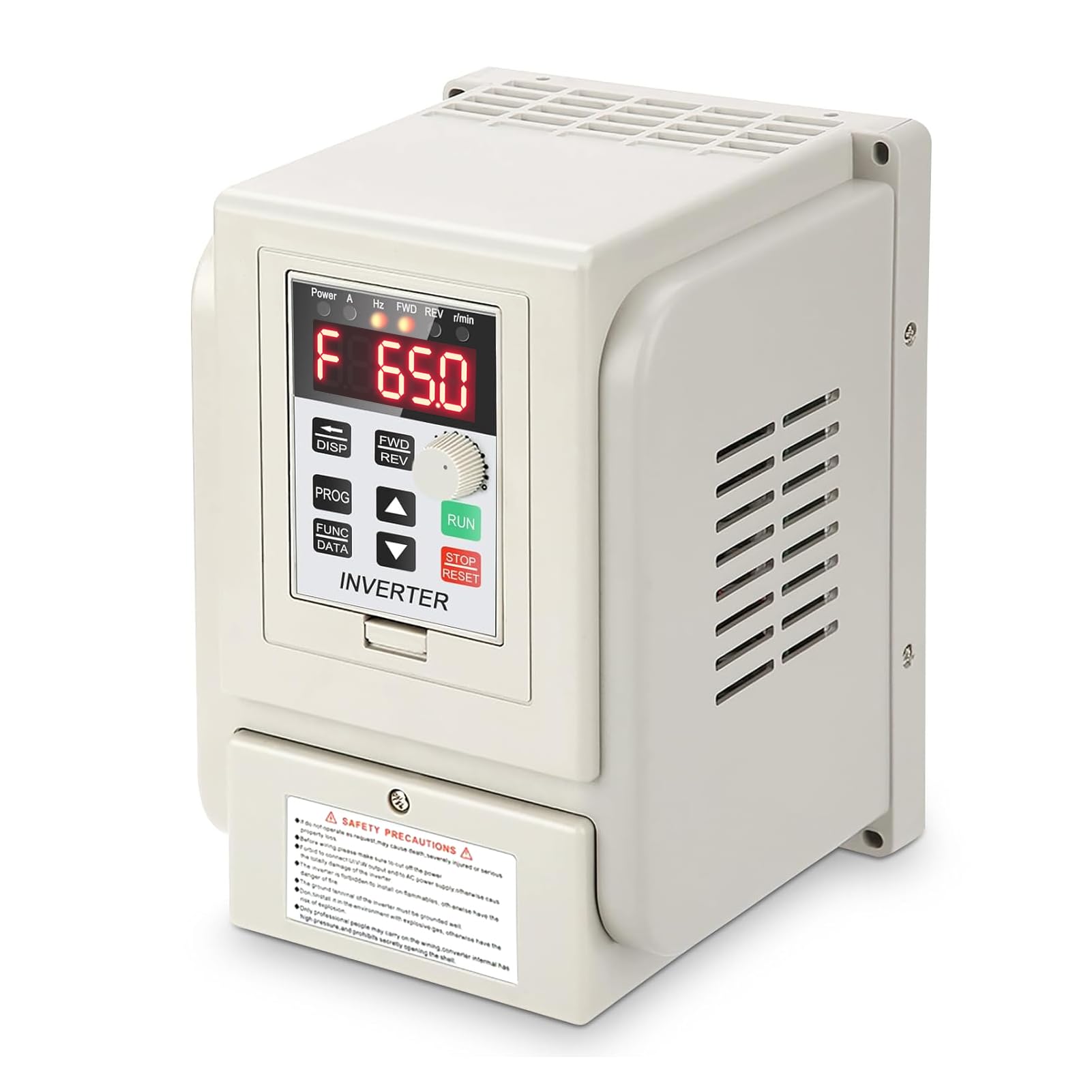
Figure 1: Jadeshay AT1-2200X Variable Frequency Drive (VFD).
2. Safety Precautions
WARNING: Improper installation or operation can lead to severe injury or equipment damage. Always follow these safety guidelines:
- Ensure power is disconnected before any wiring or maintenance.
- Do not connect U/V/W output terminals directly to AC power supply; this will cause damage.
- The inverter must be installed in a non-flammable environment, free from explosive gases, high temperatures, humidity, and dust.
- The ground terminal of the inverter must be properly grounded.
- Only qualified professionals should perform wiring and internal adjustments.
- Avoid touching internal components while the device is powered or recently powered, due to residual voltage.

Figure 2: Safety precautions label on the VFD unit.
3. Product Overview
3.1 Key Features
- Comprehensive Protection: Includes overcurrent, overvoltage, undervoltage, module failure, overheating, short circuit, input/output phase loss, abnormal motor parameter adjustment, and electronic thermal relay protection.
- High Precision Control: Unique control design offers excellent anti-tripping performance and adaptability to strong electrical interference, temperature, humidity, and dust.
- User-Friendly Operation: Simple wiring via screw terminals for quick setup.
- Efficient Heat Dissipation: Designed with a large heat sink and dual fans for reliable long-term operation.
- Flexible Speed Regulation: Optimised PWM control technology for high torque, high precision, and a wide speed regulation range.
3.2 Control Panel Buttons
The VFD features an intuitive control panel with a 5-digit LED display and various buttons for monitoring, programming, and operation.

Figure 3: Control Panel Buttons and their functions.
- DISP (Movement key): Switches monitoring parameters; moves data frame to edit bit in the second-level menu.
- PROG (Programme key): Exits current state; switches to other states, mainly used to switch to monitoring state.
- FUNC/DATA (Function/Save key): Enters menu step-by-step; saves set parameters.
- Up/Down Arrows (Plus/Minus keys): Short/Long press to increase or decrease data and function codes.
- FWD/REV (CW/CCW key): Press to run (CW), release to stop. For CCW operation, refer to specific parameter settings.
- RUN (Operation key): Starts operation.
- STOP/RESET (Stop/Reset key): Stops VFD operation; recovers previous wrong interface.
4. Setup
4.1 Physical Installation
The VFD should be mounted in a well-ventilated area, away from direct sunlight, moisture, and excessive dust. Ensure sufficient clearance around the unit for proper airflow, especially for the heat sink and cooling fans.

Figure 4: VFD dimensions (approx. 12.5L x 12.5W x 18H cm).

Figure 5: Side view illustrating the VFD's heat dissipation design.
4.2 Wiring Instructions
Refer to the wiring diagrams below for correct connection of the VFD to the power supply and the three-phase motor. Ensure all connections are secure and properly insulated.

Figure 6: Basic wiring diagram for single-phase AC 220V input to a three-phase AC asynchronous motor using the VFD (Delta connection shown).

Figure 7: Detailed terminal functions and wiring examples from the official manual (Charter 1).
Terminal Definitions:
- L, N: Single-phase AC 220V input terminals.
- U, V, W: Three-phase AC 220V output terminals for motor.
- GND: Grounding terminal.
- X1-X6: Input terminals for control signals (e.g., CW/CCW, speed ranges).
- COM: Common terminal for control signals.
- VI1: External analog voltage input (0-5V/10V).
- SP1, SP2: Open collector outputs.
- 15V/24V: Power supply output for control signals.
5. Operating Instructions
5.1 Basic Operation
After successful wiring, power on the VFD. The LED display will show the current frequency or other monitoring parameters.
- Start Motor: Press the RUN button to start the motor.
- Adjust Frequency/Speed: Use the rotary knob or the Up/Down arrow keys to adjust the output frequency, which controls the motor speed.
- Stop Motor: Press the STOP/RESET button to stop the motor.
- Reverse Direction: Use the FWD/REV button for forward/reverse operation, or configure parameters for external control.
Video 1: Demonstration of VFD motor speed control using the control panel.
5.2 Parameter Settings
The VFD allows for extensive customization through its parameter settings. To access and modify parameters:
- Press the PROG key to enter the programming state.
- Use the Up/Down arrow keys to navigate through parameter codes (e.g., P001, P002).
- Press FUNC/DATA to enter the selected parameter for editing.
- Use the Up/Down arrow keys or the rotary knob to adjust the parameter value.
- Press FUNC/DATA again to save the new value.
- Press PROG to exit the programming state.
Important: The drive must be stopped before saving parameter changes.

Figure 8: Excerpt from the parameter specification table (Chapter 2).
6. Maintenance
Regular maintenance ensures the longevity and optimal performance of your Jadeshay VFD.
- Cleaning: Periodically clean the VFD's exterior and ventilation openings to prevent dust accumulation, which can hinder heat dissipation. Use a soft, dry cloth. Do not use liquid cleaners.
- Inspection: Regularly check wiring connections for tightness and signs of wear or damage. Inspect the cooling fans for proper operation and clear any obstructions.
- Environment: Ensure the operating environment remains within specified temperature and humidity ranges.
- Professional Service: For internal cleaning or complex repairs, contact qualified service personnel.
7. Troubleshooting
The VFD is equipped with various protection mechanisms that display error codes in case of a fault. Refer to the table below for common fault codes and their remedies.
Figure 9: Excerpt from the fault code display table (Chapter 4).
| Fault Code | Description | Possible Cause / Remedy |
|---|---|---|
| Err 1 | Short Circuit Overload/Power Module Protection | Check motor and wiring for short circuits. Reduce load. |
| Err 2 | Overvoltage protection | Check input voltage. Ensure proper braking resistor if applicable. |
| Err 3 | Undervoltage protection | Check input voltage. Ensure stable power supply. |
| Err 4 | Driving Circuit Failure | Contact technical support. |
| Err 5 | Overcurrent protection | Reduce motor load. Check for motor jams. |
| Err 6 | Overload protection | Reduce motor load. Check motor parameters. |
| Err 7 | Excessive temperatures for radiator | Ensure proper ventilation. Clean heat sink and fans. |
If the issue persists after attempting the suggested remedies, please contact customer support.
8. Specifications
| Specification | Value |
|---|---|
| Brand | Jadeshay |
| Model Number | AT1-2200X |
| Rated Voltage | AC 220V (Single-phase input / Three-phase output) |
| Applicable Motor Power | 2.2 KW |
| Rated Current | 12 A |
| Maximum Output Frequency | 400 Hz |
| Dimensions (L x W x H) | 12.5 x 12.5 x 18 cm (approx.) |
| Weight | 1283 Grams |
| Display Type | LED |
| Power Source | DC power supply (internal conversion from AC input) |
| Output Waveform | Pure Sine Wave (implied by VFD function) |
| Efficiency | 90 to 95% (standby power) |
| Certifications | CE |
9. Warranty and Support
Information regarding specific warranty terms and conditions for the Jadeshay AT1-2200X Variable Frequency Drive is not available in this document. Please refer to your purchase documentation or contact the seller directly for warranty details.
For technical support, troubleshooting assistance beyond the scope of this manual, or inquiries about spare parts, please contact Jadeshay customer service or your authorized distributor.
- Availability of Spare Parts: Information unavailable.
- Software Updates: Information unavailable.