
hOmeLabs HME020235N
Contents
hOmelabs Portable Air Conditioner User Manual
Model: HME020235N
Introduction
Thank you for choosing the hOmelabs Portable Air Conditioner. This unit is designed to provide efficient and quiet cooling for rooms up to 600 square feet. This manual will guide you through the installation, operation, and maintenance of your new air conditioner to ensure years of comfortable use.

The hOmelabs Portable Air Conditioner and its included remote control.
Safety Information
Please read all safety warnings and instructions carefully before using this appliance to avoid injury or damage. Keep this manual for future reference.
- Always plug the unit into a grounded 3-prong outlet.
- Do not operate the unit with a damaged cord or plug.
- Do not block air vents. Ensure proper clearance around the unit.
- Unplug the unit before cleaning or servicing.
- This appliance is for indoor use only.
What's in the Box
Upon unpacking, please ensure all items listed below are present and in good condition:
- hOmelabs Portable Air Conditioner 14000 BTU
- Exhaust hose
- Remote control with batteries
- User Manual
Setup and Installation
The hOmelabs Portable Air Conditioner is designed for easy setup. Follow these steps for quick installation:
- Positioning the Unit: Place the air conditioner on a flat, stable surface near a window. Ensure there is at least 20 inches of space around the unit for proper airflow. The unit includes wheels for smooth mobility.
- Window Kit Assembly: Assemble the window slide adapter according to the instructions provided in the separate window kit manual. This kit is designed for horizontal window openings.
- Attaching the Exhaust Hose: Connect one end of the exhaust hose to the air conditioner's exhaust port and the other end to the window slide adapter. Ensure a secure fit to prevent air leakage.
- Power Connection: Plug the unit into a standard 115-volt grounded electrical outlet.
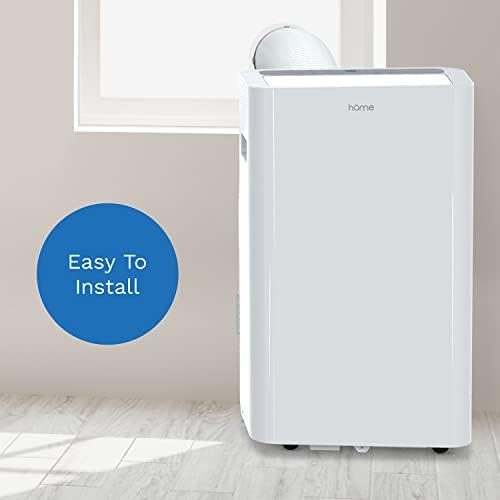
The portable AC unit is easy to install with the included window kit.
This video demonstrates the hOme Portable AC 14K BTU (CEC 10K) unit, showcasing its compact design and ease of setup.
Operating the Air Conditioner
Your hOmelabs Portable Air Conditioner features multiple operating modes and can be controlled via the top panel or the included remote control.
Control Panel and Display

The intuitive control panel allows for easy selection of modes and settings.
- Power Button: Turns the unit On or Off.
- Mode Button: Cycles through operating modes: Cool, Fan, Dry (Dehumidify), and Auto.
- Temperature Buttons (+/-): Adjusts the desired temperature setting.
- Fan Speed Button: Selects fan speed (Low, Medium, High).
- Timer Button: Sets a timer for automatic turn On/Off.
- Sleep Mode: Activates a quiet, energy-saving mode for nighttime operation.
Remote Control
The remote control provides convenient access to all functions from a distance.
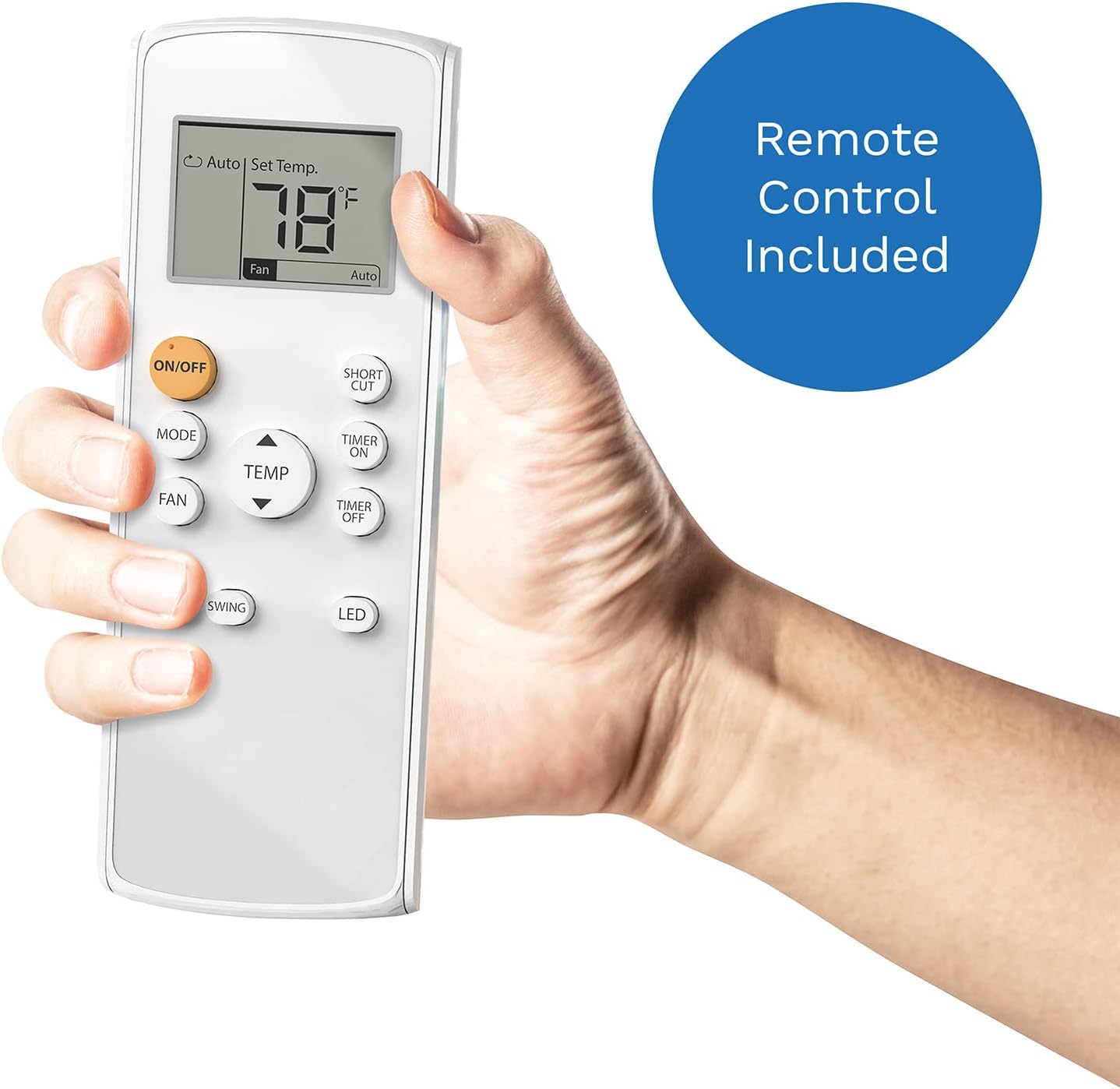
The remote control allows for convenient operation of all unit functions.
Automatic Vertical Swing
The unit is equipped with an automatic vertical swing function to evenly distribute airflow throughout the room, ensuring consistent cooling.

The automatic wind swing function ensures even air distribution.
Maintenance
Regular maintenance ensures the longevity and efficient operation of your portable air conditioner.
Cleaning the Washable Filter
The air conditioner features a washable filter and a filter indicator light that illuminates when cleaning is needed. Clean the filter once every few weeks to ensure optimum cooling performance.
- Turn Off and Unplug: Always turn off the unit and unplug it from the power outlet before cleaning.
- Remove Filter: Locate and carefully remove the air filter from the unit.
- Clean Filter: Wash the filter under running water (warm, soapy water if heavily soiled). Rinse thoroughly.
- Dry Filter: Allow the filter to air dry completely before reinserting it into the unit. Do not use a dryer or direct heat.
- Reinstall Filter: Once dry, carefully place the filter back into its slot.
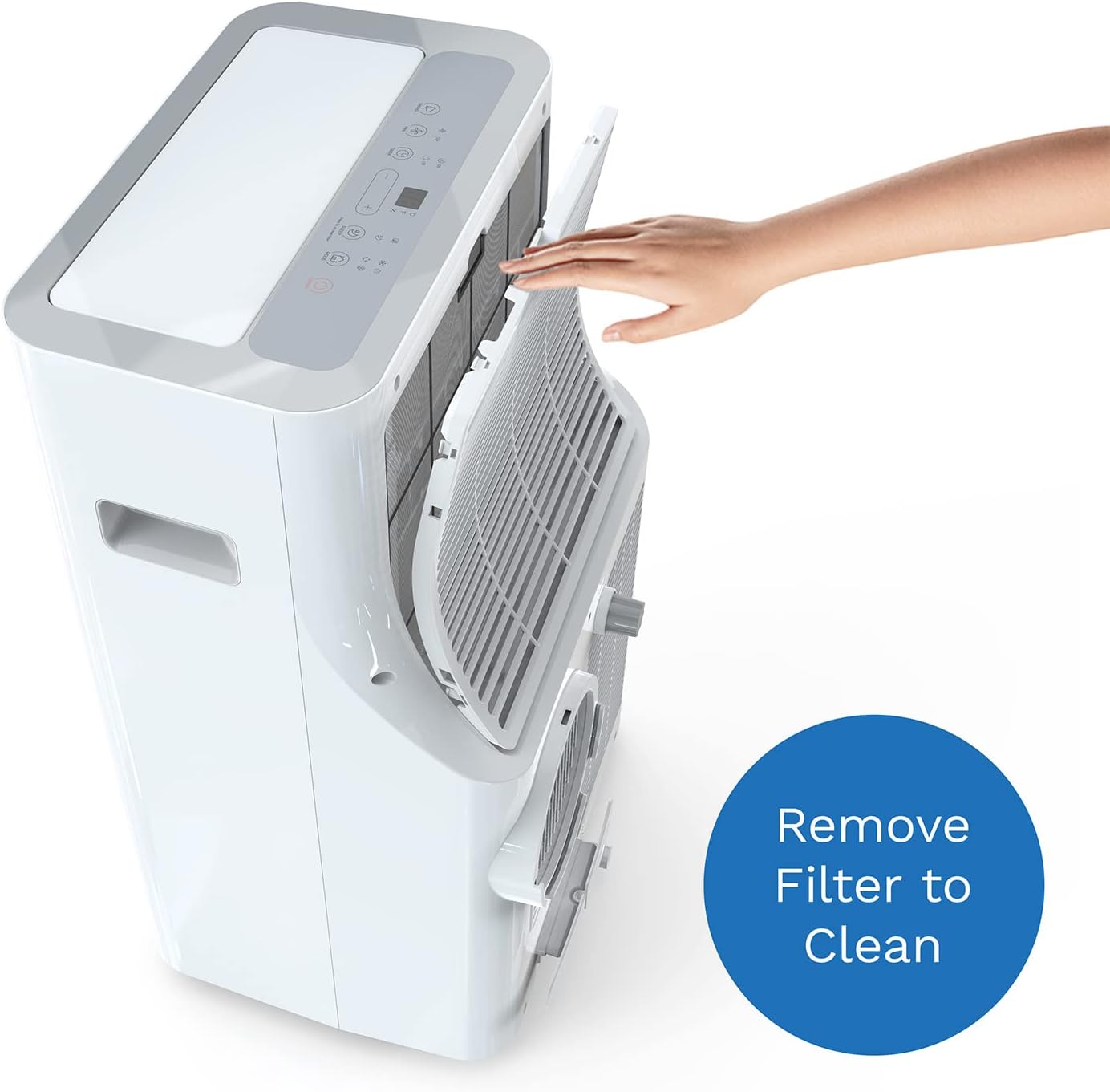
Remove the filter for cleaning when the indicator light illuminates.
Troubleshooting
If you encounter issues with your hOmelabs Portable Air Conditioner, refer to the following common problems and solutions:
| Problem | Possible Cause | Solution |
|---|---|---|
| Unit does not turn on | No power; Power cord unplugged; Circuit breaker tripped | Check power outlet; Ensure plug is fully inserted; Reset circuit breaker |
| Insufficient cooling | Dirty air filter; Blocked air intake/exhaust; Room size too large; Doors/windows open | Clean air filter; Clear obstructions; Ensure unit matches room size; Close doors/windows |
| Unit is noisy | Unit not on a level surface; Fan obstruction | Place unit on a flat surface; Check for foreign objects in fan area |
| Water leakage | Drainage plug not properly sealed; Unit is tilted | Ensure drainage plug is secure; Place unit on a level surface |
Specifications
Detailed technical specifications for your hOmelabs Portable Air Conditioner:
| Feature | Detail |
|---|---|
| Brand | hOmeLabs |
| Model Info | HME020235N |
| Item Weight | 72 pounds |
| Product Dimensions | 15 x 17.91 x 30.7 inches |
| Efficiency | Energy-efficient |
| Capacity | 100 Pints |
| Noise Level | 53 dB |
| Installation Type | Window |
| Form Factor | Portable |
| Special Features | Washable air filter, Sleep mode, Wheels, 4 operational modes: Auto, Cool, Dry and Fan Mode, LED display and indicator lights, Remote control |
| Color | White |
| Control Console | Remote |
| Voltage | 115 Volts |
| Wattage | 1470.00 |
| Material Type | Plastic |
| Floor Area Coverage | 600 Square Feet |
| Cooling Power | 14000 British Thermal Units (New DOE 8600 BTU) |
| Refrigerant | R 410A |

Dimensions of the hOmelabs Portable Air Conditioner.

Cooling capacity guidelines for the unit.
Warranty and Support
For warranty information and customer support, please refer to the official hOmelabs website or contact their customer service directly. You can also find the official User Manual (PDF) for this product via the link below:
Documents and downloads
Ask a question about this manual
Ask about setup, troubleshooting, compatibility, parts, safety, or missing instructions. Manuals+ will review the question and use this page’s manual context to help answer it.