
QOMOLANGMA with Trimmer (SIC-27060)
Qomolangma Wide Format Laminator Machine User Manual
Model: with Trimmer (SIC-27060)
Brand: QOMOLANGMA
1. Product Overview
The Qomolangma 63-inch Full-auto Low Temperature Wide Format Cold Laminator is designed for large format laminating and mounting applications. This upgraded multi-functional version supports both cold laminating and low heating seal laminating, addressing issues like hazy cold laminated images. It features an electric drive, floor stand, and foot pedal switch for convenient operation.
Key Features:
- Maximum Laminating Thickness: 35mm (1.378 inches)
- Top Roller Material: Silicon rubber
- Driven by electric motor with floor stand and foot pedal switch
- One-side hand crank lift-up system
- Drop-in type interchangeable 3-inch aluminum shaft
- Button-type control panel with variable speed control
- Forward and reverse direction control
- E-stop and photocell installed for safety
- Both auto and foot pedal switch modes
- Removable pressure plate
- Stand assembled at customer site
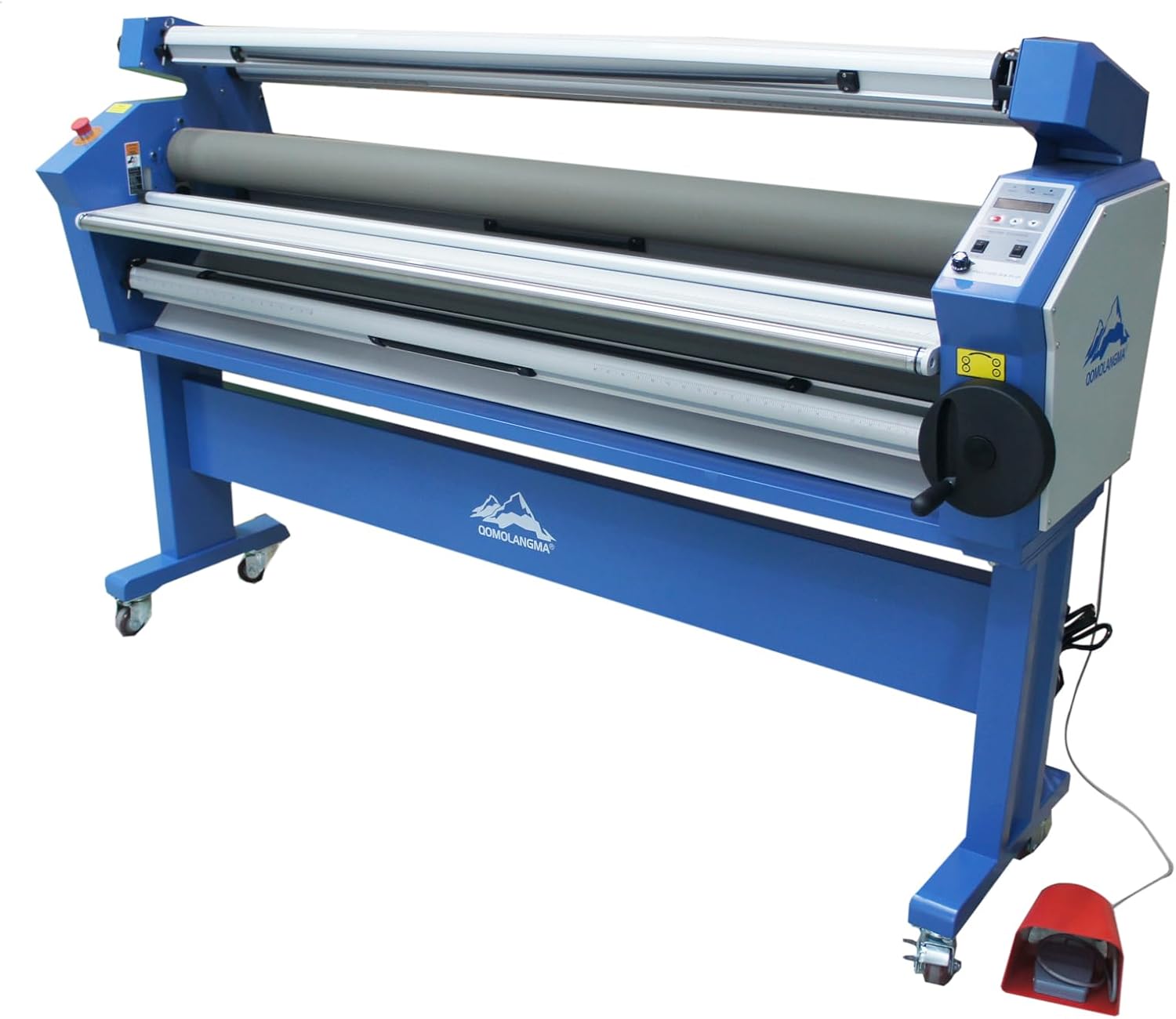
Figure 1: Front view of the Qomolangma Wide Format Laminator Machine.
2. Safety Instructions
Always read and understand all safety warnings and instructions before operating the laminator. Failure to follow these instructions may result in electric shock, fire, or serious injury.
- Ensure the machine is properly grounded.
- Keep hands, loose clothing, and hair away from moving rollers.
- Do not operate the machine with damaged cords or plugs.
- Disconnect power before performing any maintenance or cleaning.
- Use only recommended laminating films and materials.
- Keep children and unauthorized personnel away from the operating area.
- In case of emergency, immediately press the red E-stop button.
3. Setup
3.1 Unpacking and Assembly
Carefully unpack all components. The stand requires assembly at the customer site. Refer to the separate assembly guide for detailed instructions. Ensure all parts are present and undamaged before proceeding.

Figure 2: Side view showing power connection and foot pedal.
3.2 Power Connection
Connect the power cable to a suitable electrical outlet. Ensure the voltage matches the machine's requirements. The foot pedal connects to the designated port on the machine.
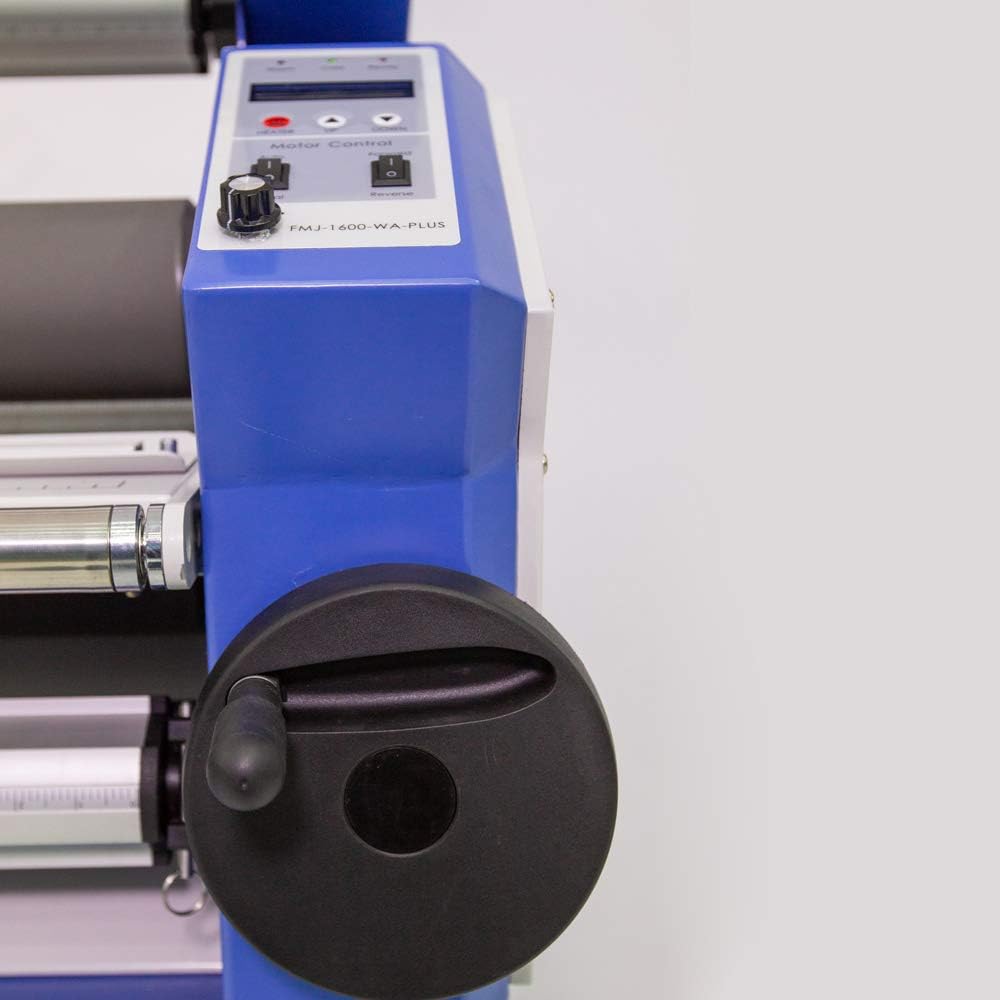
Figure 3: Hand crank for adjusting roller pressure.
3.3 Loading Laminating Film
This laminator uses a drop-in type interchangeable 3-inch aluminum shaft for film rolls. The maximum laminating thickness is 35mm.
- Ensure the machine is powered off and the rollers are disengaged.
- Insert the laminating film roll onto the aluminum shaft.
- Place the shaft with the film roll into the designated holders on the machine.
- Carefully feed the leading edge of the laminating film through the rollers.
- Ensure the film is aligned straight and free of wrinkles.

Figure 4: Diagram illustrating maximum media roll diameters for proper loading.

Figure 5: Front view of the laminator, highlighting the rollers and film path.
4. Operating Instructions
4.1 Control Panel Overview
The control panel allows for precise control over the laminating process. It includes indicators for Warm, Cold, and Ready states, a heater button, UP/DOWN buttons for roller adjustment, and switches for Auto/Pedal and Forward/Reverse motor control.

Figure 6: Detailed view of the laminator's control panel.
4.2 Laminating Process
The machine can perform both cold laminating and heat-assisted laminating.
- Power On: Turn on the main power switch.
- Select Mode: For heat-assisted laminating, press the HEATER button. Wait for the 'Ready' indicator to light up. For cold laminating, no heating is required.
- Adjust Roller Pressure: Use the hand crank or UP/DOWN buttons on the control panel to set the desired roller pressure based on the material thickness.
- Feed Material: Carefully feed the material to be laminated into the machine, ensuring it is straight and centered.
- Start Lamination: Select 'Auto' or 'Pedal' mode for motor control. Press the 'Forward' switch or use the foot pedal to start the laminating process.
- Monitor Process: Observe the material as it passes through the rollers to ensure smooth, wrinkle-free lamination.
- Reverse Function: Use the 'Reverse' switch if material needs to be backed out.
- Emergency Stop: In case of any issue, immediately press the red E-stop button.
4.3 Official Product Video
Video 1: Demonstration of the Qomolangma Wide Format Full-auto Laminator Machine, showing setup and operation. (Duration: 2:33)
5. Maintenance
Regular maintenance ensures optimal performance and extends the lifespan of your laminator.
- Cleaning Rollers: Regularly clean the silicon rubber rollers with a soft, damp cloth to remove adhesive residue and dust. Do not use abrasive cleaners.
- General Cleaning: Wipe down the machine's exterior with a clean, dry cloth.
- Inspection: Periodically inspect all cables, connections, and moving parts for wear or damage.
- Storage: When not in use, store the machine in a clean, dry environment.
6. Troubleshooting
| Problem | Possible Cause | Solution |
|---|---|---|
| Laminated image is hazy | Cold laminating used for material requiring heat-assisted. | Ensure HEATER function is engaged for heat-assisted laminating. |
| Wrinkles in laminated material | Improper film loading or insufficient roller pressure. | Re-load film ensuring it is straight. Adjust roller pressure using the hand crank. |
| Machine not powering on | Power cable disconnected or no power from outlet. | Check power cable connection and wall outlet. Ensure main power switch is ON. |
| Rollers not moving | E-stop button engaged or motor control switch off. | Release E-stop button. Check Auto/Pedal and Forward/Reverse switches. |
7. Specifications
| Specification | Value |
|---|---|
| Brand | QOMOLANGMA |
| Model Number | with Trimmer (SIC-27060) |
| Item Weight | 48.5 pounds |
| Product Dimensions | 79.53 x 21.65 x 49.21 inches (Machine) / 63"L x 63"W x 63"H (Product) |
| Maximum Laminating Thickness | 35mm (1.378 inches) |
| Sheet Size Compatibility | Tabloid, Ledger, A1 |
| Color | Same as the Picture |
| Manufacturer | Sign-in-China |
| First Available Date | September 5, 2018 |
8. Warranty and Support
8.1 Warranty Information
The Qomolangma Wide Format Laminator Machine comes with a 3-Year Warranty. This warranty covers manufacturing defects and ensures better quality, performance, and service.
8.2 Customer Support
For any questions, technical assistance, or warranty claims, please contact QOMOLANGMA customer support. As a USA registered trademark, QOMOLANGMA is committed to providing excellent service and support to its clients.
Refer to your purchase documentation or the official QOMOLANGMA website for the most current contact information.
Ask a question about this manual
Ask about setup, troubleshooting, compatibility, parts, safety, or missing instructions. Manuals+ will review the question and use this page’s manual context to help answer it.