
1. Introduction
The Denon AVR-S950H is a 7.2 channel AV receiver designed to deliver an immersive home theater experience. Featuring advanced audio and video technologies, including Dolby Atmos, DTS:X, 4K Ultra HD pass-through, and HEOS Built-in, this receiver serves as the central hub for your entertainment system. This manual provides essential information for setting up, operating, and maintaining your AVR-S950H receiver.
2. What's in the Box
- AVR-S950H Receiver
- Quick Start Guide
- Remote Controller
- AAA Batteries (2)
- FM Antenna
- AM Antenna
- Sound Calibration Microphone
- Warranty Information
- Safety Instructions
3. Product Overview

Figure 3.1: Front Panel. This image displays the front panel of the Denon AVR-S950H receiver, featuring the source select knob, master volume knob, display screen, and various control buttons for quick access to functions like Quick Select, Sound Mode, and Zone 2 control. A setup mic input and headphones jack are also visible.

Figure 3.2: Rear Panel. This image illustrates the rear panel of the Denon AVR-S950H receiver, highlighting the comprehensive array of input and output ports. This includes multiple HDMI inputs (with HDCP 2.3 support), speaker terminals for 7.2 channels, digital audio inputs (optical and coaxial), analog audio inputs, network port, and antenna connections for FM/AM radio and Wi-Fi/Bluetooth.

Figure 3.3: Immersive 3D Audio. The receiver supports immersive 3D audio formats such as Dolby Atmos, DTS:X, and DTS Virtual:X, providing a multi-dimensional sound experience with or without dedicated height speakers.
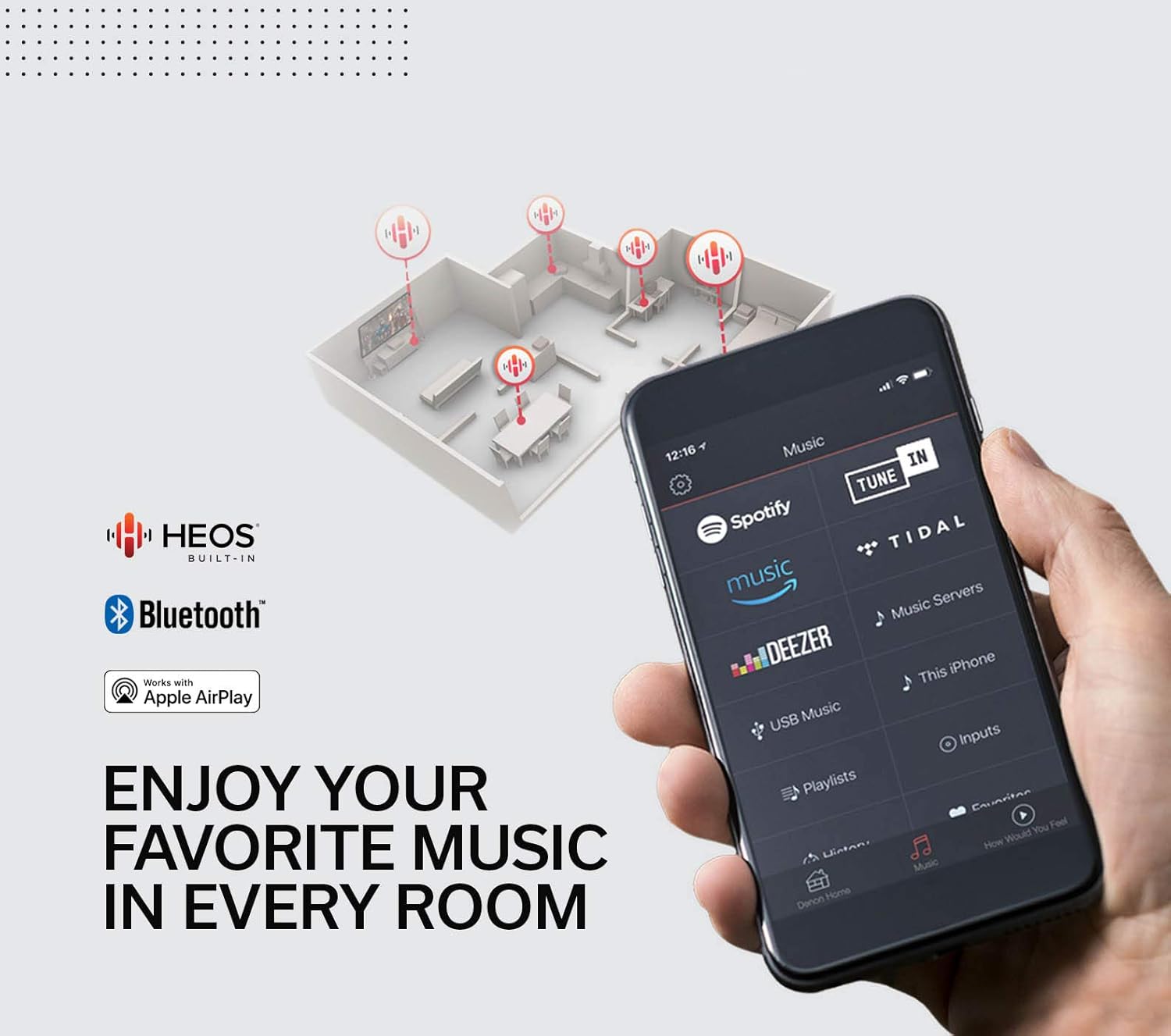
Figure 3.4: HEOS Multi-Room Music. This image shows a smartphone screen with the HEOS app, illustrating the ability to stream music services like Spotify, Pandora, TuneIn, Tidal, and Deezer to multiple rooms via Wi-Fi, Airplay, or Bluetooth.

Figure 3.5: Product Dimensions. The image provides the physical dimensions of the Denon AVR-S950H receiver: 13.4 inches (depth) x 17.1 inches (width) x 6.6 inches (height).

Figure 3.6: Convenient Setup Assistant. This image depicts the on-screen setup assistant, guiding users through the speaker setup process with clear visual instructions for connecting speakers to the receiver.
Video 3.1: Denon AVR-S950H Receiver Overview. This video provides a general overview of the Denon AVR-S950H receiver, showcasing its design and highlighting key features for home theater integration.
4. Key Features
- 3D Audio Technologies: Experience heightened sound effects with Dolby Atmos, DTS:X, and Dolby Atmos Height Virtualization.
- 4K Ultra HD Video: Supports HLG, HDR10, eARC, BT.2020, Wide Color Gamut, and 4:4:4 Pure Color sub-sampling for exceptional brightness, contrast, and color on 4K TVs and projectors.
- HEOS Multi-Room Streaming: Extend music to any room via Wi-Fi, Airplay, or Bluetooth with HEOS Built-in, supporting services like Spotify, Pandora, and Tidal.
- Voice Control: Full compatibility with Amazon Alexa for hands-free control of volume, tracks, and inputs.
- On-Screen Setup Assistant: Award-winning assistant provides clear, simple instructions for TV connection, EQ settings, and surround sound optimization.
- HDMI Connectivity: Eight HDMI inputs and two outputs with full HDCP 2.3 support, backward compatible with earlier versions.
- Audyssey Room Correction: Audyssey Suite measures and dynamically optimizes all speakers in your home theater for balanced sound at all listening levels.
5. Setup
Setting up your Denon AVR-S950H receiver is guided by an intuitive on-screen Setup Assistant. Follow these general steps:
- Placement: Position the receiver in a well-ventilated area, ensuring adequate space around it for heat dissipation.
- Speaker Connection: Connect your speakers to the appropriate terminals on the rear panel. The AVR-S950H supports 7.2 channel configurations. Ensure correct polarity (+ to + and - to -) for all speakers.
- Video Source Connection: Connect your video sources (e.g., Blu-ray player, gaming console, streaming device) to the HDMI INPUT ports on the rear panel.
- TV Connection: Connect your TV to the HDMI OUT (MONITOR) port, preferably the one labeled eARC/ARC if your TV supports it, for simplified audio return.
- Power On & Initial Setup: Connect the power cord and turn on the receiver. The on-screen Setup Assistant will appear on your TV.
- Audyssey Room Calibration: Use the included sound calibration microphone and follow the on-screen instructions to perform Audyssey room correction. This process measures your room's acoustics and optimizes speaker settings for the best possible sound.
- Network Connection: Connect the receiver to your home network via Ethernet cable or Wi-Fi as prompted by the Setup Assistant to enable streaming services and firmware updates.
Refer to the included Quick Start Guide for detailed diagrams and specific connection instructions.
6. Operating
Once set up, operating your AVR-S950H is straightforward:
- Source Selection: Use the SOURCE SELECT knob on the front panel or the corresponding buttons on the remote control to switch between connected input devices (e.g., Blu-ray, Game, TV Audio).
- Volume Control: Adjust the master volume using the MASTER VOLUME knob on the front panel or the volume buttons on the remote.
- Sound Modes: Select various sound modes (e.g., Movie, Music, Game, Pure) using the dedicated buttons on the front panel or remote to optimize audio for different content.
- Music Streaming (HEOS): Utilize the HEOS app on your smartphone or tablet to access and stream music from popular services, or use Bluetooth and AirPlay for direct device streaming.
- Voice Control: If configured, use Amazon Alexa to control basic receiver functions hands-free.
- Zone 2: The receiver supports a second audio zone. Use the ZONE2 controls to manage audio playback in a separate room.
7. Maintenance
Proper maintenance ensures the longevity and optimal performance of your receiver:
- Cleaning: Regularly wipe the exterior with a soft, dry cloth. Avoid using abrasive cleaners or solvents.
- Ventilation: Ensure the receiver has adequate ventilation to prevent overheating. Do not block ventilation openings.
- Firmware Updates: Periodically check for and install firmware updates via the network connection to ensure your receiver has the latest features and bug fixes.
- Power Cycle: If the receiver becomes unresponsive, disconnect the power cord from the wall outlet, wait a few minutes, and then reconnect it.
8. Troubleshooting
If you encounter issues with your AVR-S950H, try the following basic troubleshooting steps:
- No Power: Check the power cord connection and ensure the outlet is functional.
- No Sound: Verify speaker connections, ensure the correct input source is selected, and check the volume level. Confirm that mute is not activated.
- No Video: Check HDMI cable connections between the source, receiver, and TV. Ensure the correct input source is selected on both the receiver and TV.
- Network Connection Issues: Restart your router and modem. Re-establish the network connection through the receiver's setup menu.
- Remote Control Not Working: Replace the batteries in the remote control. Ensure there are no obstructions between the remote and the receiver's IR sensor.
For more detailed troubleshooting, consult the full user manual available on the Denon support website.
9. Specifications
| Feature | Specification |
|---|---|
| Product Dimensions | 13.4 x 17.1 x 6.6 inches |
| Item Weight | 20.2 pounds |
| Item Model Number | AVR-S950H |
| Surround Sound Channel Configuration | 7.2 channel |
| Power Output | 185W X 7 (Noted in product title, typical for 6 ohm, 1ch driven) |
| Connectivity Technology | Bluetooth, HDMI, USB, Wi-Fi |
| Controller Type | Amazon Alexa, Vera |
| Special Features | Pandora, Tidal, eARC, Dolby Atmos, DTS:X, HEOS Built-in |
| Total HDMI Ports | 8 In, 2 Out (HDCP 2.3) |
| First Available Date | April 11, 2019 |
10. Warranty and Support
The Denon AVR-S950H comes with a 3-year warranty, ensuring peace of mind regarding your investment. For technical support, service, or warranty claims, please refer to the contact information provided in the included Warranty and Safety Instructions document or visit the official Denon support website.


