
Majority Eversden AR45
Majority Eversden Portable DAB/DAB+ Bluetooth Shower Radio User Manual
Model: AR45
1. Introduction
Thank you for choosing the Majority Eversden Portable DAB/DAB+ Bluetooth Shower Radio. This manual provides essential information for setting up, operating, and maintaining your device. Please read it thoroughly before use and retain it for future reference.
2. Important Safety Instructions
- Do not expose the unit to extreme temperatures, direct sunlight, or high humidity.
- Ensure the USB-C port cover is securely closed when using the radio in wet environments to maintain its IPX5 water resistance.
- Do not immerse the radio in water. IPX5 rating protects against splashes and jets of water, but not submersion.
- Use only the provided USB-C cable for charging.
- Do not attempt to disassemble or modify the unit. This will void the warranty.
- Keep out of reach of children.
3. Package Contents
Please check the box for the following items:
- 1 x Majority Eversden Radio
- 1 x USB-C Charging Cable
- 1 x User Manual
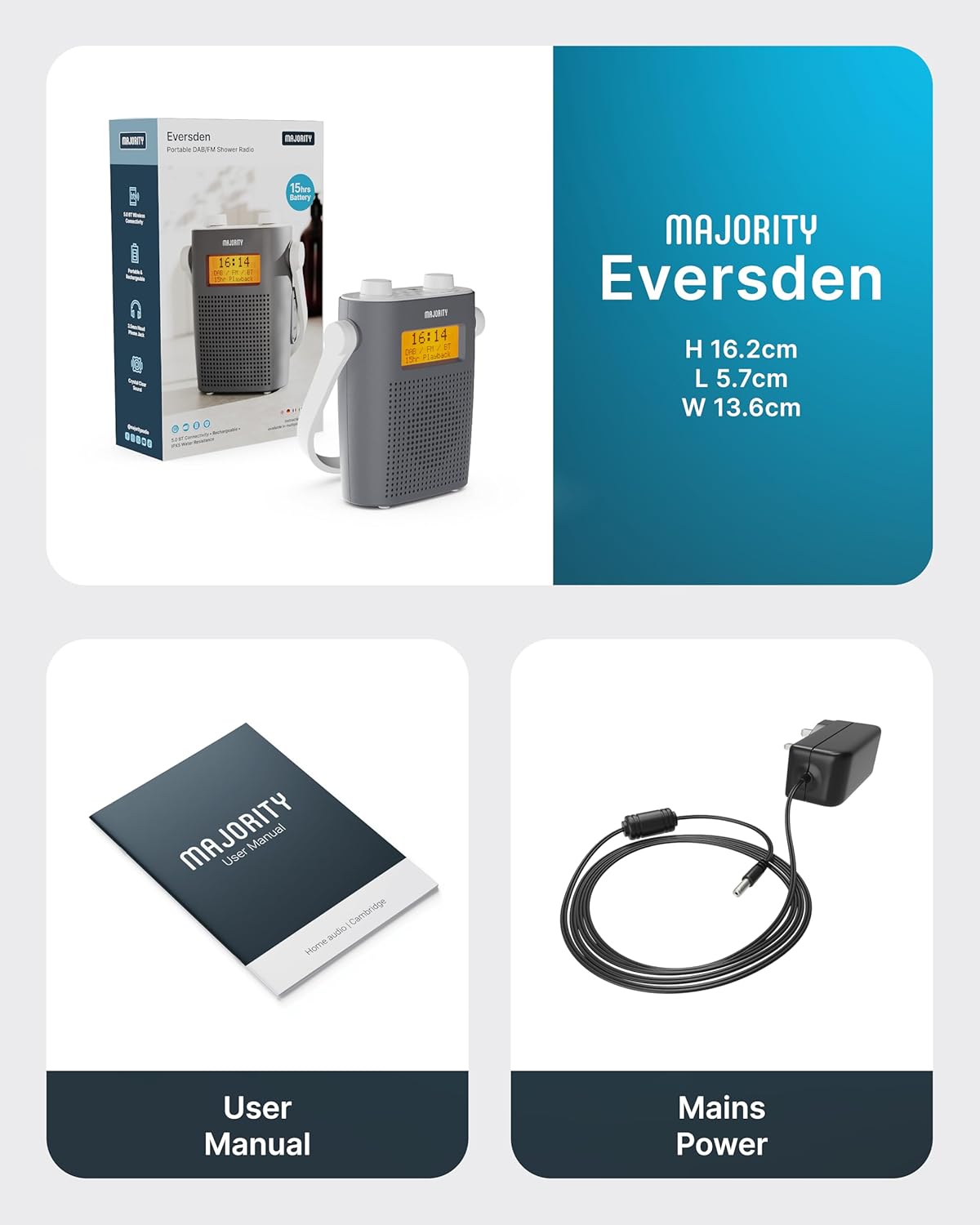
Image: Package contents showing the Majority Eversden radio, USB-C charging cable, and user manual.
4. Product Overview
Familiarize yourself with the controls and features of your Majority Eversden radio.
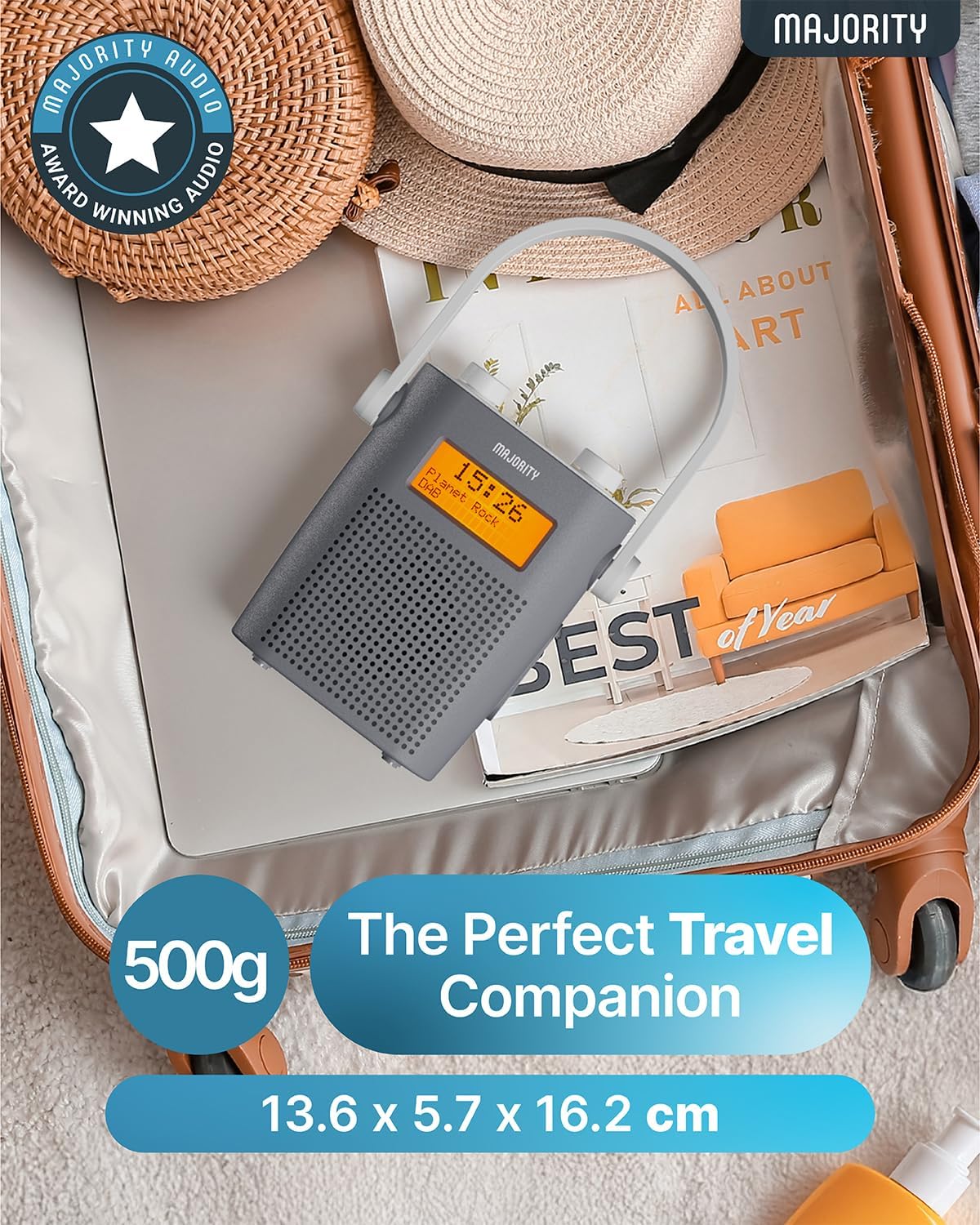
Image: Top view of the Majority Eversden radio, highlighting the control panel with various buttons and rotary knobs.
Controls and Display:
- Power Button: Turns the radio on/off.
- Mode Button: Switches between DAB, FM, and Bluetooth modes.
- Menu Button: Accesses menu options for the current mode.
- Info Button: Displays information about the current station or track.
- Dimmer/Snooze Button: Adjusts display brightness or activates snooze for alarms.
- Preset/Recall Button: Saves and recalls favorite stations.
- Volume Knobs: Two rotary knobs for volume control and navigation/selection.
- LED Display: Shows time, station information, mode, and battery status.
- Headphone Jack: For private listening.
- USB-C Charging Port: For recharging the internal battery.
5. Setup
5.1 Charging the Radio
The Eversden radio features a rechargeable battery providing up to 15 hours of playback. Before first use, fully charge the radio.
- Locate the USB-C charging port on the side of the radio.
- Connect the supplied USB-C cable to the radio and the other end to a USB power adapter (not supplied) or a computer USB port.
- The LED display will indicate charging status. Once fully charged, disconnect the cable.
- Ensure the USB-C port cover is securely closed after charging to maintain water resistance.

Image: The Majority Eversden radio displayed with text indicating '15 Hour Playtime' and 'Type-C Fast Charge', demonstrating its portability and charging capabilities.
5.2 Initial Power On and Automatic Scan
Upon first power-on, the radio will automatically scan for available DAB and FM stations.
- Press and hold the Power Button to turn on the radio.
- The radio will automatically enter DAB mode and begin scanning for stations. This process may take a few minutes.
- Once the scan is complete, the radio will tune to the first available station.
- To perform an FM scan, switch to FM mode using the Mode Button, then access the menu to initiate an auto-scan.
6. Operating Instructions
6.1 Power On/Off
- To turn on, press and hold the Power Button.
- To turn off, press and hold the Power Button again.
6.2 Mode Selection
Press the Mode Button repeatedly to cycle through DAB, FM, and Bluetooth modes.
6.3 DAB Radio Operation
- Ensure the radio is in DAB mode.
- Use the Volume Knobs to scroll through available stations. Press a knob to select.
- Press the Info Button to view details like program type, signal strength, and frequency.
- To perform a full scan for new stations, press the Menu Button, navigate to 'Full Scan', and confirm.
6.4 FM Radio Operation
- Switch to FM mode using the Mode Button.
- Use the Volume Knobs to manually tune to frequencies or to auto-scan for the next available station.
- Press the Info Button to view station information.
6.5 Bluetooth Operation
Connect your smartphone or other Bluetooth-enabled device to stream audio wirelessly.
- Switch to Bluetooth mode using the Mode Button. The display will show 'Bluetooth Connected' or 'Pairing'.
- On your device, enable Bluetooth and search for 'Majority Eversden'.
- Select 'Majority Eversden' to pair. Once connected, you will hear a confirmation tone.
- You can now play audio from your device through the radio.

Image: The Majority Eversden radio displaying 'Bluetooth Connected' next to a smartphone playing music, illustrating its wireless streaming capability.
6.6 Setting Alarms
The radio features a dual alarm system.
- Press the Menu Button and navigate to 'Alarm Setup'.
- Select 'Alarm 1' or 'Alarm 2'.
- Set the alarm time, source (DAB, FM, or Buzzer), and frequency (daily, once, weekends, weekdays).
- Confirm your settings. The alarm icon will appear on the display.
- When an alarm sounds, press the Dimmer/Snooze Button to snooze, or the Power Button to turn off.
6.7 Using Presets
Save up to 20 of your favorite DAB or FM stations for quick access.
- To Save a Preset: Tune to your desired station. Press and hold the Preset/Recall Button. Use the Volume Knobs to select a preset number (1-20) and press to confirm.
- To Recall a Preset: Press the Preset/Recall Button (do not hold). Use the Volume Knobs to scroll through saved presets and press to select.
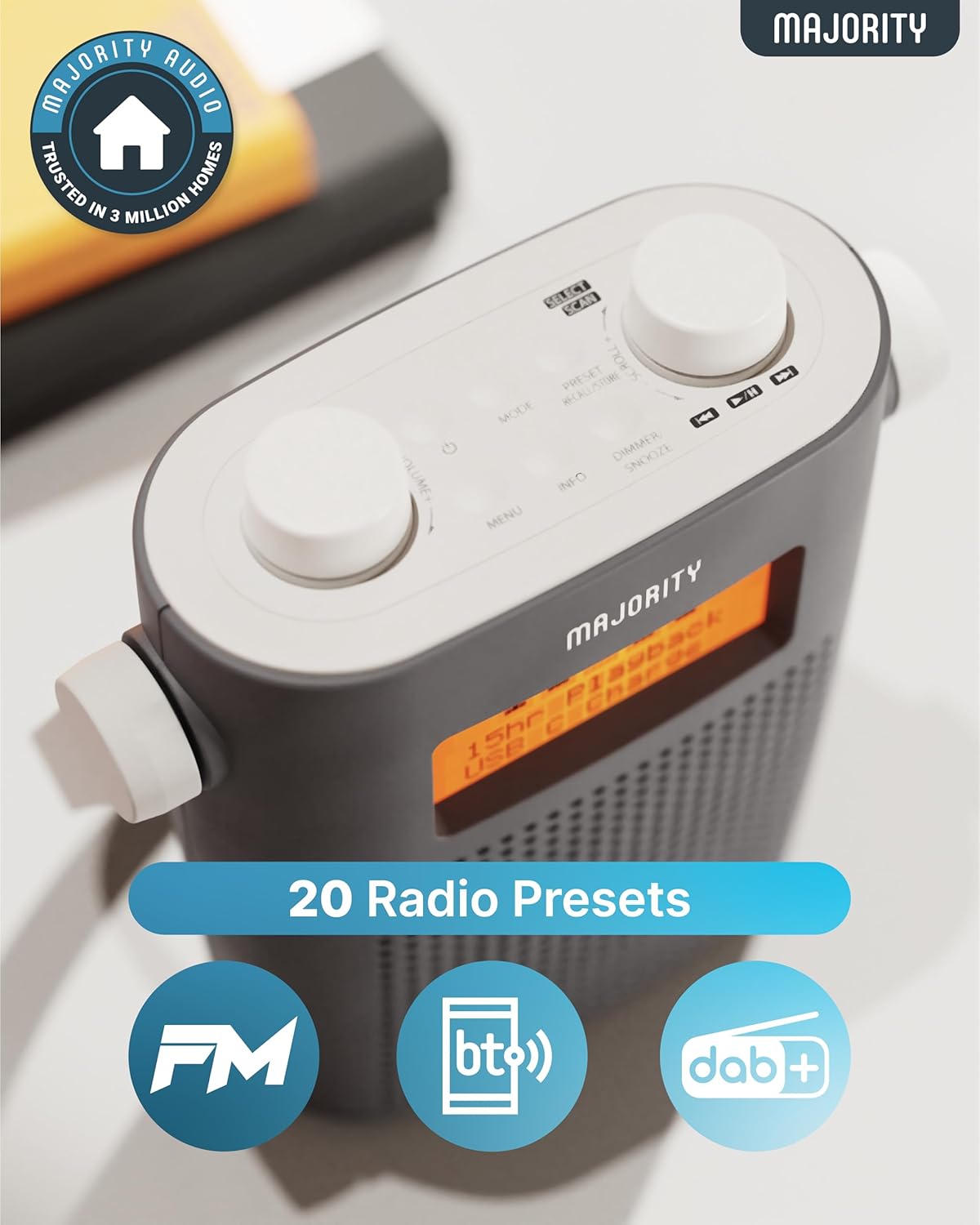
Image: A close-up of the Majority Eversden radio's top panel and display, emphasizing the 20 radio presets feature and compatibility with FM, Bluetooth, and DAB+.
6.8 Volume Control
Rotate the designated Volume Knob to increase or decrease the audio level.
6.9 Headphone Use
Connect standard 3.5mm headphones to the headphone jack for private listening. The internal speaker will automatically mute.
7. Maintenance
7.1 Cleaning
- Wipe the radio with a soft, damp cloth.
- Do not use abrasive cleaners or solvents.
7.2 Water Resistance (IPX5)
The Majority Eversden radio is IPX5 water-resistant, meaning it is protected against low-pressure water jets from any direction. This makes it suitable for use in environments like bathrooms or near water.
- Important: Ensure the USB-C charging port cover is fully sealed when using the radio in wet conditions.
- Do not immerse the radio in water.
- Avoid exposing the radio to high-pressure water jets.
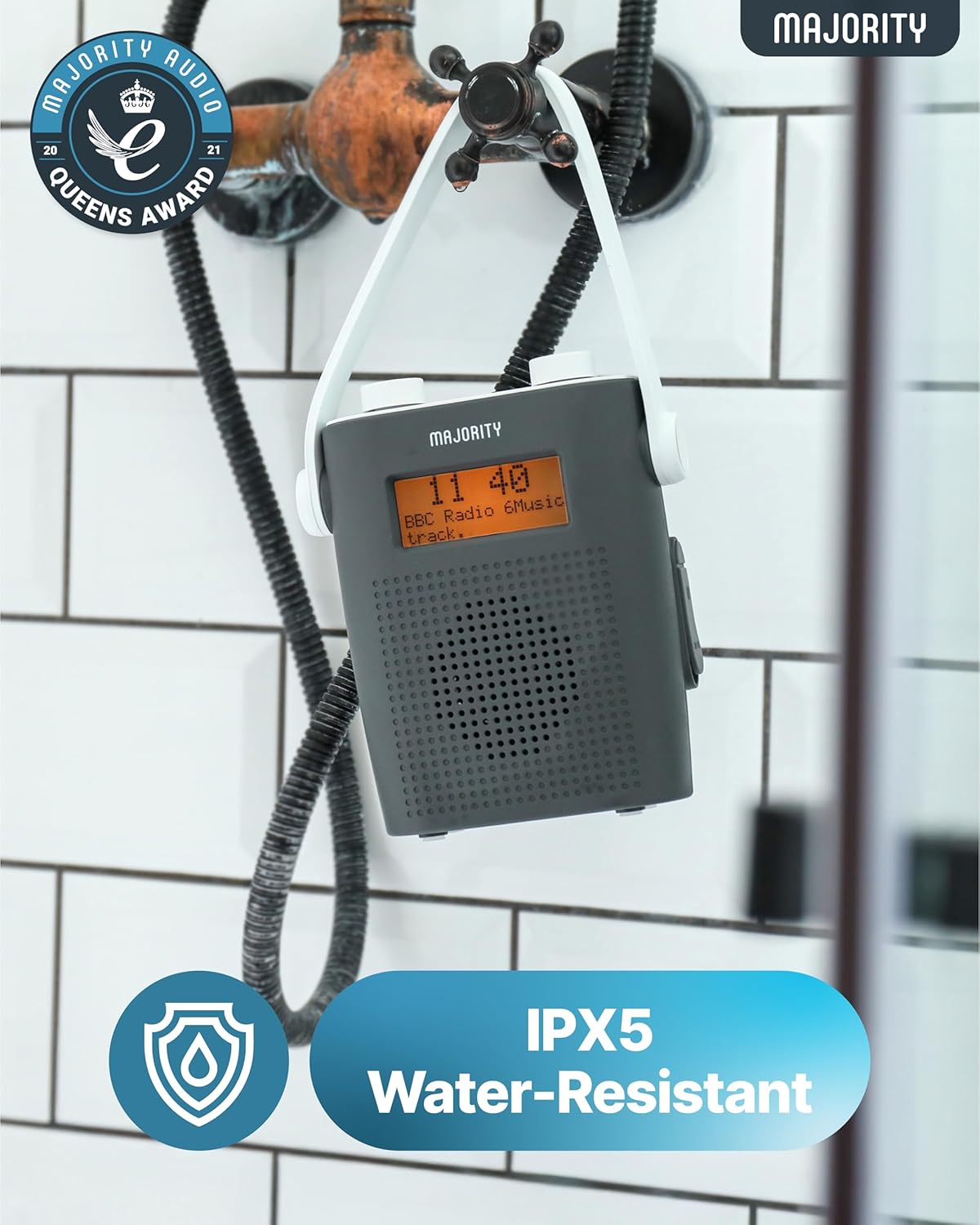
Image: The Majority Eversden radio hanging from a shower head, illustrating its IPX5 water-resistant design for use in humid environments.
8. Troubleshooting
If you encounter issues with your radio, please refer to the following common problems and solutions:
| Problem | Possible Cause | Solution |
|---|---|---|
| No power | Battery is depleted. | Charge the radio using the supplied USB-C cable. |
| No DAB/FM signal | Poor reception area; antenna not extended. | Relocate the radio or extend the antenna fully. Perform a full scan. |
| Bluetooth not connecting | Radio not in pairing mode; device not discoverable. | Ensure the radio is in Bluetooth mode. Check your device's Bluetooth settings and try re-pairing. |
| Sound distortion | Volume too high; poor signal. | Reduce volume. For radio, try adjusting position or rescanning. |
9. Specifications
- Brand: Majority
- Model: Eversden (AR45)
- Color: Grey
- Connectivity: Bluetooth, FM
- Special Features: Portable, Rechargeable, Water Resistant (IPX5)
- Compatible Devices: Headphones
- Power Source: Battery Powered
- Supported Radio Bands: DAB, DAB+, FM
- Battery Life: Up to 15 hours playback
- Product Dimensions: 5.3 cm (L) x 13.8 cm (W) x 15.9 cm (H)
10. Warranty and Support
The Majority Eversden radio comes with a 3-Year Warranty, ensuring peace of mind with your purchase.
For technical support, warranty claims, or further assistance, please visit the official Majority website or contact their customer service department. Details can typically be found on the manufacturer's website or in the warranty card included with your product.
Related documentsEversden AR45


Ask a question about this manual
Ask about setup, troubleshooting, compatibility, parts, safety, or missing instructions. Manuals+ will review the question and use this page’s manual context to help answer it.