
Frigidaire FGEW3066UF
Contents
Frigidaire Gallery 30" Smudge-Proof Stainless Steel Single Electric Wall Oven
User Manual
Model: FGEW3066UF
Introduction
This manual provides comprehensive instructions for the installation, operation, maintenance, and troubleshooting of your Frigidaire Gallery 30" Smudge-Proof Stainless Steel Single Electric Wall Oven. Please read this manual thoroughly before using your appliance to ensure safe and efficient operation.

Front view of the Frigidaire Gallery 30" Smudge-Proof Stainless Steel Single Electric Wall Oven, showcasing its sleek stainless steel finish and control panel.
Installation and Setup
Proper installation is crucial for the safe and optimal performance of your wall oven. It is recommended that installation be performed by a qualified installer.
- Unpacking: Carefully remove all packaging materials, tape, and protective film from the oven. Retain packaging for potential future transport.
- Location Requirements: Ensure the installation location meets the specified dimensions and electrical requirements. Refer to the detailed installation guide provided with your appliance for precise cutout dimensions and electrical specifications.
- Electrical Connection: The oven requires a dedicated, properly grounded electrical circuit. Consult a licensed electrician for correct wiring.
- Securing the Oven: Follow the instructions to properly secure the oven within the cabinet opening to prevent tipping.

Side view of the oven, illustrating its depth and design for built-in installation.
Operating Instructions
Your Frigidaire Gallery wall oven features a user-friendly control panel and multiple cooking modes to suit various culinary needs.
Control Panel Overview
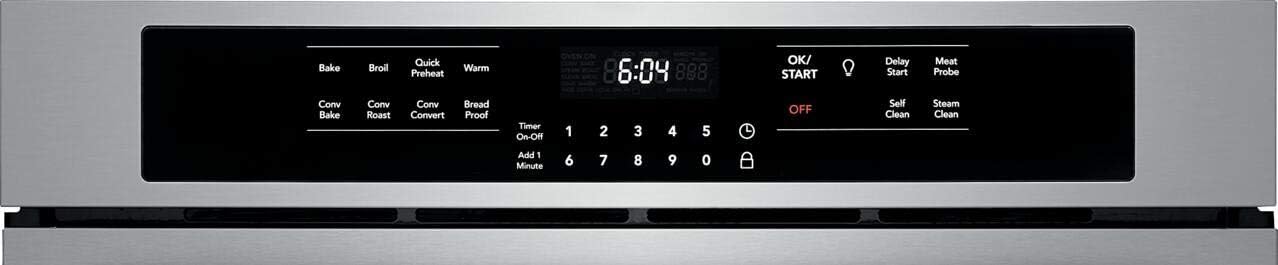
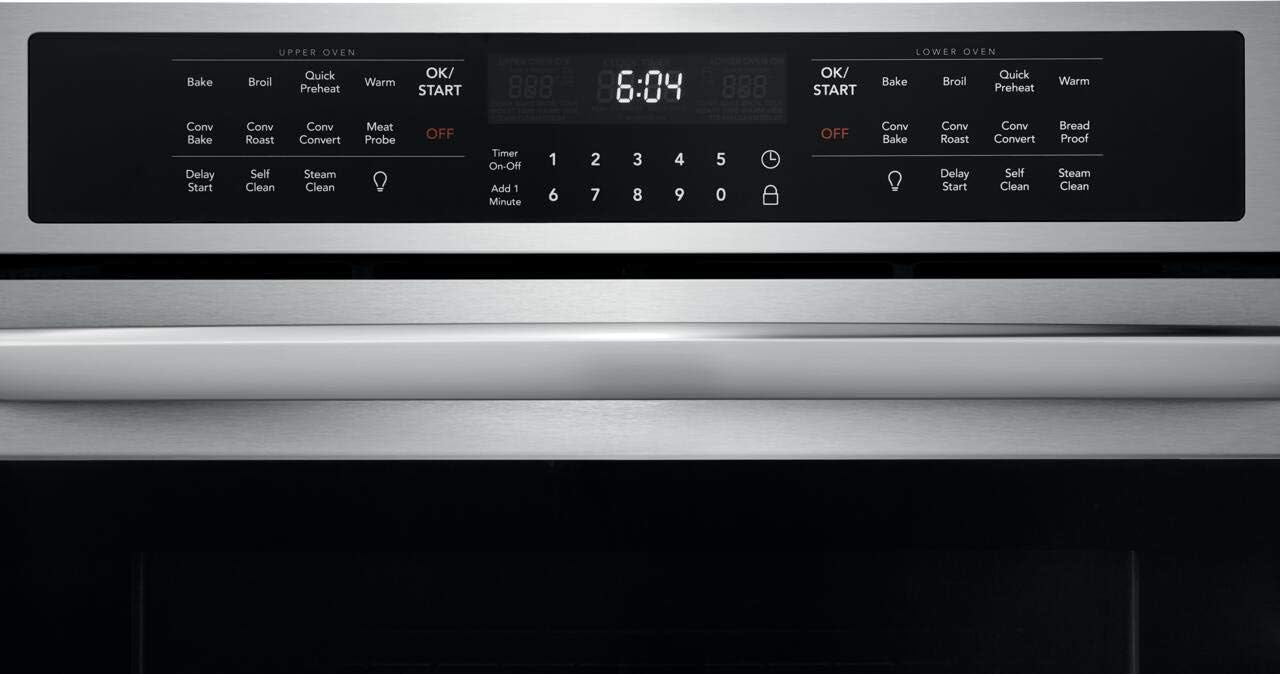
Detailed view of the oven's digital control panel, showing various cooking mode buttons and numeric keypad.
The control panel features a digital display and touch-sensitive buttons for selecting cooking functions, setting temperatures, and managing timers.
- Bake: For general baking of cakes, cookies, and casseroles.
- Broil: For direct heat cooking, ideal for browning or searing.
- Quick Preheat: Reduces preheating time for faster cooking.
- Warm: Keeps cooked food at serving temperature.
- Convection Bake: Uses a fan to circulate heat evenly for multi-rack baking.
- Convection Roast: Combines convection heat with a broil element for faster roasting and browning.
- Bread Proof: Provides a low, consistent temperature for rising dough.
- Timer Function: Allows setting a cooking duration or a delay start.
- Self Clean / Steam Clean: Automated cleaning cycles (refer to Maintenance section).
Using the Oven
- Press the desired cooking mode button (e.g., Bake, Convection Roast).
- Enter the desired temperature using the numeric keypad.
- Press OK/START to begin preheating or cooking.
- To cancel a cooking cycle, press OFF.

Interior view of the oven, showing the multiple rack positions and the convection fan at the back.
Example of food being cooked inside the oven, demonstrating its capacity and even heating.
Care and Maintenance
Regular cleaning and proper maintenance will extend the life and maintain the appearance of your oven.
- Exterior Cleaning: Use a soft cloth and mild soap or a stainless steel cleaner to clean the exterior surfaces. For smudge-proof stainless steel, follow the manufacturer's recommendations for cleaning to maintain its finish.
- Interior Cleaning:
- Self Clean Cycle: For heavy soil, use the Self Clean cycle. Remove all racks and accessories before starting. Follow the instructions on the control panel for cycle duration.
- Steam Clean Cycle: For light soil, the Steam Clean cycle can be used. Add water to the oven cavity as instructed in the detailed manual.
- Manual Cleaning: For spills, wipe with a damp cloth and mild detergent once the oven has cooled.
- Oven Racks: Clean oven racks with warm, soapy water. For stubborn stains, a non-abrasive cleaner can be used.
- Door Gasket: Do not rub, clean, or remove the door gasket. It is essential for a good seal.
Troubleshooting
Before contacting service, review the following common issues and their potential solutions.
| Problem | Possible Cause | Solution |
|---|---|---|
| Oven does not heat. | Power supply issue; oven not properly connected; control settings incorrect. | Check circuit breaker; ensure oven is plugged in correctly; verify cooking mode and temperature settings. |
| Uneven cooking. | Improper rack position; excessive food in oven; dirty oven interior. | Use recommended rack positions; avoid overcrowding the oven; clean oven interior. Consider using convection modes for more even results. |
| Oven light not working. | Light bulb loose or burned out. | Tighten or replace the light bulb. Ensure power is off before replacing. |
| Control panel unresponsive. | Temporary electronic glitch; power interruption. | Turn off power to the oven at the circuit breaker for 1 minute, then restore power. If issue persists, contact service. |
For issues not listed here, or if solutions do not resolve the problem, please contact Frigidaire customer support.
Product Specifications
| Feature | Detail |
|---|---|
| Brand | Frigidaire |
| Model Number | FGEW3066UF |
| Colour | Stainless Steel |
| Product Dimensions | 81.28 x 81.28 x 78.74 cm (32 x 32 x 31 inches) |
| Capacity | 5.1 Cubic Feet |
| Material | Stainless Steel |
| Special Features | Smudge-proof, Convection Heating, Timer Function |
| Heating Method | Convection |
| Fuel Type | Electric |
| Installation Type | Wall Mount |
Warranty and Support
Your Frigidaire Gallery Wall Oven is covered by a manufacturer's warranty. Please refer to the warranty card included with your purchase for specific terms and conditions.
For technical assistance, service requests, or to purchase replacement parts, please contact Frigidaire Customer Support or visit their official website:
Visit Frigidaire Official Website
Please have your model number (FGEW3066UF) and serial number ready when contacting support.
Documents and downloads
Ask a question about this manual
Ask about setup, troubleshooting, compatibility, parts, safety, or missing instructions. Manuals+ will review the question and use this page’s manual context to help answer it.