
Introduction and Overview
The Nuwave OxyPure Smart Air Purifier is designed to improve indoor air quality by effectively removing airborne particles and odors. This advanced system features a 5-stage filtration process, smart sensors for real-time air quality monitoring, and Wi-Fi connectivity for convenient control via a smartphone application. It is suitable for ultra-large rooms, purifying spaces up to 2,934 sq ft in 60 minutes.

Image: The Nuwave OxyPure Smart Air Purifier, a sleek grey tower unit, shown with a smartphone displaying its control app.
Important Safety Information
Please read all instructions carefully before operating the Nuwave OxyPure Smart Air Purifier. Retain this manual for future reference.
- Always unplug the air purifier from the power outlet before cleaning or performing any maintenance.
- Do not operate the unit with a damaged cord or plug. If the cord or plug is damaged, contact customer service.
- Do not block air inlets or outlets. Ensure adequate space around the unit for proper airflow.
- This appliance is not intended for use by persons (including children) with reduced physical, sensory or mental capabilities, or lack of experience and knowledge, unless they have been given supervision or instruction concerning use of the appliance by a person responsible for their safety.
- Keep children and pets away from the unit during operation.
- Do not use the air purifier in wet or damp environments, such as bathrooms.
- WARNING: This product contains chemicals known to the State of California to cause cancer and birth defects or other reproductive harm.
Package Contents
Upon unpacking, please ensure all items listed below are present and in good condition:
- 1 x Nuwave OxyPure Smart Air Purifier Unit
- 1 x Stainless Steel Pre-Filter (Pre-installed)
- 1 x Bio-Guard Filter (Pre-installed)
- 1 x Ozone Emission Removal Filter (Pre-installed)
- 5 x HEPA/Carbon Combo Filters (1 Pre-installed, 4 additional)
- 1 x User Manual
Setup and Filter Installation
The Nuwave OxyPure comes with all filters pre-installed. Follow these steps for initial setup:
- Carefully remove the air purifier from its packaging.
- Place the unit on a flat, stable surface, ensuring there is at least 12 inches of clear space around all sides for optimal airflow.
- Verify that all five filters are securely in place. The unit includes a Stainless Steel Pre-Filter, Bio-Guard Filter, Ozone Emission Removal Filter, and a HEPA/Carbon Combo Filter, all pre-installed. Four additional HEPA/Carbon Combo Filters are provided for future replacement.
- Plug the power cord into a standard 120V AC electrical outlet.

Image: An exploded view diagram illustrating the 5-layer heavy-duty filtration system, showing the Stainless-Steel Pre-filter, Patented Bio-Guard Filter, Ozone Emissions Removal Filter, TRUE HEPA Filter, and Carbon Filter.
Operating Instructions
The Nuwave OxyPure features an intuitive touch screen control panel and can also be controlled via a smartphone app.
Control Panel Overview

Image: A detailed view of the Nuwave OxyPure's touch screen control panel, showing buttons for Power, Auto, Ultimate Clean, Fan Speed, Timer, Turbo, Air Quality indicators, and Odor indicators.
- Power Button: Press to turn the unit ON or OFF.
- Auto Mode: Activates automatic fan speed adjustment based on detected air quality.
- Ultimate Clean Mode: Provides maximum air purification.
- Fan Speed: Select from 6 fan speeds (Low, High, Sleep Mode, etc.).
- Timer: Set the desired operating duration (e.g., 1 hour, 2 hours, up to 12 hours).
- Turbo Mode: Runs the OxyPure at the highest fan speed for up to 2 hours for rapid purification.
- Air Quality Indicator: Displays real-time air quality (Clean, Dirty).
- Odor Indicator: Continuously monitors and reports odor levels (No Odor, Strong Odor).
- Filter Alerts: Indicators for cleaning Bio-Guard filter and replacing HEPA/Carbon filter.
Wi-Fi Connectivity and App Control
The OxyPure is Wi-Fi capable, allowing remote monitoring and control via the Nuwave Connect smartphone application (compatible with Android and iPhones).
- Download the "Nuwave Connect" app from your device's app store.
- Follow the in-app instructions to connect your OxyPure unit to your home Wi-Fi network.
- Once connected, you can monitor real-time air quality, set timers, adjust fan speeds, and check filter life from your phone.
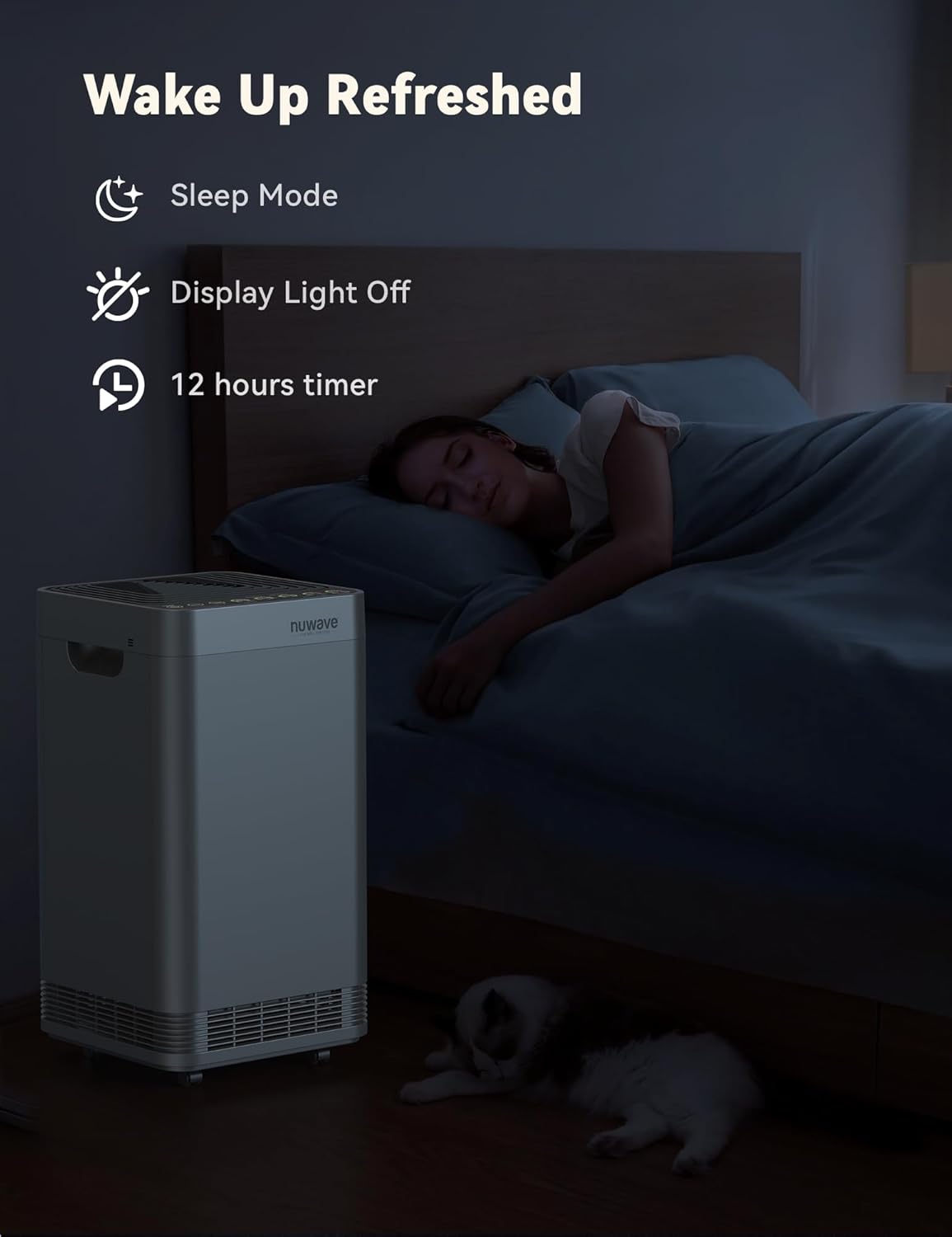
Image: A hand holding a smartphone displaying the Nuwave Connect app interface, showing options for real-time air quality updates, setting timers, and checking filter life, with the air purifier in the background.
Sleep Mode
For undisturbed rest, activate Night-Time Sleep Mode. In this mode, all indicator lights turn off, and the fan operates at a whisper-quiet level of 31.4 dB.

Image: The Nuwave OxyPure air purifier positioned next to a bed where a person is sleeping, illustrating its quiet operation in Sleep Mode with lights off.
Maintenance
Regular maintenance of your Nuwave OxyPure ensures optimal performance and extends filter life. The unit features filter alerts to indicate when maintenance is required.
Washable and Reusable Filters
The Stainless Steel Pre-Filter and Bio-Guard Filter are washable and reusable for up to 20 years. The Ozone Emission Removal Filter is reusable for up to 20 years but is not washable; it can be cleaned with a vacuum.
- Unplug the air purifier from the power outlet.
- Remove the filter cover and carefully extract the Stainless Steel Pre-Filter and Bio-Guard Filter.
- Wash these filters under running water until clean. Allow them to air dry completely before reinserting.
- For the Ozone Emission Removal Filter, gently vacuum any accumulated dust or debris. Do not wash this filter.
- Reinsert all filters securely and replace the filter cover.

Image: A person washing a Nuwave OxyPure filter under a kitchen faucet, demonstrating the ease of cleaning the reusable filters.
HEPA/Carbon Combo Filter Replacement
The True HEPA and Carbon filter has a lifespan of 6 months to 1 year and is not washable. Replace this filter when the filter alert indicates it is needed.
- Unplug the air purifier.
- Remove the filter cover and carefully extract the used HEPA/Carbon Combo Filter.
- Dispose of the old filter responsibly.
- Insert a new HEPA/Carbon Combo Filter.
- Replace the filter cover and plug in the unit.
- Reset the filter alert by pressing and holding the appropriate button on the control panel (refer to the control panel diagram for specific button).
Troubleshooting
If you encounter issues with your Nuwave OxyPure, refer to the following common problems and solutions:
| Problem | Possible Cause | Solution |
|---|---|---|
| Unit does not turn on. | No power supply; power cord not securely plugged in. | Ensure the unit is plugged into a working outlet. Check the power cord connection. |
| Poor air purification performance. | Filters are dirty or need replacement; air inlets/outlets are blocked. | Clean or replace filters as indicated by filter alerts. Ensure no obstructions around the unit. |
| Air Quality/Odor indicators are inaccurate. | Sensors are dirty or obstructed. | Gently wipe the sensor area with a dry, soft cloth. |
| Wi-Fi connection issues. | Incorrect Wi-Fi password; unit too far from router; router issues. | Verify Wi-Fi password. Move unit closer to router. Restart router. Consult app's troubleshooting guide. |
Specifications
| Feature | Detail |
|---|---|
| Brand | Nuwave |
| Model Number | 47003 |
| Color | Grey |
| Product Dimensions | 14"D x 14"W x 26"H |
| Floor Area Coverage | Up to 2934 Square Feet (1 air change per hour) |
| CADR | 664.6 m³/h |
| Noise Level | 31.4 dB (Sleep Mode) |
| Particle Retention Size | 0.09 Micrometer (captures 100%) |
| Wattage | 128 watts |
| Certifications | CARB Certified, CE Certified, EPA Certified, ETL Certified, Energy Star Certified |
| UPC | 652185470019 |
Warranty and Support
Nuwave provides a commitment to quality and customer satisfaction. For the first 5 years of ownership, there is zero filter replacement cost for the included filters.
For detailed warranty information, technical support, or to purchase replacement filters, please visit the official Nuwave website or contact customer service directly.
You can also refer to the official User Manual PDF for comprehensive information: Nuwave OxyPure User Manual PDF