
Introduction
The Maxcio Alexa Essential Oil Diffuser is a versatile aroma diffuser designed to create a comfortable and romantic atmosphere in your home or office. Featuring a 400ml water tank and 7 adjustable LED colors, this diffuser produces soft light effects. It is compatible with Alexa and Google Home for voice control and includes a timer function controllable via the Maxcio app. Made from BPA-free plastic, it uses silent ultrasonic technology to produce a cool, dry scented mist. The diffuser is easy to clean and maintain, and features an automatic shut-off mechanism when water runs out.

Image: Internal view of the Maxcio diffuser demonstrating its ultrasonic technology, which creates a homogeneous, fine mist to increase air humidity and disperse scent.
Safety Information
- Avoid direct skin contact with undiluted essential oils.
- Keep out of reach of children and pets.
- Ensure proper ventilation during use.
- Do not place the diffuser on unstable surfaces.
- Do not block the mist outlet during operation.
- Only use the provided power adapter.
Setup Instructions
- Unpack the Diffuser: Carefully remove all components from the packaging.
- Placement: Place the diffuser on a flat, stable surface away from direct sunlight, heat sources, and electronic devices. Ensure adequate space around the diffuser for mist dispersal.
- Fill Water Tank: Remove the top cover. Fill the water tank with clean tap water up to the 'MAX' line (400ml capacity). Do not overfill.
- Add Essential Oils: Add 3-5 drops of your preferred essential oil directly into the water tank. Adjust the quantity based on personal preference and room size.
- Replace Cover: Securely place the top cover back onto the diffuser.
- Connect Power: Plug the power adapter into the diffuser's power input, then plug the adapter into a wall outlet.
- App Control Setup: Download the 'Smart Life' or 'Maxcio' app from your smartphone's app store. Follow the in-app instructions to connect your diffuser to your Wi-Fi network. This enables remote control and advanced features.
- Voice Control Setup: Once connected to the app, link the 'Smart Life' or 'Maxcio' skill to your Amazon Alexa or Google Home account. You can then use voice commands like "Alexa, turn on the diffuser."

Image: The Maxcio diffuser being controlled via a smartphone application, demonstrating the ability to adjust settings remotely.
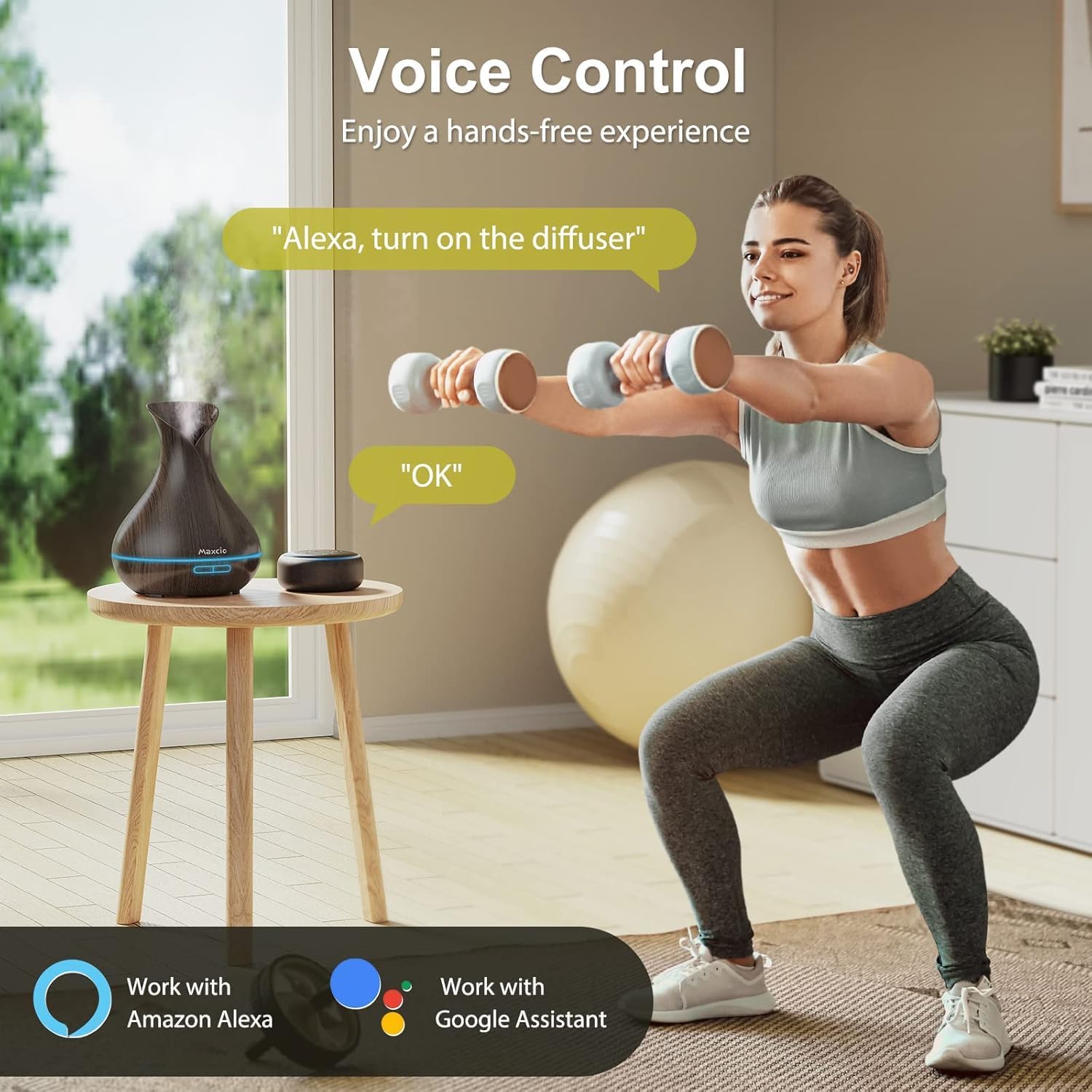
Image: A user interacting with the Maxcio diffuser using voice control, highlighting its compatibility with Amazon Alexa and Google Assistant.
Operating Instructions
Power On/Off
- Manual Control: Press the power button on the diffuser to turn it on or off.
- App Control: Use the 'Smart Life' or 'Maxcio' app to remotely turn the diffuser on or off.
- Voice Control: Use voice commands such as "Alexa, turn on the diffuser" or "Hey Google, turn off the diffuser."
Mist Modes
The diffuser offers two mist modes for varying durations and intensity:
- Continuous Mist: Provides a steady mist for approximately 6 hours.
- Intermittent Mist: Mists for 30 seconds, then pauses for 30 seconds, extending operation up to 12 hours.
Switch between modes using the mist button on the diffuser or through the app.
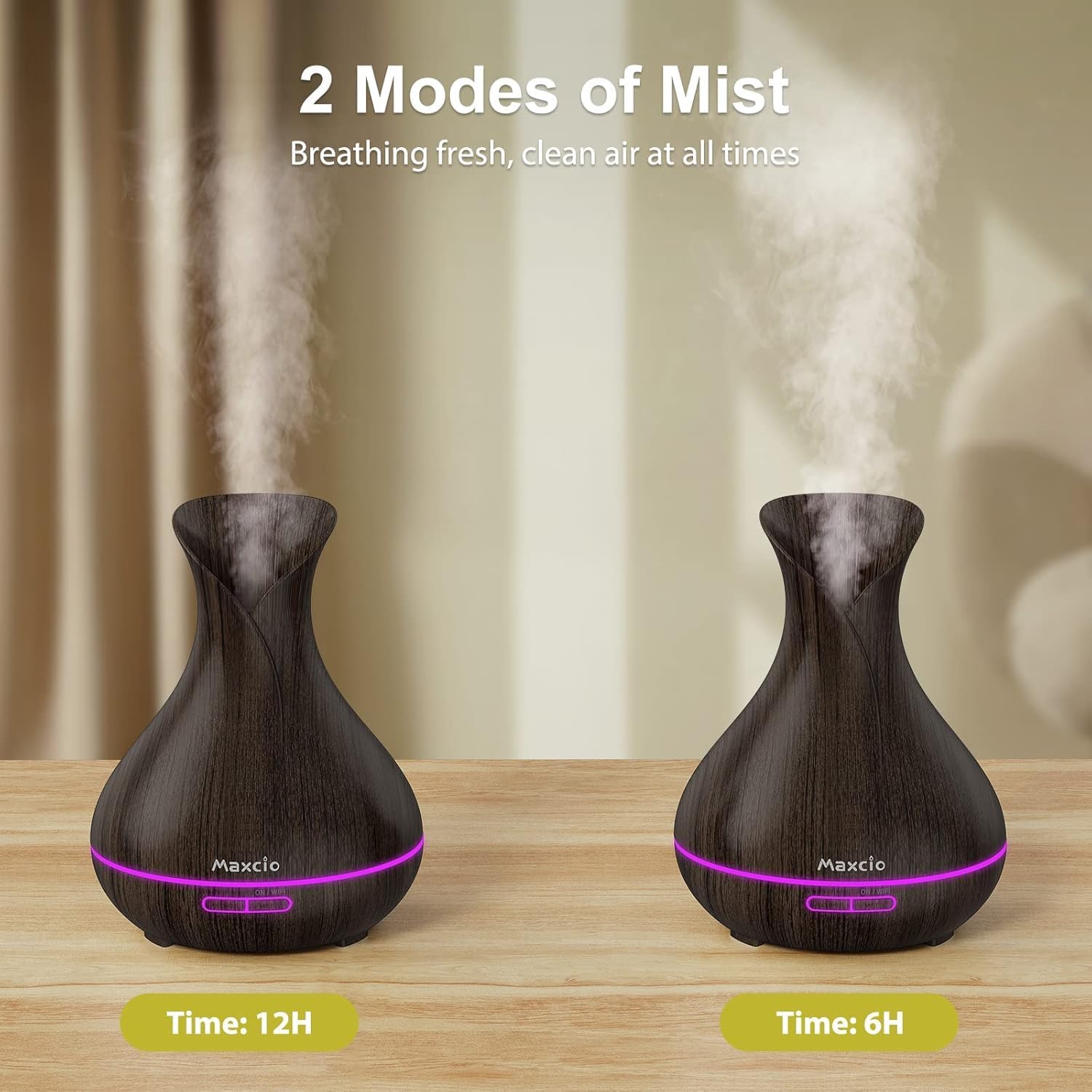
Image: Comparison of two Maxcio diffusers, illustrating the two available mist modes and their corresponding operating durations (6 hours and 12 hours).
LED Light Control
The diffuser features 7 soothing LED light colors, adjustable between bright and dim warm settings.
- Manual Control: Press the light button on the diffuser to cycle through colors or set a specific color.
- App Control: Use the app to select your preferred color, adjust brightness, or choose a gradual color-changing mode.

Image: A collection of Maxcio diffusers showcasing the 7 soothing LED light options, each adjustable for brightness.
Timer Function
Set a timer for automatic shut-off using the app. You can schedule specific operating times for both mist and light functions.

Image: The Maxcio diffuser in a bedroom setting, emphasizing its ultra-quiet operation and timer function for peaceful sleep.
Automatic Shut-off
For safety and energy efficiency, the diffuser will automatically turn off when the water level in the tank is too low or completely depleted.
Maintenance
Cleaning the Diffuser
Regular cleaning helps maintain optimal performance and extends the lifespan of your diffuser.
- Unplug and Empty: Always unplug the diffuser from the power outlet before cleaning. Remove the top cover and empty any remaining water from the tank.
- Wipe Down: Use a soft, damp cloth to wipe the inside of the water tank and the exterior of the diffuser.
- Clean Ultrasonic Plate: Gently wipe the ultrasonic vibration plate (located at the bottom of the water tank) with a cotton swab dipped in white vinegar. This helps remove mineral buildup. Do not scrub or use harsh chemicals.
- Rinse and Dry: Rinse the water tank with clean water (avoiding the air outlet) and wipe it dry with a clean cloth. Ensure all parts are completely dry before reassembling or storing.
Storage
When not in use for an extended period, clean the diffuser thoroughly and store it in a cool, dry place.

Image: The Maxcio diffuser's anti-fouling design, featuring an oleophobic coating to resist oil contamination and simplify cleaning.
Troubleshooting
| Problem | Possible Cause | Solution |
|---|---|---|
| No mist or weak mist | Low water level; water tank overfilled; ultrasonic plate dirty; mist outlet blocked. | Add water to the MAX line; ensure water is below MAX line; clean ultrasonic plate; check for blockages. |
| Diffuser does not turn on | No power; power adapter not connected properly; automatic shut-off activated. | Check power connection; ensure adapter is securely plugged in; refill water tank if empty. |
| No aroma | Insufficient essential oil; low-quality essential oil. | Add more essential oil; use high-quality essential oils. |
| App connectivity issues | Incorrect Wi-Fi password; diffuser too far from router; app not updated. | Verify Wi-Fi password; move diffuser closer to router; update app to the latest version. |
| LED light not working | Light function turned off in app or manually. | Check light settings in the app or press the light button on the diffuser. |
Specifications
| Feature | Detail |
|---|---|
| Brand | Maxcio |
| Model Number | DT-1558B |
| Color | Black |
| Product Dimensions | 16 x 16 x 26.5 cm (L x W x H) |
| Capacity | 400 ml |
| Power / Wattage | 14 Watts |
| Material | Acrylonitrile Butadiene Styrene (ABS) |
| Automatic Shut-off | Yes |
| Operating Time | Up to 10 hours (depending on mist mode) |
| Special Features | 7 adjustable LED colors, App control, Voice control (Alexa/Google Home), Timer function |
| Item Weight | 780 grams |
| Power Source | DC |
Warranty Information
Specific warranty details for the Maxcio Alexa Essential Oil Diffuser DT-1558B are not provided in the product information. Please refer to the retailer's return policy or contact Maxcio customer support for warranty inquiries.
Customer Support
For further assistance, technical support, or product-related questions, please contact Maxcio customer service through their official website or the contact information provided with your purchase. Please have your model number (DT-1558B) and purchase details ready when contacting support.
