1. Introduction
Thank you for choosing the JISULIFE F2B Handheld Portable Fan. This device is designed to provide personal cooling with its powerful airflow and long-lasting battery. Please read this manual carefully before use to ensure proper operation and maintenance.
Key Features:
- Extended Cooling Time: Equipped with a 4000mAh battery, offering up to 20 hours of operation depending on the selected speed.
- Versatile Design: Functions as both a handheld fan for outdoor use and a stable desktop fan for office or home.
- USB Rechargeable: Conveniently recharges via USB in approximately 3 hours.
- Easy Maintenance: Features a detachable cover for simple cleaning.
- Compact and Portable: Lightweight and mini-sized for easy carrying.
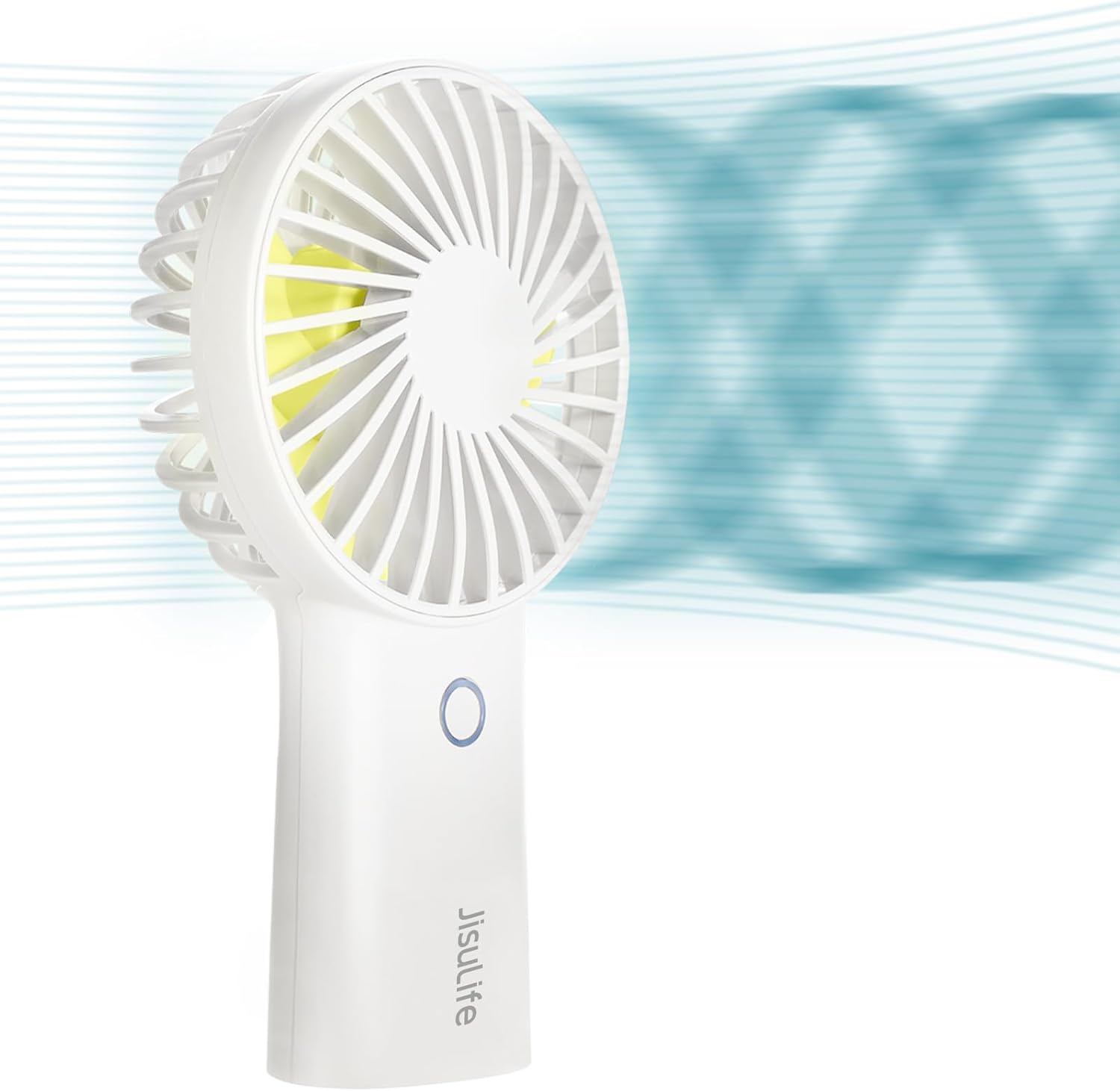
A white JISULIFE F2B handheld portable fan, shown from the side, with a visual representation of air flowing from its front grille.
2. Product Overview
Familiarize yourself with the components of your JISULIFE F2B fan:
- Front Grille: Protects the fan blades.
- Fan Blades: Generate airflow.
- Power Button: Controls power and speed settings.
- Handle: Ergonomic design for handheld use, houses the battery.
- Base: Provides stability for desktop use, includes a non-slip mat.
- Anti-trigger Switch: Located at the bottom of the base to prevent accidental activation.
- USB Charging Port: For recharging the internal battery.

An exploded diagram of the JISULIFE F2B fan, illustrating its main components including the front grille, fan blades, electric motor, and the internal structure of the handle housing the battery.

A hand placing the compact JISULIFE F2B fan into a small, brown zippered bag, illustrating its lightweight and portable design for easy carrying.
3. Setup
Before first use, please follow these steps:
- Activate the Fan: Locate the Anti-trigger Switch at the bottom of the fan's base. Slide this switch to the 'ON' position. This switch prevents accidental power-on during transport.
- Initial Charge: For optimal performance, fully charge the fan before its first use. Refer to the 'Charging' section for detailed instructions.

A detailed view of the bottom of the JISULIFE F2B fan, highlighting the anti-trigger switch for preventing accidental activation and the non-slip mat for stable placement.
4. Operating Instructions
The JISULIFE F2B fan features a single button for easy control of power and speed settings.
- Power On: Ensure the Anti-trigger Switch at the bottom is in the 'ON' position. Short press the Power Button once to turn on the fan at Speed 1.
- Adjust Speed: Press the Power Button repeatedly to cycle through the three available wind speeds:
- First press: Speed 1 (Low)
- Second press: Speed 2 (Medium)
- Third press: Speed 3 (High)
- Power Off: After Speed 3, pressing the Power Button again will turn off the fan. Alternatively, you can long-press the Power Button at any speed to turn off the fan directly.
- Usage Modes: The fan can be used handheld or placed on a flat surface as a desktop fan. The non-slip mat on the base ensures stability.

A collage of images showing the JISULIFE F2B fan being used in different settings: held by hand, standing on a desk, and providing cooling relief outdoors.
5. Charging
The JISULIFE F2B fan is equipped with a 4000mAh rechargeable battery.
- Charging Port: Connect the provided USB charging cable to the fan's USB charging port.
- Power Source: Connect the other end of the USB cable to a compatible USB power source, such as a USB charger, power bank, laptop, or car charger.
- Charging Indicator: The indicator light will illuminate during charging and turn off once fully charged.
- Charging Time: A full charge typically takes approximately 3 hours.
- Battery Life: The fan provides approximately 5-20 hours of cooling time on a full charge, depending on the selected wind speed.

A visual representation of the JISULIFE F2B fan being held, with text overlays indicating its USB rechargeable 4000mAh built-in battery and estimated operating times: 30 hours on Speed 1, 18 hours on Speed 2, and 7 hours on Speed 3.

An illustration demonstrating the versatility of the JISULIFE F2B fan's charging options, including connection to a solar charger, power bank, laptop, wall adapter, and car charger.
6. Maintenance
Regular cleaning ensures optimal performance and extends the lifespan of your fan.
- Power Off: Before cleaning, ensure the fan is turned off and the Anti-trigger Switch is in the 'OFF' position.
- Detach Cover: Gently twist the front grille counter-clockwise to detach it from the fan body.
- Clean Blades and Grille: Use a soft, dry cloth or a small brush to remove dust and debris from the fan blades and the inside of the grille. Do not use water or harsh chemicals directly on the electronic components.
- Reattach Cover: Align the front grille with the fan body and twist clockwise until it clicks securely into place.

The JISULIFE F2B fan with its front grille twisted counter-clockwise and removed, showing the fan blades exposed for easy cleaning.
7. Troubleshooting
If you encounter issues with your JISULIFE F2B fan, refer to the following common problems and solutions:
| Problem | Possible Cause | Solution |
|---|---|---|
| Fan does not turn on. | Anti-trigger Switch is OFF. | Slide the Anti-trigger Switch to the 'ON' position. |
| Fan does not turn on. | Battery is depleted. | Charge the fan using the provided USB cable. |
| Weak airflow. | Low battery level. | Recharge the fan. |
| Weak airflow. | Fan blades or grille are obstructed/dirty. | Clean the fan blades and grille as per the 'Maintenance' section. |
| Fan not charging. | Faulty USB cable or power adapter. | Try a different USB cable or power adapter. Ensure connections are secure. |
8. Specifications
- Brand: JISULIFE
- Model Name: F2B (31195-F2B)
- Battery Capacity: 4000mAh
- Max Cooling Time: Up to 20 hours (varies by speed)
- Charging Time: Approximately 3 hours
- Number of Speeds: 3
- Product Dimensions: 1.65"D x 3.26"W x 6.81"H
- Item Weight: 6.1 Ounces
- Power Source: Battery Powered, USB Rechargeable
- Noise Level: 65 Decibels
- Included Components: Fan unit, USB charging cable, 1-Year warranty card
- Certification: CETL
9. Warranty & Support
Your JISULIFE F2B Handheld Portable Fan comes with a 1-Year warranty. Please refer to the included warranty card for detailed terms and conditions.
For technical support, troubleshooting assistance, or warranty claims, please contact JISULIFE customer service through their official website or the retailer where the product was purchased.
10. Safety Information
Please observe the following safety precautions to prevent damage to the product or personal injury:
- Do not insert fingers or any objects into the fan grille while it is operating.
- Keep the fan away from water and excessive moisture.
- Do not disassemble, repair, or modify the fan yourself. Contact qualified personnel for service.
- Keep out of reach of children and pets.
- Do not expose the fan to extreme temperatures or direct sunlight for prolonged periods.
- Use only the provided charging cable or a certified equivalent.