
1. Product Overview
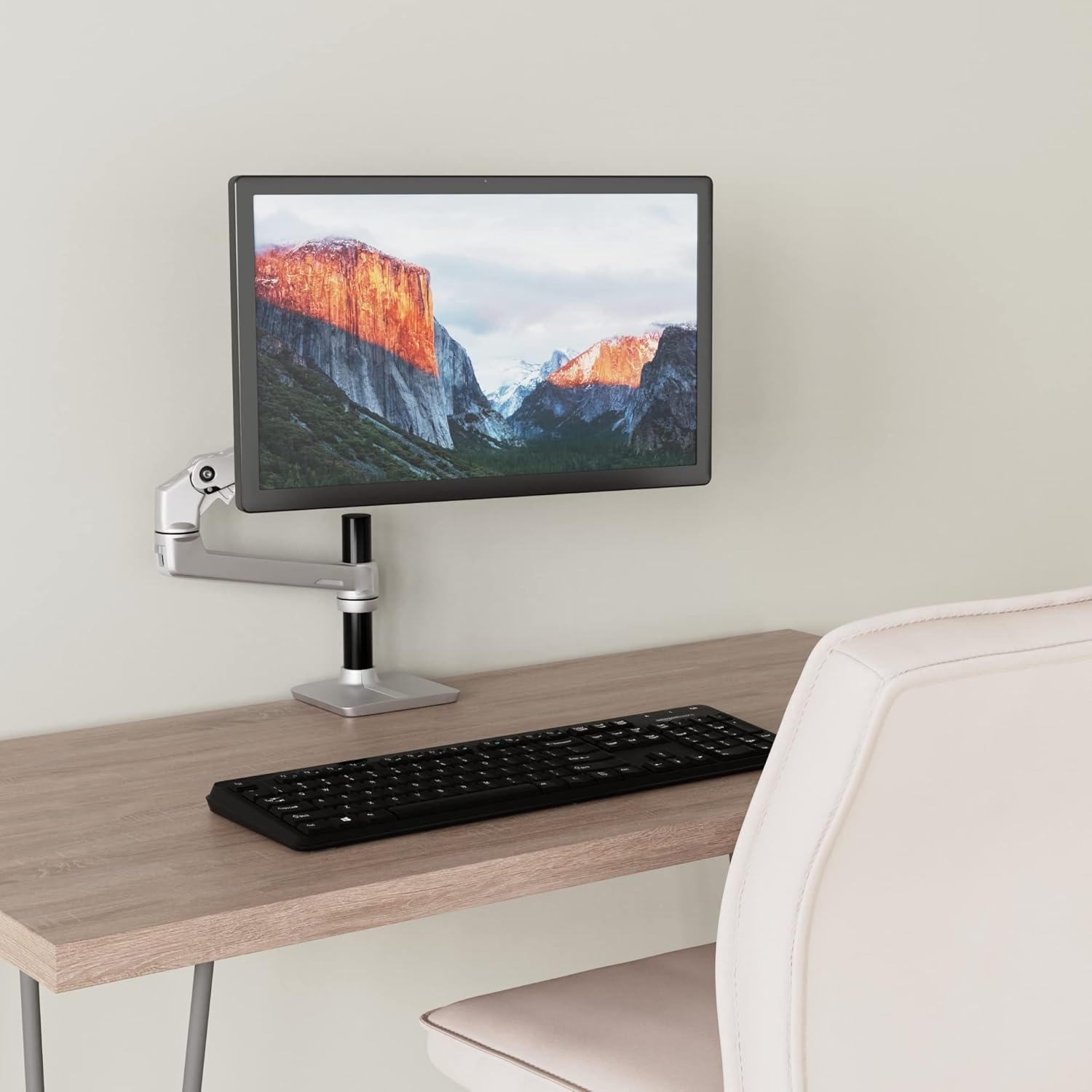
The Amazon Basics Single Monitor Stand is designed to optimize your workspace by elevating your monitor and providing flexible positioning. This premium single-arm monitor stand frees up valuable desktop space and allows for ergonomic screen viewing, promoting better posture and reducing strain.
Key Features:
- Space-Saving Design: Frees up desktop space by mounting your monitor above the desk surface.
- Ergonomic Adjustability: Easily adjusts for optimal ergonomic screen viewing.
- Flexible Positioning: The arm extends and retracts, tilts 70° back to 5° forward for a comfortable reading angle, and rotates between landscape and portrait modes.
- Wide Compatibility: Works with most LCD monitors measuring 32 inches or smaller, supporting monitors up to 25 pounds (11.3 kg).
- Easy Installation: Features a desk clamp that fits desks between 0.4 inches (1 cm) up to 2.4 inches (6 cm) thick.
- VESA Compatible: Supports VESA mounting patterns of 100 x 100mm and 75 x 75mm.

2. Setup and Installation
Follow these steps to properly set up your Amazon Basics Single Monitor Stand. Ensure you have all components and the necessary tools (usually included with the product).
2.1 Desk Clamp Installation
- Unpack all components and verify against the parts list in your product packaging.
- Choose a suitable location on your desk. The desk clamp is designed to fit desk thicknesses between 0.4 inches (1 cm) and 2.4 inches (6 cm).
- Attach the desk clamp base to the edge of your desk. Tighten the clamp screw securely until the stand is stable and does not wobble.

2.2 Attaching the Monitor
- Locate the VESA mounting holes on the back of your monitor. The stand supports VESA patterns of 75x75mm and 100x100mm.
- Carefully align the monitor's VESA holes with the mounting plate on the arm.
- Secure the monitor to the mounting plate using the provided screws. Ensure they are tightened firmly but do not overtighten.


3. Operating the Monitor Stand
The Amazon Basics Single Monitor Stand offers a wide range of motion for optimal viewing comfort.
3.1 Adjusting Position
- Height Adjustment: The arm can be moved up and down along the main pole to set the desired height.
- Extension and Retraction: Gently push or pull the arm to extend or retract your monitor closer or further from you.
- Tilt Adjustment: The monitor can be tilted 70° backward and 5° forward to achieve the perfect viewing angle.
- Rotation: Rotate the monitor 360° around the pole.
- Landscape/Portrait Mode: The VESA plate allows for easy rotation of the monitor between horizontal (landscape) and vertical (portrait) orientations.

3.2 Tension Adjustment
If the arm is too stiff or too loose, you can adjust the tension. Tools (typically Allen keys) are provided for this purpose. Refer to your product's specific manual for the exact location of tension adjustment screws on the arm joints and the VESA plate.
- For a loose arm (monitor sags): Tighten the tension screw(s) on the arm joints.
- For a stiff arm: Loosen the tension screw(s) on the arm joints.
- For tilt stiffness: Adjust the tension screw near the VESA plate.
4. Maintenance
To ensure the longevity and optimal performance of your monitor stand, follow these simple maintenance guidelines:
- Cleaning: Wipe the stand with a soft, damp cloth. Avoid abrasive cleaners or solvents that could damage the finish.
- Periodic Checks: Periodically check all screws and connections, especially the desk clamp and VESA mounting screws, to ensure they remain tight and secure.
- Lubrication: The joints are designed for smooth operation and typically do not require lubrication. If you notice any squeaking or excessive friction, consult customer support.
5. Troubleshooting
If you encounter issues with your monitor stand, refer to the common problems and solutions below:
Problem: Monitor sags or does not hold position.
Solution: The tension in the arm joints may be too loose for the weight of your monitor. Use the provided Allen key to tighten the tension adjustment screws on the arm. For heavier monitors, more tension will be required. Ensure the monitor's weight does not exceed the stand's maximum capacity of 25 pounds (11.3 kg).
Problem: Arm is too stiff to move.
Solution: The tension in the arm joints may be too tight. Use the provided Allen key to loosen the tension adjustment screws on the arm until the desired movement is achieved.
Problem: Monitor wobbles excessively.
Solution:
- Ensure the desk clamp is securely tightened to the desk.
- Verify that the VESA mounting screws attaching the monitor to the plate are tight.
- Check the stability of your desk surface. A less sturdy desk may contribute to wobbling.
6. Specifications
| Attribute | Detail |
|---|---|
| Brand | Amazon Basics |
| Model Number | K001880 |
| Product Dimensions (L x W x H) | 65.02 x 36.07 x 48.9 cm (25.6 x 14.2 x 19.3 inches) |
| Item Weight | 3.54 kg (7.8 lbs) |
| Color | Silver |
| Material | Aluminum |
| Mounting Type | Tabletop Clamp Mount |
| Movement Type | Tilt, Swivel, Rotation, Extension/Retraction |
| Compatible Devices | LCD Monitors up to 32 inches |
| Maximum Monitor Weight | 25 pounds (11.3 kg) |
| VESA Compatibility | 75 x 75mm, 100 x 100mm |
| Maximum Tilt Angle | 70° back to 5° forward |
| Desk Clamp Thickness Range | 0.4 inches (1 cm) to 2.4 inches (6 cm) |

7. Warranty and Support
The Amazon Basics Single Monitor Stand is backed by an AmazonBasics 1-year limited warranty. For warranty claims or technical support, please refer to the contact information provided with your product packaging or visit the official Amazon Basics support page.
For further assistance, please contact Amazon customer service.

