
1. Introduction
The Bestier Wooden Storage Cabinet is a versatile furniture piece designed for both office and home use. It features three drawers and wheel casters for easy mobility. Its sturdy construction, made from P2 Class MDF board, ensures durability and environmental safety, meeting US CARB standards.
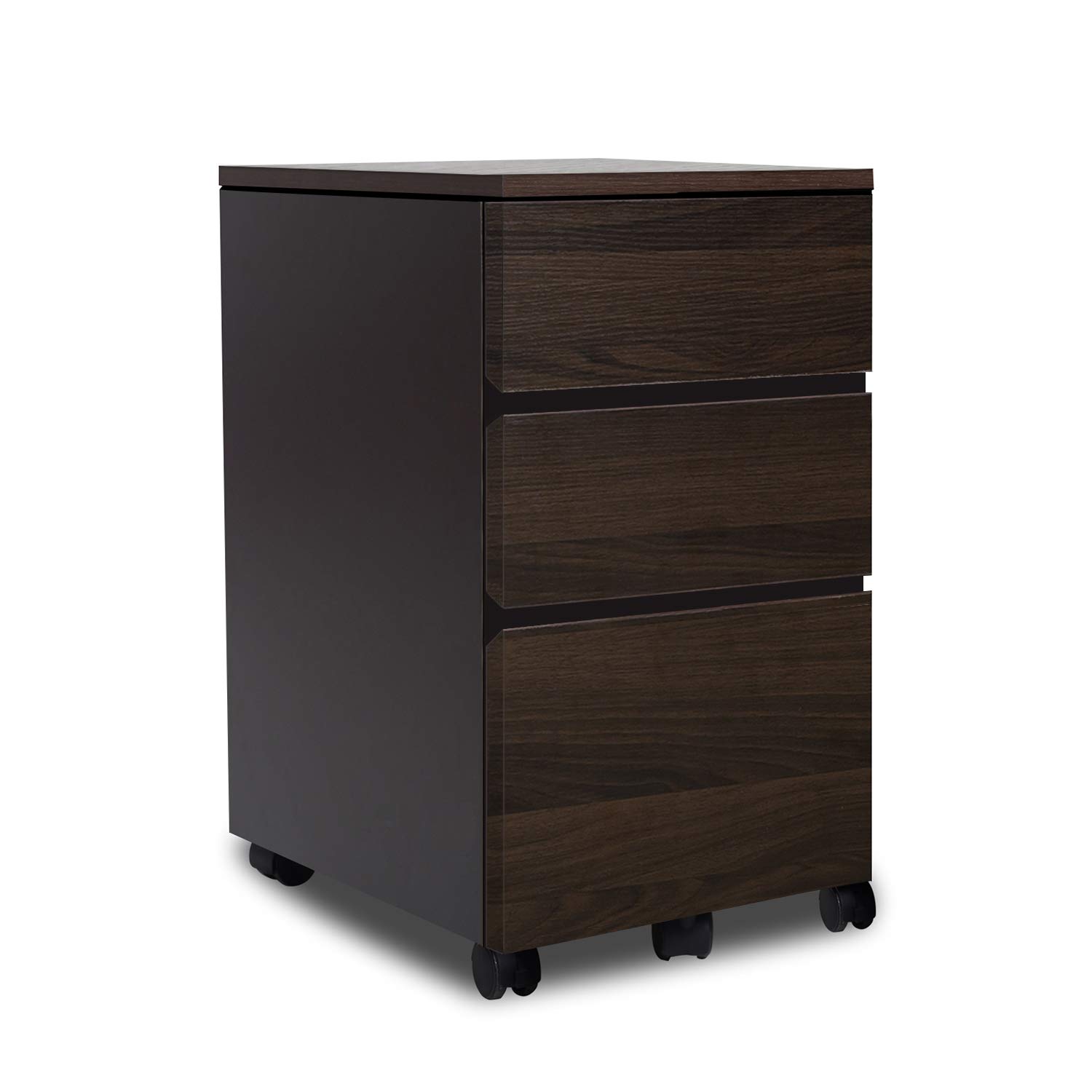
Image: The Bestier Wooden Storage Cabinet, featuring three drawers and wheel casters, positioned in a modern room setting next to a woven basket and a plant.
2. Safety Information
- Ensure all parts are present and undamaged before beginning assembly.
- Do not exceed the maximum load capacity of 130 lbs (approximately 59 kg) on the cabinet top.
- Keep small parts away from children during assembly to prevent choking hazards.
- Assemble on a soft, clean surface to prevent scratches or damage to the product and your floor.
- Always use the provided tools or appropriate hand tools for assembly. Do not use power tools unless explicitly specified in the assembly instructions.
- Regularly check all fasteners (screws, bolts) to ensure they remain tight and secure.
3. Package Contents
Before beginning assembly, please verify that all components listed below are present and undamaged. If any parts are missing or damaged, please contact customer support.
- Cabinet Panels (Top, Bottom, Sides, Back)
- Drawer Fronts, Sides, and Bottoms
- Wheel Casters (with locking mechanism)
- Drawer Slides (Ball Bearing)
- Handles
- Assembly Hardware (Screws, dowels, cam locks, etc.)
- Assembly Instructions Manual
4. Setup and Assembly
Assembly is required for this product. Please follow the steps carefully. An assembly video is available online by searching "Bestier Cabinet" on YouTube or by visiting https://amzn.to/2PPwJcz.
4.1 Tools Required
- Phillips Head Screwdriver (not included)
- Hammer (optional, for dowels)
4.2 Assembly Steps
- Unpack all components and lay them out on a clean, soft surface to prevent damage.
- Attach the drawer slides to the side panels of the cabinet according to the markings. Ensure they are oriented correctly.
- Assemble the cabinet frame by connecting the top, bottom, and side panels using the provided hardware (dowels, cam locks, screws).
- Secure the back panel to the cabinet frame.
- Attach the wheel casters to the bottom panel of the cabinet. Ensure the locking casters are positioned at the front for easy access.
- Assemble each drawer: Attach the drawer sides to the front and back panels, then slide in the drawer bottom.
- Install the drawer slides onto the assembled drawers.
- Attach the handles to the drawer fronts.
- Carefully insert the assembled drawers into the cabinet frame, aligning the drawer slides with the cabinet slides.

Image: A diagram illustrating the dimensions of the Bestier Wooden Storage Cabinet: 40 cm width, 54 cm depth, and 59 cm height.

Image: A close-up view of the durable wheel casters attached to the base of the cabinet, highlighting their mobility and locking feature.
5. Operating Instructions
5.1 Drawer Usage
The cabinet features three drawers of varying sizes. The bottom drawer is deeper (approximately 6.3 inches or 16 cm) and is suitable for larger items or files (if placed flat). The top two drawers are shallower, ideal for smaller items, stationery, or personal belongings.
5.2 Mobility
The integrated wheel casters allow for easy movement of the cabinet. To move the cabinet, unlock the front casters by flipping their levers. Once in the desired position, lock the casters to secure the cabinet in place and prevent unintended movement.

Image: The Bestier Wooden Storage Cabinet neatly positioned under a desk, demonstrating its compact design and suitability for office environments.
6. Maintenance
6.1 Cleaning
To clean the cabinet, wipe surfaces with a soft, damp cloth. Avoid using harsh chemicals, abrasive cleaners, or excessive moisture, which can damage the wood finish and material.

Image: A close-up of the cabinet's surface being wiped with a cloth, illustrating its water-resistant and easy-to-clean properties.
6.2 General Care
- Periodically check all screws and fasteners to ensure they are tight. Retighten if necessary.
- Avoid placing extremely hot or cold items directly on the surface without adequate protection (e.g., coasters).
- Keep the cabinet away from direct sunlight and excessive moisture to prevent warping, discoloration, or material degradation.
7. Troubleshooting
7.1 Drawers do not slide smoothly
- Check if the drawer slides are correctly aligned and installed on both the drawer and the cabinet frame.
- Ensure no debris or obstructions are present within the slide mechanism.
- Verify that all screws securing the slides are tight.
7.2 Cabinet is wobbly
- Confirm that all assembly hardware (screws, cam locks, dowels) are fully tightened.
- Ensure the cabinet is placed on a level surface. Adjust if necessary.
- Check if the casters are properly installed and locked when the cabinet is stationary.
7.3 Missing parts
- Refer to the package contents list in Section 3. If parts are missing, please contact Bestier customer support for assistance.
8. Specifications
| Feature | Detail |
|---|---|
| Brand | Bestier |
| Model Number | BEST-D62D |
| Material | P2 Class MDF Board (Wood) |
| Color | Brown |
| Product Dimensions (D x W x H) | 54D x 40W x 59H Centimeters |
| Item Weight | 20.2 Kilograms |
| Load Capacity (Top) | Up to 130 lbs (approx. 59 kg) |
| Assembly Required | Yes |
| Special Feature | Durable, Wheel Casters |
9. Warranty and Support
For any issues with assembly, missing parts, product defects, or general inquiries, please contact Bestier customer support. Refer to your purchase documentation or the retailer's website for specific warranty details and contact information.
For assembly assistance, you can also refer to the assembly video by searching "Bestier Cabinet" on YouTube.


