
Introduction
Thank you for purchasing the Greadio Retro Bluetooth Speaker and FM Radio. This compact and stylish device combines vintage aesthetics with modern audio technology, offering a rich sound experience through Bluetooth 5.0, FM radio, TF card playback, and AUX input. Designed for portability and ease of use, it's an ideal companion for music lovers who appreciate classic design.
Please read this manual carefully before using the product to ensure proper operation and to maximize its lifespan. Keep this manual for future reference.
Product Features
- Compact and Portable: Mini size (approximately 4.4 x 2.7 x 2 inches) with surprisingly loud volume.
- High-Quality Audio: Four-watt amplifiers for rich, clear sound with strong bass enhancement.
- Multi-functional Playback: Supports Bluetooth 5.0 wireless connection, FM radio (87.5-108 MHz), TF card (MP3 player), and AUX input.
- Long Battery Life: Built-in 1100 mAh rechargeable lithium-ion battery provides up to 8 hours of playtime.
- Retro Design: Unique vintage appearance with a smooth red paint finish, blending classic aesthetics with modern technology.
- Easy to Use: Intuitive controls for volume, tuning, and mode selection.
Package Contents
Please check the package contents upon unboxing to ensure all items are present:
- Greadio Retro Bluetooth Speaker (Model: R919)
- Micro USB Charging Cable
- 3.5mm AUX Audio Cable
- User Manual

Image: Contents of the Greadio Retro Bluetooth Speaker package, showing the red speaker, a Micro USB charging cable, a 3.5mm AUX cable, and the user manual.
Controls and Ports
Familiarize yourself with the controls and ports on your Greadio Retro Bluetooth Speaker:
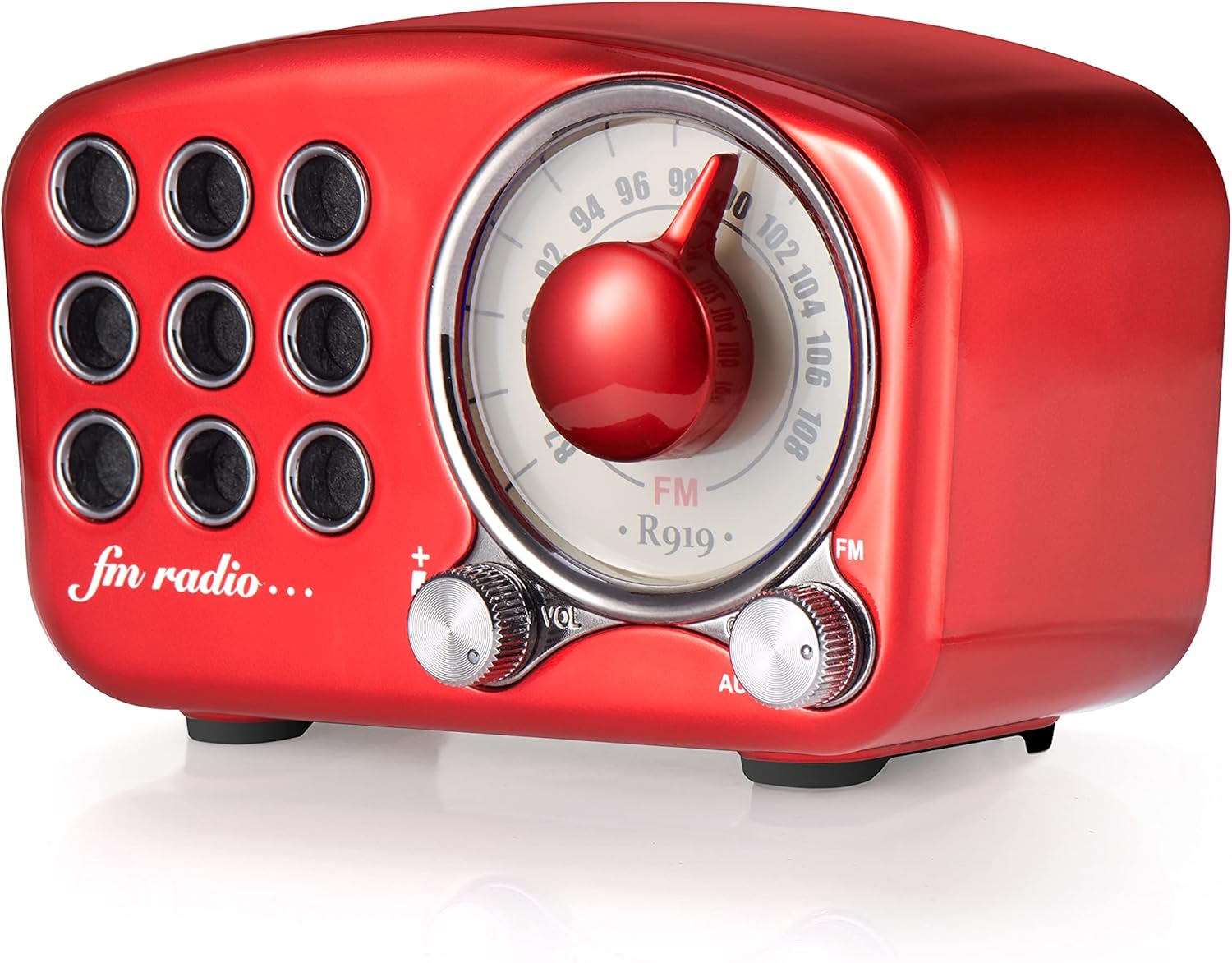
Image: Front view of the Greadio R919 speaker, highlighting the large central tuning dial, the volume knob on the left, and the mode switch (FM/AUX) on the right.
- Tuning Dial: Large central dial for selecting FM radio frequencies.
- Volume Knob (VOL): Located on the left, turn to adjust the audio volume.
- Mode Switch (FM/AUX): Located on the right, switch between FM radio mode and AUX input mode.
- Power Switch: Often integrated with the volume knob (turn clockwise to power on, counter-clockwise to power off).

Image: Rear view of the Greadio R919 speaker, showing the Micro USB charging port, 3.5mm AUX input jack, and the TF (MicroSD) card slot.
- Micro USB Charging Port: For connecting the charging cable.
- AUX Input Jack: For connecting external audio devices via the 3.5mm AUX cable.
- TF Card Slot: For inserting a TF (MicroSD) card with MP3 audio files.
Setup
Initial Charging
Before first use, it is recommended to fully charge the speaker. Connect the supplied Micro USB cable to the charging port on the back of the speaker and the other end to a USB power adapter (not included) or a computer's USB port. The charging indicator light will typically illuminate during charging and turn off or change color when fully charged.
A full charge usually takes a few hours and provides up to 8 hours of playback time.
Operating Instructions
Power On/Off
- To power on, turn the Volume knob clockwise until you hear a click and the speaker powers on.
- To power off, turn the Volume knob counter-clockwise until you hear a click and the speaker powers off.
Bluetooth Mode
The speaker will automatically enter Bluetooth pairing mode when powered on if no other mode is selected or if the mode switch is set to Bluetooth (if applicable, otherwise it defaults to Bluetooth).
- Ensure the speaker is powered on.
- On your mobile device (smartphone, tablet, laptop), enable Bluetooth and search for available devices.
- Select "R919" or "Greadio R919" from the list of found devices.
- Once connected, the speaker will emit a confirmation sound. You can now play audio from your device through the speaker.

Image: The Greadio R919 speaker wirelessly connected to a smartphone, tablet, and laptop, illustrating its Bluetooth compatibility.
FM Radio Mode
- Switch the mode selector to "FM".
- Slowly turn the Tuning Dial to search for FM radio stations. The frequency range is 87.5-108 MHz.
- Adjust the Volume knob to your desired listening level.
- For better reception, extend the built-in antenna (if present, or reposition the speaker).

Image: A family enjoying the Greadio R919 speaker while listening to FM radio outdoors, demonstrating its portability and radio function.
TF Card (MP3 Player) Mode
- Insert a TF (MicroSD) card with MP3 audio files into the TF card slot on the back of the speaker.
- The speaker should automatically switch to TF card playback mode and begin playing the first compatible audio file.
- Use the volume knob to adjust the sound level. (Note: Track navigation controls may not be available on this model, playback is sequential).
AUX Input Mode
- Connect one end of the supplied 3.5mm AUX audio cable to the AUX input jack on the back of the speaker.
- Connect the other end of the AUX cable to the headphone jack or audio output of your external audio device (e.g., MP3 player, computer).
- Switch the mode selector to "AUX".
- Play audio from your external device. Adjust volume using both the speaker's volume knob and your external device's volume controls.
Maintenance
- Cleaning: Use a soft, dry cloth to clean the speaker's surface. Do not use abrasive cleaners, waxes, or solvents.
- Storage: Store the speaker in a cool, dry place away from direct sunlight and extreme temperatures.
- Battery Care: To prolong battery life, avoid fully discharging the battery frequently. Charge the speaker regularly, even if not in use for extended periods.
- Water Resistance: This speaker is NOT water-resistant. Avoid exposure to water or high humidity.
Troubleshooting
| Problem | Possible Cause | Solution |
|---|---|---|
| No power | Battery is dead; Power switch is off. | Charge the speaker; Turn the volume knob clockwise to power on. |
| No sound in Bluetooth mode | Speaker not paired; Volume too low on speaker or device. | Ensure speaker is in Bluetooth mode and paired; Increase volume on both speaker and connected device. |
| Poor FM radio reception | Weak signal; Speaker position. | Reposition the speaker; Extend the antenna (if applicable); Try tuning to a stronger station. |
| TF card not playing | Card not inserted correctly; Incompatible file format; Corrupted card. | Reinsert TF card; Ensure files are MP3 format; Try a different TF card. |
| No sound in AUX mode | Cable not connected properly; Mode not set to AUX; Volume too low. | Check AUX cable connections; Switch mode to AUX; Increase volume on both speaker and external device. |
Specifications
| Feature | Detail |
|---|---|
| Brand | Greadio |
| Model | R919 |
| Connectivity Technology | Bluetooth 5.0, Auxiliary |
| Tuner Technology | FM (87.5-108 MHz) |
| Speaker Output Power | 4 Watts |
| Power Source | Battery Powered |
| Battery Type | Lithium Ion |
| Battery Capacity | 1100 mAh |
| Battery Average Life | Up to 8 Hours |
| Product Dimensions (L x W x H) | 10.67 x 6.35 x 4.57 cm (4.2 x 2.5 x 1.8 inches) |
| Item Weight | 199.58 g (0.44 lbs) |
| Material Type | Plastic with Red Coating/Paint |
| Compatible Devices | Smartphone, Laptop, MP3 Player, etc. |
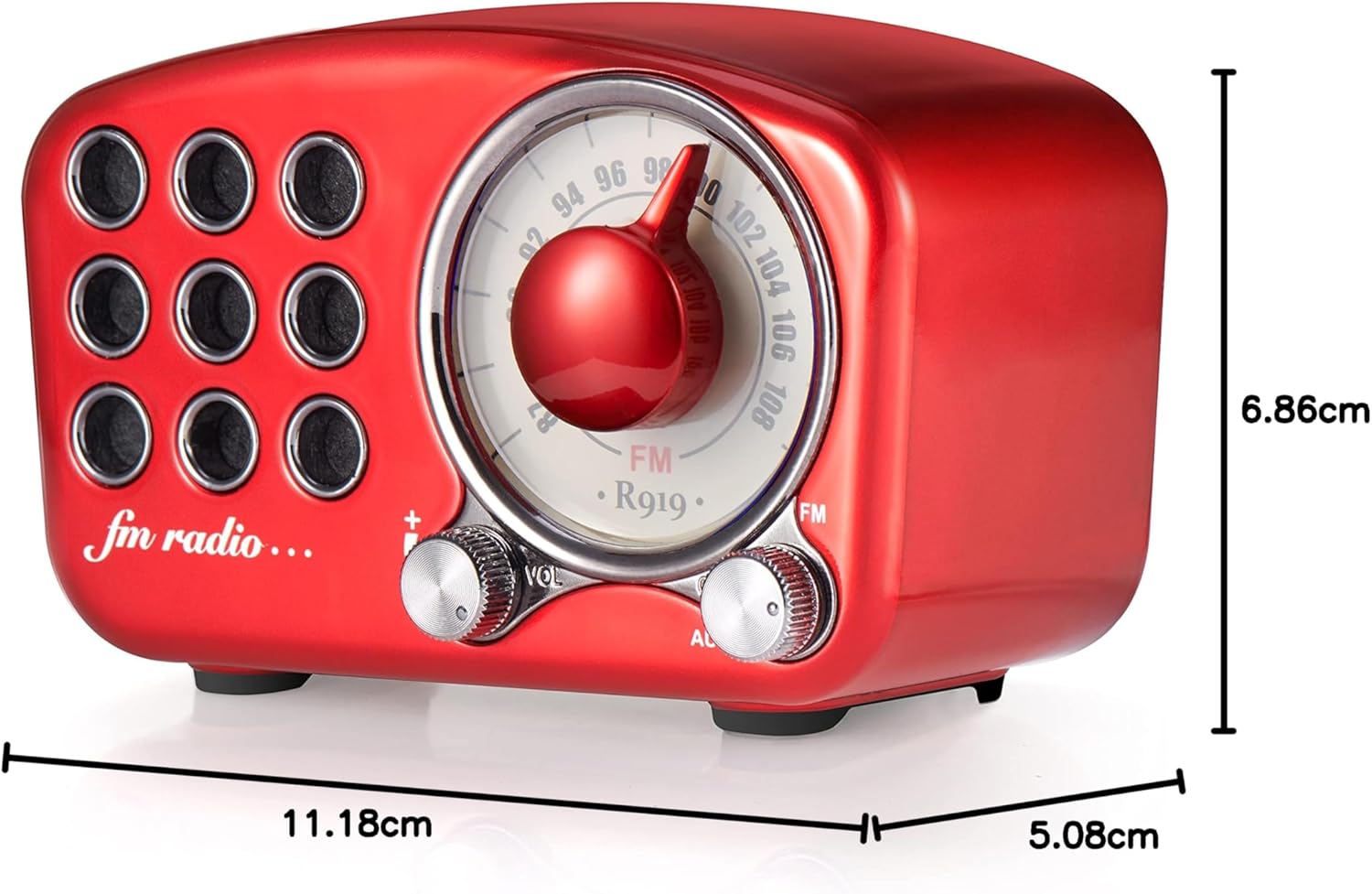
Image: Diagram showing the dimensions of the Greadio R919 speaker: 11.18 cm (length), 5.08 cm (width), and 6.86 cm (height).
Warranty and Support
The Greadio Retro Bluetooth Speaker comes with a one-year manufacturer's warranty, covering defects in materials and workmanship under normal use.
Additionally, Greadio provides lifetime customer service. If you encounter any issues or have questions regarding your product, please contact Greadio customer support through the retailer's platform or the official Greadio website for assistance.
Please note that the warranty does not cover wear and tear, misuse, accidental damage, or unauthorized repairs.

