
Introduction
This manual provides detailed instructions for the installation, operation, and maintenance of your TheCoolCube 103B Vehicle Car GPS Tracker. This device combines GPS tracking capabilities with a GSM alarm system, offering anti-theft features and remote control functionality for various vehicles, including buses, taxis, trucks, and personal cars. Please read this manual thoroughly before using the product to ensure proper function and safety.
Product Overview and Package Contents
The TheCoolCube 103B GPS Tracker system includes the main tracking unit, a remote control, wiring harness, and necessary antennas. Ensure all components are present and undamaged upon unboxing.

Image: Full package contents of the TheCoolCube 103B GPS Tracker, showing the main unit, remote control, wiring harness, GPS antenna, GSM antenna, and microphone.
Main Unit
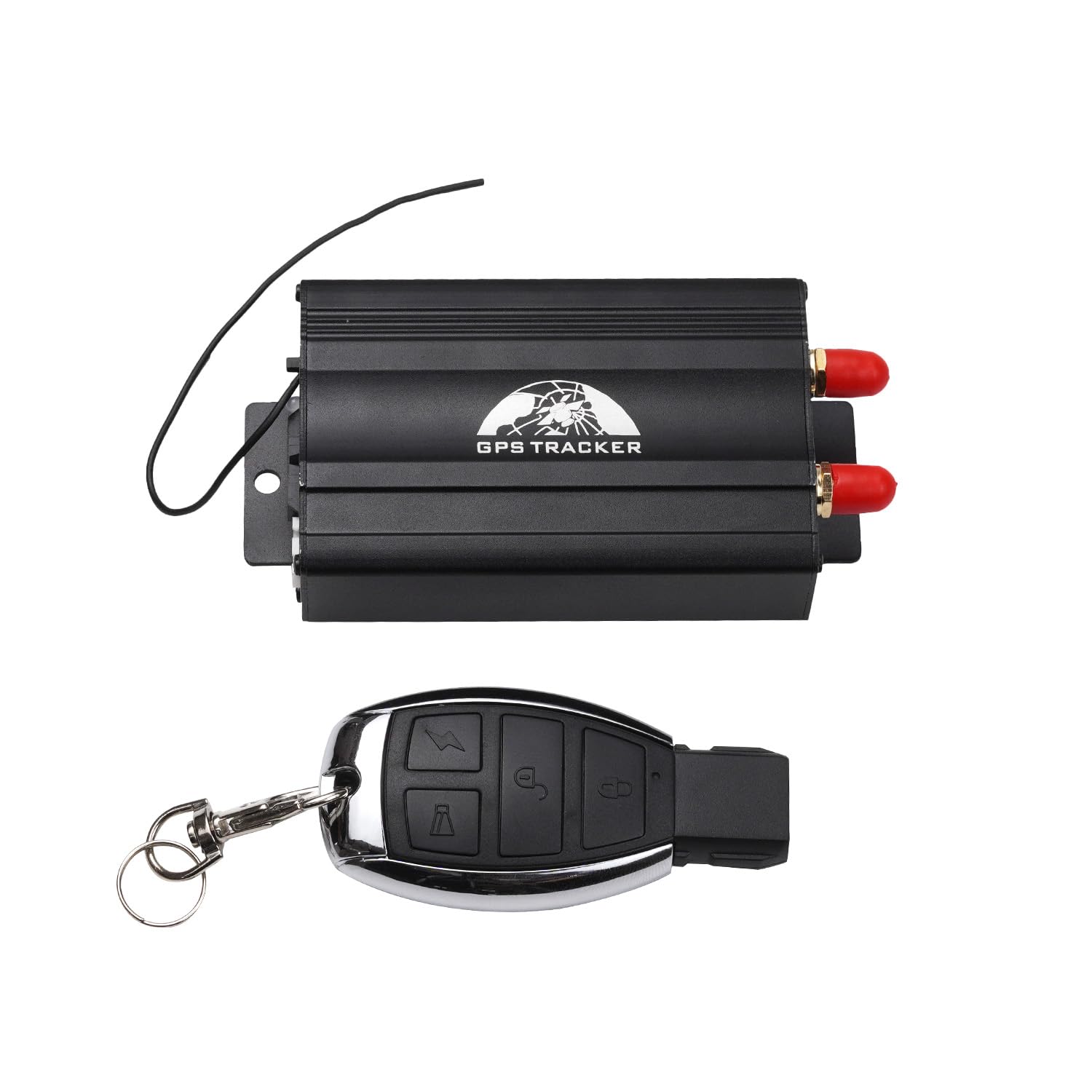
Image: Front view of the TheCoolCube 103B GPS Tracker main unit, featuring a black casing with "GPS TRACKER" text and two antenna connectors.
Remote Control

Image: Remote control unit with four buttons: ARM (lock icon), DISARM (unlock icon), ARM & Silent mode (bell icon), and SOS (lightning bolt icon).
Microphone

Image: Wired microphone with a foam cover and a 3.5mm audio jack, used for voice monitoring.
Key Features
- GPS/GSM Positioning: Utilizes both GPS and GSM networks for accurate location tracking.
- Remote Control: Arm and disarm the alarm system via remote control or SMS.
- Real-time Tracking: Continuous automatic tracking at specified time and distance intervals.
- Street Address Reporting: Provides absolute street addresses using the GSM network.
- SD Card Data Logging: Supports an SD card for storing offline GPS waypoints (4MB inbuilt data logger).
- Wide Voltage Support: Compatible with 9-36V power systems, suitable for various vehicles.
- Alarm Functions: Includes vibration alarm, door open alarm, movement alarm, ignition on alarm, and power failure alarm.
- Mileage Calculation: Built-in odometer function.
- Geo-fence Alarm: Set virtual boundaries (0.1~99KM radius) and receive alerts when the vehicle enters or exits.
- Over-speed Alarm: Configurable speed limit (1~255km/h) with alerts for exceeding it.
- SOS Button: Emergency button to send help alerts to authorized numbers.
- Remote Engine Cut-off: Safely stop the vehicle's engine via SMS/GPRS (optional feature).
- Fuel Level Monitoring: Track fuel levels (requires additional sensor, not included).
- Central Lock Automation: Automatically locks car doors when speed exceeds 30Km/h.
- Two-way Talking & Voice Monitoring: Optional two-way communication and voice monitoring capabilities.
Setup
1. SIM Card Installation
The device requires a 2G GSM SIM card with call, SMS, and GPRS data capabilities. Ensure the SIM card is active and has sufficient balance. Insert the SIM card into the designated slot on the tracker unit. Note: A data-only SIM will not work; a phone number is required for setup.
2. Wiring and Power Connection
Connect the tracker to your vehicle's power supply (9-36V). Professional installation is recommended to ensure correct wiring and avoid damage to the vehicle or tracker. Connect the GPS and GSM antennas to their respective ports on the main unit. If applicable, connect the microphone for voice monitoring.
3. Initial Configuration
After installation, power on the device. The tracker will attempt to connect to the GSM network and acquire a GPS signal. This process may take several minutes. It is recommended to use an Android device for initial settings and configuration via SMS commands.
Important Note: As of December 6, 2023, the tracking platform has updated from "TrackerHome" to "BAANOOL IOT" (www.baanooliot.com). Existing users may need to register a new account and transfer their device to the new platform.
Operating Instructions
Remote Control Functions
- ARM: Press the ARM button (lock icon) for 0.5 seconds. The siren will beep once, indicating the alarm is armed.
- Deterrence/Car Search: While in armed state, press the ARM button for 0.5 seconds. The siren will beep for 10 seconds. Press the DISARM button to stop.
- DISARM: Press the DISARM button (unlock icon) for 0.5 seconds. The siren will beep twice, indicating the alarm is disarmed.
- ARM & Silent Mode: Press the ARM & Silent mode button (bell icon) for 0.5 seconds when the alarm is disarmed. The siren will beep once. In this mode, the siren will not sound when triggered, but alerts will still be sent. Silent mode is automatically exited when disarmed.
- SOS: Press the SOS button (lightning bolt icon) for 3 seconds. The tracker will send an SOS alert to authorized phone numbers without voice.
SMS Commands
The tracker can be controlled and queried via SMS commands from an authorized phone number. Refer to the full product manual (usually provided with the device or available online from TheCoolCube) for a complete list of SMS commands, including those for:
- Setting authorized numbers
- Checking real physical address
- Monitoring location via Google Maps URL
- Activating/deactivating alarms (vibration, door, movement, ignition, power failure)
- Setting geo-fence boundaries
- Configuring over-speed alerts
- Remote engine cut-off (if installed)
- Monitoring fuel level (if sensor installed)
Online Tracking Platform
For live tracking and advanced management, access the BAANOOL IOT website (www.baanooliot.com). You will need to register an account and add your device using its unique ID.
Maintenance
- Regular Checks: Periodically check all wiring connections to ensure they are secure and free from corrosion.
- SIM Card Balance: Ensure the installed SIM card always has sufficient credit for SMS and data services to maintain continuous tracking and alert functionality.
- Software Updates: Check the BAANOOL IOT platform or TheCoolCube's official website for any firmware updates for your device.
- Cleaning: Keep the device clean and free from dust and moisture. Use a dry, soft cloth for cleaning.
- Battery: The device includes a Lithium Polymer battery. Avoid exposing the device to extreme temperatures.
Troubleshooting
- Device Not Powering On:
- Check power connections to the vehicle's battery.
- Ensure the vehicle's ignition is on if the tracker is wired to it.
- Verify the internal battery is charged.
- No GPS Signal:
- Ensure the GPS antenna is properly connected and has a clear view of the sky (not obstructed by metal).
- Move the vehicle to an open area away from tall buildings or dense foliage.
- No GSM Signal / SMS Not Working:
- Check if the SIM card is correctly inserted.
- Verify the SIM card is active, has a phone number, and has sufficient balance/data.
- Ensure the GSM antenna is securely connected.
- Confirm the device is in an area with 2G GSM network coverage.
- If using a new SIM, it might take some time (e.g., 45+ minutes) for it to connect to the network.
- Tracker Not Responding to Commands:
- Ensure the commands are sent from an authorized phone number.
- Check SMS format for correctness.
- Verify GSM signal strength.
- Platform Login Issues:
- Ensure you are using the correct platform (BAANOOL IOT).
- Verify your login credentials.
- If you were using "TrackerHome", you might need to register a new account on BAANOOL IOT and transfer your device.
Specifications
| Feature | Detail |
|---|---|
| Model Number | 103B |
| Brand | TheCoolCube |
| Connectivity Technology | Cellular (2G GSM) |
| Supported Application | Alarm, GPS |
| Special Feature | SOS Button |
| Material | Plastic |
| Item Weight | 14.4 ounces |
| Package Dimensions | 7.9 x 5.4 x 1.7 inches |
| Batteries | 1 Lithium Polymer battery (included) |
| Input Voltage | 9-36V |
Warranty and Support
For warranty information, technical support, or further assistance, please contact TheCoolCube customer service directly. Refer to the product packaging or the official TheCoolCube website for contact details.