
Weslo G5.9
Weslo Cadence G 5.9 Treadmill Series User Manual
Brand: Weslo | Model: G 5.9 (WLTL29609)
Introduction
The Weslo Cadence G 5.9 Treadmill is designed for home fitness, offering a compact and efficient solution for cardio training. This manual provides essential information for the safe assembly, operation, maintenance, and troubleshooting of your treadmill.
Continuous Horsepower ("CHP") is a term used in the treadmill industry for consumer comparison purposes. The CHP rating is measured in laboratory testing using a dynamometer, which measures the mechanical power of the motor. The CHP rating does not denote the operational horsepower of the treadmill in ordinary household use. In ordinary household use, the motor does not operate at the horsepower shown.
Safety Information
- Always read all instructions in this manual before using the treadmill.
- Ensure the safety key and clip are properly attached to yourself during operation. The machine will stop if the safety key is disengaged.
- The maximum recommended user weight for this treadmill is 350 pounds.
- Keep children and pets away from the treadmill during operation.
- Place the treadmill on a level surface with adequate clearance around it.
- Proposition 65 Warning: This product may contain chemicals known to the State of California to cause cancer and birth defects or other reproductive harm.
Setup
Assembly is required for the Weslo Cadence G 5.9 Treadmill. It is recommended to have two adults for assembly, though one adult can manage. A Phillips screwdriver is needed for certain steps. Ensure all parts are present and undamaged before beginning assembly.
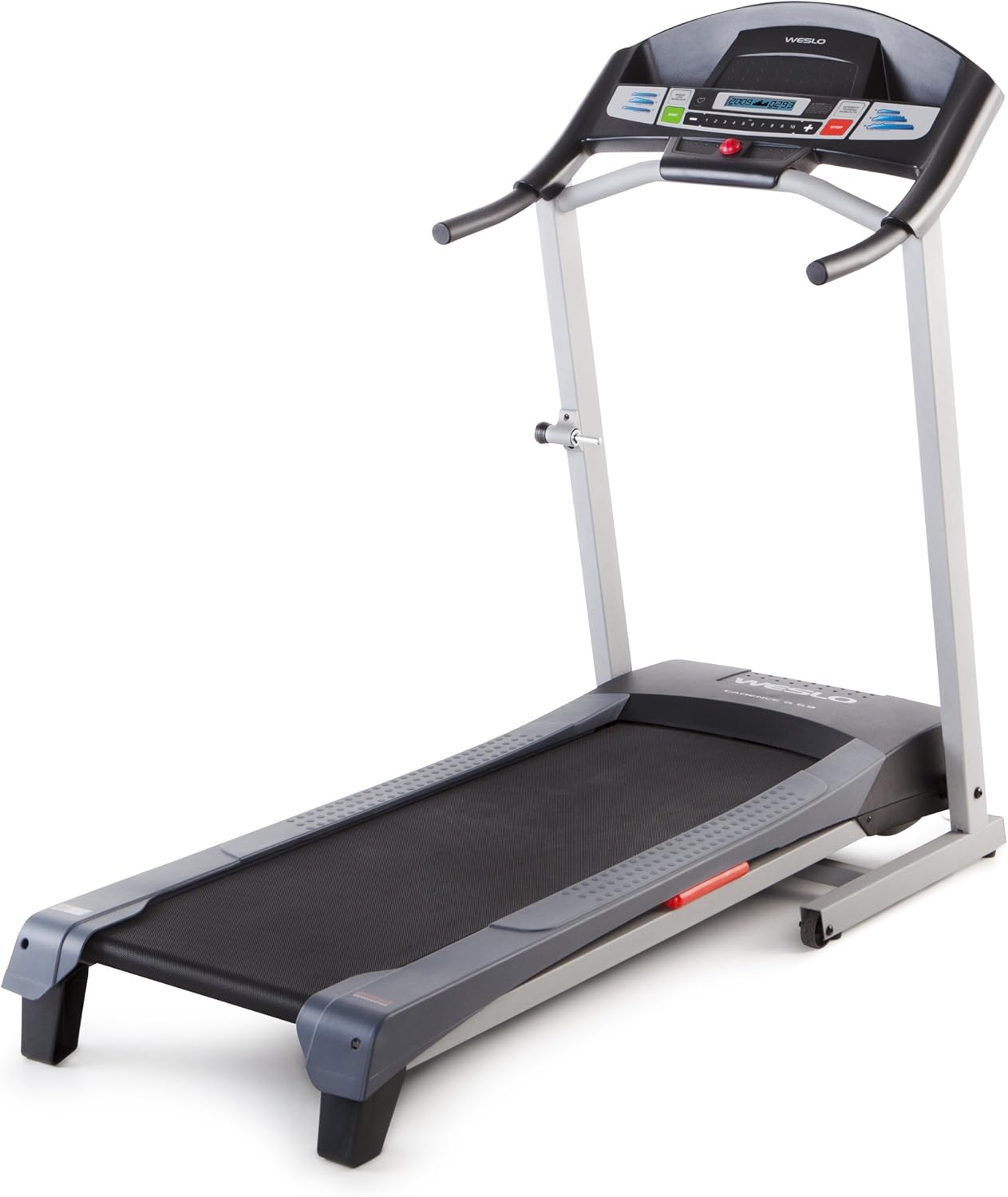
Figure 1: Fully assembled Weslo Cadence G 5.9 Treadmill.
For optimal performance and floor protection, consider placing a folding equipment mat underneath the treadmill, especially on hard floors.

Figure 2: Treadmill dimensions (64.5"D x 29"W x 55.5"H) and weight capacity (275 lbs).
Operating Instructions
The treadmill features an easy-to-use LCD display console. The on/off switch is located at the bottom front of the treadmill near the power cord.
Starting a Workout
- Ensure the treadmill is plugged into a grounded outlet and the power switch is on.
- Attach the safety key clip to your clothing.
- Step onto the treadmill belt.
- Press the START button on the console. The belt will begin moving at a minimum speed of 0.5 MPH.
Adjusting Speed and Incline
- Use the speed controls on the console to increase or decrease the belt speed up to a maximum of 10 MPH. Speed adjustments can be made in 0.1 MPH increments.
- The incline is manually adjustable. To change the incline, you will need to physically adjust the rear foot pegs of the treadmill. The maximum incline percentage is 15%.

Figure 3: User demonstrating running on the treadmill.
Pre-programmed Workouts
The treadmill includes 6 pre-programmed workouts: 3 for weight loss and 3 for intensity training. Select your desired workout from the console. The treadmill will automatically adjust speed and incline according to the program.

Figure 4: User next to the treadmill console, illustrating ease of access to controls.
Monitoring Progress
The LCD display shows various metrics including time, calories burned, speed, and distance. A thumb print heart rate monitor is integrated, though its accuracy may vary.

Figure 5: User walking on the treadmill, demonstrating typical use.
Maintenance
- Belt Lubrication: Regularly lubricate the treadmill belt with 100% silicone treadmill belt lubricant to ensure smooth operation and prolong belt life. Refer to the specific instructions provided with your lubricant for frequency.
- Tightening Bolts: Periodically check and tighten all bolts and screws, especially if you notice any squeaking or instability during use.
- Cleaning: Wipe down the treadmill surfaces with a damp cloth after each use to remove sweat and dust. Avoid using abrasive cleaners.

Figure 6: User demonstrating how to access the treadmill belt for maintenance.
Troubleshooting
| Problem | Possible Cause | Solution |
|---|---|---|
| Treadmill does not power on. | Power cord not fully plugged in; power switch off. | Ensure power cord is securely plugged into a grounded outlet. Check that the on/off switch at the front of the treadmill is in the 'on' position. |
| Squeaking noise during operation. | Loose bolts or insufficient belt lubrication. | Check and tighten all assembly bolts. Apply 100% silicone treadmill belt lubricant as per maintenance instructions. |
| Pulse detector not working. | Protective film on display; sensor malfunction. | Ensure any protective film is removed from the display panel. If the issue persists, contact customer support. |
| Damaged parts upon delivery. | Shipping damage. | Document damage with photos immediately upon receipt. Contact Weslo customer service for replacement parts. |
Specifications
| Feature | Detail |
|---|---|
| Brand | Weslo |
| Model Name | G5.9 |
| Product Dimensions (D x W x H) | 64.5" x 29" x 55.5" |
| Item Weight | 115 Pounds |
| Maximum Speed | 10 Miles per Hour |
| Minimum Speed | 0.5 Miles per Hour |
| Maximum Incline Percentage | 15% (Manual Adjustment) |
| Maximum Weight Recommendation | 350 Pounds |
| Display Type | LCD |
| Number of Programs | 6 |
| Belt Length | 50 Inches |
| Belt Width | 16 Inches |
| Assembly Required | Yes |
| Manufacturer | ICON Health and Fitness |
Warranty and Support
The Weslo Cadence G 5.9 Treadmill comes with a manufacturer's warranty. It is highly recommended to register your product with ICON Fitness to ensure full warranty coverage. The standard manufacturer's warranty is typically 30 days for parts and labor, extending to 90 days upon product registration. After 90 days, the motor is generally covered for 1 year.
Extended warranty options for parts, labor, and in-home service may be available for purchase through ICON Fitness at the time of registration.
For customer support, technical assistance, or to order replacement parts, please contact ICON Health and Fitness directly. Have your model number (WLTL29609) and serial number ready when contacting support.
Ask a question about this manual
Ask about setup, troubleshooting, compatibility, parts, safety, or missing instructions. Manuals+ will review the question and use this page’s manual context to help answer it.