
JOLY JOY 35-Inch Deep Bass Bluetooth Soundbar
Joly Joy 35-Inch Bluetooth Soundbar User Manual
Model: 35-Inch Deep Bass Bluetooth Soundbar
Introduction
Thank you for purchasing the Joly Joy 35-Inch Deep Bass Bluetooth Soundbar. This soundbar is designed to enhance your audio experience for movies, music, and gaming, providing clear and powerful sound. Please read this manual carefully before using the product to ensure proper operation and to maximize its performance.
Safety Information
- Do not expose this appliance to dripping or splashing.
- Do not place objects filled with liquids, such as vases, on the appliance.
- Ensure proper ventilation and do not block any ventilation openings.
- Place the soundbar on a stable, flat surface.
- Use only the power adapter supplied with the unit.
- Unplug the soundbar during lightning storms or when unused for long periods.
- Do not attempt to disassemble or modify the unit. Refer all servicing to qualified personnel.
Package Contents
Please check that all items are present:
- 1 x Joly Joy Bluetooth Sound Bar
- 1 x Remote Control (battery included)
- 1 x AC Power Cable
- 1 x 3.5mm RCA Audio Cable
- 10 x Screws
- 4 x Wall-mounting Brackets
- 1 x User Manual (this document)
Product Overview
Soundbar Components

The Joly Joy 35-Inch Bluetooth Soundbar features a sleek design with integrated controls and a clear LED display. It comes with a full-function remote control for convenient operation from a distance. The soundbar is equipped with multiple input options for versatile connectivity.
Input Ports

The soundbar offers a variety of wired connection options including Optical Input, Coaxial Input, RCA/AUX Input, and a USB Port. These ports allow connection to various audio sources such as TVs, DVD players, gaming consoles, and USB drives.

In addition to wired connections, the soundbar supports wireless Bluetooth connectivity, allowing you to stream audio from your smartphones, tablets, and other Bluetooth-enabled devices.
Setup
Placement Options
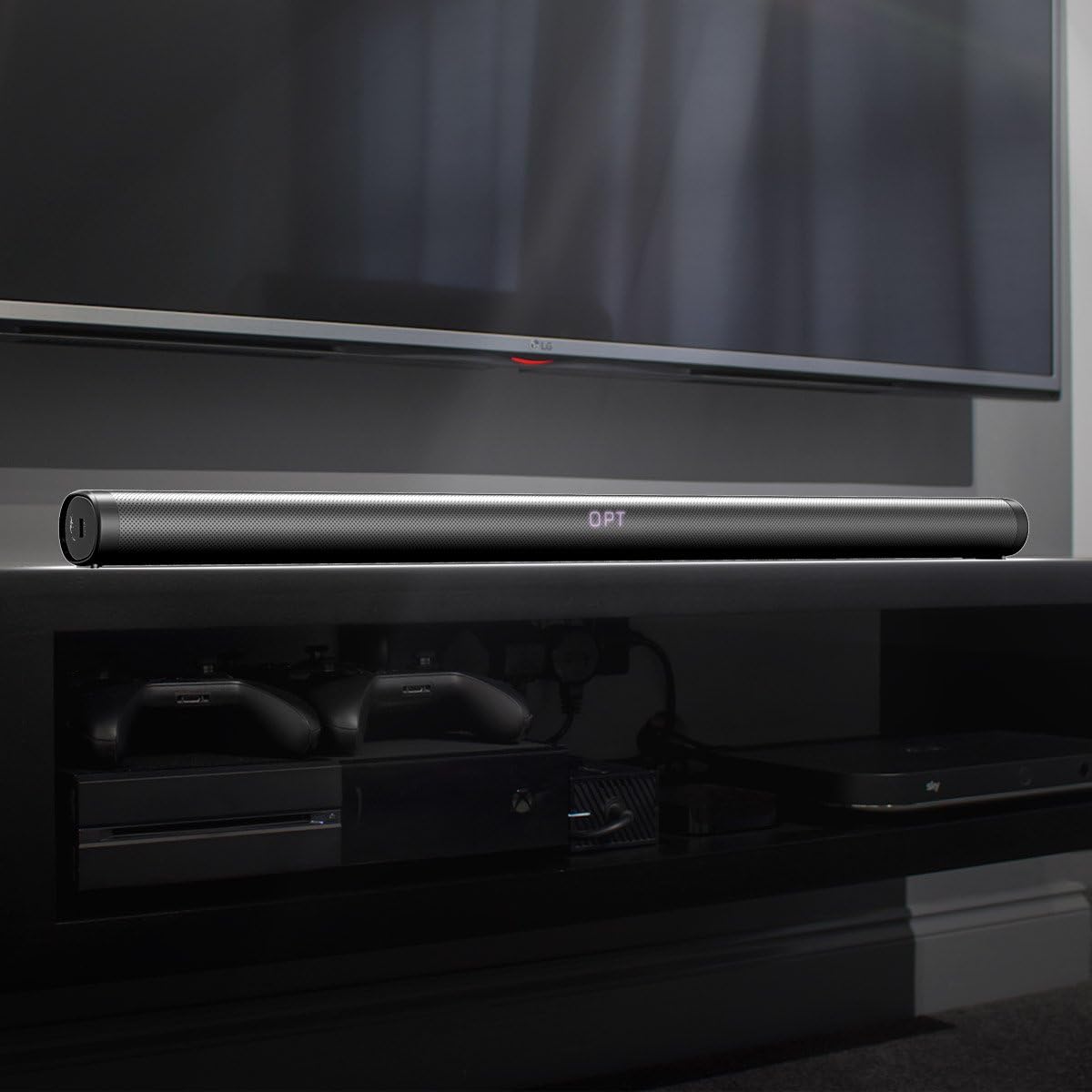
The soundbar can be placed on a table or TV stand directly in front of your television. Ensure there is no obstruction to the sound output. Alternatively, it can be wall-mounted using the included brackets and screws. For wall mounting, refer to the detailed instructions provided in the wall-mounting guide.
Connecting to Power
- Connect the AC Power Cable to the power input port on the soundbar.
- Plug the other end of the AC Power Cable into a wall outlet.
- The soundbar will enter standby mode.
Connecting to Audio Sources
Choose one of the following connection methods:
- Optical Connection: Use an optical cable (not included) to connect the soundbar's OPTICAL IN port to your TV's optical output port.
- Coaxial Connection: Use a coaxial cable (not included) to connect the soundbar's COAXIAL IN port to your TV's coaxial output port.
- RCA/AUX Connection: Use the included 3.5mm RCA Audio Cable to connect the soundbar's AUX IN port to your TV's or device's audio output.
- USB Connection: Insert a USB drive into the USB port to play audio files directly.
- Bluetooth Connection: See the "Bluetooth Pairing" section under Operating Instructions.
Operating Instructions
Power On/Off
- Press the Power button on the soundbar or remote control to turn the unit on or off.
Input Selection
- Press the Input button on the remote control repeatedly to cycle through available input modes: USB, BT (Bluetooth), OPT (Optical), AUX, COX (Coaxial). The selected mode will be displayed on the soundbar's LED screen.
Volume Control
- Press Volume + to increase volume.
- Press Volume - to decrease volume.
- Press the Mute button to mute or unmute the sound.
Bluetooth Pairing
- Turn on the soundbar and select BT mode using the Input button. The LED display will show "BT" and flash, indicating it's in pairing mode.
- Enable Bluetooth on your device (smartphone, tablet, etc.) and search for "Joly Joy Soundbar" in the list of available devices.
- Select "Joly Joy Soundbar" to connect. Once paired, the "BT" indicator will stop flashing and remain solid.
- You can now play audio from your device through the soundbar.
Note: The Bluetooth connection range is approximately 32ft/10m.
Sound Modes
The soundbar offers two optimized sound modes:
- Movie Mode: Enhances dynamic and explosive sound characteristics, ideal for films.
- Music Mode: Optimized for natural reproduction of music.
Use the remote control to switch between these modes.

Experience enhanced audio for various content types. The soundbar is designed to deliver a more realistic home theater experience.
Maintenance
- Clean the soundbar with a soft, dry cloth. Do not use liquid cleaners or aerosol sprays.
- Keep the soundbar away from direct sunlight, heat sources, and excessive dust.
- Do not place heavy objects on top of the soundbar.
Troubleshooting
| Problem | Possible Cause | Solution |
|---|---|---|
| No power | Power cable not connected or outlet not working. | Ensure power cable is securely connected to the soundbar and a working power outlet. |
| No sound | Incorrect input selected, volume too low, or device not playing. | Select the correct input mode. Increase volume. Ensure your connected device is playing audio. Check audio output settings on your TV/device. |
| Bluetooth not connecting | Soundbar not in pairing mode, device too far, or previously paired. | Ensure soundbar is in BT pairing mode (flashing "BT"). Move device closer. Forget "Joly Joy Soundbar" on your device and try pairing again. |
| Remote control not working | Battery depleted or obstruction. | Replace the remote control battery. Ensure no obstructions between the remote and the soundbar's sensor. |
Specifications
| Feature | Detail |
|---|---|
| Speaker Type | Soundbar |
| Connectivity Technology | Bluetooth, Wired (Optical, Coaxial, AUX, USB) |
| Audio Output Mode | Stereo |
| Speaker Maximum Output Power | 40 Watts (4x10W) |
| Surround Sound Channel Configuration | 2.0 |
| Controller Type | Remote Control |
| Colour | Black |
| Mounting Type | Table Top, Wall Mount |
| Parcel Dimensions | 97.2 x 12.8 x 11.4 cm |
| Weight | 2.58 kg |
Warranty and Support
For warranty information or technical support, please refer to the contact details provided on the product packaging or visit the official Joly Joy website. Keep your purchase receipt as proof of purchase for warranty claims.
For further assistance, please contact Joly Joy customer service.
Ask a question about this manual
Ask about setup, troubleshooting, compatibility, parts, safety, or missing instructions. Manuals+ will review the question and use this page’s manual context to help answer it.