
1. Introduction
Thank you for choosing the Airmaster I-24-OAP 24-inch oscillating pedestal fan. This manual provides essential information for the safe and efficient operation, assembly, maintenance, and troubleshooting of your new fan. Please read these instructions thoroughly before use and retain them for future reference.
This industrial-grade fan is designed for powerful air circulation, featuring a 1/3 HP motor, 5548 CFM airflow, and an oscillating function for broad coverage. It is built with a galvanized steel propeller and a guard that meets OSHA standards for safety.
2. Safety Instructions
WARNING: To reduce the risk of fire, electric shock, or injury, observe the following safety precautions:
- Always unplug the fan from the power outlet before cleaning, servicing, or moving it.
- Ensure the power source matches the electrical requirements of the fan (115V, 1 Phase).
- Do not operate any fan with a damaged cord or plug. Discard the fan or return to an authorized service facility for examination and/or repair.
- Do not run cord under carpeting. Do not cover cord with throw rugs, runners, or similar coverings. Arrange cord away from traffic area and where it will not be tripped over.
- Do not insert fingers or any other objects through the guard when the fan is operating.
- Do not use this fan near water, such as in a bathroom, laundry area, or swimming pool.
- This fan is intended for general air circulation. Do not use it in areas where flammable liquids or vapors are stored or present.
- Keep children and pets away from the fan during operation.
- Ensure the fan is placed on a stable, level surface to prevent tipping.
3. Package Contents
Carefully unpack your fan and check that all items are present and in good condition. If any items are missing or damaged, contact your retailer immediately.
- Fan Motor Assembly with Blade and Guards
- Pedestal Pole
- Heavy-Duty Base
- Mounting Hardware (screws, washers, nuts)
- Remote Control
- User Manual (this document)
4. Setup and Assembly
Follow these steps to assemble your Airmaster I-24-OAP pedestal fan:
- Attach Pedestal Pole to Base: Secure the pedestal pole to the heavy-duty base using the provided screws and washers. Ensure it is firmly tightened for stability.
- Mount Fan Motor Assembly: Carefully place the fan motor assembly onto the top of the pedestal pole. Align the mounting holes and secure it with the appropriate hardware.
- Check Guard and Blade: Ensure the front and rear guards are securely fastened and that the galvanized steel propeller is properly installed and free to rotate without obstruction. The guard meets OSHA standards for safety.
- Positioning: Place the assembled fan on a firm, level surface. Ensure there is adequate space around the fan for optimal airflow and oscillation.
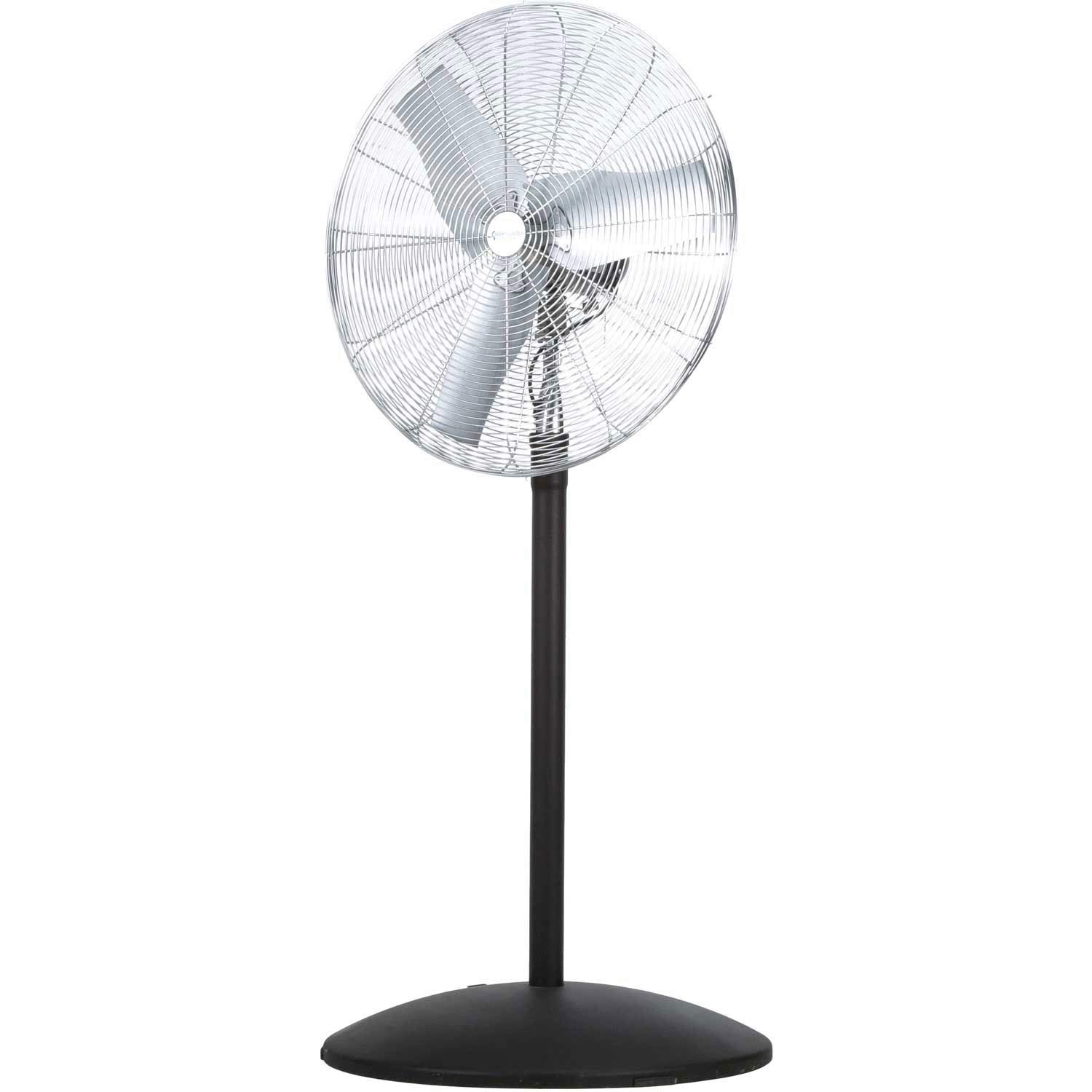
Figure 1: Assembled Airmaster I-24-OAP 24-inch oscillating pedestal fan. This image shows the fan with its sturdy base, adjustable pole, and the main fan head with protective guards.
5. Operating Instructions
Your Airmaster I-24-OAP fan can be operated using the controls on the motor housing or the included remote control.
5.1. Power Connection
Plug the 15-foot three-conductor supply cord into a standard 115V, 1 Phase grounded electrical outlet. Ensure the outlet is appropriate for the fan's power requirements.
5.2. Fan Speed Control
The fan features 3 speeds. Use the control knob/buttons on the fan motor housing or the remote control to select your desired speed:
- Speed 1: Low airflow
- Speed 2: Medium airflow
- Speed 3: High airflow (5548 CFM)
5.3. Oscillation Function
To activate the oscillation feature, press the oscillation button on the fan motor housing or the remote control. The fan head will sweep from side to side, distributing air over a wider area. Press the button again to stop oscillation at the desired direction.
5.4. Remote Control Operation
The included remote control allows for convenient operation from a distance. Insert batteries (not included, typically AAA) into the remote. The remote typically has buttons for Power On/Off, Speed Control, and Oscillation.
6. Maintenance
Regular maintenance ensures optimal performance and extends the life of your fan.
6.1. Cleaning
- Always unplug the fan before cleaning.
- Use a soft, damp cloth to wipe the exterior surfaces of the fan. Do not use abrasive cleaners or solvents.
- To clean the fan blades and inside the guards, you may need to carefully remove the front guard. Refer to the assembly instructions in reverse for safe removal and reattachment. Ensure all parts are securely reassembled before operating the fan.
- Do not immerse the fan in water or allow water to drip into the motor housing.
6.2. Storage
When not in use for extended periods, store the fan in a cool, dry place, preferably in its original packaging or covered to protect it from dust.
7. Troubleshooting
If you encounter issues with your fan, refer to the following common problems and solutions:
| Problem | Possible Cause | Solution |
|---|---|---|
| Fan does not turn on. | No power supply. Fan not plugged in. Power switch off. | Check power outlet. Ensure fan is securely plugged in. Turn power switch to ON. |
| Fan makes unusual noise. | Loose parts. Obstruction in blades/guard. Fan not on a level surface. | Check for loose screws or components. Unplug and inspect for obstructions. Place fan on a stable, level surface. |
| Oscillation not working. | Oscillation function not activated. Mechanical obstruction. | Press the oscillation button. Unplug and check for any obstructions preventing movement. |
| Remote control not working. | Dead batteries. Obstruction between remote and fan. | Replace batteries. Ensure clear line of sight to the fan's receiver. |
If the problem persists after attempting these solutions, contact customer support.
8. Specifications
| Model | I-24-OAP |
| Fan Diameter | 24 Inches |
| Motor Horsepower | 1/3 HP |
| Airflow (CFM) | 5548 CFM |
| Speeds | 3-Speed |
| Voltage | 115V, 1 Phase |
| Power Source | Corded Electric (15-foot cord) |
| Special Feature | Oscillating |
| Blade Material | Galvanized Steel |
| Guard Standards | Meets OSHA Standards |
| Certifications | UL/CUL Listed |
| Item Weight | 86 Pounds |
| Control Method | Remote Control |
9. Warranty and Support
9.1. Warranty Information
The Airmaster I-24-OAP fan comes with a 3-Year Warranty from the date of purchase. This warranty covers defects in materials and workmanship under normal use. It does not cover damage resulting from misuse, abuse, accident, alteration, or improper installation.
9.2. Customer Support
For technical assistance, warranty claims, or replacement parts, please contact Airmaster customer support. Have your model number (I-24-OAP) and proof of purchase ready when contacting support.
Contact information (e.g., phone number, website) can typically be found on the product packaging or the manufacturer's official website.

