
TCL 55S425-MX
TCL 55S425MX 55-inch 4K UHD Roku Smart TV User Manual
Model: 55S425-MX
Introduction
This manual provides essential information for setting up, operating, maintaining, and troubleshooting your TCL 55S425MX 55-inch 4K UHD Roku Smart TV. Please read this manual thoroughly before using your television to ensure proper and safe operation.
The TCL 55S425MX features a 55-inch 4K Ultra High Definition (UHD) LED display, integrated Roku OS for smart TV functionalities, and HDR10 support for enhanced picture quality. Enjoy a wide range of streaming content and a user-friendly interface.

Figure 1: Front view of the TCL Roku TV highlighting key features like Roku TV, 4K UHD, and Dolby Digital support.
Setup
1. Unpacking and Placement
Carefully remove the TV from its packaging. It is recommended that two people handle the TV. Place the TV on a stable, flat surface or prepare for wall mounting.
2. Attaching the TV Stand (Optional)
If you are not wall-mounting the TV, attach the included stand feet. Ensure the TV is placed on a soft cloth to prevent screen damage during stand installation.
- Align the stand feet with the screw holes on the bottom of the TV.
- Secure the feet using the provided screws.

Figure 2: TCL 55-inch TV with its stand properly installed, ready for placement.
3. Wall Mounting (Optional)
If wall-mounting, follow the instructions provided with your wall mount kit. Ensure the wall mount is compatible with VESA standard for your TV model (e.g., 200x200mm or 300x300mm, check specifications).

Figure 3: TCL 55-inch TV securely mounted on a wall, demonstrating a typical installation scenario.
4. Connecting Devices
Connect your external devices such as cable boxes, Blu-ray players, gaming consoles, or sound systems to the TV's input ports. Refer to the back panel image for port locations.

Figure 4: Detailed view of the TV's rear connection panel, including USB, Ethernet, HDMI, and audio ports.
- HDMI: For high-definition video and audio from devices like Blu-ray players, game consoles, or set-top boxes. The TV has multiple HDMI ports.
- USB: For connecting USB storage devices to play media files.
- Ethernet: For a wired internet connection.
- Cable/ANT: For connecting an antenna or cable TV feed.
- AV IN: For older devices using composite video and stereo audio.
- Audio Out (Optical/Headphone): For connecting external audio systems or headphones.
5. Powering On and Initial Setup
After connecting all devices, plug the TV's power cord into an electrical outlet. Press the power button on the TV or the remote control to turn it on.
The TV will guide you through the initial Roku setup process, including connecting to your Wi-Fi network, signing in to or creating a Roku account, and scanning for channels.
Operating Instructions
1. Remote Control Usage
The included remote control uses infrared technology. Ensure there is a clear line of sight between the remote and the TV's IR receiver for optimal performance. Insert two AAA batteries (included) into the remote.
- Power Button: Turns the TV on or off.
- Directional Pad: Navigates menus and selects items.
- OK Button: Confirms selections.
- Home Button: Returns to the Roku Home screen.
- Back Button: Returns to the previous screen.
- Volume Buttons: Adjusts the volume. Note: These are located on the side of the remote.
- Mute Button: Mutes or unmutes the sound.
- Channel Shortcut Buttons: Direct access to popular streaming services like Netflix, Amazon Prime Video, etc. These buttons are pre-assigned and cannot be customized.
2. Roku OS Navigation
The Roku OS provides a simple interface for accessing streaming channels, live TV, and connected devices.
- From the Home screen, use the directional pad to browse installed streaming channels and input sources.
- Select a channel or input to launch it.
- Use the Roku Search feature to find movies, TV shows, actors, or directors across various streaming services.
3. Picture and Sound Settings
Access picture and sound settings through the Roku menu to customize your viewing experience.
- Picture Modes: Choose from various preset picture modes (e.g., Movie, Standard, Vivid) or customize settings like brightness, contrast, color, and sharpness.
- HDR10: The TV supports HDR10, providing a wider range of colors and contrast for compatible content.
- Creative Pro 4K Upscaling: This technology enhances lower-resolution content to near 4K quality.
- Sound Modes: Select sound modes (e.g., Standard, Music, Movie) or adjust bass and treble.
- Audio Output: Configure audio output for internal speakers or external sound systems connected via optical or HDMI ARC.
Maintenance
1. Cleaning the Screen
To clean the TV screen, gently wipe it with a soft, lint-free cloth. For stubborn marks, lightly dampen the cloth with water or a specialized screen cleaner. Never spray liquid directly onto the screen.
2. Cleaning the TV Body
Wipe the TV's frame and stand with a soft, dry cloth. Avoid using abrasive cleaners or solvents.
3. Remote Control Care
Keep the remote control dry and clean. Replace batteries when they are depleted. If the remote is unresponsive, try replacing the batteries first.
Troubleshooting
If you encounter issues with your TV, refer to the following common solutions:
| Problem | Possible Solution |
|---|---|
| No power |
|
| No picture or sound |
|
| Remote control not working |
|
| Network connection issues |
|
| Poor sound quality from certain apps (e.g., Netflix) |
|
Specifications
The following table details the technical specifications for the TCL 55S425MX 55-inch 4K UHD Roku Smart TV.
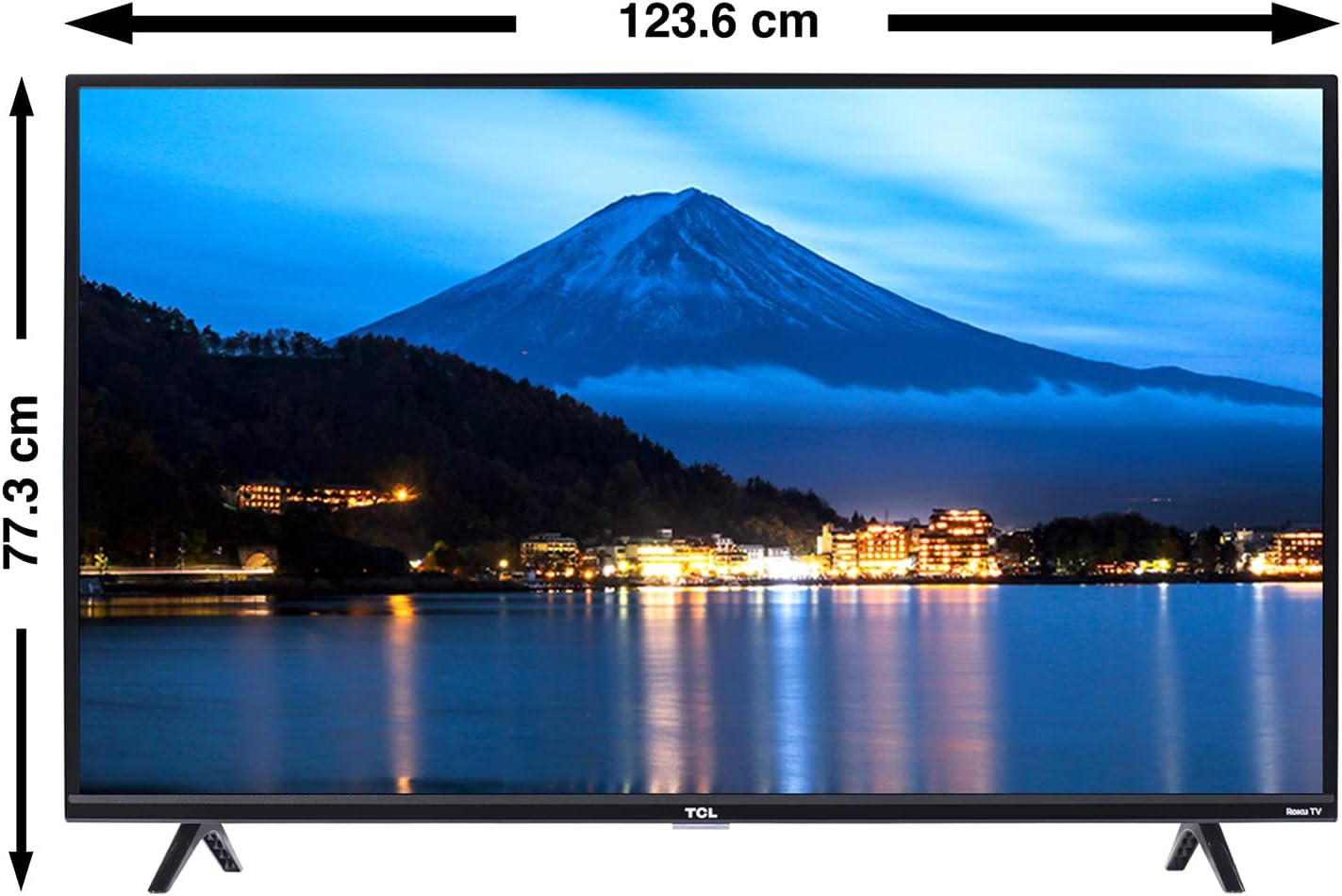
Figure 5: Front view of the TV with key dimensions (width and height with stand).

Figure 6: Side view of the TV illustrating its depth.
| Feature | Detail |
|---|---|
| Brand | TCL |
| Model Number | 55S425-MX |
| Screen Size | 55 Inches |
| Display Technology | LED |
| Resolution | 3840 x 2160 pixels (4K UHD) |
| Refresh Rate | 60 Hz |
| Operating System | Roku OS |
| Special Features | Smart TV, Ultra High Definition, HDR10, Roku Search, Creative Pro 4K Upscaling |
| Connectivity | Built-in Wi-Fi, Ethernet |
| Hardware Interface | USB, Ethernet, HDMI |
| HDMI Ports | 3 (HDMI 1, HDMI 2, HDMI 3 ARC) |
| USB Ports | 1 |
| Audio Output Mode | Surround |
| Speaker Configuration | 2.1 Channel |
| Output Wattage | 8 Watts |
| Remote Control Technology | Infrared |
| Batteries Required | 2 AAA (included) |
| Product Dimensions (with stand) | 124.6 x 22.2 x 78.1 cm (W x D x H) |
| Product Weight | 13.6 kg |
| Mounting Type | Table Mount |
Warranty Information
TCL provides a limited warranty for this product. The specific terms and duration of the warranty may vary by region and purchase date. Please refer to the warranty card included with your product or visit the official TCL website for detailed warranty information.
Keep your purchase receipt as proof of purchase for any warranty claims.
Customer Support
For technical assistance, troubleshooting, or any questions regarding your TCL 55S425MX TV, please contact TCL customer support:
- Telephone: 01800-112-4656
- WhatsApp: 55-2317-7847
- Email: serviciomx@tcl.com
When contacting support, please have your TV model number (55S425-MX) and serial number ready.
Related documents55S425-MX


Ask a question about this manual
Ask about setup, troubleshooting, compatibility, parts, safety, or missing instructions. Manuals+ will review the question and use this page’s manual context to help answer it.