1. Introduction
Thank you for purchasing the QAZQA Baleno I Wall Lamp. This modern and sleek wall lamp is designed to provide stylish accent lighting for both indoor and outdoor environments, particularly suitable for facades, walls, and bathrooms due to its IP44 rating. This manual provides essential information for the safe installation, operation, and maintenance of your new lamp.

Figure 1: Front view of the QAZQA Baleno I Wall Lamp, showcasing its black rectangular design and integrated light source.
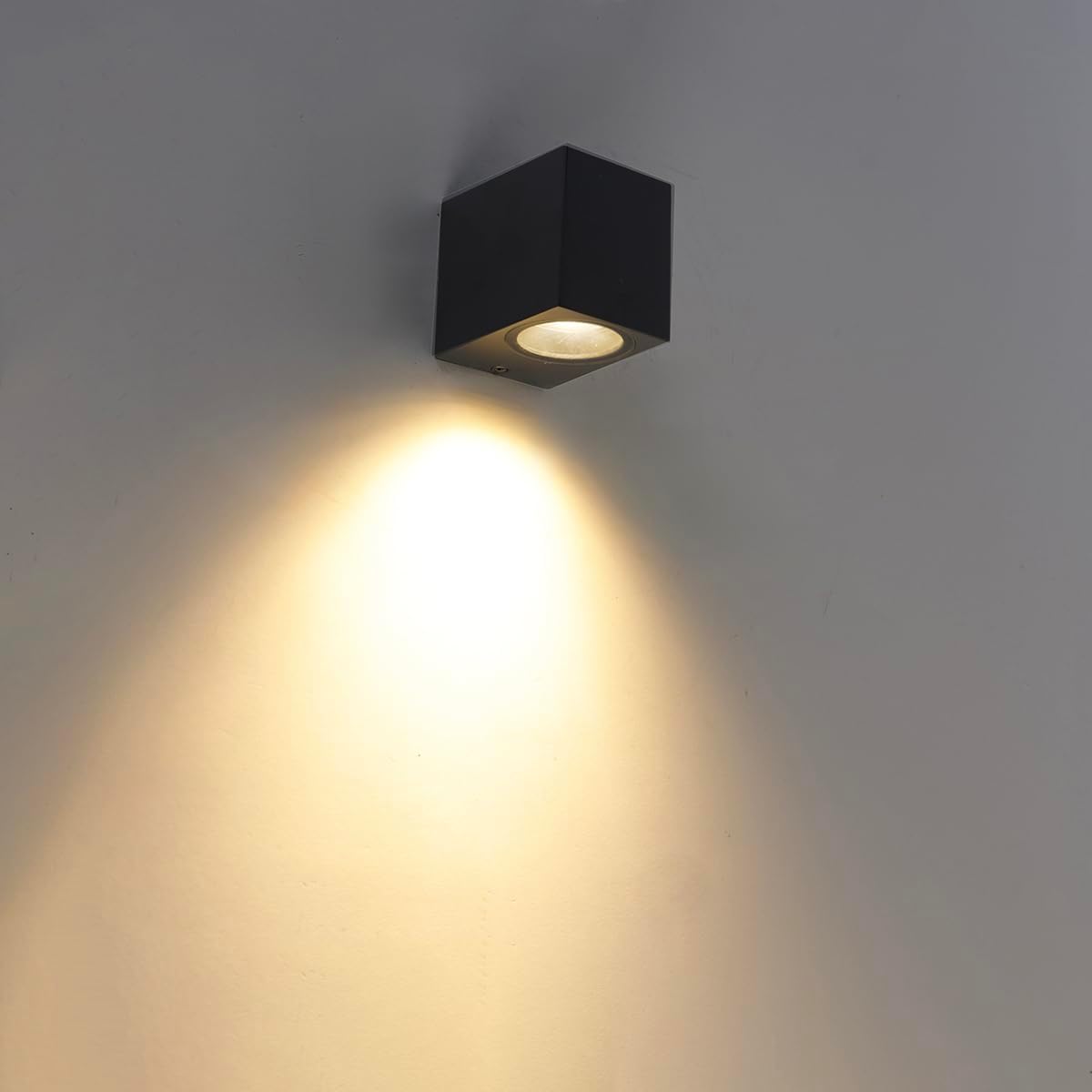
Figure 2: The Baleno I lamp installed on a wall, demonstrating its light effect, which creates an attractive wash of light.
2. Important Safety Instructions
WARNING: Always disconnect power at the main circuit breaker before performing any installation, maintenance, or bulb replacement.
- This product is designed for connection to a 230V electrical supply.
- Installation should be performed by a qualified electrician or competent person in accordance with local electrical codes.
- Do not exceed the maximum wattage of 35W for the GU10 light source.
- The lamp has an IP44 rating, making it splash-proof and suitable for outdoor use and bathrooms. However, it is not submersible.
- Ensure all connections are secure and properly insulated.
- Do not modify the lamp in any way. Use only specified replacement parts.
- Keep packaging materials away from children.
3. Package Contents
Please check the package for the following items:
- 1 x QAZQA Baleno I Wall Lamp unit
- 1 x GU10 fitting (integrated)
- Mounting hardware (screws, wall plugs - typically included)
Note: A GU10 light source is not included and must be purchased separately.
4. Product Specifications
| Feature | Specification |
|---|---|
| Model Number | 97570 |
| Brand | Qazqa |
| Dimensions (L x W x H) | 6.5 cm x 7.5 cm x 7.9 cm |
| Mounted Depth | 9 cm |
| Weight | 315 g |
| Material | Metal (Stainless Steel finish) |
| Color | Black |
| Fitting Type | GU10 |
| Max. Wattage | 1 x 35 Watt |
| Voltage | 230V |
| Protection Class | IP44 (Splash-proof) |
| Special Features | Dimmable (dimmer not included) |
| Light Source | Compatible with LED and Halogen GU10 bulbs |

Figure 3: Dimensional drawing of the Baleno I lamp, showing its length (6.5 cm), depth (9 cm), and height (7.9 cm).
5. Installation Guide
Follow these steps carefully to install your QAZQA Baleno I Wall Lamp. It is recommended to have a qualified electrician perform the installation.
- Prepare for Installation:
- Ensure the main power supply to the installation area is turned OFF at the circuit breaker.
- Unpack all components and verify they are intact.
- Mount the Base Plate:
- Identify the mounting plate on the back of the lamp unit.
- Mark the drilling points on the wall using the mounting plate as a template.
- Drill holes at the marked points and insert appropriate wall plugs (if necessary for your wall type).
- Secure the mounting plate to the wall using the provided screws.

Figure 4: Internal view of the lamp showing the wiring terminal and mounting screw points. Ensure proper electrical connections are made here.
- Connect Wiring:
- Connect the household electrical wires to the terminal block inside the lamp's base. Ensure correct polarity (Live, Neutral, Earth).
- Secure all wire connections firmly.
- Attach the Lamp Body:
- Carefully align the lamp body with the mounted base plate.
- Secure the lamp body to the base plate using the retaining screws, ensuring a tight and flush fit.
- Insert the GU10 Bulb:
- Gently push the GU10 bulb into the fitting and twist clockwise to secure it.
- Do not overtighten.

Figure 5: Close-up view of the GU10 bulb socket, where the light source is inserted.
- Restore Power:
- Once installation is complete and all connections are secure, restore power at the main circuit breaker.
- Test the lamp to ensure it functions correctly.
6. Operation
The QAZQA Baleno I Wall Lamp is designed for simple operation.
- Turning On/Off: The lamp is controlled by your wall switch or the circuit it is connected to.
- Dimming Function: This lamp is dimmable, allowing you to adjust the light intensity. However, a compatible external dimmer switch is required and is not included with the lamp. Ensure your GU10 bulb is also dimmable if you intend to use this feature.
7. Maintenance and Care
Regular maintenance will help prolong the life and appearance of your lamp.
- Cleaning:
- Always disconnect power before cleaning.
- Wipe the lamp with a soft, dry, or slightly damp cloth.
- Do not use abrasive cleaners, solvents, or harsh chemicals, as these can damage the finish.
- Bulb Replacement:
- Ensure power is disconnected.
- Allow the old bulb to cool completely before handling.
- Gently push the GU10 bulb into the fitting and twist counter-clockwise to remove.
- Insert a new GU10 bulb (max 35W) by pushing it in and twisting clockwise until secure.
8. Troubleshooting
If you encounter issues with your QAZQA Baleno I Wall Lamp, refer to the following common problems and solutions:
| Problem | Possible Cause | Solution |
|---|---|---|
| Lamp does not light up. | No power supply. Bulb is faulty or not properly inserted. Wiring issue. | Check circuit breaker. Ensure bulb is correctly inserted and functional; replace if necessary. Verify wiring connections (consult electrician if unsure). |
| Lamp flickers. | Loose bulb connection. Incompatible dimmer or bulb. | Re-seat the bulb. Ensure dimmer and bulb are compatible (if using a dimmer). |
| Dimming function not working. | No dimmer installed. Incompatible dimmer or non-dimmable bulb. | Install a compatible external dimmer switch. Ensure both the dimmer and the GU10 bulb are designed for dimming. |
If the problem persists after trying these solutions, please contact QAZQA customer support or a qualified electrician.
9. Warranty and Support
QAZQA products are manufactured to high-quality standards. For information regarding warranty terms and conditions, please refer to the warranty card included with your purchase or visit the official QAZQA website. For technical support, replacement parts, or further assistance, please contact QAZQA customer service through their official channels.


