1. Introduction
This manual provides essential information for the safe and efficient use of your Fujitsu General nocria AS-C22J-W air conditioner. Please read this manual thoroughly before operating the unit and retain it for future reference. The nocria AS-C22J-W is a compact air conditioning unit designed for cooling, heating, and dehumidifying, utilizing R32 refrigerant for efficient climate control in rooms typically sized for 6 to 9 tatami mats (cooling) or 6 to 7 tatami mats (heating).
2. Safety Information
To prevent injury to the user or others and property damage, the following instructions must be observed. Incorrect operation due to ignoring instructions may cause harm or damage.
- Installation: Installation should only be performed by qualified personnel. Improper installation can lead to water leakage, electric shock, or fire.
- Electrical Safety: Ensure the power supply matches the unit's specifications (100V). Do not use extension cords or multi-outlet adapters. Always connect to a dedicated circuit.
- Refrigerant: This unit uses R32 refrigerant. Do not attempt to repair or recharge the refrigerant yourself. Contact a qualified service technician.
- Operation: Do not insert fingers or objects into the air inlet/outlet. Do not operate with wet hands.
- Maintenance: Always turn off the power supply and unplug the unit before cleaning or performing any maintenance.
3. Product Components
Familiarize yourself with the main components of your air conditioner system.
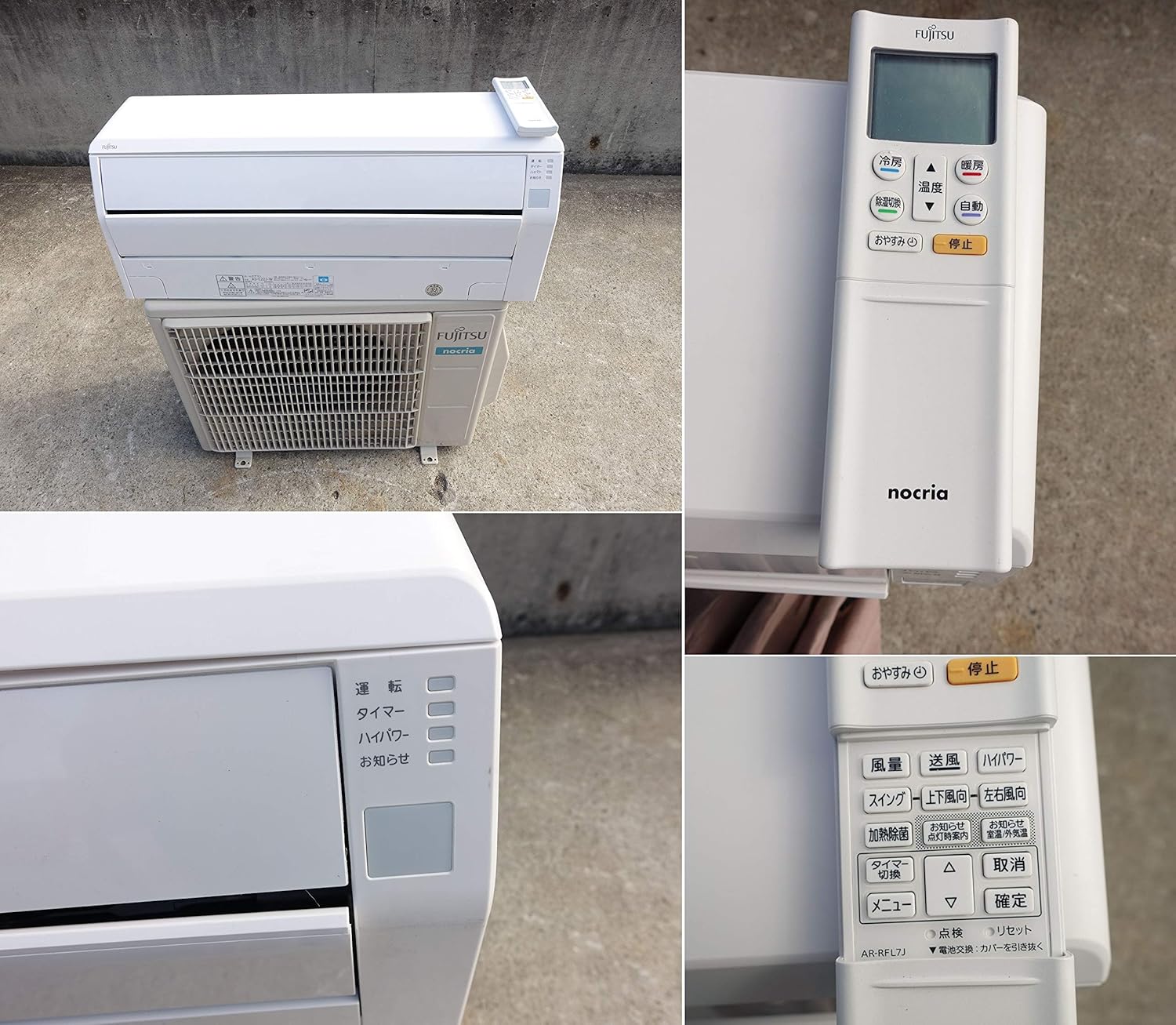
Figure 3.1: Overview of the Fujitsu General nocria AS-C22J-W air conditioner, showing the indoor unit, outdoor unit, and the wireless remote control. The remote control allows for easy adjustment of settings.

Figure 3.2: The indoor unit with its front panel opened, revealing the removable air filters. Regular cleaning of these filters is crucial for maintaining air quality and unit efficiency.

Figure 3.3: Close-up of the product labels found on both the indoor (top) and outdoor (bottom) units. These labels contain important model information, electrical specifications, and refrigerant type.
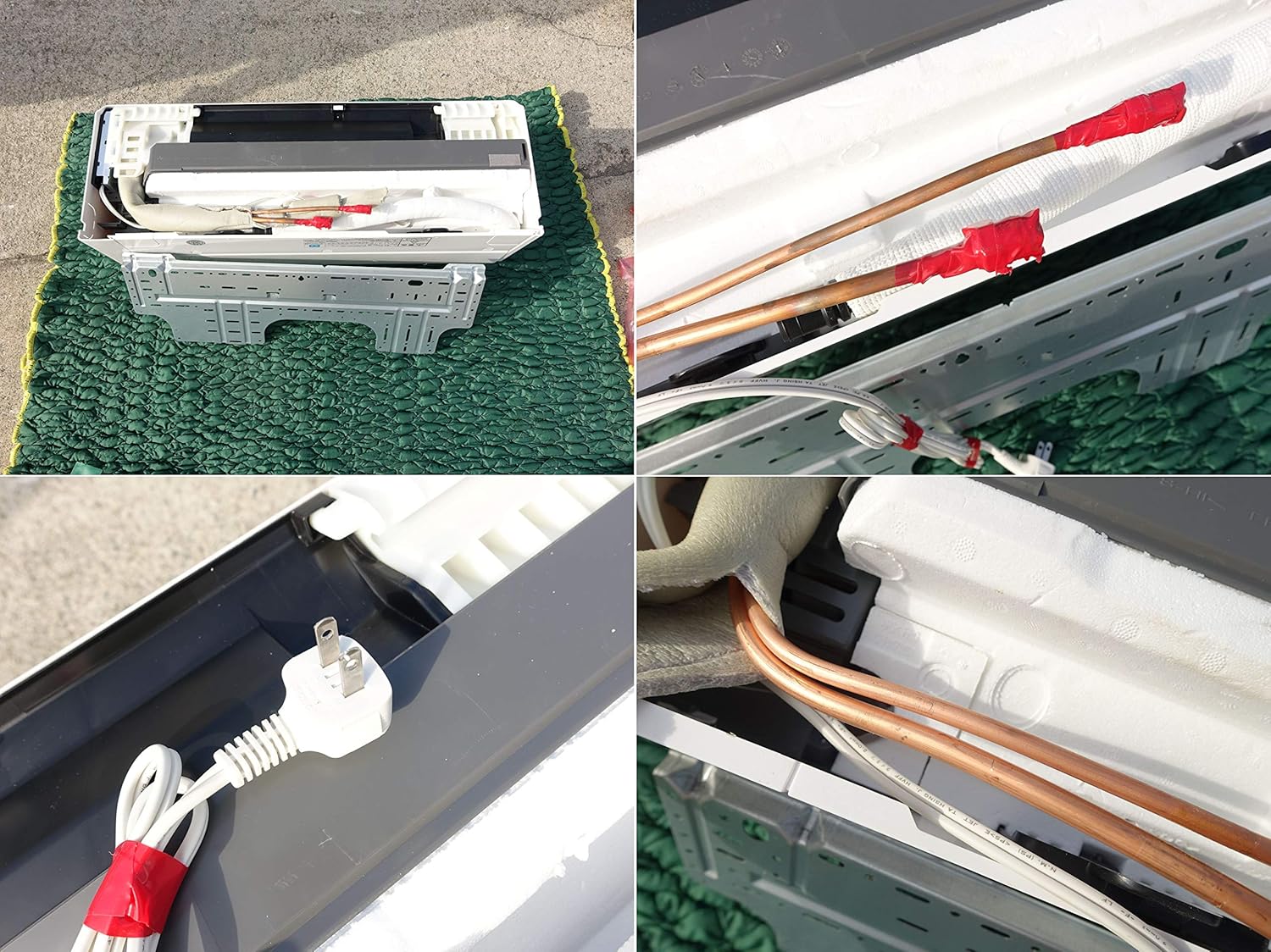
Figure 3.4: View of the internal wiring and power plug connection for the indoor unit. This illustrates the electrical connections required for operation.

Figure 3.5: The refrigerant pipe connections on the outdoor unit, typically covered for protection. These connections are critical for the refrigerant cycle between the indoor and outdoor units.
4. Setup
Proper installation is key to the performance and longevity of your air conditioner. It is strongly recommended that installation be performed by a certified professional.
4.1 Pre-Installation Checks
- Location: Choose a location for the indoor unit that allows for even air distribution and easy access for maintenance. The compact design of the nocria C series makes it suitable for narrow spaces.
- Outdoor Unit Placement: Ensure the outdoor unit is placed in a well-ventilated area, away from direct sunlight or obstructions, and on a stable surface.
- Power Supply: Verify that a dedicated 100V power outlet is available and meets the electrical requirements of the unit.
4.2 Professional Installation
The installation process involves electrical wiring, refrigerant piping, and drainage work, which require specialized tools and knowledge. Refer to the detailed installation manual provided to the installer or contact your dealer for professional installation services.
5. Operating Instructions
Your air conditioner can be operated using the provided wireless remote control.
5.1 Remote Control Functions
The remote control features buttons for various functions:
- Power On/Off: Press the 運転 (Operation) button to start or stop the unit.
- Mode Selection: Use the モード (Mode) button to cycle through Cooling (冷房), Heating (暖房), and Dehumidifying (除湿) modes.
- Temperature Adjustment: Use the 温度 (Temperature) up/down arrows to set your desired temperature.
- Fan Speed: Adjust the fan speed using the dedicated fan button.
- Timer: Set on/off timers for automated operation.
5.2 Basic Operation Steps
- Ensure the unit is plugged into a power source.
- Point the remote control towards the indoor unit.
- Press the 運転 (Operation) button to turn on the unit.
- Select your desired mode (Cooling, Heating, or Dehumidifying).
- Adjust the temperature to your comfort level.
6. Maintenance
Regular maintenance ensures optimal performance and extends the lifespan of your air conditioner.
6.1 Air Filter Cleaning
Clean the air filters every two weeks or more frequently if the unit is used often or in dusty environments.
- Turn off the air conditioner and disconnect the power supply.
- Open the front panel of the indoor unit (refer to Figure 3.2).
- Gently remove the air filters.
- Clean the filters using a vacuum cleaner or wash them with lukewarm water and a mild detergent. Rinse thoroughly.
- Allow the filters to dry completely in a shaded area before reinserting them.
- Close the front panel and reconnect the power supply.
6.2 Unit Cleaning
- Wipe the indoor and outdoor units with a soft, dry cloth. For stubborn dirt, use a damp cloth with a neutral detergent, then wipe dry.
- Do not use harsh chemicals, abrasive cleaners, or hot water, as these can damage the unit's surfaces.
6.3 Professional Cleaning and Inspection
It is recommended to have your air conditioner professionally cleaned and inspected annually to ensure optimal performance and identify any potential issues.
7. Troubleshooting
Before contacting service, please check the following common issues:
| Problem | Possible Cause | Solution |
|---|---|---|
| Unit does not operate | No power supply; Remote control batteries are dead; Timer is set. | Check power connection and circuit breaker; Replace remote batteries; Cancel timer setting. |
| Insufficient cooling/heating | Air filters are dirty; Air inlet/outlet blocked; Room temperature setting incorrect; Doors/windows open. | Clean air filters; Remove obstructions; Adjust temperature setting; Close doors/windows. |
| Unusual noise | Loose parts; Unit not level; Fan obstruction. | Check for loose parts and tighten; Ensure unit is on a level surface; Check for and remove any fan obstructions. |
If the problem persists after attempting these solutions, please contact a qualified service technician.
8. Specifications
Key technical specifications for the Fujitsu General nocria AS-C22J-W air conditioner:
- Brand: Fujitsu General
- Model Number: AS-C22J-W (Indoor Unit), AO-C22J (Outdoor Unit)
- Form Factor: Mini-split
- Special Features: Dehumidifier function
- Voltage: 100 Volts
- Power Source: Corded Electric
- Refrigerant: R32
- Indoor Unit Dimensions: 720mm (W) x 290mm (H) x 250mm (D)
- Outdoor Unit Dimensions: 740mm (W) x 350mm (H) x 540mm (D)
- Cooling Capacity: Suitable for 6-9 tatami mats (approx. 2.2kW)
- Heating Capacity: Suitable for 6-7 tatami mats (approx. 2.2kW)
- Year of Manufacture: 2019
9. Warranty and Support
For specific warranty terms and conditions, please refer to the documentation provided at the time of purchase or contact your retailer. Warranty coverage typically includes manufacturing defects for a specified period.
For technical support, service requests, or inquiries regarding your Fujitsu General nocria AS-C22J-W air conditioner, please contact your authorized dealer or Fujitsu General customer service. Ensure you have your model number and purchase details available when contacting support.


