
1. Introduction
The Autel AutoLink AL609P is a professional diagnostic tool designed for automotive enthusiasts and mechanics. It provides comprehensive diagnostic functions for OBD2/EOBD systems, Anti-lock Braking System (ABS), and Supplemental Restraint System (SRS). This manual will guide you through the features, setup, operation, and maintenance of your AL609P device, enabling you to efficiently diagnose and resolve vehicle issues.
The AL609P is an upgrade from models like AL619, AL519, and AL319, offering enhanced capabilities for a more thorough vehicle analysis.
2. Product Overview
The Autel AutoLink AL609P is a compact, handheld diagnostic scanner featuring a clear display and intuitive button layout for easy navigation. It is designed for durability and ease of use in a workshop or home garage environment.

Figure 2.1: Autel AutoLink AL609P OBD2 Scanner and its included carrying case, showcasing the device's compact design and protective features.

Figure 2.2: Diagram illustrating the key functions of the MaxiLink AL609P, including full OBDII diagnostics, DTC read/erase for ABS/SRS, live data stream, DTC lookup, check engine light turn-off, freeze frame data, multi-language support, data printing, and vehicle information retrieval.
3. Setup
Before using your Autel AutoLink AL609P, ensure it is properly set up.
- Powering On: Connect the AL609P to your vehicle's 16-pin Data Link Connector (DLC) located under the dashboard. The device will power on automatically.
- Initial Language Selection: Upon first use, you may be prompted to select your preferred language. The device comes with English pre-installed, but Spanish and French are also supported.
- Software Update: It is highly recommended to update the device software to the latest version for optimal performance and vehicle compatibility. Updates are free for life. Visit the official Autel website and follow the instructions to download and install the update tool on your computer. Connect the AL609P to your computer via USB to perform the update.
4. Operating Instructions
The AL609P offers various diagnostic functions accessible through its main menu. Use the navigation buttons (up, down, left, right) and the OK button to select options.
4.1. Full OBD2 Functions
The AL609P supports all 10 modes of OBD2 diagnostics, allowing you to check emission-related issues and engine performance.
- Read Codes: Retrieves Diagnostic Trouble Codes (DTCs) from the vehicle's computer.
- Erase Codes: Clears DTCs from the vehicle's computer and turns off the Malfunction Indicator Lamp (MIL).
- Live Data: Displays real-time data stream from various sensors in text or graph format. This helps in identifying faulty sensors or components.
- Freeze Frame Data: Shows a snapshot of vehicle operating conditions at the moment an emission-related fault occurred.
- I/M Readiness: Checks the readiness of the emission monitoring systems.
- O2 Monitor Test: Retrieves O2 sensor monitor test results.
- On-Board Monitor Test: Retrieves results for emission-related powertrain components and systems that are not continuously monitored.
- Component Test: Allows initiation of a leak test for the EVAP system.
- Vehicle Information: Retrieves the Vehicle Identification Number (VIN), Calibration ID (CALID), and Calibration Verification Number (CVN).
- Modules Present: Identifies communication protocols.

Figure 4.1: The AL609P displaying error codes and the process of clearing them to turn off the Check Engine Light (MIL).

Figure 4.2: The AL609P displaying live data stream in a graphical format, aiding in faster problem identification.
4.2. ABS/SRS Diagnostic
The AL609P can diagnose issues within the Anti-lock Braking System (ABS) and Supplemental Restraint System (SRS) for specific vehicle makes. This function allows you to read and clear ABS/SRS fault codes and turn off associated warning lights.

Figure 4.3: Illustration of reading and erasing DTCs for SRS (airbag system) and ABS (anti-lock braking system) using the AL609P, showing how warning lights are reset.
4.3. DTC Lookup
The DTC Lookup function provides detailed definitions of Diagnostic Trouble Codes, eliminating the need to search online. This feature helps you understand the meaning of codes and offers helpful tips for addressing the underlying issues.
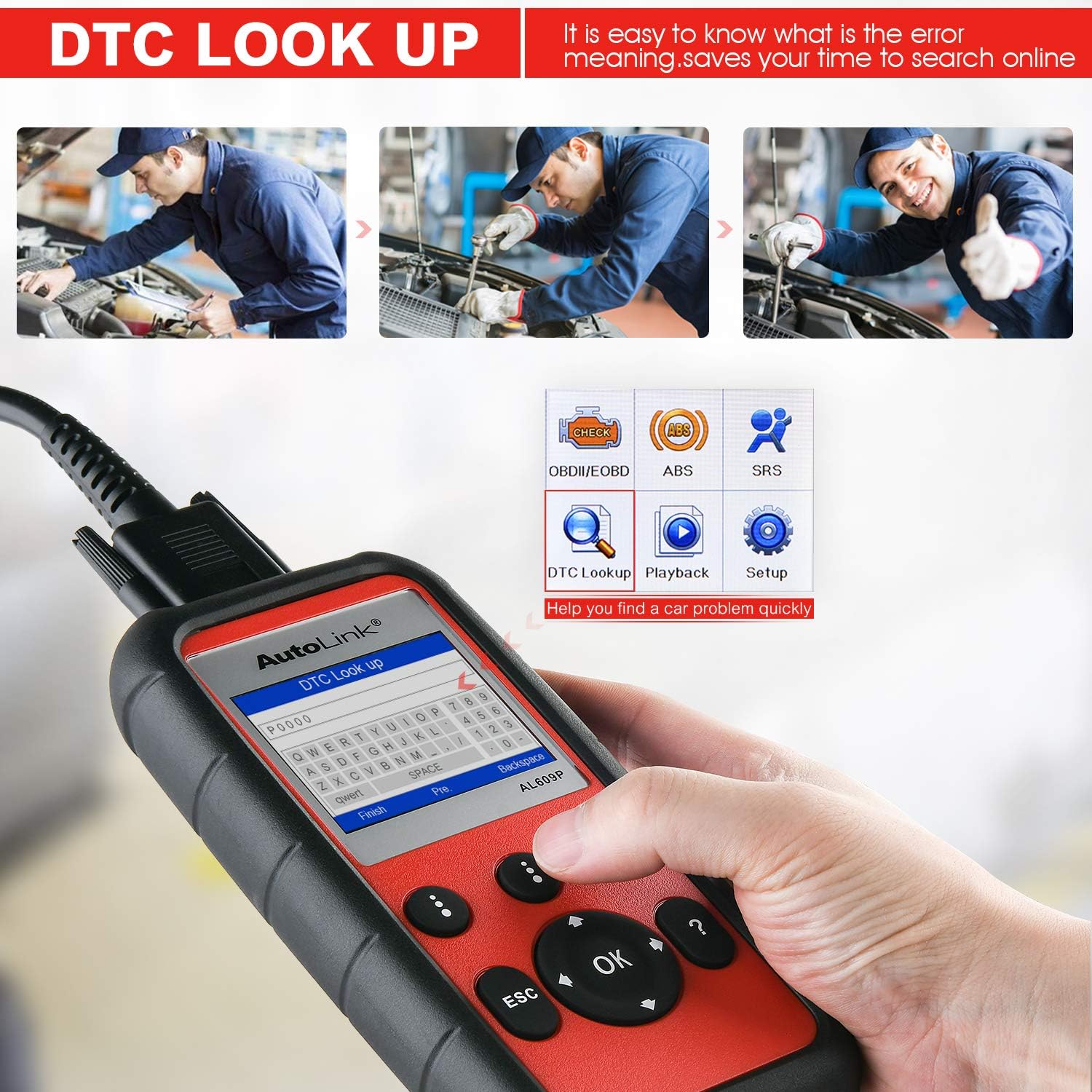
Figure 4.4: The AL609P's DTC Lookup screen, demonstrating how it provides error code meanings and saves time on external searches.
4.4. Retrieve Vehicle Identification Information
The scanner can retrieve important vehicle identification information such as VIN (Vehicle Identification Number), CALID (Calibration ID), and CVN (Calibration Verification Number).

Figure 4.5: The AL609P displaying retrieved vehicle information, including Vehicle ID Number, Calibration ID, and Calibration Verification Number.
4.5. Language Support
The AL609P supports multiple languages. You can switch between English, Spanish, and French directly on the device.

Figure 4.6: The AL609P displaying its language selection menu, highlighting support for English, Spanish, and French.
5. Maintenance
To ensure the longevity and optimal performance of your Autel AutoLink AL609P, follow these maintenance guidelines:
- Cleaning: Use a soft, damp cloth to clean the device. Avoid using abrasive cleaners or solvents.
- Storage: Store the device in its protective carrying case in a dry, cool environment when not in use.
- Cable Care: Do not bend or crimp the OBDII cable excessively. Always disconnect the cable by pulling the connector, not the wire.
- Software Updates: Regularly check for and install software updates to ensure compatibility with newer vehicle models and to access new features.
6. Troubleshooting
If you encounter issues with your AL609P, refer to the following common troubleshooting tips:
- Device Does Not Power On: Ensure the OBDII cable is securely connected to the vehicle's DLC. Check the vehicle's battery voltage; it must be sufficient to power the device.
- Communication Error: Verify that the vehicle's ignition is in the ON position. Check for loose connections of the OBDII cable. Ensure the vehicle is OBDII compliant (most vehicles post-1996 are).
- ABS/SRS Diagnostic Not Working for My Car: The ABS/SRS diagnostic function is not universally compatible and is designed for 14 specific car makes (Ford, GM, Chrysler, BMW, BENZ, VW, Land Rover, Jaguar, Volvo, Toyota, Honda, Nissan, KIA, HYUNDAI) up to certain model years. Please contact Autel support with your VIN to confirm compatibility before purchase.
- Unable to Update Software: Ensure your computer has a stable internet connection. Verify that the Autel update tool is correctly installed and the device drivers are recognized. Try a different USB port or cable.
- Incorrect Language Displayed: Navigate to the 'Setup' or 'Settings' menu on the device and select the desired language.
7. Specifications
| Feature | Specification |
|---|---|
| Brand | Autel |
| Model | AL609P |
| Operating System | Android 4.4 |
| Display Resolution | 320x240 |
| Language Support | English, Spanish, French |
| Item Weight | 8.4 ounces |
| Product Dimensions | 7.2 x 3.6 x 1.3 inches |
| Voltage | 12 Volts |
| UPC | 193195983569 |
8. Warranty and Support
Autel stands behind the quality of its products. The Autel AutoLink AL609P comes with the following:
- Warranty: 12 Months warranty against defects.
- Returns/Refunds: 30 Days REPLACEMENT or FULL REFUND policy.
- Software Updates: Lifetime FREE software updates.
- Technical Support: Lifetime technical support.
For any questions, compatibility checks (especially for ABS/SRS functions), or warranty issues, please contact Autel customer service directly via email: auteldirect@outlook.com. When contacting support, please provide the S/N (12 digits, found on the back of the device) for faster assistance.