
Razer RZ04-02830300-R3M1
Razer Kraken Gaming Headset User Manual
Model: RZ04-02830300-R3M1
Product Overview
The Razer Kraken Gaming Headset is designed for immersive audio experiences across multiple platforms. It features custom-tuned 50 mm drivers for powerful sound, a retractable noise-isolating microphone for clear communication, and a lightweight, durable bauxite aluminum frame for extended comfort during long gaming sessions.
This headset is compatible with PC, Mac, PS4, PS5, Switch, Xbox One, Xbox Series X & S, and mobile devices via a 3.5mm audio jack.
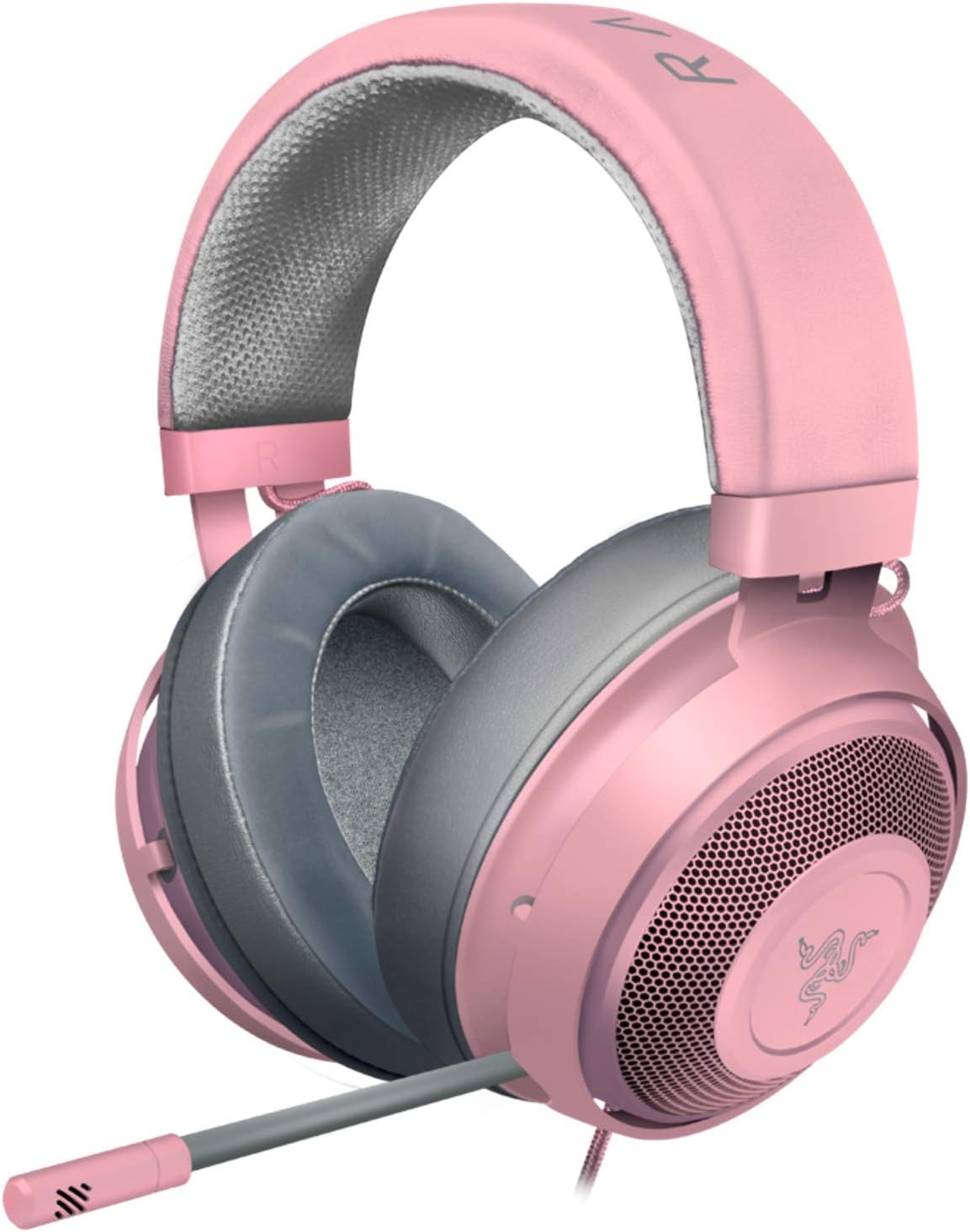
Image: The Razer Kraken Gaming Headset in Quartz Pink, showcasing its overall design with the headband, earcups, and retractable microphone.
Key Features
- Immersive, 7.1 Surround Sound: Outfitted with custom-tuned 50 mm drivers, capable of software-enabled surround sound (only available on Windows 10 64-bit).
- All-Day Comfort: Oval, cooling gel-infused cushions that prevent overheating and pressure build-up.
- Retractable Noise Isolating Microphone: An improved cardioid mic reduces background and ambient noises for crystal-clear communication.
- In-Line Audio Controls: A built-in analog volume control wheel and mic mute switch.
- Lightweight & Durable: Made of bauxite aluminum, the Kraken frame is flexible and designed to last.
- Cross-platform compatibility: Works with PC, Mac, PS4, Xbox One, Nintendo Switch and mobile devices via 3.5mm jack.

Image: A close-up view emphasizing the custom-tuned 50 mm drivers for powerful and clear sound with immersive bass.

Image: The retractable unidirectional microphone of the Razer Kraken headset, designed for clear shotcalls.

Image: The 3.5mm audio cable with integrated in-line controls, compatible with various consoles.

Image: A detailed view of the bauxite aluminum frame with thicker padding, highlighting its durability and lightweight design.

Image: A cross-section view of the cooling gel-infused oval ear cushions, designed to reduce heat build-up during prolonged use.
Setup Guide
Connecting the Headset
- Locate the 3.5mm audio jack on your PC, console controller (PS4, PS5, Xbox One, Xbox Series X & S, Nintendo Switch), or mobile device.
- Insert the 3.5mm audio cable from the Razer Kraken headset firmly into the audio jack.
- Ensure the connection is secure to prevent audio interruptions.
Adjusting the Headset
- Headband Adjustment: Gently slide the earcups up or down along the headband to find a comfortable fit that rests securely on your head.
- Microphone Positioning: Pull out the retractable microphone from the left earcup. Bend the flexible microphone boom to position the microphone close to your mouth for optimal voice pickup.
Operating Instructions
Audio Controls
The Razer Kraken headset features in-line audio controls located on the cable for convenient access.
- Volume Wheel: Rotate the scroll wheel up or down to increase or decrease the audio volume.
- Microphone Mute Switch: Slide the switch to mute or unmute the microphone. When muted, the microphone will not pick up sound.
Maintenance and Care
- Cleaning Ear Cushions: Gently wipe the ear cushions with a soft, damp cloth. Avoid using harsh chemicals or abrasive materials.
- Cable Care: Avoid sharp bends or excessive pulling on the cable to prevent damage.
- Storage: Store the headset in a cool, dry place away from direct sunlight and extreme temperatures.
Troubleshooting
| Problem | Possible Solution |
|---|---|
| No audio from headset. |
|
| Microphone not working. |
|
| Sound is distorted or crackling. |
|
Specifications
| Feature | Detail |
|---|---|
| Model Name | Kraken |
| Model Number | RZ04-02830300-R3M1 |
| Connectivity Technology | Wired (3.5 mm Jack) |
| Audio Driver Size | 50 Millimeters |
| Frequency Response | 28 Hz (Headphones), 100 Hz - 10 kHz (Microphone) |
| Impedance | 32 Ohm |
| Sensitivity | 112 dB |
| Noise Control | Sound Isolation |
| Microphone Type | Retractable Noise Isolating (Cardioid) |
| Material | Bauxite Aluminum Frame |
| Item Weight | 11.4 ounces (approx. 323 grams) |
| Dimensions | 3.46 x 19.37 x 8.27 inches |
| Color | Quartz Pink |
| Included Components | Ear Cushions |
Warranty and Support
Razer products typically come with a limited manufacturer's warranty. For specific warranty terms and conditions, please refer to the official Razer website or the warranty information included with your product packaging.
For technical support, driver downloads, or further assistance, please visit the official Razer Support website or contact their customer service directly.
Official User Guide (PDF): Download PDF
Ask a question about this manual
Ask about setup, troubleshooting, compatibility, parts, safety, or missing instructions. Manuals+ will review the question and use this page’s manual context to help answer it.