Introduction
Thank you for choosing the Bontempi 12 2407 Electronic Mini Keyboard. This manual provides essential information for the safe and proper use, setup, and maintenance of your new instrument. Please read it thoroughly before use and keep it for future reference.
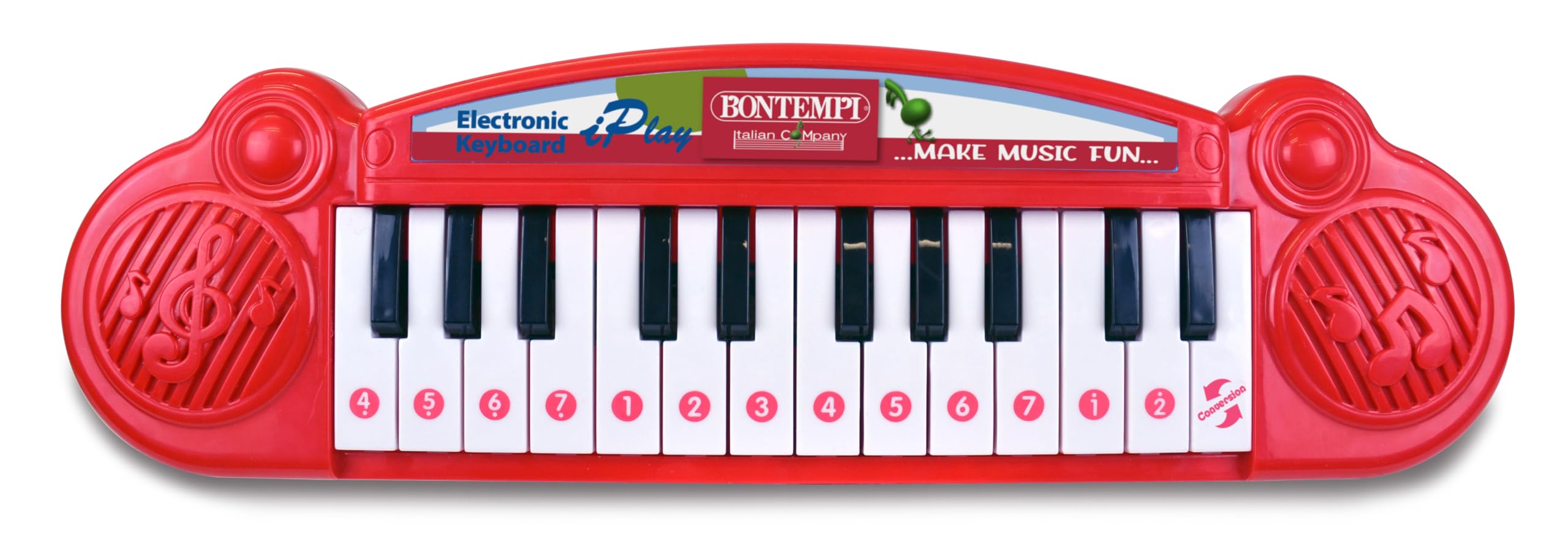
Image showing the Bontempi 12 2407 Electronic Mini Keyboard, red in color, with 24 keys, displayed in its retail packaging. The packaging highlights features like '23 Demo' songs and 'Any Key Play'.
Safety Information
Warning: Not suitable for children under 36 months (3 years) due to small parts that could be swallowed.
- Always supervise children during play.
- Do not expose the keyboard to water or excessive moisture.
- Do not drop or subject the keyboard to strong impacts.
- Only use the specified battery type and ensure correct polarity.
Package Contents
The package should contain the following item:
- 1 x Bontempi 12 2407 Electronic Mini Keyboard
Setup
Battery Installation
- Locate the battery compartment on the underside of the keyboard.
- Using a screwdriver, open the battery compartment cover.
- Insert 2 x 1.5V batteries (not included), ensuring correct polarity (+/-) as indicated inside the compartment.
- Replace the battery compartment cover and secure it with the screw.
Note: Always remove exhausted batteries promptly and dispose of them responsibly. Do not mix old and new batteries or different types of batteries.
Operation
Power On/Off
Locate the power switch, usually on the front or side of the keyboard. Slide it to the 'ON' position to power on the instrument. Slide it to the 'OFF' position to turn it off.
Playing Notes
Press any of the 24 keys to play individual musical notes. Experiment with different keys to create melodies.
Demonstration Songs
The keyboard features 23 pre-recorded demonstration songs. To activate them, use the 'demosong' selector. Pressing the selector button will cycle through the available demonstration songs.
Any Key Play Function
Engage the 'any key play' function using its dedicated selector. In this mode, pressing any key will advance the melody of a selected demonstration song, allowing interactive play.
Features
- 24 electronic keys
- 23 demonstration songs
- Selector for notes, demo songs, and 'any key play' function
- On/Off function
Maintenance
Cleaning
To clean the keyboard, wipe it with a soft, dry cloth. Do not use abrasive cleaners, solvents, or immerse the unit in water.
Storage
When not in use, store the keyboard in a dry place away from direct sunlight and extreme temperatures. If storing for an extended period, remove the batteries to prevent leakage.
Troubleshooting
- No Sound:
Check if the power switch is in the 'ON' position. Ensure batteries are correctly installed and not depleted. Replace batteries if necessary. - Keys Not Responding:
Ensure the keyboard is powered on. If the issue persists after checking batteries, contact customer support.
Specifications
| Feature | Specification |
|---|---|
| Model Number | 12 2407 |
| Dimensions (L x W x H) | 34.5 x 10 x 3 cm (13.58 x 3.94 x 1.18 inches) |
| Weight | 280 grams (0.62 lbs) |
| Number of Keys | 24 |
| Power Supply | 2 x 1.5V batteries (not included) |
| Material | Plastic |
| Recommended Age | 3 years and up |
| UPC | 047663335452 |
Warranty and Support
Information regarding product warranty and customer support is not available in this manual. Please refer to the product packaging or the manufacturer's official website for details on warranty coverage and how to contact customer service for assistance.


