
Introduction
Thank you for choosing the XINJIA Digital Sport Watch. This manual provides detailed instructions for the proper setup, operation, and maintenance of your watch. Please read this manual thoroughly to ensure optimal performance and longevity of your device.
Product Overview
The XINJIA Digital Sport Watch features a durable plastic case, a comfortable silicone strap, and a clear digital display. It includes functions such as time, date, alarm, stopwatch, and backlight. The watch is designed for daily wear and sports activities.
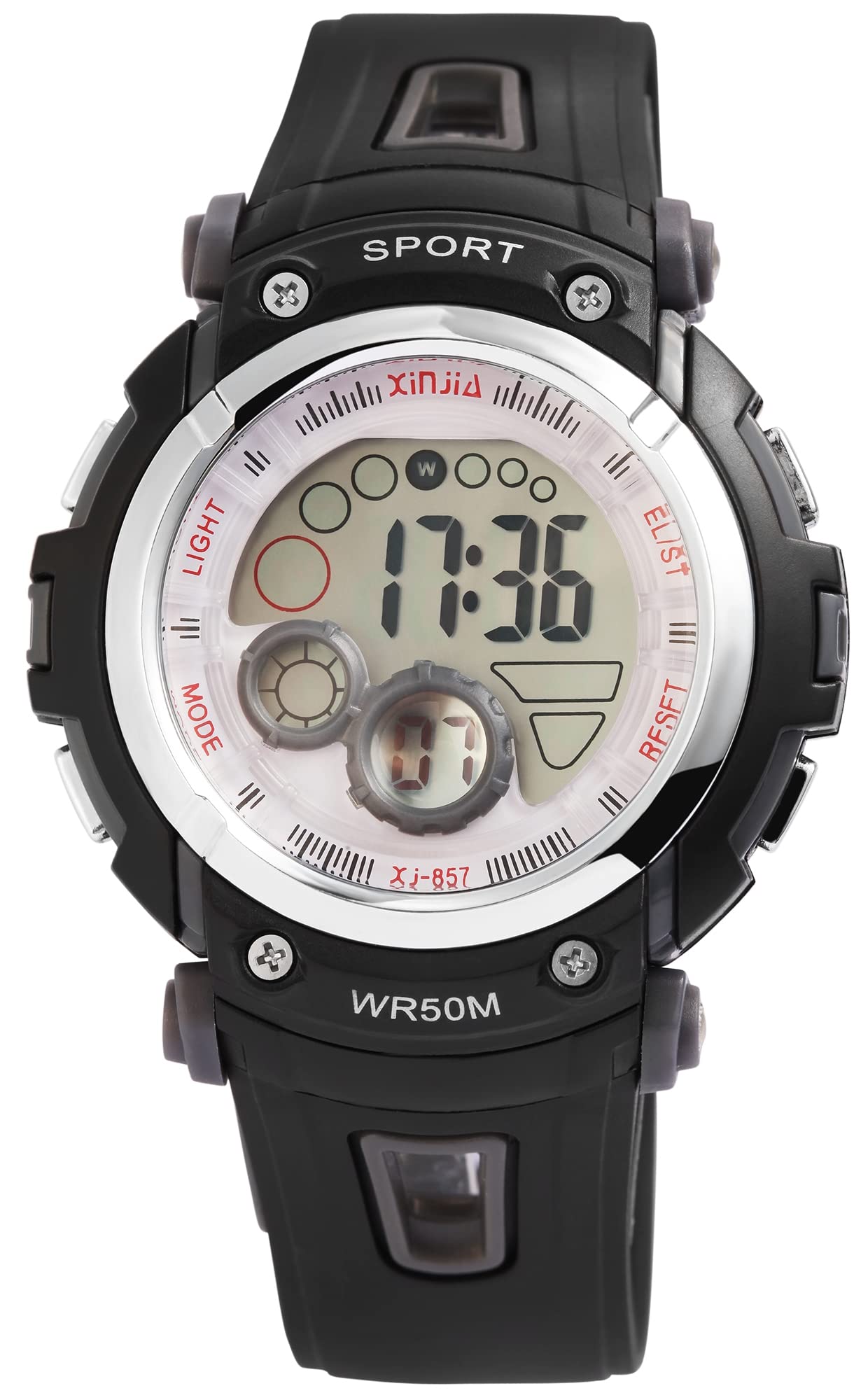
Image 1: Front view of the XINJIA Digital Sport Watch, showing the digital display and control buttons.

Image 2: Angled view of the watch, highlighting the robust case and strap design.

Image 3: Rear view of the watch, showing the stainless steel case back and the pin buckle clasp.
Setup
Battery Installation
Your XINJIA Digital Sport Watch comes with one LR44 battery already installed. If the display is dim or not functioning, the battery may need replacement. It is recommended to have battery replacement performed by a qualified technician.
Initial Time Setting
- Press the MODE button repeatedly until the time setting mode is activated (usually indicated by flashing digits).
- Use the LIGHT or SPORT button (depending on model) to adjust the flashing digits (hours, minutes, seconds).
- Press the MODE button again to cycle through the settings (e.g., hours, minutes, 12/24-hour format).
- Once all settings are correct, press the MODE button to exit the setting mode.
Operating Instructions
Time Display
The watch displays time in a 24-hour format. To switch between 12-hour and 24-hour format, refer to the time setting instructions.
Date Display
The watch displays the month, day, and day of the week. To view the date, press the MODE button until the date display appears. The date automatically adjusts for different month lengths.
Alarm Function
- Press the MODE button until the alarm setting mode is displayed.
- Use the LIGHT or SPORT button to adjust the alarm time.
- Press the MODE button to confirm and move to the next setting.
- To activate/deactivate the alarm, press the SPORT button while in the alarm display mode. An alarm icon will appear/disappear.
Stopwatch Function
- Press the MODE button until the stopwatch display appears (usually showing 00:00:00).
- Press the SPORT button to start the stopwatch.
- Press the SPORT button again to pause the stopwatch.
- Press the LIGHT button to reset the stopwatch to zero.
Backlight Function
To illuminate the display in low-light conditions, press the LIGHT button. The backlight will remain active for a few seconds.
Maintenance
Cleaning
To clean your watch, wipe it with a soft, damp cloth. Avoid using harsh chemicals or abrasive materials, as these can damage the plastic case and silicone strap.
Water Resistance
This watch is water-resistant up to 5 ATM (50 meters). This means it is suitable for everyday use, showering, and swimming in shallow water. It is not suitable for diving, snorkeling, or high-pressure water activities. Do not operate buttons underwater.
Battery Replacement
When the battery needs replacement, the display may become dim or stop functioning. It is recommended to take your watch to a professional watch repair service for battery replacement to ensure proper sealing and water resistance.
Troubleshooting
- Watch not working or display is dim: The battery may be depleted. Replace the LR44 battery.
- Incorrect time displayed: Reset the time according to the 'Initial Time Setting' instructions.
- Water inside the watch: If water appears inside the watch, stop using it immediately and take it to a professional for inspection. Water damage is typically not covered under warranty if water resistance guidelines were not followed.
- Buttons not responding: Ensure the watch is not in a locked mode (if applicable) or that the battery is not low.
Specifications
| Brand | XINJIA |
| Model Number | 2400014-002 |
| Display Type | Digital |
| Movement | Quartz |
| Case Material | Plastic |
| Case Diameter | 44 mm |
| Case Thickness | 15 mm |
| Band Material | Silicone |
| Band Width | 2.2 cm |
| Band Length | 23.5 cm |
| Clasp Type | Pin Buckle |
| Water Resistance | 5 ATM (50 meters) |
| Battery Type | 1 x LR44 (included) |
| Features | Date, Month, Day of Week, 24-hour display, Stopwatch, Alarm, Backlight |
Warranty and Support
This XINJIA Digital Sport Watch is covered by the manufacturer's standard warranty. Please retain your proof of purchase for any warranty claims. For technical support or service inquiries, please refer to the contact information provided with your purchase or visit the official XINJIA website.