
Introduction
This manual provides instructions for the installation, operation, and maintenance of your DEWENWILS Battery Powered LED Motion Sensor Flood Light. This outdoor security light features an 800 lumen output, 6000K color temperature, and an IP44 waterproof rating, making it suitable for various outdoor applications such as yards, garages, and porches.
Safety Information
- Read all instructions before installation and operation.
- Do not mix old and new batteries. Do not mix alkaline, standard (carbon-zinc), or rechargeable (nickel-cadmium) batteries.
- Ensure the battery box is securely closed to maintain its waterproof rating.
- Do not look directly into the LED light source when illuminated, as it may cause eye strain.
- Keep the product away from extreme heat sources.
Package Contents
- 1 x DEWENWILS LED Motion Sensor Flood Light
- 1 x External Battery Box
- 1 x Connecting Wire (9.8ft)
- 1 x "L" Pole for Installation
- Mounting Hardware (screws, anchors)
- Instruction Manual

Image: The DEWENWILS LED Motion Sensor Flood Light, showing the main light unit with two adjustable heads, the external battery box, and the connecting cable.
Product Features
- Sensitive PIR Motion Sensor: Detects motion within a 26ft range and 140° angle.
- Adjustable Delay Time: Automatically turns off after 30 or 60 seconds of no motion.
- Super Bright Illumination: 800 lumens, 6000K cool white light.
- External Battery Box: Powered by 3 D-cell batteries (not included), allowing for easy replacement without dismounting the light.
- Adjustable Dual Heads: Light heads pivot 90° side to side and 45° downward for customizable lighting coverage.
- Durable & Waterproof: IP44 rated, designed to withstand various weather conditions.
- Wireless Installation: No electrical wiring required.

Image: Underside view of the light unit, highlighting the "OFF", "30S", and "60S" delay time switch for motion detection.

Image: Diagram illustrating the adjustable movement of the dual light heads (90 degrees side-to-side, 45 degrees downward).
Installation
- Choose a Location: Select a suitable outdoor location for the light unit and the battery box. The light unit should be positioned to cover the desired area, while the battery box can be installed in a convenient, accessible spot within 9.8 feet of the light.
- Mount the Light Unit:
- Use the provided "L" pole and mounting hardware (screws, anchors) to securely attach the light unit to a wall, fence, or other stable surface.
- Ensure the motion sensor is facing the area where detection is desired.
- Install Batteries in Battery Box:
- Open the external battery box.
- Insert 3 D-cell batteries (not included) according to the polarity markings inside the box.
- Close the battery box securely to ensure its waterproof seal.
- Mount the Battery Box: Attach the battery box to a suitable surface using the provided mounting hardware. The 9.8ft connecting wire allows flexibility in placement.
- Connect the Light Unit to Battery Box: Plug the connecting wire from the light unit into the port on the external battery box. Ensure the connection is firm.
- Adjust Light Heads: Pivot the two light heads to direct illumination to your desired areas. The heads can move 90° horizontally and 45° vertically.
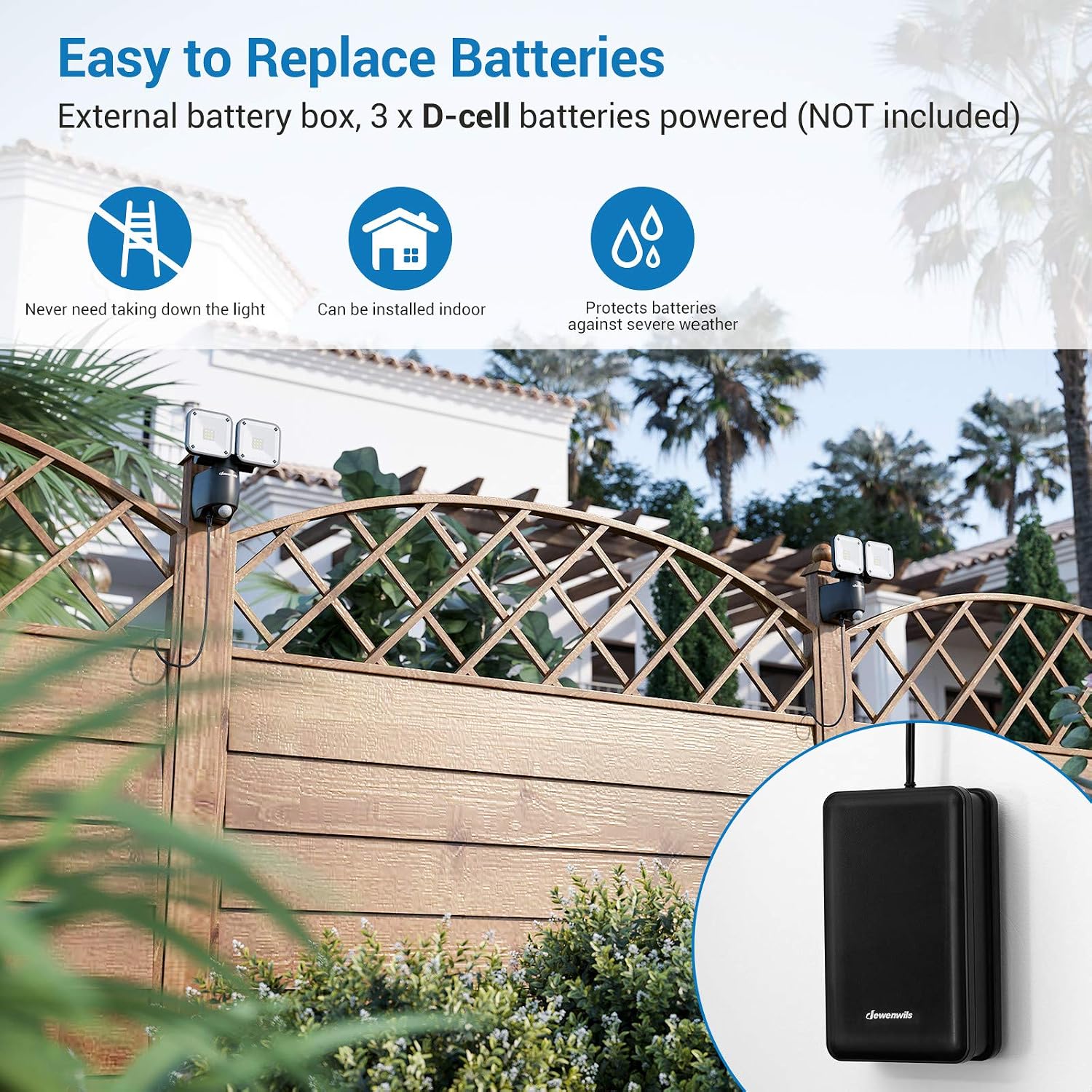
Image: An installed DEWENWILS flood light illuminating a garage entrance, demonstrating its wide sensing range.

Image: The external battery box mounted on a wall, illustrating its separate placement from the main light unit for easy battery access.
Operation
- Power On/Off: Locate the main power switch on the underside of the light unit. Ensure it is in the "ON" position for operation.
- Set Delay Time: Use the switch next to the power switch to select the desired illumination duration after motion detection:
- 30S: Light remains on for 30 seconds after motion stops.
- 60S: Light remains on for 60 seconds after motion stops.
- Motion Sensor Functionality: The light will automatically activate when motion is detected within its 26ft, 140° range in low-light conditions. It will turn off after the set delay time if no further motion is detected.
Maintenance
- Battery Replacement: When the light output diminishes or the light stops functioning, replace the 3 D-cell batteries in the external battery box. Ensure correct polarity.
- Cleaning: Periodically wipe the light unit and motion sensor with a soft, damp cloth to remove dust and debris. Do not use abrasive cleaners.
- Inspection: Regularly check the mounting hardware and cable connections for security and signs of wear.
Troubleshooting
| Problem | Possible Cause | Solution |
|---|---|---|
| Light does not turn on. |
|
|
| Light turns off too quickly or stays on too long. |
|
|
| Motion sensor is not detecting. |
|
|
| Water or insects inside battery box. |
|
|
Specifications
| Brand | DEWENWILS |
| Model Number | DEWENWILS-BPLEDFL-800LM |
| Light Output | 800 Lumens |
| Color Temperature | 6000K (Cool White) |
| Power Source | 3 x D-cell Batteries (not included) |
| Motion Sensor Range | Up to 26 ft (8 meters) |
| Motion Sensor Angle | 140° |
| Delay Time Settings | 30S / 60S |
| Water Resistance Rating | IP44 |
| Material | Plastic |
| Product Dimensions | 7.28"L x 7.28"W x 4.72"H |
| Item Weight | 1.72 Pounds |
Warranty and Support
This product comes with a seller warranty. For any questions, technical support, or warranty claims, please contact the seller directly through your purchase platform. Please provide your order number and product model for faster assistance.