
Introduction
This manual provides essential instructions for the safe installation, operation, and maintenance of your Modern Forms Axis 52-inch Smart Ceiling Fan. Please read this manual thoroughly before installation and retain it for future reference. This fan is designed for both indoor and outdoor use, featuring a durable matte white finish and an integrated 2700K Warm LED light.
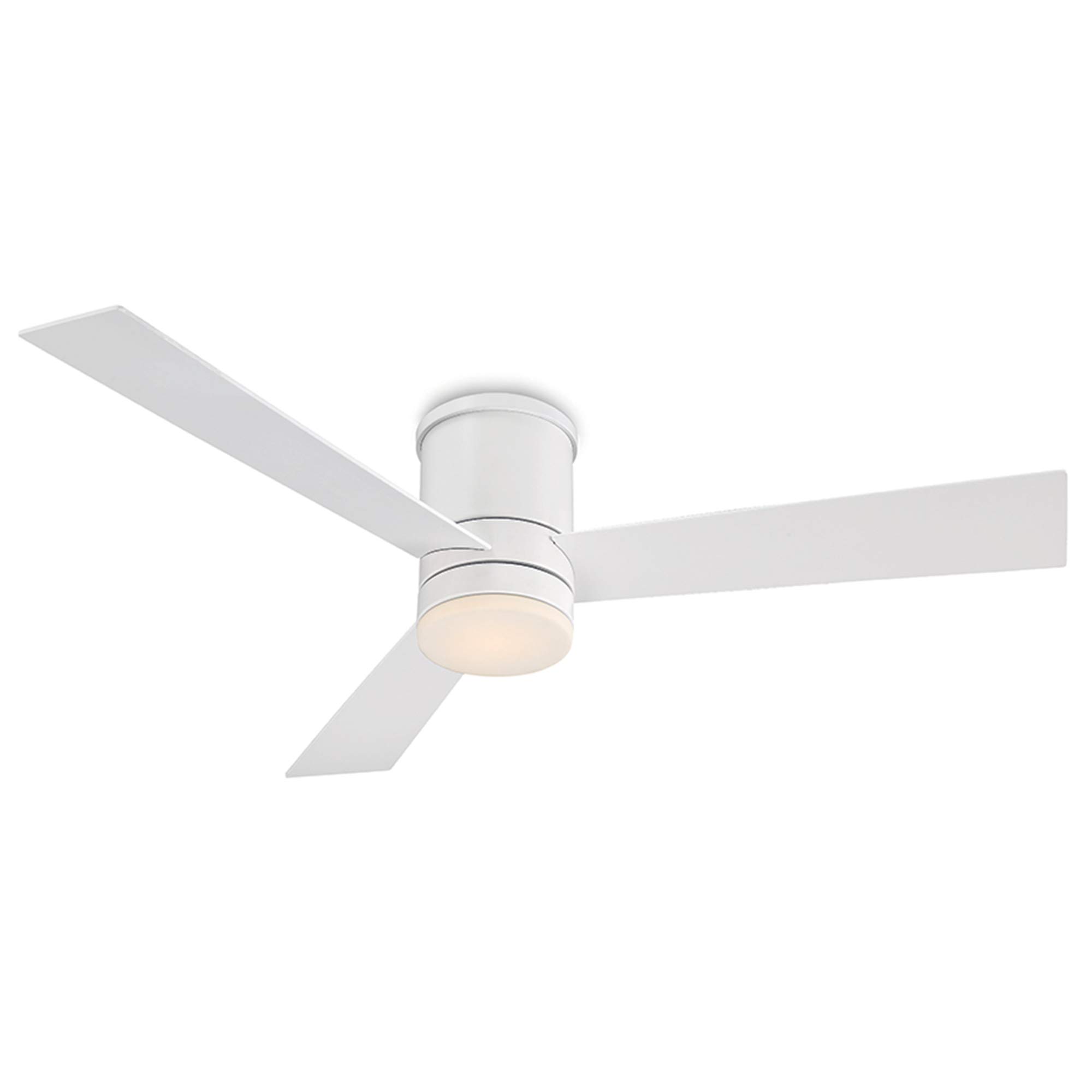
Image: Modern Forms Axis 52-inch Smart Ceiling Fan in Matte White with integrated LED light.
Safety Information
Always follow basic safety precautions when installing and operating electrical appliances. Failure to do so may result in fire, electric shock, or personal injury.
- Electrical Safety: Disconnect power at the circuit breaker before installation or servicing. Ensure all wiring is in accordance with national and local electrical codes.
- Mounting: The fan must be mounted to a structurally sound ceiling junction box capable of supporting the fan's weight (approximately 14.3 pounds).
- Blade Clearance: Ensure fan blades are at least 7 feet (2.1 meters) from the floor and have adequate clearance from walls or other obstructions.
- Wet Rating: This fan is wet-rated, suitable for outdoor and indoor use in damp locations. However, avoid direct water spray.
Package Contents
Verify that all components are present before beginning installation:
- Fan Motor Assembly with Integrated LED Light
- Fan Blades (3)
- Mounting Bracket and Hardware
- Remote Control (Bluetooth enabled)
- Wall Cradle for Remote Control
- Batteries (2 CR2032, included for remote)
- Instruction Manual
Setup
1. Installation
Detailed installation instructions are provided in the separate installation guide included with your fan. It is recommended that a qualified electrician perform the installation to ensure proper wiring and safety. The fan is designed for flush mount installation.
2. Initial Power-Up and Pairing
After physical installation and power restoration, the fan will be ready for pairing. The remote control is typically pre-paired. For app control, download the Modern Forms app from your device's app store and follow the on-screen instructions to connect your fan to your home Wi-Fi network.

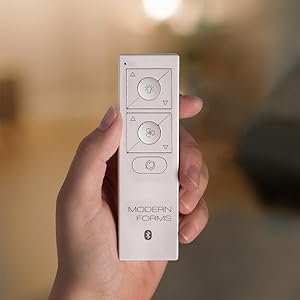
Image: Modern Forms Axis Smart Ceiling Fan shown with its remote control.
Operating Your Smart Fan
1. Remote Control Functions
The included Bluetooth remote allows direct control of your fan's primary functions:
- Fan Speed: Adjust through 6 speeds using the fan speed buttons.
- Light Control: Turn the LED light on/off and dim its intensity.
- Fan Direction: Change the blade rotation direction for seasonal use (see Seasonal Operation).
- Audible Beep: The remote provides an audible beep to confirm button presses, useful in low light conditions.
2. App Control (Modern Forms App)
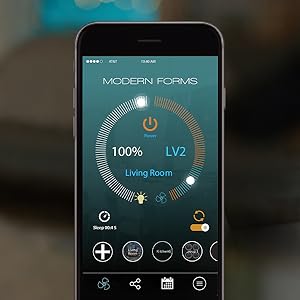
The Modern Forms app provides advanced control and smart features:
- Remote Access: Control your fan from anywhere with an internet connection.
- Scheduling: Set custom schedules for fan operation and lighting.
- Adaptive Learning: The fan can learn your preferences and adjust automatically.
- Firmware Updates: The app facilitates necessary firmware updates for optimal performance.

Image: The Modern Forms app interface displayed on a smartphone, showing fan and light controls.
3. Voice Control and Smart Home Integration
The fan integrates with popular smart home platforms for voice control and automation:
- Amazon Alexa: Use voice commands like "Alexa, turn on the fan" or "Alexa, dim the light."
- Google Assistant: Control your fan with phrases such as "Hey Google, set fan speed to 3."
- Ecobee & Samsung SmartThings: Integrate with these systems for enhanced energy management and home automation.
4. Seasonal Operation
Adjust the fan's direction for optimal comfort year-round:
- Summer Mode (Counter-clockwise): Creates a downward airflow, producing a cooling effect.
- Winter Mode (Clockwise): Creates an upward airflow, circulating warm air trapped near the ceiling.

Image: Diagram showing fan blade rotation for summer (counter-clockwise) and winter (clockwise) modes.
Maintenance
Regular maintenance ensures optimal performance and longevity of your fan.
- Cleaning: Use a soft, damp cloth to clean the fan blades and motor housing. Do not use abrasive cleaners or solvents.
- Light Kit: The integrated LED light is designed for long life and typically does not require replacement.
- Inspections: Periodically check all connections and mounting hardware for tightness.
Troubleshooting
If you experience issues with your fan, refer to the following common solutions:
| Problem | Possible Cause | Solution |
|---|---|---|
| Fan does not operate | No power, loose wiring, remote not paired. | Check circuit breaker. Ensure all connections are secure. Re-pair remote if necessary. |
| Light does not work | No power to light, LED failure. | Check light switch. If LED is faulty, contact customer support. |
| Remote/App not responding | Low remote battery, Wi-Fi issue, app not connected. | Replace remote batteries. Check Wi-Fi connection. Ensure app is properly linked to fan. |
| Fan makes a beeping sound | Normal operation feedback, firmware update required. | The beep confirms remote input. If persistent or unusual, check app for firmware updates. |
| Fan wobbles | Loose blades, unbalanced blades, loose mounting. | Ensure all blade screws are tight. Use a balancing kit if necessary. Verify mounting bracket is secure. |
Specifications
Key technical details for the Modern Forms Axis 52-inch Smart Ceiling Fan (FH-W1803-52L-27-MW):
| Model Number | FH-W1803-52L-27-MW |
| Blade Span | 52 inches |
| Finish | Matte White |
| Light Type | Integrated 2700K Warm LED |
| Luminous Flux | 1600 Lumen |
| Motor Type | 6-Speed Brushless DC Motor |
| Air Flow Capacity | 5187 Cubic Feet Per Minute (CFM) |
| Wattage | 51.5 watts |
| Noise Level | 15 Decibels |
| Voltage | 120 Volts |
| Dimensions (D x W x H) | 52"D x 52"W x 11.5"H |
| Item Weight | 14.26 pounds |
| Safety Rating | ETL & cETL, Wet Listed |
| Smart Home Compatibility | Amazon Alexa, Google Assistant, Ecobee, Samsung SmartThings |
| Energy Efficiency | Energy Star Certified |

Images: Energy Star certification, Wet Rated icon, and DC Motor icon highlighting key features.
Warranty Information
Your Modern Forms Axis Smart Ceiling Fan is covered by the following warranty:
- LED Components: 5-year warranty
- Motor: Lifetime warranty
- All Other Parts: 1-year warranty
Please retain your proof of purchase for warranty claims.
Support
For further assistance, technical support, or warranty inquiries, please contact Modern Forms customer service. You can find contact information on the official Modern Forms website or through your retailer.
Official Product Video
Video: Modern Forms Smart Fans Features Video. This video provides an overview of the smart features and capabilities of Modern Forms fans, including app and voice control integration.


