soges LD-Z01OK L-Shaped Desk Instruction Manual
Model: LD-Z01OK
Introduction
This manual provides detailed instructions for the assembly, use, and maintenance of your soges LD-Z01OK L-Shaped Desk. Please read this manual thoroughly before assembly and use to ensure proper setup and safe operation.
The soges LD-Z01OK is an L-shaped computer desk designed for home office, gaming, or general workstation use, featuring a durable 15 mm particle wood board and a high-quality 0.8 mm metal frame.
Safety Information
- Ensure the desk is securely assembled according to the instructions.
- Do not exceed the maximum recommended load of 149.69 kg (approximately 330 pounds) to prevent damage or injury.
- Keep small parts away from children during assembly.
- Place the desk on a level surface to ensure stability.
Package Contents
Before beginning assembly, verify that all components are present and undamaged. Refer to the included parts list in your package for specific quantities.
- Desk panels (L-shaped desktop sections)
- Metal frame components (legs, support bars)
- PC holder (CPU stand)
- Assembly hardware (screws, bolts, washers, Allen wrench)
- Instruction manual
Setup and Assembly
Assembly is required for this product. It is recommended to have two people for easier assembly. Follow the steps below and refer to the diagrams provided in your physical manual.
General Assembly Tips:
- Do not fully tighten any screws until all parts are assembled. This allows for minor adjustments and "fine-tuning" before final securing.
- Use the provided manual and installation tools.
- Assemble the desk on a soft, clean surface to prevent scratches.
Step-by-Step Assembly (Conceptual - refer to included manual for exact steps):
- Unpack Components: Carefully remove all parts from the packaging and lay them out. Verify against the parts list.
- Assemble Frame: Attach the metal frame components together using the provided hardware. Ensure all connections are loose initially.
- Attach Desktop Panels: Place the L-shaped desktop panels onto the assembled frame. Align screw holes.
- Install PC Holder: Secure the PC holder (CPU stand) to the desired location under the desk.
- Final Tightening: Once all parts are in place and aligned, gradually tighten all screws and bolts until secure. Do not overtighten.
- Adjust Feet: Adjust the leveling feet at the bottom of the desk legs to ensure stability on uneven floors.

Image: Desk dimensions and CPU stand. The L-shaped desk measures approximately (Left 59 + Right 59) x W 21.7 x H 30 inches. The separate PC holder measures 15.7 x 7.9 inches.

Image: Details of the desk's construction, showing the curved heavy-duty metal frame and adjustable feet pads for stability.
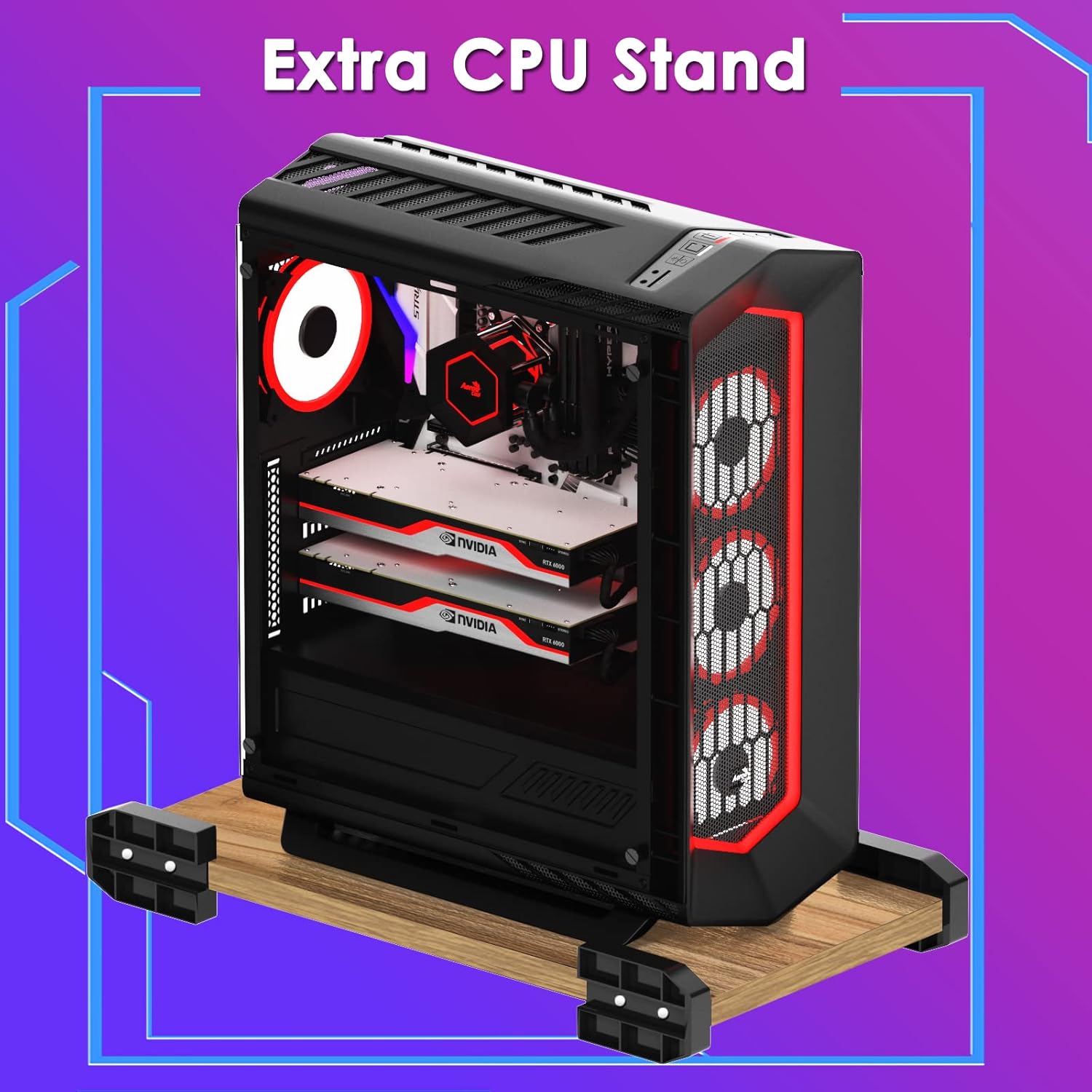
Image: The extra CPU stand, designed to keep your computer host off the floor, preventing moisture and improving airflow.
Operating and Usage
The soges LD-Z01OK L-Shaped Desk provides a large working surface suitable for various activities.
- Workstation: Utilize the spacious desktop for multiple monitors, laptops, keyboards, and other office essentials.
- Gaming Setup: The L-shaped design offers ample space for gaming monitors, consoles, and accessories, enhancing your gaming experience.
- PC Holder: Place your computer tower on the included PC holder to keep it elevated from the floor, protecting it from dust and moisture.
- Space Utilization: The L-shape design is optimized for corner spaces, maximizing room utility.

Image: The soges L-shaped desk set up as a functional workstation, providing ample space for office equipment.
Maintenance
- Cleaning: Wipe the desk surfaces with a soft, damp cloth. Avoid harsh chemicals or abrasive cleaners that may damage the finish.
- Spills: Clean up spills immediately to prevent staining or damage to the particle wood board.
- Hardware Check: Periodically check all screws and bolts to ensure they remain tight. Retighten if necessary to maintain stability.
- Avoid Excessive Weight: Do not place excessively heavy items on the desk, especially concentrated in one area, to prevent structural damage.
Troubleshooting
- Issue: Desk is wobbly after assembly.
- Solution: Ensure all screws and bolts are fully tightened. Check that the desk is on a level surface. Adjust the leveling feet at the bottom of the legs to compensate for uneven floors.
- Issue: Missing parts or damaged components.
- Solution: Refer to the "Warranty and Support" section to contact customer service for assistance. Provide your model number and a description of the missing or damaged part.
- Issue: Difficulty aligning desktop panels.
- Solution: Loosen all screws slightly, adjust the panels and frame until aligned, then gradually tighten all screws. Ensure you did not overtighten any screws prematurely during initial assembly.
Specifications
| Feature | Detail |
|---|---|
| Model | LD-Z01OK |
| Brand | soges |
| Shape | L-Shape |
| Product Dimensions | 150D x 55W x 76H Centimetres (Approx. Left 59 + Right 59) x W 21.7 x H 30 inches) |
| Material | 15 mm Particle Wood Board (E1 degree), 0.8 mm High Quality Metal Frame |
| Color | Oak |
| Item Weight | 57.2 Pounds |
| Maximum Recommended Load | 149.69 kg (330 Pounds) |
| Assembly Required | Yes |
| Included Components | Desk, PC Holder |
Warranty and Support
For any problems concerning the product, please contact soges customer service directly. We aim to reply and offer a solution within 24 hours.
Please have your model number (LD-Z01OK) and purchase information ready when contacting support.
Contact information is typically found on the product packaging or the retailer's website.


