
Product Overview
The NEBULA Capsule II is a compact and portable mini projector designed to deliver a comprehensive entertainment experience. Featuring 720p HD resolution and 200 ANSI lumens, it projects a clear image up to 100 inches. Powered by Android TV 9.0, it offers access to over 5,000 apps. The integrated 8W speaker provides immersive audio. Its portable design, coupled with Wi-Fi and Bluetooth connectivity, makes it suitable for various indoor and outdoor viewing environments.
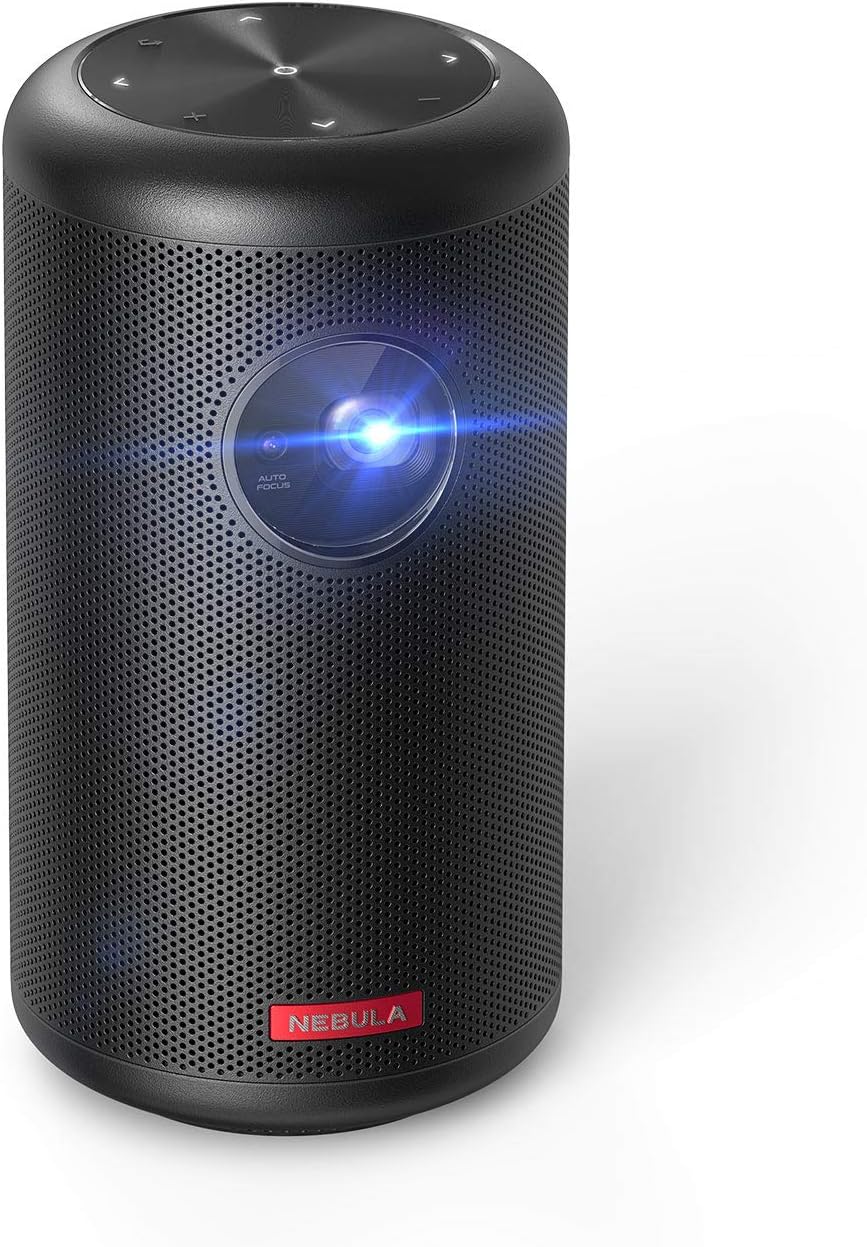
Figure 1: Front view of the NEBULA Capsule II Mini Projector.
What's in the Box
- Nebula Capsule II Projector
- Remote Control
- Quick Start Guide
- PD Charger
- Type-C Cable
Setup
1. Physical Placement & Power
Place the Capsule II on a stable, flat surface. For optimal image quality, ensure the projector lens is unobstructed and facing a flat, light-colored surface or screen. Connect the provided PD charger and Type-C cable to the projector's USB-C port for power.


Figure 2: The compact size and rear ports of the Capsule II.
2. Initial Power On & Auto-Focus
Press and hold the power button on the projector or remote control to turn it on. The Capsule II features automatic focus and vertical keystone correction. The projector will automatically adjust the image clarity and shape. For manual focus adjustment, navigate to Projector Settings in the Android TV menu.
3. Network Connection
Follow the on-screen prompts to connect the Capsule II to your Wi-Fi network. A stable internet connection is essential for accessing streaming apps and online content.
4. Remote Control Pairing
The remote control should automatically pair with the projector upon first use. If not, follow the instructions in the Quick Start Guide to pair it via Bluetooth. The remote features voice control for Google Assistant.
5. Android TV Setup
Complete the initial Android TV setup, including signing in with your Google account to access the Google Play Store and personalize your app selection.

Figure 3: The Android TV interface projected by the Capsule II.
Operating
1. App Usage & Content Streaming
Navigate the Android TV interface using the remote control. You can download and install over 5,000 apps from the Google Play Store, including popular streaming services like YouTube, Hulu, and Twitch.
Netflix Compatibility Note: To use Netflix, download the "Nebula Manager" app from Google Play on the projector. Then, use the "Nebula Connect" app on your smartphone to control Netflix playback. Direct Chromecast mirroring of Netflix content is not supported due to licensing restrictions.
2. Screen Mirroring & Casting
The Capsule II has Chromecast built-in, allowing you to cast content directly from compatible apps on your smartphone, tablet, or computer. For iOS devices, you can use screen mirroring features to display your device's screen on the projector.
Video: Demonstrates how to screen mirror and cast content from an iPhone to the Nebula Capsule II.
3. HDMI Input
Connect external devices such as game consoles, Blu-ray players, or laptops to the projector using an HDMI cable. Switch the input source on the projector to HDMI to display content from the connected device.
4. Bluetooth Speaker Mode
The Capsule II can also function as a standalone Bluetooth speaker. Press the dedicated button on the projector to switch to Bluetooth speaker mode, allowing you to play audio from your paired devices without projecting an image.
Maintenance
To ensure optimal performance and longevity of your Capsule II, keep the lens clean using a soft, lint-free cloth. Avoid using abrasive cleaners or solvents. Ensure proper ventilation by keeping the air vents clear of obstructions. Store the projector in a cool, dry place when not in use.
Troubleshooting
- No Netflix/Prime Video: Download


