Introduction
The Mueller Single Serve Pod Compatible Coffee Maker is designed for convenience and efficiency, allowing you to brew your favorite coffee capsules quickly. Featuring rapid brew technology and a large removable water tank, it's perfect for any home or office setting. This manual provides comprehensive instructions for setup, operation, maintenance, and troubleshooting to ensure optimal performance and longevity of your coffee maker.
- For Pod Capsules: Accepts all 1.0 & 2.0 coffee capsules. Brew one cup at a time with our single-serve coffee machine.
- Choose Coffee Size: Adjust the default settings to suit your needs. Select small (6 oz, 8 oz, 12 oz) or a large size (8 oz, 10 oz, 12 oz).
- Brews Coffee Fast: Rapid brew a small cup in about a minute! Its compact size fits motorhomes, dorms, and small kitchens.
- Large Water Tank: Refill less often with our 48 oz removable water tank. Large opening makes it easy to fill and clean.
- Superior Quality: Designed to make your life easier.
Setup
Follow these steps for the initial setup of your Mueller Single Serve Coffee Maker.

Image: Visual guide for the three easy steps to brew coffee.
Step 1: Fill Water Tank. Ensure the 48 oz removable water tank is filled with fresh, clean water. The large opening makes it easy to fill. Confirm water levels with the convenient front gauge.
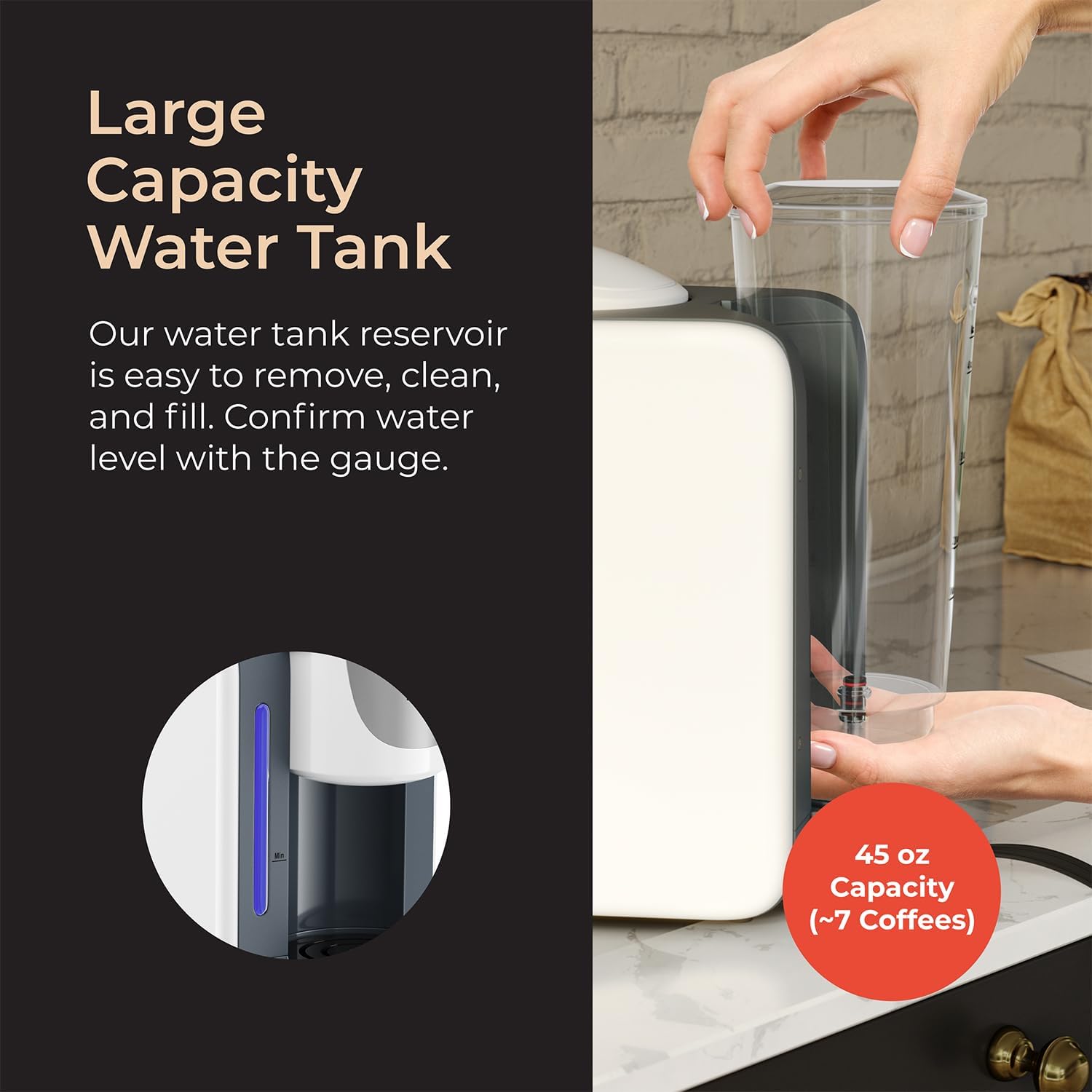
Image: Large capacity water tank being removed for filling.
Step 2: Insert Pod Capsule. Lift the handle of the brewer head and insert your preferred 1.0 or 2.0 coffee capsule. Close the handle firmly.

Image: A coffee pod capsule being inserted into the machine.
Step 3: Power On. Press the power button to turn on the unit. The three coffee size buttons will flash during heating. Wait until the flashing stops and the lights become solid, indicating standby mode.

Image: The Mueller coffee maker in operation, brewing coffee.
Setup Video Guide
Watch this official video for a visual guide on setting up and using your Mueller coffee maker.
Video: Official Mueller Pro Single Serve Coffee Maker setup and operation guide.
Operating Instructions
Once the unit is in standby mode, you can begin brewing.
Choose Serving Size: Select your desired coffee volume by pressing one of the three illuminated buttons: Small (6 oz, 8 oz, 12 oz) or Large (8 oz, 10 oz, 12 oz). The machine will automatically brew the selected amount.

Image: Control panel with brew size options.
Brewing Process: The coffee maker will rapidly brew your coffee. A small cup can be brewed in about one minute. The red indicator light on the water level gauge will show when the water level is low.

Image: Freshly brewed coffee from the Mueller machine.
Changing Default Coffee Volume
You can adjust the default coffee volume settings for the brew buttons:
- Press and hold the small cup button.
- While holding the button, plug the power cable into the socket.
- The medium cup button will now be lit and stay steady, indicating the setting mode.
- You can now press the small button for 6oz, 8oz, or 12oz volume, or the big button for 8oz, 10oz, or 12oz volume.
- To save the new settings, simply turn the unit off and back on.
Maintenance
Regular cleaning ensures the best performance and taste from your coffee maker.
Cleaning the Water Tank: The 48 oz removable water tank is designed for easy cleaning. Remove it from the unit and wash with mild soap and water. Rinse thoroughly before refilling.

Image: Illustration of easy cleaning for the coffee maker's removable parts.
Cleaning the Pod Holder: To clean the pod holder, lift the brewer head. Remove the pack for cleaning by twisting and lifting. Wash with mild soap and water, then reinsert.
Descaling: Periodically descale your coffee maker to remove mineral buildup. Refer to the full user manual for detailed descaling instructions.
Troubleshooting
Here are solutions to common issues you might encounter:
- Lights Flickering: If the brewer head is lifted, the lights on the control panel will flicker. Close the brewer head to stop the flickering and proceed with brewing.
- Low Water Indicator: A red indicator will show on the water level gauge when the water level is low. Refill the water tank to continue operation.
- Machine Reset: To reset the machine, press and hold the big cup button while plugging in the machine. The blue light of the water level will flash twice, indicating the machine has reset.
Specifications
| Feature | Detail |
|---|---|
| Brand | Mueller |
| Model Number | U700 |
| Color | Grey |
| Product Dimensions | 7.48"D x 13.78"W x 11.42"H |
| Item Weight | 5.8 pounds |
| Coffee Maker Type | Drip Coffee Machine |
| Filter Type | Reusable |
| Operation Mode | Fully Automatic |
| Human Interface Input | Buttons |
Warranty and Support
Mueller is committed to providing high-quality products. If you encounter any issues or require support, please refer to the official user manual or contact Mueller customer service.
For detailed warranty information and further assistance, please download the full User Manual (PDF): Mueller Single Serve Coffee Maker User Manual


