
Introduction
The Janome Sewist 740DC is a computerized sewing machine designed for ease of use and versatility. It features a range of functions suitable for various sewing projects, from basic repairs to more intricate designs. This manual provides essential information for setting up, operating, maintaining, and troubleshooting your machine.
Key features of the Janome Sewist 740DC include:
- 40 Built-in Stitches: Offers a selection of stitches for diverse applications, including utility, decorative, and stretch stitches.
- 3 One-Step Buttonholes: Simplifies the creation of buttonholes with automatic sizing.
- Backlit LCD Screen: Displays selected stitch, recommended presser foot, and adjustable stitch width and length.
- Direct Stitch Selection: Provides quick access to 20 frequently used stitches.
- Pattern Elongation: Allows extending stitch patterns up to five times their normal length.
- Convenient Features: Includes an easy-set bobbin system, auto bobbin winder, built-in needle threader, needle up/down button, and an auto-lock stitch function.
- Start/Stop Button: Enables sewing without the foot control.
Setup
Unpacking and Initial Inspection
Carefully remove the sewing machine and all accessories from the packaging. Inspect the machine for any signs of damage. Ensure all included components are present.
Included Components
The Janome Sewist 740DC typically includes the following items:
- Sewing Machine
- Zigzag Foot
- Zipper Foot
- Satin Stitch Foot
- Automatic Buttonhole Foot
- Blind Hemming Foot
- Overedge Foot
- Overcast Foot
- Quilting Guide Bar
- Spool Holders (large and small)
- Extra Spool Pin
- Bobbins
- Assorted Needle Set
- Seam Ripper
- Lint Brush
- Screwdriver
- Instruction Book
- Hard Cover
- Foot Control
- Power Cable
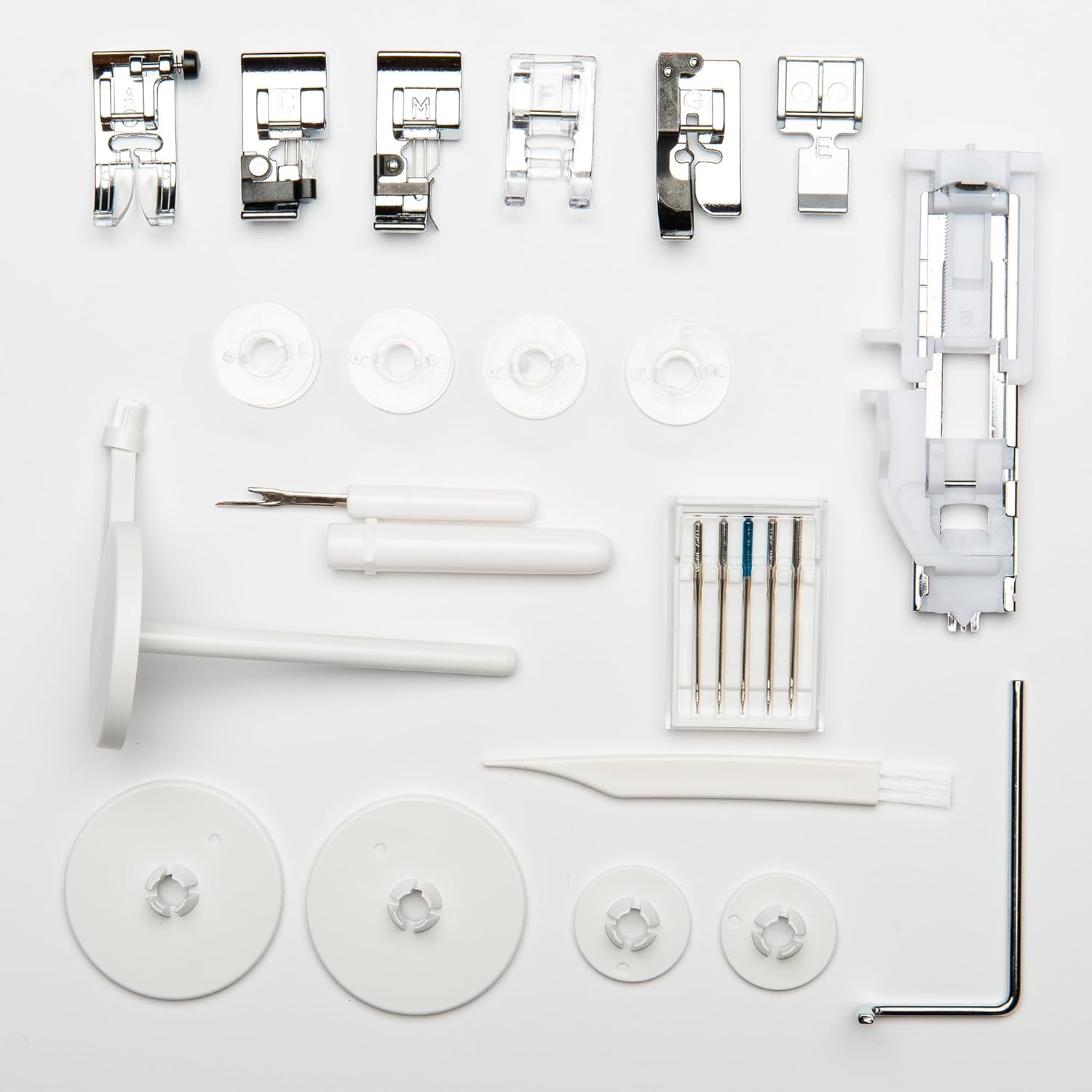
Figure 1: Included accessories for the Janome Sewist 740DC.
Power Connection
Connect the power cable to the machine and then to a suitable electrical outlet. Ensure the machine is placed on a stable, flat surface.
Threading the Machine
Follow the numbered threading path indicated on the machine. Utilize the built-in needle threader for easy needle threading. Ensure the bobbin is correctly inserted into the easy-set bobbin system.
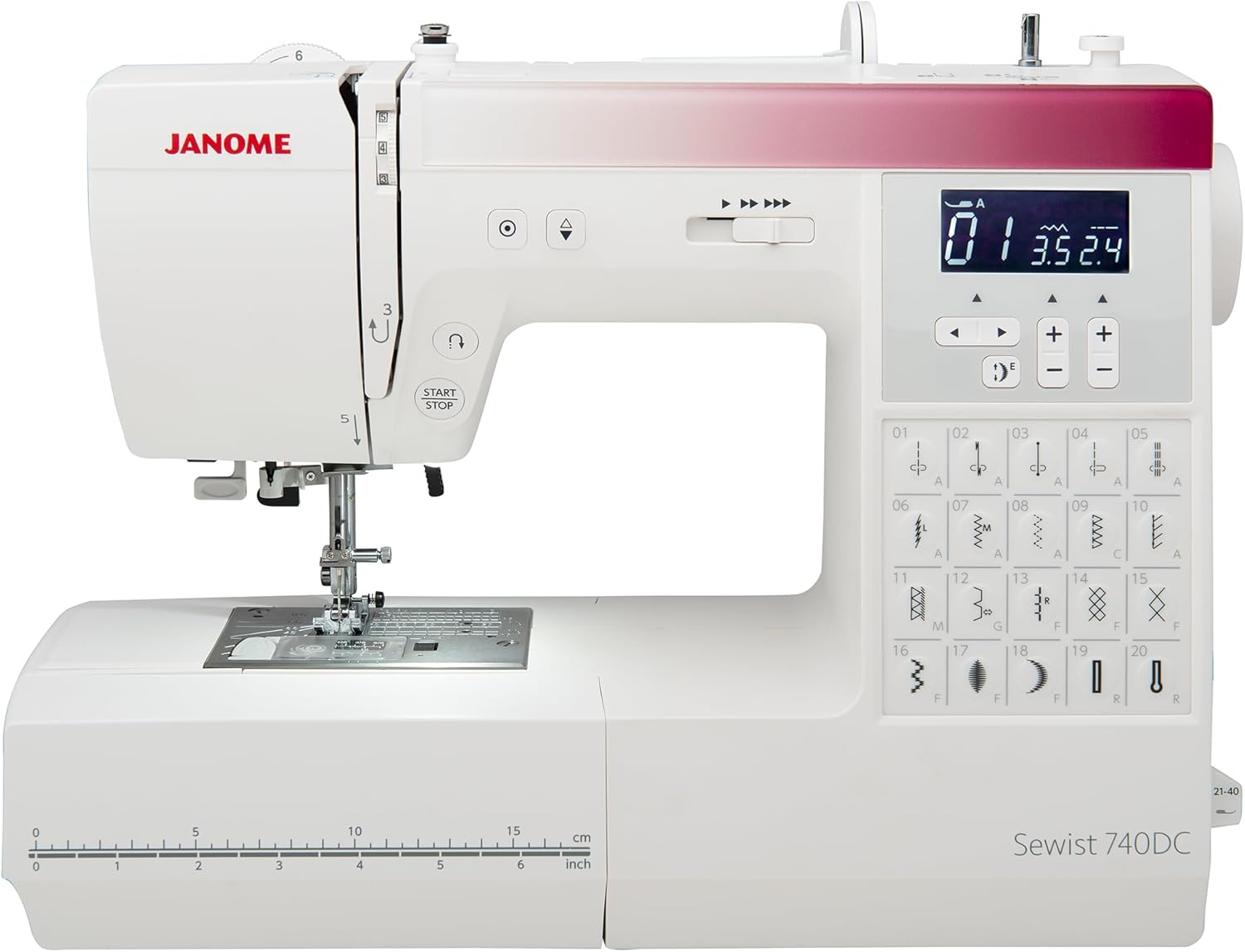
Figure 2: Janome Sewist 740DC with visible threading guides.
Operating Instructions
Stitch Selection and LCD Display
The machine offers 40 built-in stitches. Use the direct stitch selection buttons for the 20 most common stitches. For other stitches, refer to the slide-out stitch chart. The backlit LCD screen will display the selected stitch number, the recommended presser foot (indicated by a letter), and the default stitch width and length. These settings can be adjusted as needed using the control buttons.
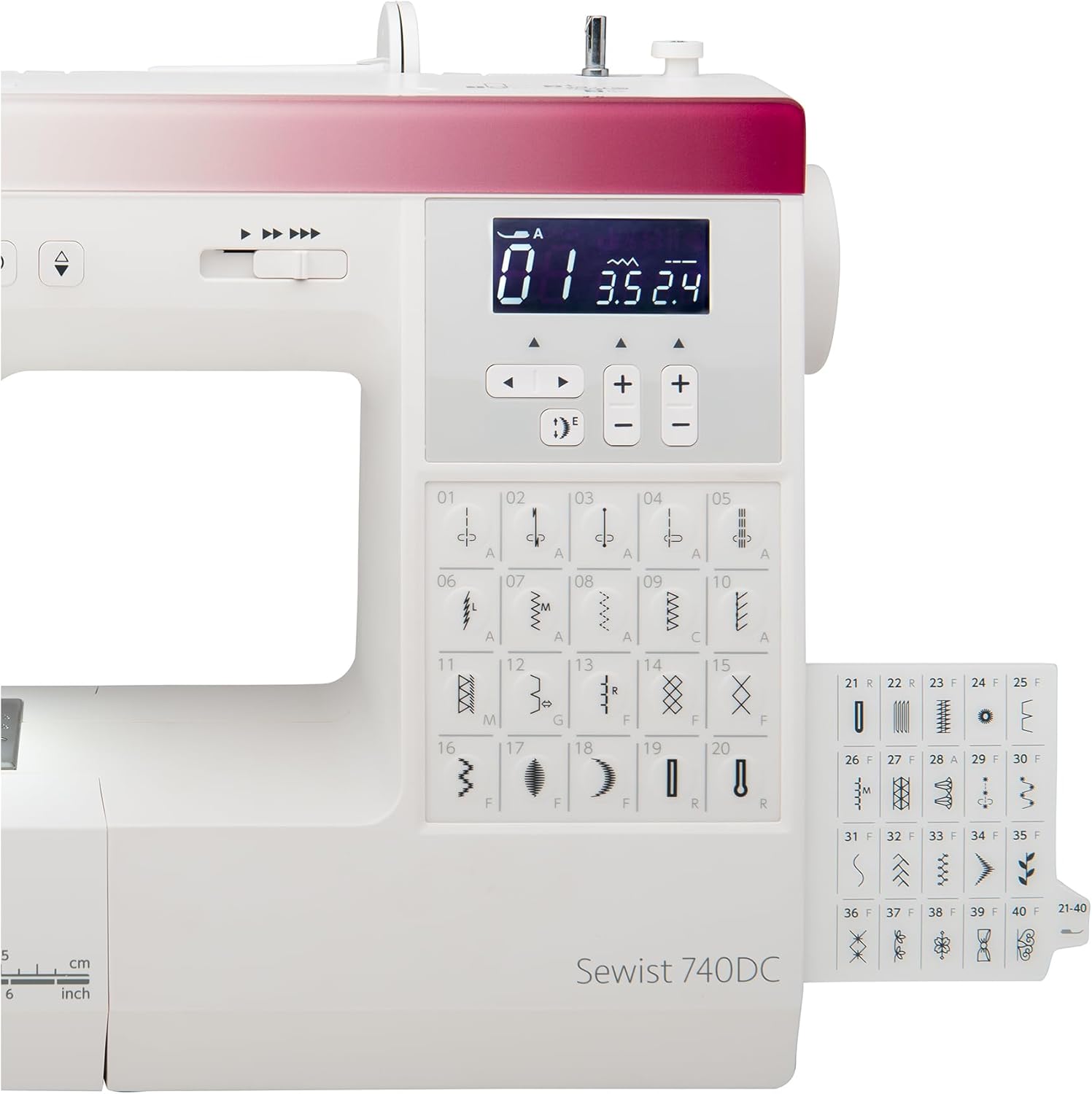
Figure 3: Control panel and LCD screen for stitch selection.
Sewing Functions
- Start/Stop Button: Press to start or stop sewing without using the foot control.
- Needle Up/Down: Use this button to position the needle either fully up or fully down, which is useful for pivoting fabric.
- Auto-Lock Stitch: Engages an automatic lock stitch at the beginning and end of a seam for secure stitching.
- Pattern Elongation: Certain stitch patterns can be elongated up to five times their original length for decorative purposes. Consult the manual for specific stitch compatibility.
Buttonhole Creation
The machine features 3 styles of one-step buttonholes. Attach the automatic buttonhole foot and select the desired buttonhole stitch. The machine will automatically measure the button placed in the foot and create a perfectly sized buttonhole.
Free Arm Sewing
To convert the machine to free arm mode for sewing cuffs, sleeves, or other small, circular items, remove the accessory storage compartment. This provides a narrow sewing surface.
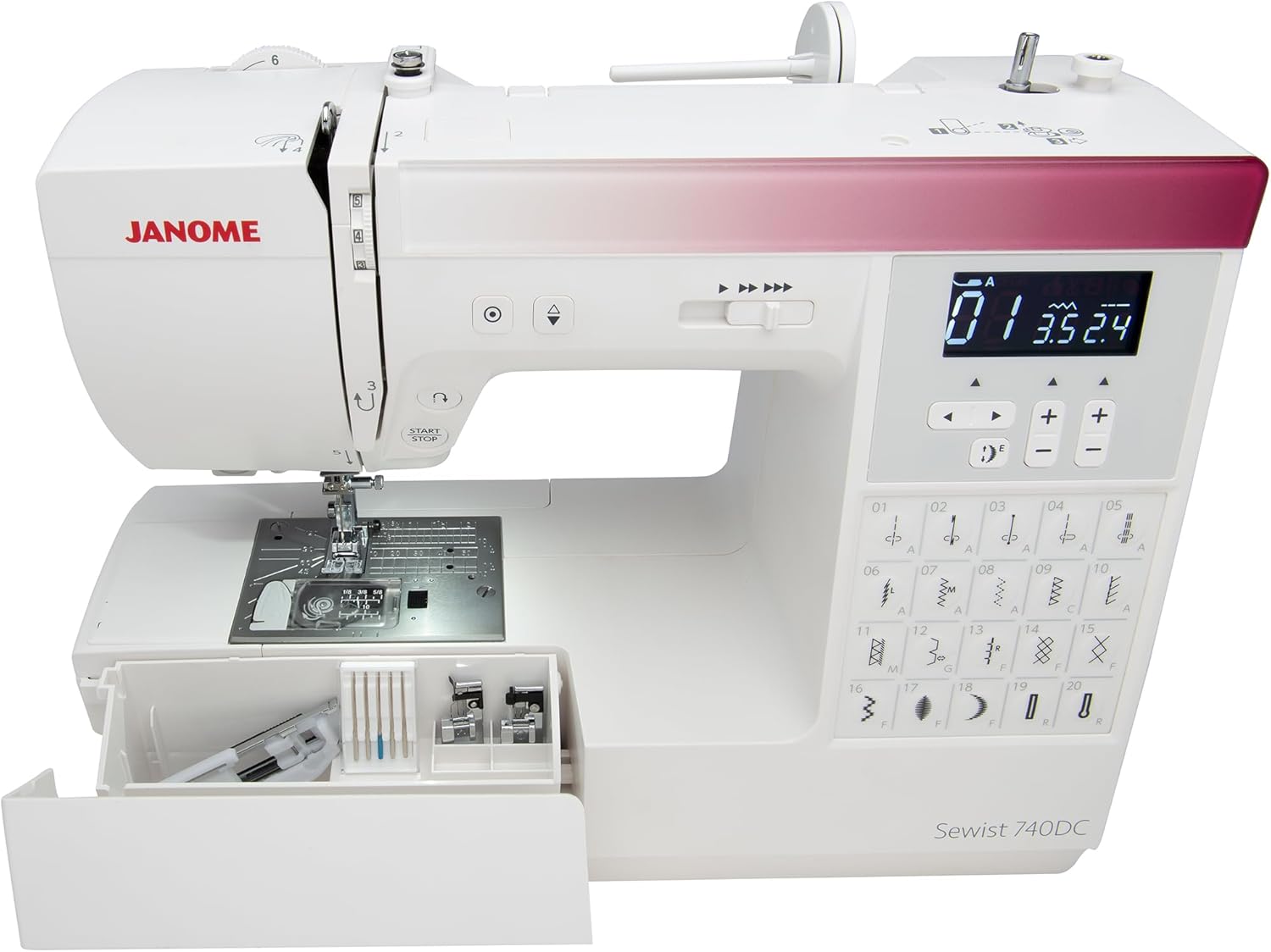
Figure 4: Machine with accessory drawer open, showing free arm capability.
Handling Heavy Fabrics
The Janome Sewist 740DC is designed to handle a variety of fabric weights, including multiple layers of denim. Its 7mm stitch width and robust feed dog system contribute to its ability to sew through thicker materials effectively. Ensure you use the appropriate needle type and size for heavy fabrics.

Figure 5: Needle plate and feed dogs.
Maintenance
Cleaning
Regular cleaning is essential for optimal machine performance. Use the provided lint brush to remove lint and dust from the bobbin area, feed dogs, and tension discs. It is recommended to clean the machine after every few hours of sewing or after completing a large project.
Needle Replacement
Replace the needle frequently, especially when starting a new project or if you notice skipped stitches or fabric damage. Always use the correct needle type and size for your fabric.
Storage
When not in use, store the machine in a dry, dust-free environment. Use the hard cover to protect it from dust and physical damage.
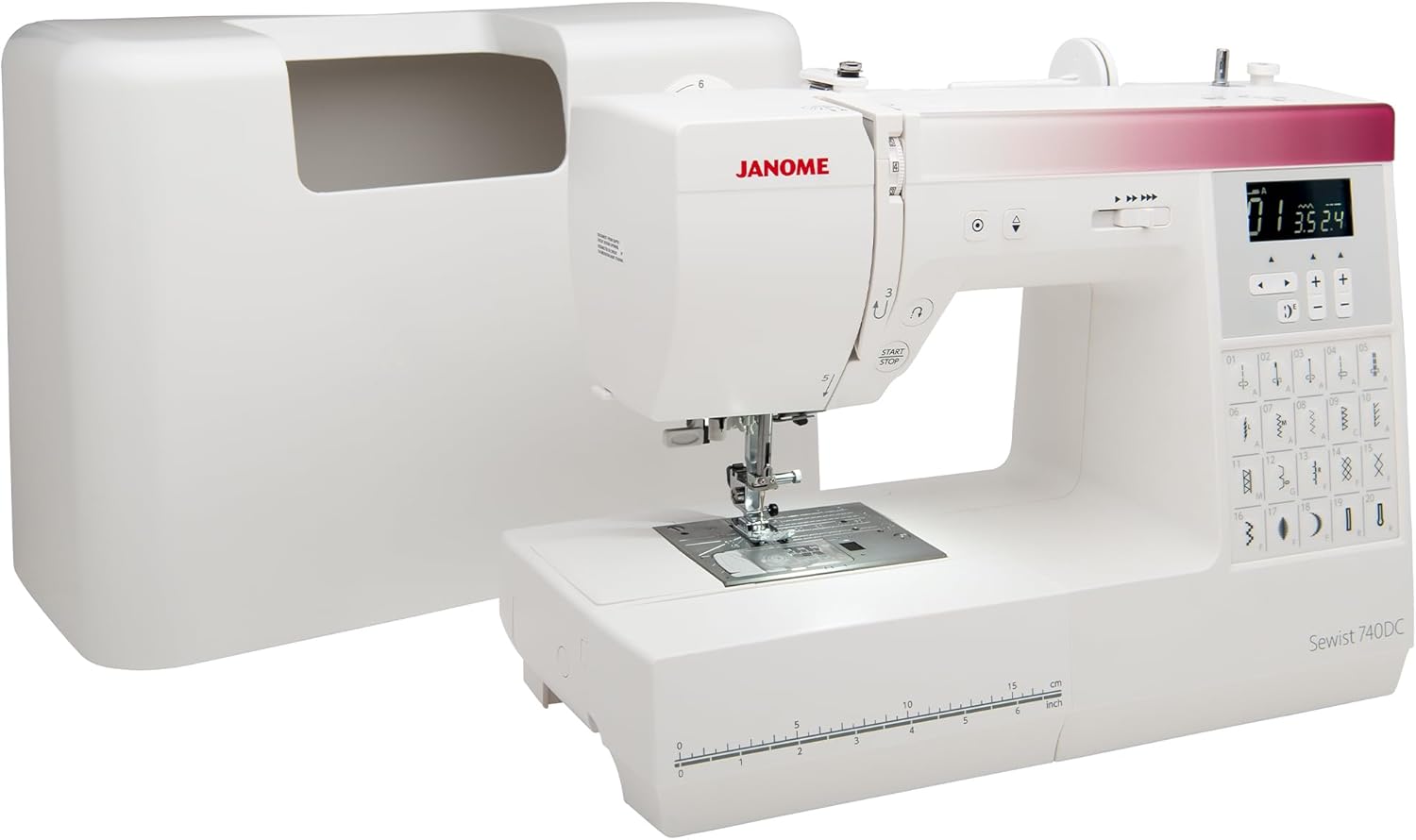
Figure 6: Machine with hard cover for protection.
Troubleshooting
This section addresses common issues you might encounter during operation. For more detailed troubleshooting, refer to the full instruction book.
Skipped Stitches
- Ensure the needle is inserted correctly and is not bent or dull.
- Verify that the machine is threaded properly, both the upper thread and the bobbin thread.
- Use the correct needle type and size for your fabric.
- Check the thread tension settings.
Thread Breakage
- Check for incorrect threading or improper bobbin insertion.
- Ensure the thread is not tangled or caught on the spool pin.
- Inspect the needle for burrs or damage.
- Adjust the upper thread tension if it is too tight.
Uneven Stitching
- Verify that the upper and bobbin thread tensions are balanced.
- Ensure the presser foot is appropriate for the stitch and fabric.
- Check for proper fabric feeding; do not pull or push the fabric forcefully.
Specifications
| Feature | Detail |
|---|---|
| Brand | Janome |
| Model Number | Sewist 740DC |
| Product Dimensions | 7"D x 16"W x 11.9"H (17.8 x 40.6 x 30.2 cm) |
| Item Weight | 18 pounds (8.16 kg) |
| Stitch Count | 40 Built-in Stitches |
| Buttonhole Styles | 3 One-Step Buttonholes |
| Display | Backlit LCD Screen |
| Needle Threader | Built-in |
| Bobbin System | Easy Set Bobbin, Auto Bobbin Winder |
| Manufacturer | Janome |
| Color | White |

Figure 7: Product dimensions.
Warranty and Support
This product is listed as "Renewed." Specific warranty details for renewed products may vary. Please refer to your purchase documentation for precise warranty information.
Return Policy
A 90-day return policy (refund/replacement) is typically offered for this renewed product. Please confirm the exact terms with your retailer.
Protection Plans
Optional protection plans are available for extended coverage:
- 3-Year Protection Plan
- 4-Year Protection Plan
For detailed information on these plans, please consult the retailer or plan provider.
Customer Support
For technical assistance, service, or parts, please contact Janome customer support or your authorized Janome dealer. Contact information can typically be found on the manufacturer's official website or in the full instruction manual included with your machine.
Instructional Videos
No relevant instructional videos specifically for the Janome Sewist 740DC sewing machine were provided by the seller in the available data. Please refer to the included physical instruction manual or the official Janome website for video tutorials.


