
Introduction
Thank you for choosing the BRIGHTWORLD XXQT-01 5.9-inch Galaxy Moon Lamp. This manual provides essential information for the safe and effective use of your new lamp. Please read these instructions carefully before operation and retain them for future reference.
Package Contents
- 1 x BRIGHTWORLD 5.9-inch Galaxy Moon Lamp
- 1 x Wooden Base (assembly required)
- 1 x USB Charging Cable
- 1 x Remote Control

Setup Instructions
1. Assemble the Wooden Base
The wooden base consists of three interlocking pieces. Carefully slide the pieces together to form a stable triangular stand. Ensure the 'BRIGHTWORLD' engraving is facing outwards for proper orientation.

2. Place the Moon Lamp on the Base
Gently place the 5.9-inch Galaxy Moon Lamp onto the assembled wooden base. The charging port on the bottom of the lamp should be accessible.

Operating Instructions
1. Power On/Off
To turn the lamp on or off, use either the touch control or the remote control.
2. Touch Control
Locate the metal ring at the bottom of the lamp, near the charging port. A single touch to this metal ring will cycle through 7 different colors. Press and hold the metal ring to adjust the brightness of the current color.

3. Remote Control
The included remote control offers more extensive functionality:
- Power Button: Turn the lamp on or off.
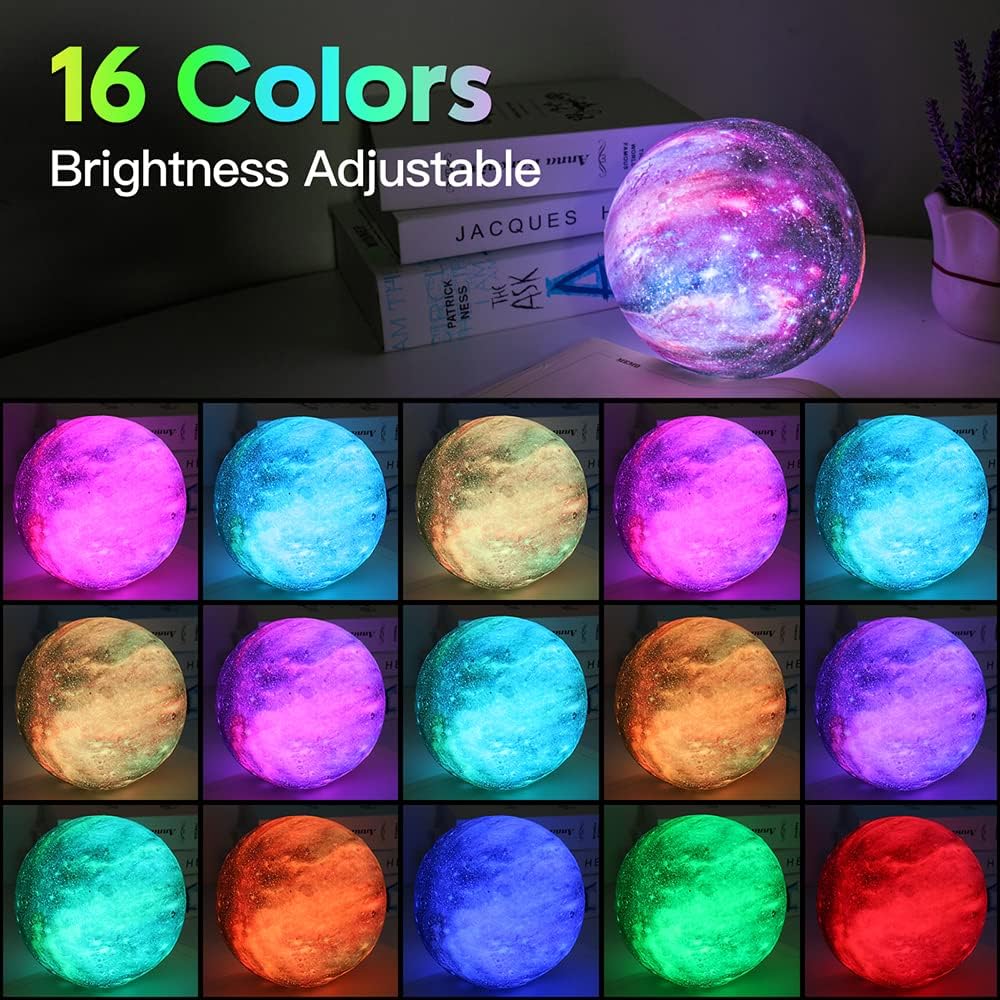
- Color Selection: Choose from 16 distinct colors directly.
- Brightness Adjustment: Increase or decrease the light intensity.
- Mode Selection: Select various lighting modes such as Flash, Strobe, Fade, or Smooth for automatic color transitions.
4. Color Modes and Brightness
The lamp supports 16 colors via remote control and 7 colors via touch control. You can set it to display a single color or to transition automatically through multiple colors. Brightness is adjustable to suit your preference.
Charging the Lamp
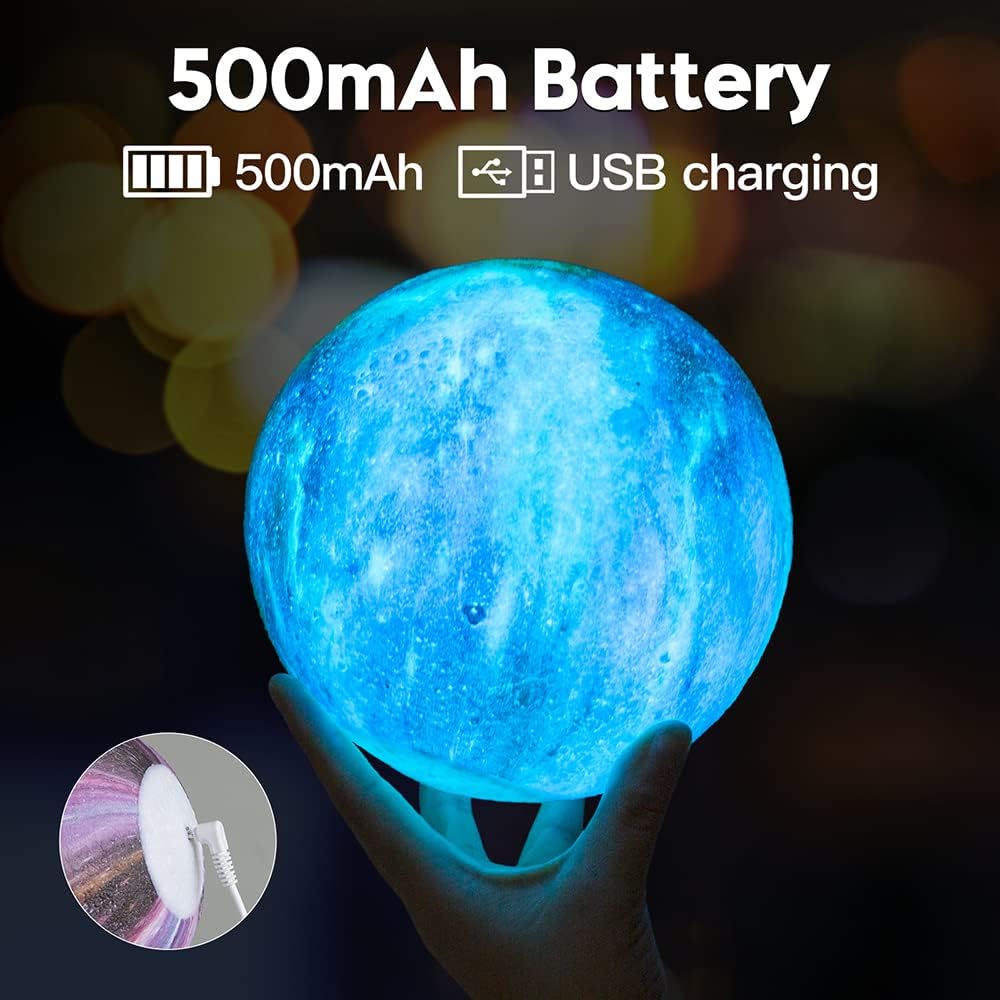
The moon lamp features a built-in 500mAh rechargeable battery. To charge, connect the provided USB cable to the charging port at the bottom of the lamp and plug the other end into a standard USB power adapter (not included).
- A full charge takes approximately 3 hours.
- The lamp can operate for 4-12 hours on a full charge, depending on the selected brightness level.
- The lamp can be used normally while charging.
Maintenance
- To clean the lamp, gently wipe it with a soft, dry cloth. Do not use abrasive cleaners or immerse the lamp in water.
- Keep the lamp away from direct sunlight and high temperatures to prevent damage to the battery and materials.
- Store the lamp in a cool, dry place when not in use for extended periods.
Troubleshooting
- Lamp does not turn on: Ensure the battery is charged. Connect the USB cable and allow it to charge for at least 30 minutes before attempting to turn it on again.
- Remote control not working: Check if the remote control's battery needs replacement. Ensure there are no obstructions between the remote and the lamp.
- Inconsistent touch response: Ensure your finger is making full contact with the metal ring. Clean the metal ring if necessary.
- Short battery life: Ensure the lamp is fully charged (3 hours). High brightness settings will consume battery faster.
Specifications
| Feature | Specification |
|---|---|
| Model Number | XXQT-01 |
| Product Dimensions | 5.9"D x 5.9"W x 5.9"H |
| Item Weight | 16 Ounces (1 pound) |
| Material | ABS/PVC |
| Light Source Type | LED |
| Number of Light Sources | 1 |
| Color Options | 16 (Remote), 7 (Touch) |
| Control Method | Remote, Touch |
| Special Feature | Dimmable |
| Power Source | Battery Powered (Rechargeable) |
| Battery Type | 1 Lithium Polymer battery (included) |
| Battery Capacity | 500mAh |
| Charging Time | Approx. 3 hours |
| Usage Time | 4-12 hours (depending on brightness) |
| Voltage | 5 Volts |
| Wattage | 1.5 watts |
| Indoor/Outdoor Usage | Indoor |
| Is Waterproof | False |
Warranty and Support
For warranty information or technical support, please refer to the contact details provided with your purchase or visit the official BRIGHTWORLD website. Keep your purchase receipt as proof of purchase.