1. Product Overview
The VOLANTEXRC Phoenix2400 is a high-performance RC glider plane designed for both experienced pilots and those looking to advance their RC flying skills. This Plug-N-Play (PNP) version includes the airframe with pre-installed servos, brushless motor, and brushless Electronic Speed Controller (ESC). Please note that a radio transmitter, receiver, battery, and charger are not included and must be purchased separately.

Image 1.1: The VOLANTEXRC Phoenix2400 RC Glider Plane.

Image 1.2: This PNP version does not include a remote, battery, or charger.
The Phoenix2400 features an innovative unibody plastic fuselage for durability and a 1.6-meter wingspan for excellent gliding performance. Preinstalled flaps enhance takeoff and landing, while folding propellers minimize drag during unpowered flight, extending flight times.
2. Safety Information
Operating a remote control aircraft requires caution and adherence to safety guidelines to prevent injury or damage. This product is recommended for individuals aged 14 years and up.
2.1 General Safety Precautions
- Always operate the aircraft in open areas, away from people, buildings, trees, and power lines.
- Do not fly in strong winds, rain, or other adverse weather conditions.
- Ensure all control surfaces move freely and correctly before each flight.
- Always turn on your transmitter first, then connect the aircraft battery. Disconnect the aircraft battery first, then turn off your transmitter.
- Never attempt to catch a flying aircraft.
- Keep hands and loose clothing away from the propeller when the battery is connected.
2.2 Battery Safety (User-Supplied)
- Use only recommended LiPo batteries and chargers.
- Never overcharge or over-discharge LiPo batteries.
- Store batteries in a fire-safe container and away from flammable materials.
- Inspect batteries for damage before each use. Discontinue use if damaged.
3. Package Contents
The VOLANTEXRC Phoenix2400 PNP package includes the following components:
- Phoenix2400 Airframe (Fuselage, Wings, Tail Sections)
- Pre-installed Brushless Motor (BL 2212/1400KV)
- Pre-installed Brushless ESC (30A)
- 4 x 9g Servos (pre-installed)
- Propeller and Spinner
- Small parts and accessories for assembly
Items Required (Not Included):
- Radio Transmitter (minimum 4-channel recommended)
- Compatible Receiver
- LiPo Battery (e.g., 3S 1300-2200mAh)
- LiPo Battery Charger
4. Assembly and Setup
The Phoenix2400 is designed for quick and easy assembly. Follow these steps to prepare your glider for flight.
4.1 Wing Assembly
- Carefully slide the left and right wing halves onto the fuselage.
- Ensure the wing spars are properly seated within the fuselage and wing sections.
- Secure the wings using the fast connecting wing clips or other provided mechanisms. The 'Plug & Click' system ensures a secure fit.

Image 4.1: The durable unibody plastic fuselage and easy wing mounting system.
4.2 Tail Assembly
- Attach the horizontal stabilizer and vertical fin to the rear of the fuselage as per the diagrams.
- Ensure control horns are correctly installed and pushrods are connected to the respective servos.
4.3 Receiver and Battery Installation
- Open the canopy hatch on the fuselage.
- Install your compatible receiver, connecting the servo leads (ailerons, elevator, rudder) and ESC lead to the correct channels. Refer to your receiver's manual for specific connections.
- Place your charged LiPo battery into the battery compartment. Adjust its position to achieve the recommended Center of Gravity (CG). The CG marks are typically located under the wings.
- Secure the battery to prevent movement during flight.

Image 4.2: The Plug & Click Easy Mounting System simplifies wing attachment.
4.4 Control Surface Checks
- With the transmitter on and aircraft battery connected, verify that all control surfaces (ailerons, elevator, rudder) respond correctly to your transmitter inputs.
- Ensure the direction of movement is correct (e.g., pulling back on the elevator stick should cause the elevator to move up). Reverse channels on your transmitter if necessary.
5. Operating Instructions
The Phoenix2400 is designed for smooth gliding and capable of basic aerobatics. Always perform pre-flight checks before each flight.
5.1 Pre-Flight Checklist
- Ensure transmitter and aircraft batteries are fully charged.
- Verify all control surfaces move freely and correctly.
- Check propeller for any damage.
- Confirm the Center of Gravity (CG) is within the recommended range.
- Check for any loose connections or components.
5.2 Takeoff
The Phoenix2400 can be hand-launched or launched from a smooth surface. For hand-launch, hold the fuselage firmly, apply full throttle, and gently push the aircraft forward and slightly upwards into the wind. The preinstalled flaps can provide added lift during takeoff.

Image 5.1: Preinstalled flaps provide additional lift for takeoff and landing.
5.3 Flight Characteristics
The Phoenix2400 is a stable glider, offering a relaxing flight experience. Its efficient design allows for extended flight times, especially when soaring. The folding propeller minimizes drag when the motor is off, enhancing gliding performance.
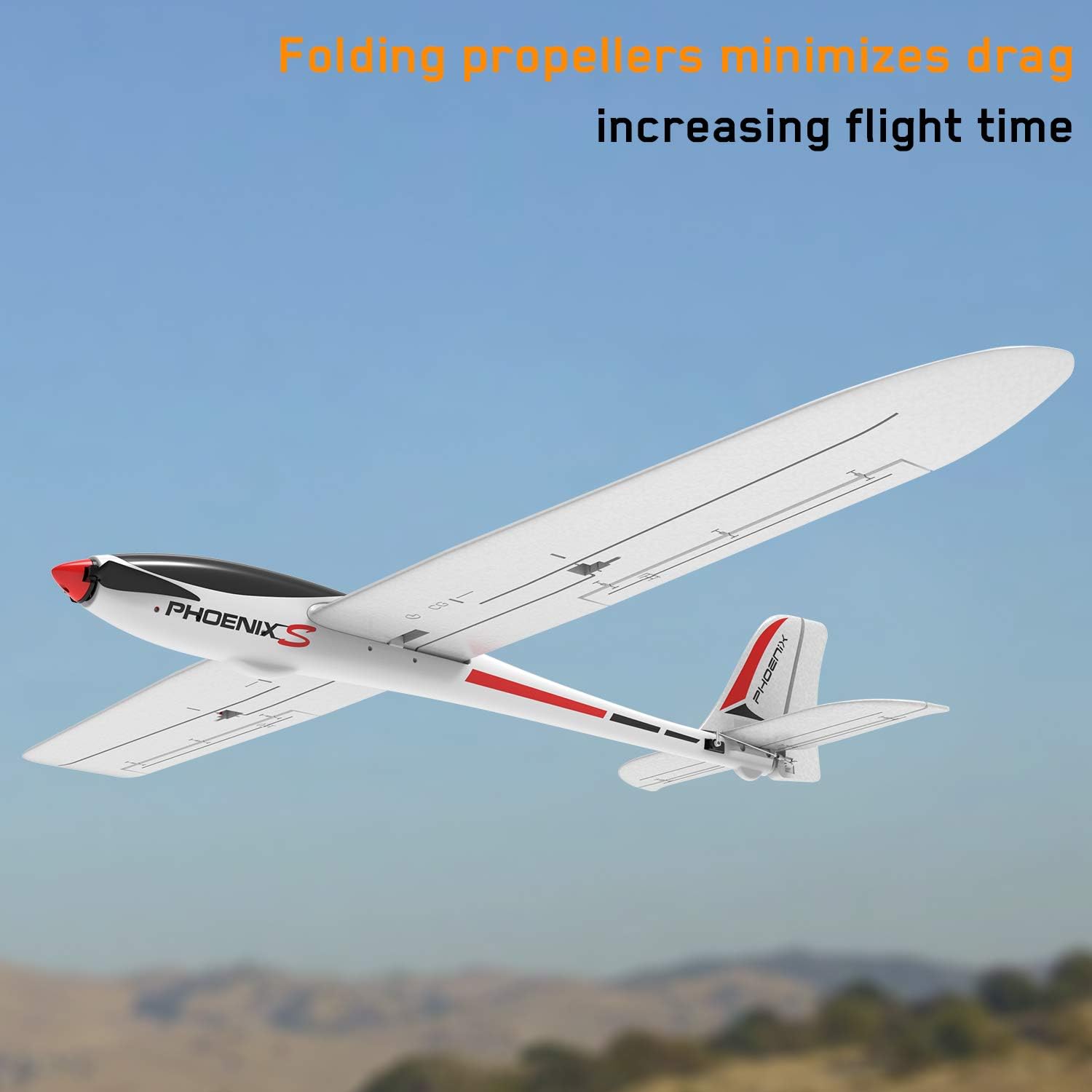
Image 5.2: Folding propellers reduce drag during gliding, increasing flight time.
The aircraft is also capable of performing various aerobatic maneuvers, including 360-degree rotations, once you are comfortable with its basic flight controls.

Image 5.3: The Phoenix2400 is capable of performing 360-degree aerobatic maneuvers.
5.4 Landing
Approach the landing area into the wind. Reduce throttle and gradually decrease altitude. Use the elevator for pitch control and ailerons/rudder for directional control. Gently flare just above the ground to achieve a smooth touchdown. The preinstalled flaps can assist in slowing the aircraft for a controlled descent.
6. Maintenance
Regular maintenance ensures the longevity and optimal performance of your Phoenix2400 glider.
6.1 Post-Flight Inspection
- Inspect the airframe for any cracks, dents, or damage, especially after hard landings. The unibody plastic fuselage is designed to be crack-resistant.
- Check all control linkages and hinges for looseness or damage.
- Ensure the propeller is securely attached and free from damage.
- Verify motor and ESC connections are secure.
6.2 Cleaning and Storage
- Clean the aircraft with a soft, damp cloth. Avoid using harsh chemicals.
- Store the aircraft in a cool, dry place, away from direct sunlight and extreme temperatures.
- If storing for an extended period, remove the battery from the aircraft.
7. Troubleshooting
This section addresses common issues you might encounter with your Phoenix2400 glider.
| Problem | Possible Cause | Solution |
|---|---|---|
| Aircraft does not respond to controls | Transmitter/receiver not bound; low battery; loose connections; damaged receiver/servos. | Ensure binding procedure is followed. Check battery charge. Verify all connections. Inspect receiver and servos for damage. |
| Motor not spinning | Low battery; ESC not armed; motor/ESC damage; loose connections. | Charge battery. Ensure throttle is at zero before connecting battery. Check motor and ESC connections. Consult ESC manual for arming sequence. |
| Short flight time | Battery not fully charged; old/damaged battery; inefficient flying; propeller damage. | Ensure battery is fully charged. Replace old batteries. Practice efficient gliding. Inspect and replace damaged propeller. |
| Aircraft flies erratically | Incorrect CG; control surface trim issues; damaged control surfaces/linkages; strong wind. | Adjust battery position for correct CG. Adjust trims on transmitter. Inspect and repair control surfaces. Avoid flying in strong winds. |
If you encounter issues not listed here, refer to the manuals for your specific radio transmitter, receiver, and battery charger, or contact VOLANTEXRC customer support.
8. Specifications
Detailed specifications for the VOLANTEXRC Phoenix2400 RC Glider Plane:
- Model: A742-7-PNP
- Wingspan: 1600mm (63.0 inches)
- Length: 1160mm (45.7 inches)
- Flying Weight: 798g
- Servos: 4 x 9g
- Motor: BL 2212/1400KV Brushless Motor
- ESC: 30A Brushless ESC
- Fuselage Material: Durable Unibody Plastic
- Recommended Age: 14 years and up
- Manufacturer: EXHOBBY LIMITTED

Image 8.1: Key dimensions of the Phoenix2400 glider.
9. Warranty and Support
For warranty information, technical support, or replacement parts, please contact VOLANTEXRC customer service directly. Details can typically be found on the manufacturer's official website or through your point of purchase.
You can also visit the official VOLANTEXRC store for more products and information: VOLANTEXRC Store.


