
Anker AK-A1239011
Anker PowerCore 10000 PD Redux User Manual
Model: AK-A1239011
1. Overview
The Anker PowerCore 10000 PD Redux is a compact and powerful portable charger designed to keep your devices powered throughout the day. With its 10000mAh capacity and 18W Power Delivery, it offers fast and efficient charging for a wide range of smartphones, tablets, and other USB-powered devices.
Key Features:
- Small Size, Big Power: Provides more than two charges for iPhone XS or Galaxy S10, and over one charge for iPad mini 5.
- Triple Charging Modes: Features an 18W Power-Delivery USB-C port, a PowerIQ-enabled USB-A port, and a trickle-charging mode for low-power devices. Dual USB ports allow simultaneous charging of two devices.
- Rapid Recharge: Power up your PowerCore in just 3 hours with a USB-C Power Delivery wall charger (not included).
- Quality Throughout: Boasts a sleek matte exterior and a cool-blue LED light-wheel to display battery level, ensuring premium design and durability.
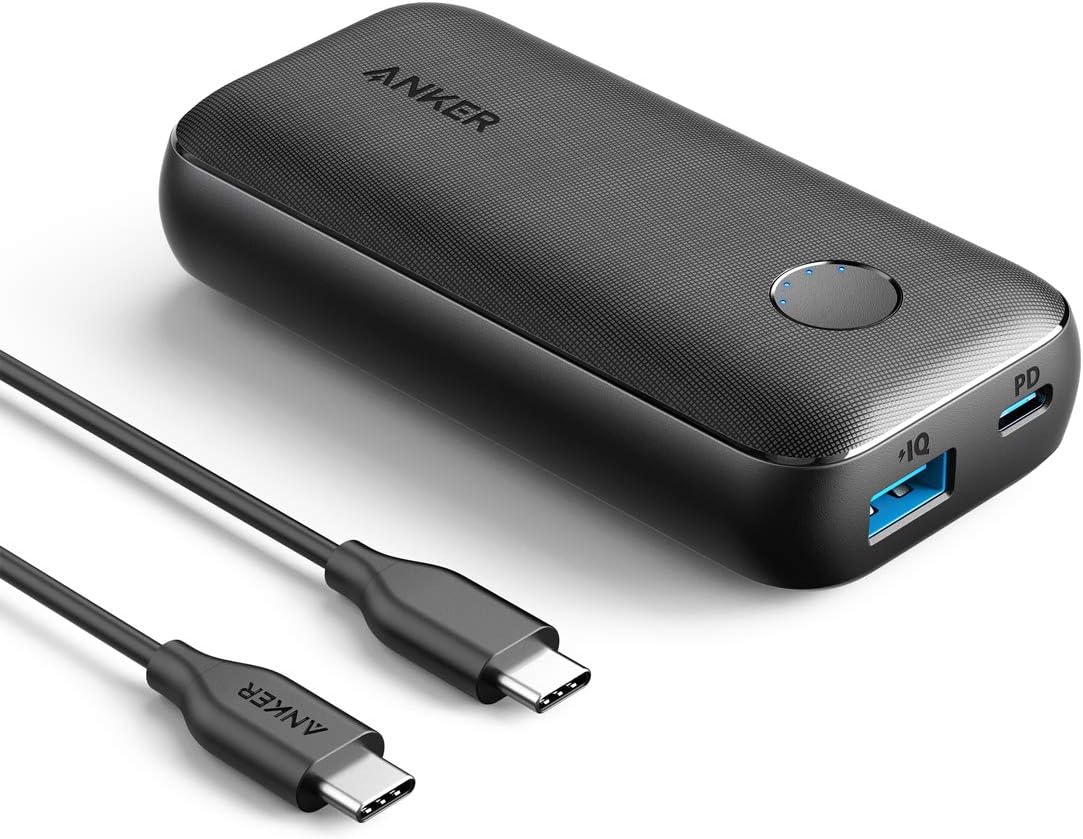
Image: The Anker PowerCore 10000 PD Redux portable charger shown with its included USB-C to USB-C cable.
2. Setup
2.1 Charging Your PowerCore
Before first use, fully charge your PowerCore 10000 PD Redux. For the fastest recharge (approximately 3 hours), use an 18W USB Power Delivery wall charger (not included) with the provided USB-C to USB-C cable. Recharging via a standard USB-A charger and USB-A to USB-C cable (both not included) will take approximately 9 hours.
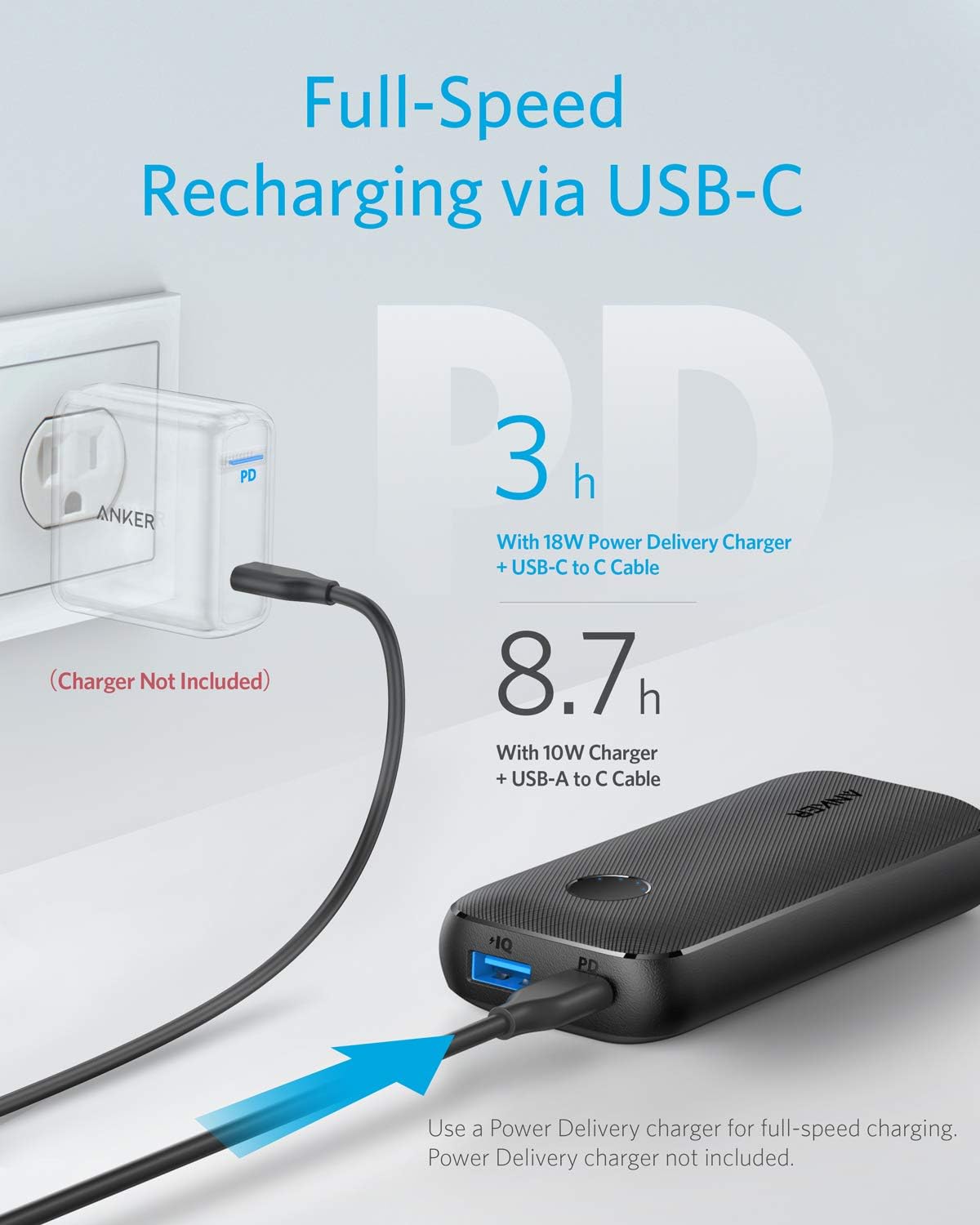
Image: Illustration demonstrating the full-speed recharging process of the PowerCore via a USB-C Power Delivery wall charger (not included).
2.2 Checking Battery Level
Press the circular button on the PowerCore to illuminate the cool-blue LED light-wheel, indicating the remaining battery level.
3. Operating Instructions
3.1 Charging Your Devices
Connect your device to the PowerCore using an appropriate charging cable. You can use either the USB-C Power Delivery port for fast charging compatible devices or the PowerIQ-enabled USB-A port.
- USB-C Output (PD): DC 5V=3A, 9V=2A, 15V=1.2A (18W Max)
- USB Output (PowerIQ): DC 5V=2.4A (12W Max)
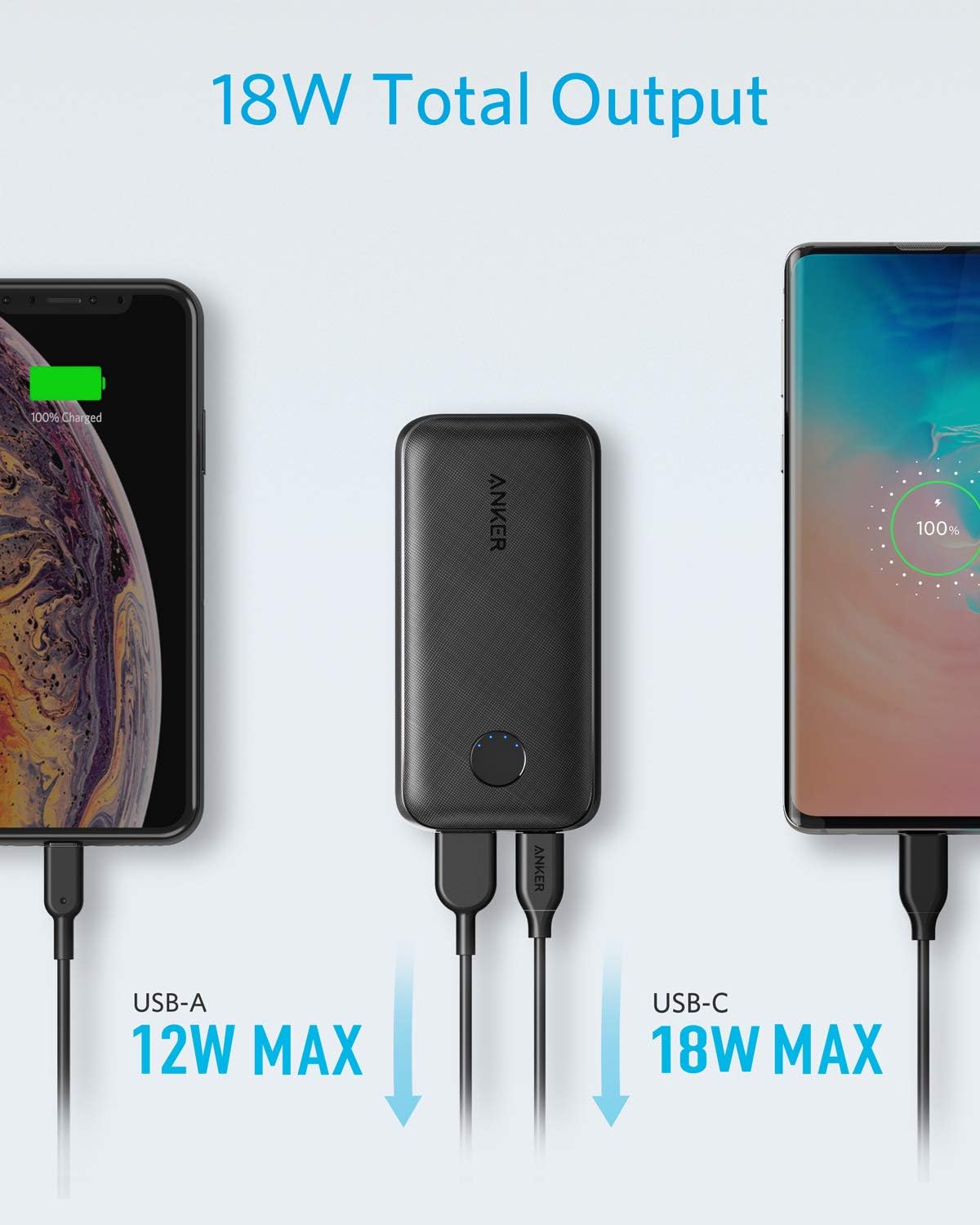
Image: Visual representation of the 18W total output, showing simultaneous charging via USB-A (12W Max) and USB-C (18W Max).

Image: The PowerCore charging an iPhone XS, highlighting its ability to reach 50% charge in 30 minutes with 18W Power Delivery.
3.2 Trickle-Charging Mode
For low-power devices like Bluetooth headphones or speakers, activate trickle-charging mode to ensure optimal charging without overcurrent. Refer to the product's quick start guide for specific activation steps if needed.
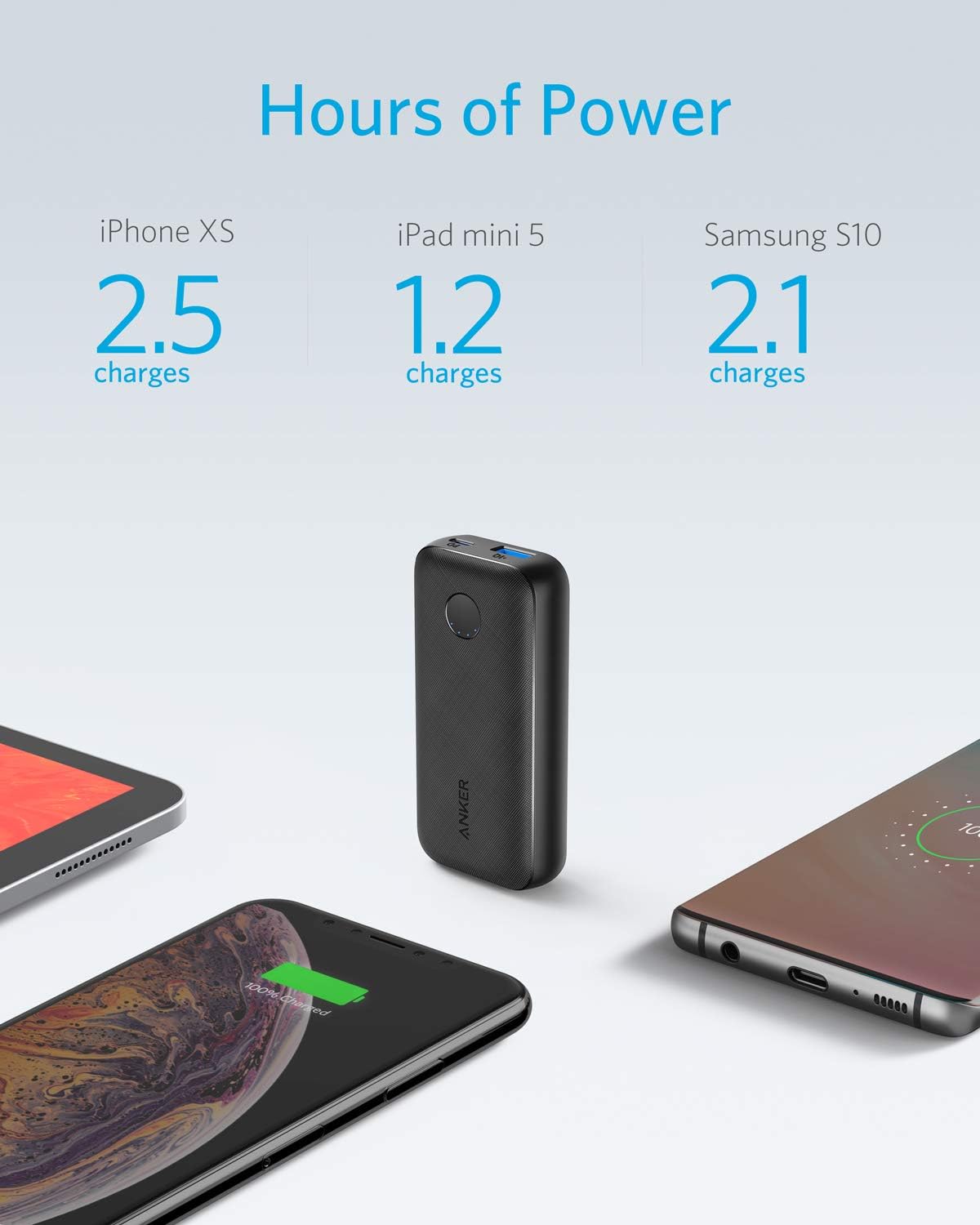
Image: A person holding the compact Anker PowerCore while it charges a smartphone, illustrating its portability.
4. Compatibility
4.1 Power Delivery Supporting Devices:
- iPhone 12, 12 Mini, 12 Pro, 12 Max Pro, 11, 11 Pro, 11 Pro Max, XS, XS Max, XR, X, 8 Plus, 8
- iPad Pro 2018
- Galaxy S10/S10+/S10e
- Google Pixel
- Nexus 6P
4.2 Incompatible Devices:
- HTC 10
- HP Spectre
- Dell XPS series laptop
- Dell Venue series laptop
- Asus series laptops / tablets
- Lenovo ThinkPad 470s and ThinkPad X1 tablets
- Huawei Matebooks, Mi books
- Some USB-C devices which require an input over 18W may not be compatible.

Image: A chart illustrating the universal compatibility of the PowerCore with various devices including iPad Pro, Samsung S10/S9/S8, LG G7/V30+, iPhone X/XS/XR, iPhone 8/8 Plus, and iPad Pro 10.5".
5. Maintenance
To ensure the longevity and optimal performance of your Anker PowerCore 10000 PD Redux, follow these maintenance guidelines:
- Store the power bank in a cool, dry place away from direct sunlight and extreme temperatures.
- Avoid dropping or subjecting the device to strong impacts.
- Clean the exterior with a soft, dry cloth. Do not use harsh chemicals or abrasive materials.
- Disconnect your USB-C to Lightning cable when not in use to avoid draining the battery.
6. Troubleshooting
If you encounter issues with your Anker PowerCore, refer to the following common problems and solutions:
- PowerCore not charging: Ensure you are using an 18W USB PD charger and the included USB-C to USB-C cable for optimal charging. Check all connections.
- Device not charging or charging slowly:
- Ensure the PowerCore has sufficient charge (at least 2 LEDs illuminated when charging an iPad).
- Verify that your charging cable is not damaged and is compatible with both the PowerCore and your device.
- Try using a different port on the PowerCore.
- For low-power devices, ensure trickle-charging mode is activated.
- PowerCore draining quickly: Disconnect any cables from the PowerCore when it is not in use to prevent passive battery drain.
7. Specifications
| Product Dimensions | 4.17 x 2.05 x 0.98 inches |
| Item Weight | 7 ounces |
| Model Number | AK-A1239011 |
| Battery Type | 1 Lithium Ion battery required |
| Battery Capacity | 10000 Milliamp Hours |
| USB-C Input (PD) | DC 5V=3A, 9V=2A, 15V=1.2A |
| USB-C Output (PD) | DC 5V=3A, 9V=2A, 15V=1.2A |
| USB Output (PowerIQ) | DC 5V=2.4A |
| Total Power Output | 18W |
| Color | Black |
8. What's in the Box
Upon opening your Anker PowerCore 10000 PD Redux package, you should find the following items:
- Anker PowerCore 10000 PD Redux portable charger
- USB-C to USB-C cable
- Mesh travel bag
- Welcome guide
Note: Micro USB cable, USB-A to C cable, Lightning cable, and wall charger are not included.

Image: A visual display of the items included in the product box: the PowerCore unit, user manual, USB-C to USB-C recharging cable, and a mesh bag.
9. Warranty & Support
Anker provides an 18-month worry-free warranty for the PowerCore 10000 PD Redux. For any product-related inquiries, technical support, or warranty claims, please contact Anker customer service through their official website or the retailer where the product was purchased. Our friendly customer service team is ready to assist you.
Ask a question about this manual
Ask about setup, troubleshooting, compatibility, parts, safety, or missing instructions. Manuals+ will review the question and use this page’s manual context to help answer it.