
JSAUX CC0023
JSAUX Micro USB Cable User Manual
Model: CC0023
Brand: JSAUX
1. Product Overview
The JSAUX Micro USB Cable is designed for high-speed charging and data synchronization for a wide range of Micro USB compatible devices. This durable cable features a nylon braided exterior and reinforced connectors, engineered for longevity and reliable performance. It supports fast charging up to 2.4A and data transfer speeds up to 480Mbps.

Image: Two JSAUX Micro USB cables, highlighting their robust construction.
2. Key Features
- High-Speed Charging: Supports up to 2.4A for efficient power delivery to compatible devices.
- Fast Data Sync: Achieves data transfer speeds of up to 480Mbps, enabling quick file transfers.
- Enhanced Durability: Constructed with premium nylon braiding and special strain relief design, capable of withstanding over 20,000 bending tests.
- Anti-Break Design: Features upgraded 3D aluminum connectors and exclusive laser welding technology to prevent metal part breakage.
- Tangle-Free: The braided design helps prevent tangles, making the cable easy to store and use.
- Optimal Length: Includes a 6.6ft and a 10ft cable, providing flexibility for various charging and syncing needs.

Image: Fast Charging and Data Transfer Capabilities.
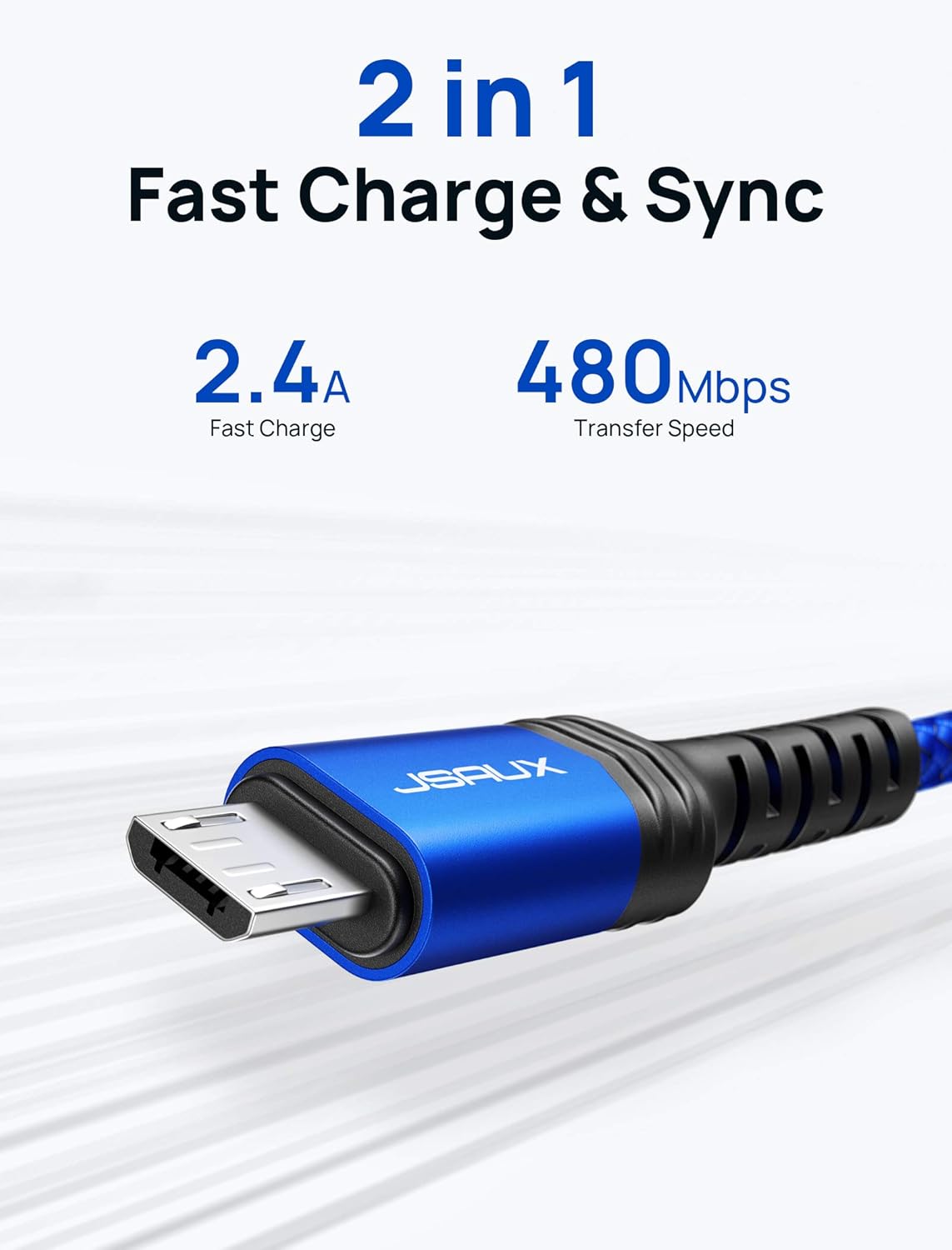
Image: Cable undergoing a bending test, demonstrating its durability.
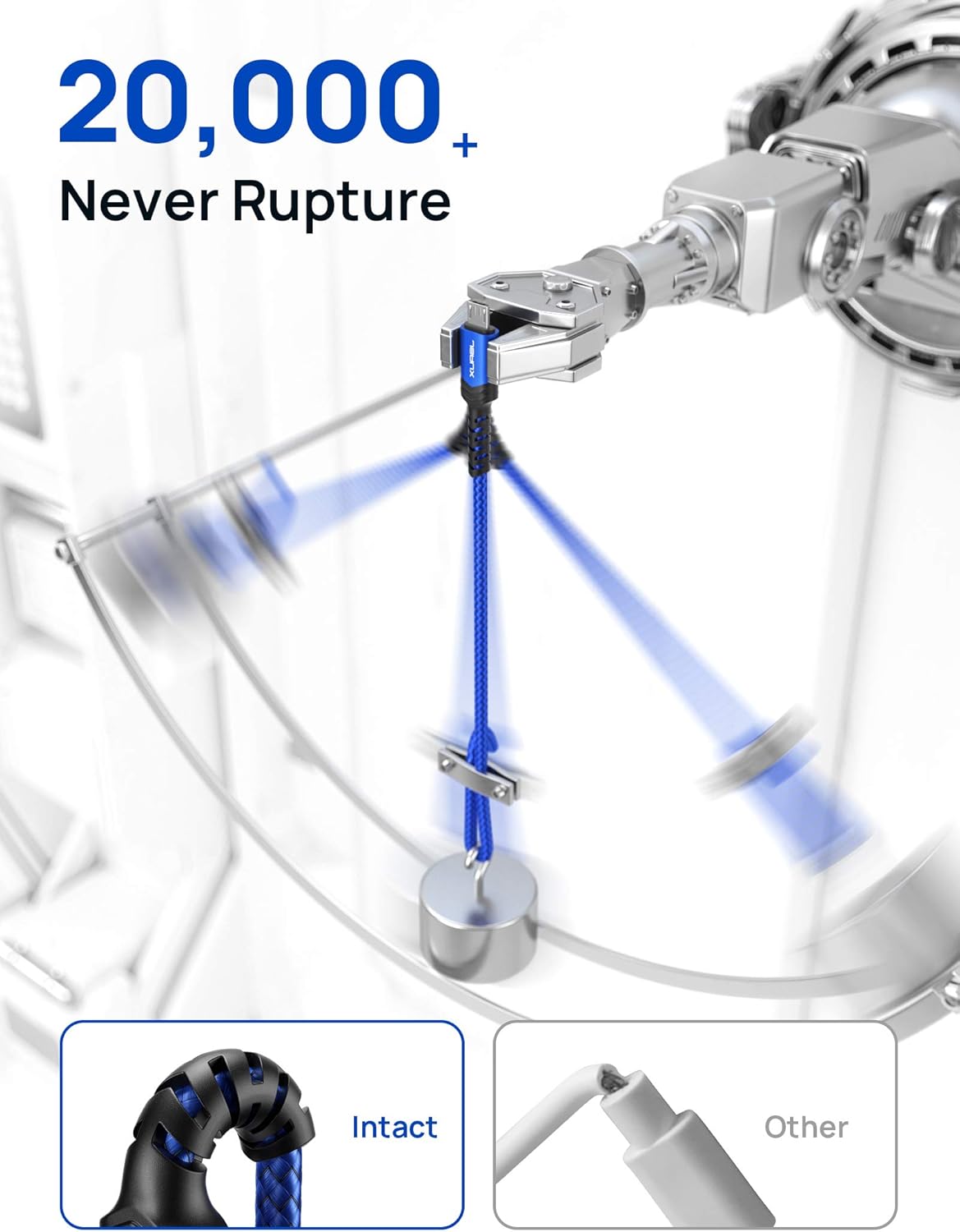
Image: Detail of the anti-break connector design.
3. Compatibility
This Micro USB cable is universally compatible with all devices featuring a Micro USB port. Please ensure your device has a Micro USB port before purchase.
Compatible Devices Include:
- Samsung Galaxy S7 Edge/S7/S6 Edge/S6/S4/S3
- Samsung Note 5/Note 4/Note3/J3/J7
- Samsung Tab 4/Tab 3/Tab A/Tab E/Tab S2/Tab S/Tab Pro
- LG G4/G4 Stylus/G3/G3 Stylus/G2/V10/K10
- Kindle e-readers
- PS4/Xbox controllers
- Bluetooth Speakers
- MP3 Players
- Portable Chargers
- And other Micro USB devices

Image: Examples of devices compatible with the JSAUX Micro USB cable.
4. Setup
Setting up your JSAUX Micro USB Cable is straightforward:
- Identify the correct ports on your devices. The cable has a standard USB-A connector on one end and a Micro USB connector on the other.
- For charging, insert the USB-A end into a compatible USB wall charger, power bank, or computer USB port.
- Insert the Micro USB end into the Micro USB port of your device (e.g., smartphone, tablet, e-reader).
- For data transfer, connect the USB-A end to a computer's USB port and the Micro USB end to your device. Your computer should recognize the device automatically.

Image: Visual guide for identifying USB-A and Micro USB connectors.
5. Operating Instructions
Charging Your Device:
- Connect the Micro USB cable to a power source and your device as described in the Setup section.
- Ensure the power source is active.
- The device's charging indicator should activate, confirming it is receiving power.
Transferring Data:
- Connect the Micro USB cable between your device and a computer.
- On your device, you may be prompted to select a USB connection mode (e.g., "File Transfer," "MTP," "PTP"). Select the appropriate mode for data transfer.
- Access your device's storage from your computer's file explorer to transfer files.
6. Maintenance
To ensure the longevity and optimal performance of your JSAUX Micro USB Cable, follow these maintenance guidelines:
- Avoid Sharp Bends: While the cable is designed for durability, extreme or repeated sharp bends, especially near the connectors, should be avoided to prevent internal damage.
- Proper Storage: When not in use, coil the cable loosely. The included sticky buckles can be used to keep the cable neatly organized and prevent tangling.
- Clean Connectors: Periodically inspect and gently clean the connectors with a dry, soft cloth to remove dust or debris that could affect connectivity.
- Protect from Pets: The nylon braided design offers enhanced resistance, but it is advisable to keep cables away from pets that may chew on them.
- Handle with Care: Always pull from the connector head, not the cable itself, when unplugging from devices or power sources.

Image: Cables neatly stored with included velcro straps.

Image: Cable resisting pet interaction, demonstrating its robust build.
7. Troubleshooting
If you encounter issues with your JSAUX Micro USB Cable, consider the following common solutions:
| Problem | Possible Cause | Solution |
|---|---|---|
| Device not charging | Loose connection, faulty power source, incompatible device. | Ensure both ends of the cable are securely connected. Try a different power adapter or USB port. Verify your device uses a Micro USB port. |
| Slow charging speed | Low-power USB port, device limitation, background apps. | Use a wall adapter with sufficient output (e.g., 2.4A). Close unnecessary background applications on your device. |
| Data transfer not working | Incorrect USB mode, driver issues, loose connection. | On your device, select "File Transfer" or "MTP" mode. Try connecting to a different USB port on your computer. Ensure the cable is fully inserted. |
| Cable appears damaged | Physical stress, extreme conditions. | Discontinue use if visible damage is present. Contact customer support for assistance. |
8. Specifications
| Specification | Detail |
|---|---|
| Brand | JSAUX |
| Model Number | CC0023 |
| Connector Type | Micro USB (Male-to-Male) |
| Cable Type | USB |
| Material | Nylon Braided Exterior |
| Current Output | Up to 2.4 Amps |
| Data Transfer Rate | Up to 480 Mbps (0.48 Gigabits Per Second) |
| Cable Lengths | 6.6 feet and 10 feet (Total 16.6 feet) |
| Color | Blue |
| Item Weight | 3.5 ounces |
| Dimensions | 6.6 x 0.2 x 0.2 inches (for 6.6ft cable) |
| Special Features | Braided, High Speed, Tangle Free, Strain Relief Design |
| Certification | UL |
9. Warranty and Support
JSAUX products are manufactured with high-quality standards. For information regarding warranty coverage, returns, or technical support, please refer to the official JSAUX website or contact their customer service directly. Keep your purchase receipt as proof of purchase for any warranty claims.
For further assistance, visit the JSAUX Store on Amazon.
Ask a question about this manual
Ask about setup, troubleshooting, compatibility, parts, safety, or missing instructions. Manuals+ will review the question and use this page’s manual context to help answer it.