
Amicool BT686
Amicool External DVD Drive User Manual
Model: BT686
Introduction
Welcome to the user manual for your Amicool External DVD Drive. This portable optical drive provides versatile read and write capabilities for CDs and DVDs, compatible with a wide range of operating systems and devices. Please read this manual carefully to ensure proper use and optimal performance of your device.
Product Features
- Wide Compatibility: Compatible with Windows XP/Vista/7/8.1/10, Linux, and all versions of MAC OS. For desktops, connect to a motherboard USB port.
- Plug & Play: No external driver or power supply needed. Simply plug into a USB port to begin use.
- High Speed USB 3.0: Supports DVD+R, DVD-R, CD-ROM, DVD-ROM, CD-R, CD-RW. Max DVD read speed 8X; Max CD read speed 24X; Max CD burn speed 8X. Compatible with USB 3.0 and backwards compatible with USB 2.0/1.0, offering faster data transmission (max 5Gbps).
- Portable Design: Slim, lightweight body with embedded cable design for easy portability.
- Multifunctional: Intelligent burning technology allows for reading, writing, and burning discs with ease. Features a pop-up button and disc tray design.
Package Contents
- 1 x Amicool External DVD Drive (Model BT686)
Setup Guide
Connecting Your Drive
The Amicool External DVD Drive is designed for plug-and-play functionality. Simply connect the integrated USB 3.0/USB-C cable from the drive directly to an available USB port on your computer. For desktop computers, it is recommended to connect the drive to a USB port located on the motherboard (usually at the back of the PC tower) to ensure stable power supply.
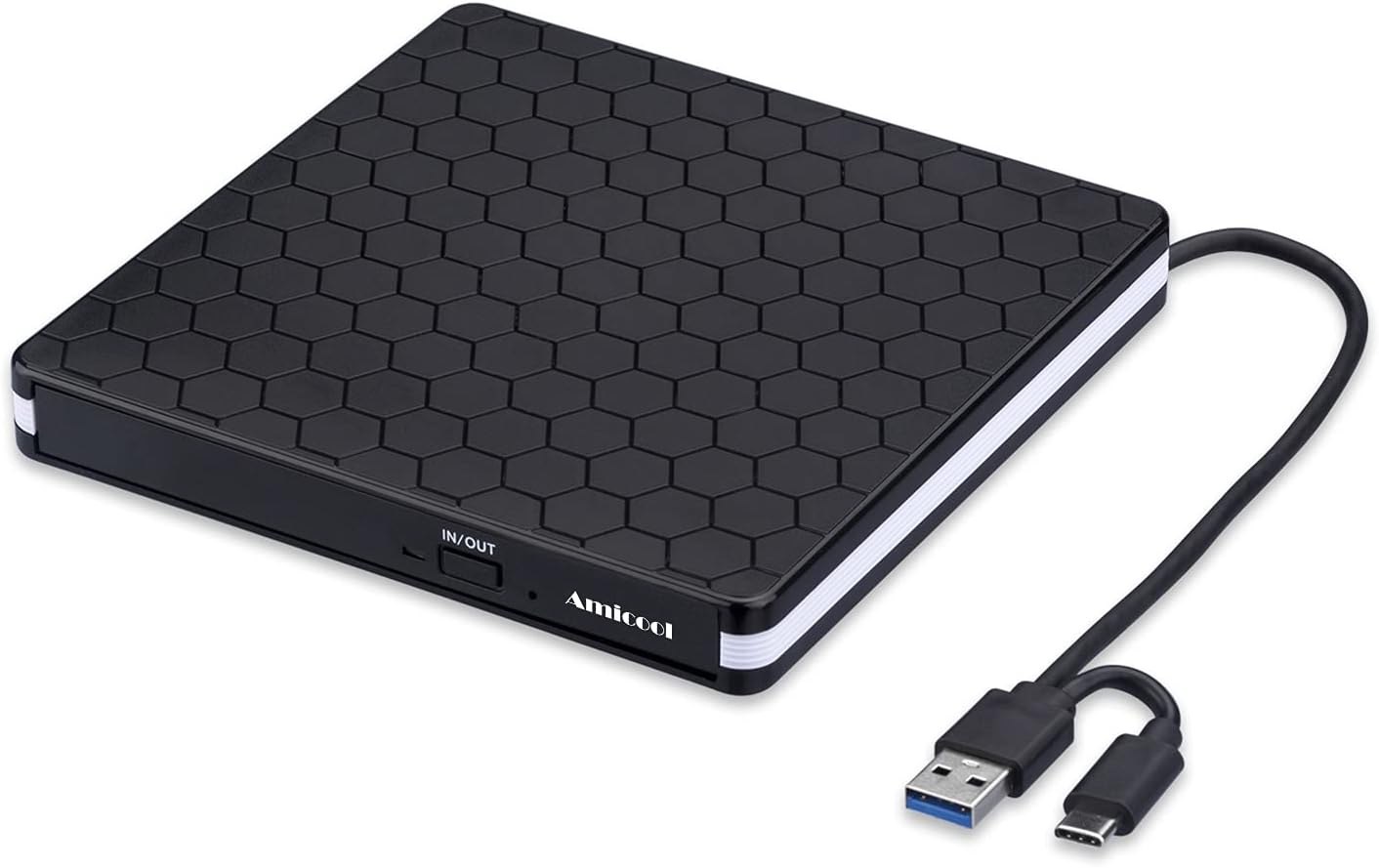
Image: The Amicool External DVD Drive with its integrated USB 3.0 and USB-C connectors, ready for connection.

Image: The drive connected to a laptop, demonstrating its plug-and-play nature for various tasks.
System Compatibility
This drive offers broad compatibility across various operating systems. Ensure your system meets the requirements for optimal performance.

Image: Visual representation of the drive's compatibility with different operating systems and computer types.
Operating Instructions
Reading Discs
- Connect the external DVD drive to your computer's USB port.
- Press the eject button on the front of the drive to open the disc tray.
- Carefully place your CD or DVD onto the tray, ensuring it is centered and sits flat.
- Gently push the tray back into the drive until it clicks shut.
- Your computer should automatically detect the disc. If not, navigate to 'This PC' or 'Finder' and open the drive.
Writing/Burning Discs
To write or burn data to a blank CD-R/RW or DVD-R/RW, you will need appropriate burning software installed on your computer (e.g., Windows Media Player, Nero, or other third-party applications). Follow the instructions provided by your chosen software for burning discs.
- Insert a blank, compatible disc into the drive as described above.
- Open your preferred disc burning software.
- Select the files or media you wish to burn.
- Follow the software's prompts to start the burning process.

Image: The drive's internal mechanism and highlighted performance features.
Maintenance and Care
- Keep the drive clean and free from dust. Use a soft, dry cloth to wipe the exterior.
- Avoid exposing the drive to extreme temperatures, humidity, or direct sunlight.
- Do not attempt to disassemble the drive. This will void the warranty.
- Store the drive in a safe place when not in use, ideally in its original packaging or a protective case.

Image: Dimensions and key physical features of the drive, including cable storage.
Troubleshooting
Common Issues and Solutions
- Drive Not Recognized: Ensure the drive is connected directly to a USB port on your computer, not through a USB hub or extension cable, as this may cause power issues. For desktops, use a motherboard USB port.
- Cannot Play/Burn Discs: Make sure you have a media player (e.g., VLC Media Player) or burning software (e.g., Nero) installed on your computer.
- Disc Ejection Issues (macOS): For iOS systems, use the Mac commands to eject the disk. Apple systems may refuse to perform the command made by the drive's physical eject button.
- Incompatibility: This drive is not compatible with Chrome OS, Blu-Ray discs, TVs, car systems, projectors, smartphones, tablets, MP3 players, or MP4 players.
- Region Code Issues: If experiencing problems reading certain DVDs, ensure your system's DVD region code matches that of the disc.

Image: Key notes and troubleshooting tips for the drive.

Image: Visual guide to devices and media types not supported by the drive.
Specifications
| Feature | Detail |
|---|---|
| Product Dimensions | 5.5 x 5.5 x 0.6 inches |
| Item Weight | 11.3 ounces |
| Item Model Number | BT686 |
| Operating System Compatibility | Linux, Windows, Mac |
| Special Features | Portable, DVD Burner, CD Burner |
| Hardware Interface | USB 3.0 (also USB-C compatible) |
| Optical Storage Write Speed | Max 24xCD / 8xDVD |
Warranty and Support
Amicool products are designed for reliability and performance. For information regarding warranty coverage, technical support, or service inquiries, please refer to the contact information provided with your product packaging or visit the official Amicool website. Please retain your proof of purchase for warranty claims.
Related documentsBT686

Ask a question about this manual
Ask about setup, troubleshooting, compatibility, parts, safety, or missing instructions. Manuals+ will review the question and use this page’s manual context to help answer it.