1. Introduction
Thank you for choosing the Hama EWS-3200 Wireless Weather Station. This device provides accurate indoor and outdoor temperature and humidity readings, weather forecasts, moon phase display, and a radio-controlled clock with alarm functions. Please read this manual carefully to ensure correct setup and operation.
2. Safety Instructions
- Protect the product from dirt, moisture, and overheating.
- Do not use the product in the immediate vicinity of heaters or other heat sources.
- Do not drop the product or expose it to severe shocks.
- Do not open the product and do not operate it if it is damaged.
- Keep this product, as all electrical products, out of the reach of children.
- Dispose of packaging material immediately according to locally applicable regulations.
- Batteries must be inserted with the correct polarity.
- Remove batteries from the product if it is not to be used for an extended period.
3. Package Contents
- 1 Hama EWS-3200 Weather Station (Base Unit)
- 1 Wireless Outdoor Sensor
- 3 AA Mignon Batteries (for Base Unit)
- 2 AAA Micro Batteries (for Outdoor Sensor)
- 1 Instruction Manual
4. Product Features
- Indoor and Outdoor Temperature/Humidity Display: Shows current conditions for both locations.
- DCF Radio Clock: Automatic time setting for the most accurate time display.
- Weather Forecast: Icons for sunny, partly cloudy, cloudy, rainy, and stormy conditions.
- Air Pressure Trend: Displays rising, stable, or falling air pressure.
- Moon Phase Display: Shows the current moon phase.
- Alarm Function: Two adjustable alarms, including a weekday alarm.
- Temperature Alarm: Individually adjustable alarm for outdoor temperature.
- Snooze Function: For temporary alarm interruption.
- Blue Backlight: For improved readability in low light.
- Max/Min Data Memory: Records highest and lowest temperature/humidity values.
- Battery Capacity Display: For both base station and outdoor sensor.
- Mounting Options: Can be wall-mounted or freestanding.
5. Setup
5.1 Battery Installation
The base station and outdoor sensor require batteries for operation. Ensure correct polarity when inserting batteries.


- Outdoor Sensor: Open the battery compartment on the back of the outdoor sensor. Insert 2 AAA Micro batteries, observing the polarity markings (+/-). Close the compartment securely.
- Base Unit: Open the battery compartment on the back of the base unit. Insert 3 AA Mignon batteries, observing the polarity markings (+/-). Close the compartment securely.
5.2 Sensor Placement
Place the outdoor sensor in a location protected from direct sunlight and rain to ensure accurate temperature and humidity readings. The maximum wireless range is 50 meters. Avoid placing the sensor near large metal objects or other electronic devices that may cause interference.
5.3 Initial Synchronization
After inserting batteries into both units, the base station will automatically search for the outdoor sensor and the DCF radio signal. This process may take a few minutes. Once synchronized, the outdoor temperature and humidity will appear on the base station display, and the time will be set automatically.

6. Operating Instructions
6.1 Display Overview
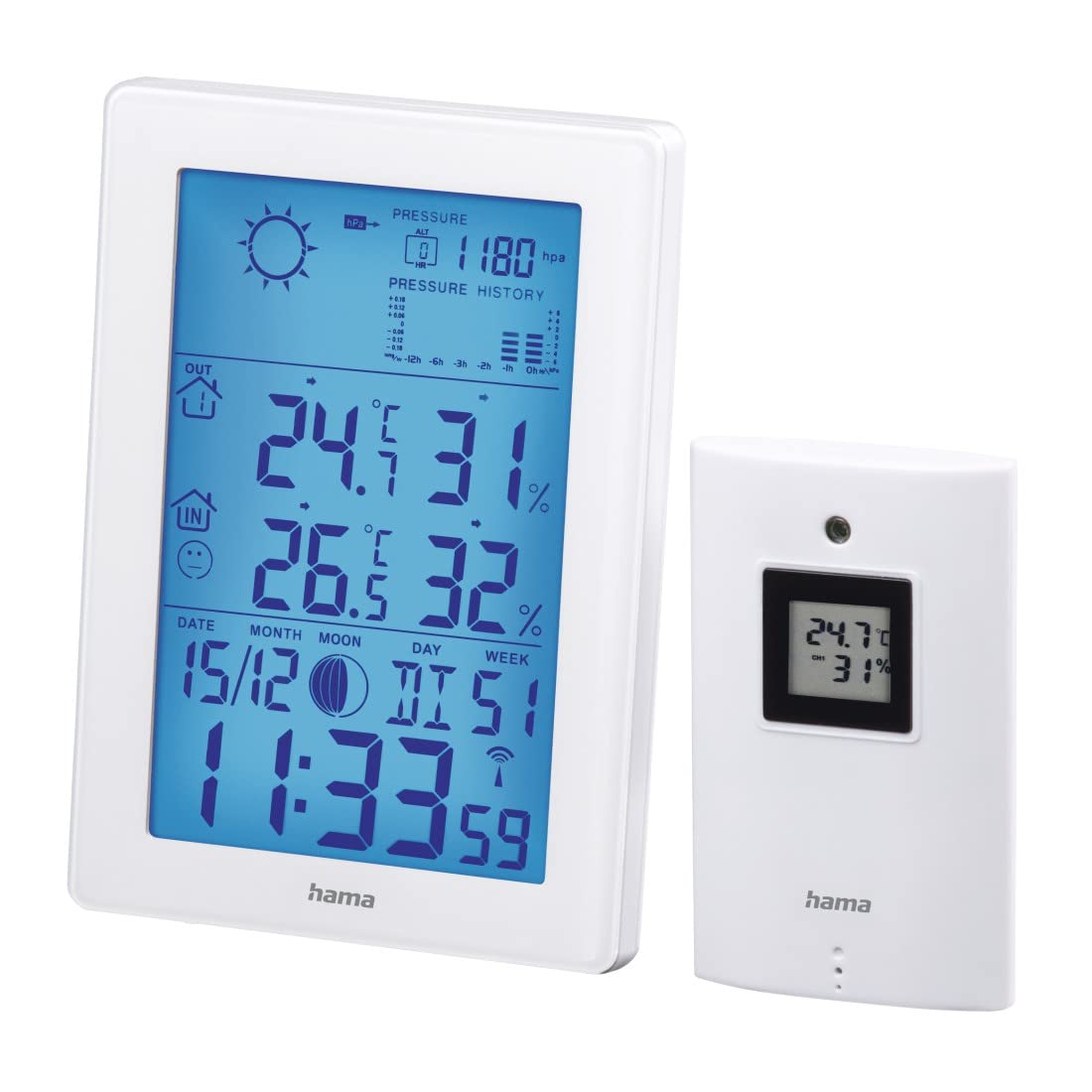
The main display of the base unit shows various information at a glance.

- Time and Date: Displays current time (12/24h format) and date.
- Indoor Temperature and Humidity: Current readings inside.
- Outdoor Temperature and Humidity: Current readings from the wireless sensor.
- Weather Forecast Icons: Indicates predicted weather conditions.
- Air Pressure History: Bar graph showing pressure trends over the last 12 hours.
- Moon Phase: Graphic representation of the current moon phase.
- Battery Indicators: Shows battery status for both units.
6.2 Time and Date Settings
The weather station automatically sets the time via the DCF radio signal. If manual adjustment is needed (e.g., for different time zones):
- Press and hold the MODE button to enter time setting mode.
- Use the + and - buttons to adjust values.
- Press MODE again to confirm and move to the next setting (e.g., 12/24h format, time zone, year, month, day, weekday language).
6.3 Temperature and Humidity Display
- Unit Selection: Press the - button to switch between Celsius (°C) and Fahrenheit (°F) for temperature display.
- Max/Min Values: Press the MODE button repeatedly to cycle through current, maximum (MAX), and minimum (MIN) temperature and humidity readings. To clear MAX/MIN records, press and hold the HISTORY button while MAX/MIN values are displayed.
6.4 Weather Forecast
The weather station predicts weather conditions based on air pressure changes. The forecast icons (sunny, partly cloudy, cloudy, rainy, stormy) indicate the expected weather for the next 12-24 hours. The bar graph shows the air pressure trend over the last 12 hours.
6.5 Alarm Functions
- Setting Alarms: Press the MODE button until the alarm time is displayed. Press and hold MODE to enter alarm setting mode. Use + and - to adjust the hour and minute, and MODE to confirm. You can set two separate alarms, including a weekday alarm (Monday-Friday).
- Snooze Function: When an alarm sounds, press the SNOOZE/LIGHT button to activate the snooze function. The alarm will sound again after a few minutes.
- Temperature Alarm: An individually adjustable temperature alarm can be set to alert you when the outdoor temperature reaches a certain threshold (e.g., for frost warning). Refer to the manual for specific steps to set the temperature alarm.
6.6 Backlight
Press the SNOOZE/LIGHT button to activate the blue backlight for a few seconds, improving display visibility in dark conditions.
7. Maintenance
- Clean this product only with a slightly damp, lint-free cloth and do not use aggressive cleaning agents.
- Ensure that no water gets into the product.
- Replace batteries when the low battery indicator appears on the display.
8. Troubleshooting
| Problem | Possible Cause | Solution |
|---|---|---|
| No display on base unit | Batteries are dead or incorrectly inserted. | Check battery polarity and replace if necessary. |
| Outdoor readings not displayed | Sensor out of range, interference, or dead batteries. | Move sensor closer to base unit, check for interference, replace sensor batteries. Initiate manual synchronization if needed. |
| Incorrect time display | DCF signal interference or manual time zone setting needed. | Relocate the base unit away from electronic devices. Manually set the time zone if the DCF signal is received but the time is incorrect. |
| Inaccurate weather forecast | Weather forecast is based on air pressure trends and is an estimation. | This is normal. The forecast is a prediction and may not always match actual conditions perfectly. |
9. Specifications
- Model Number: 00186307
- Display Type: LCD, Digital
- Color: White
- Material: Metal or Plastic
- Power Source: Battery-powered
- Base Unit Batteries: 3 x AA Mignon (included)
- Outdoor Sensor Batteries: 2 x AAA Micro (included)
- Indoor Temperature Range: 0 °C to +50 °C (32 °F to 122 °F)
- Outdoor Temperature Range: -20 °C to +60 °C
- Wireless Range (Outdoor Sensor): Up to 50 meters
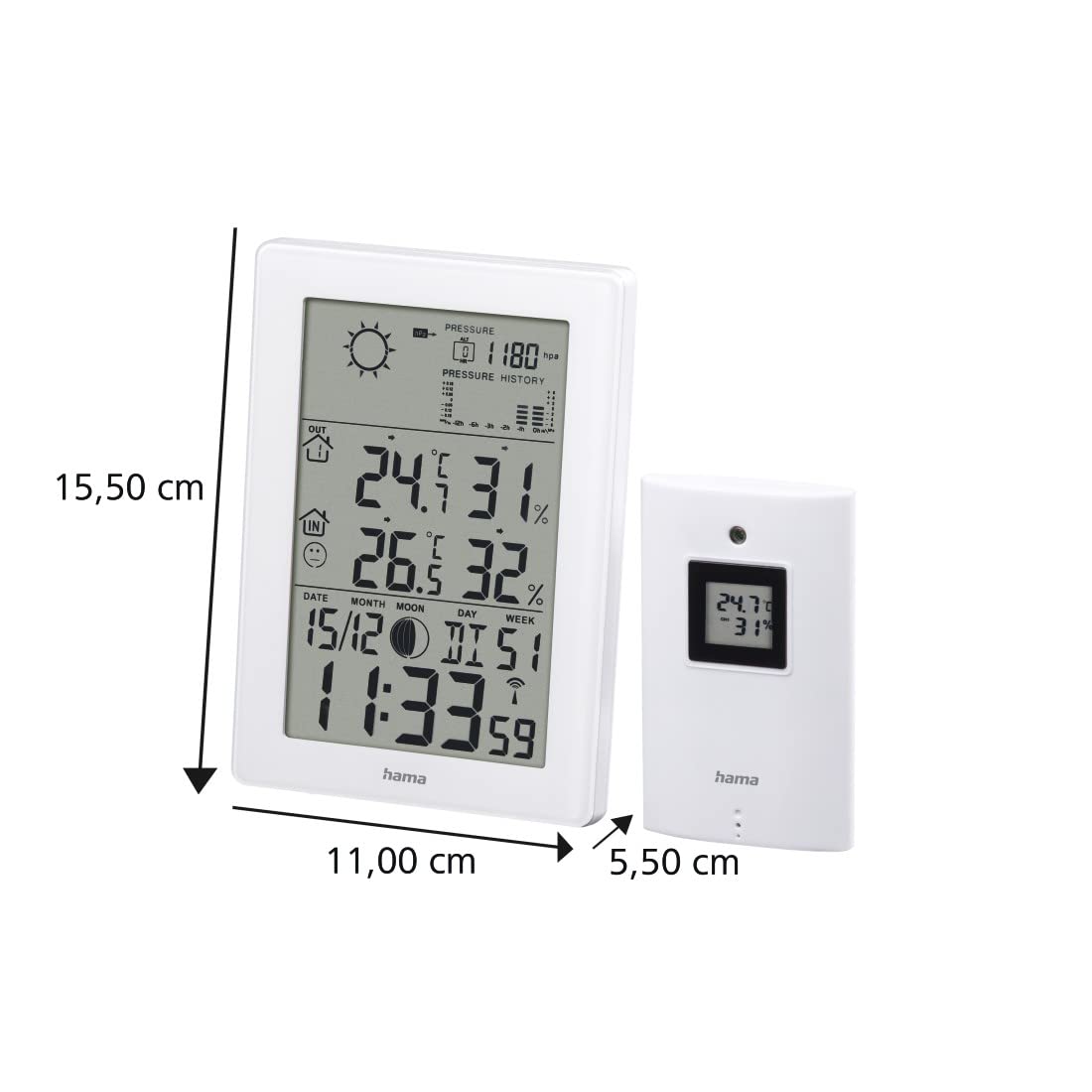
- Base Unit Dimensions (L x W x H): 15.5 x 11 x 5.5 cm
- Weight: 530 grams
- Connectivity Technology: Radio Frequency
- Special Features: Temperature Alarm, Snooze Function, Moon Phase Display, Backlight
10. Warranty
Hama GmbH & Co KG assumes no liability and provides no warranty for damage resulting from improper installation/mounting, improper use of the product, or from failure to observe the operating instructions and/or safety notes.
11. Support
For technical support or warranty claims, please contact your local Hama customer service or visit the official Hama website for further information.
Website: www.hama.com


