
1. Introduction
This manual provides detailed instructions for the proper use, setup, and maintenance of your Havit i93 Truly Wireless Bluetooth Earphones. Please read this manual thoroughly before using the product to ensure optimal performance and longevity. The Havit i93 earphones are designed for a superior audio experience with features like clear calls, long battery life, and intuitive touch controls.

Figure 1: Havit i93 Truly Wireless Bluetooth Earphones with their charging case.
2. Package Contents
Verify that all items are present in the package:
- 1 x Havit i93 Truly Wireless Bluetooth Earphones (Left and Right)
- 1 x Charging Case
- 3 x Pairs of Ear Silicon Tips (S, M, L)
- 1 x USB Charging Cable
- 1 x User Manual (this document)
3. Setup and First Use
3.1. Charging the Earphones and Case
Before first use, fully charge the earphones and the charging case. The charging case also functions as a power bank for other devices.
- Place both earphones into the charging case. Ensure they are correctly seated in their respective slots.
- Connect the provided USB cable to the charging port on the case and the other end to a USB power source (e.g., wall adapter, computer USB port).
- The LED indicators on the earphones and case will show charging status. Once fully charged, the indicators will change or turn off.

Figure 2: The 2200mAh charging case can also serve as a power bank for mobile phones.
3.2. Pairing with a Bluetooth Device
The Havit i93 earphones feature automatic pairing for convenience.
- Ensure the earphones are charged.
- Open the charging case and take out both earphones. They will automatically power on and enter pairing mode. The LED indicator on one earphone will flash, indicating it's ready to pair.
- On your device (smartphone, tablet, laptop), enable Bluetooth and search for available devices.
- Select "Havit i93" from the list of found devices.
- Once connected, the LED indicators on both earphones will stop flashing or turn off, and you will hear a confirmation tone.
Note: After the initial pairing, the earphones will automatically connect to the last paired device when taken out of the case, provided Bluetooth is enabled on the device.

Figure 3: Intelligent automatic pairing and LED Bluetooth indicator for easy connection.
4. Operation
The Havit i93 earphones feature integrated touch controls for various functions.
4.1. Power On/Off
- Power On: Take the earphones out of the charging case. They will power on automatically. Alternatively, long press the Multi-Function Button (MFB) on each earbud until the light illuminates.
- Power Off: Place the earphones back into the charging case. They will power off automatically. Alternatively, long press the MFB on each earbud until the light turns off.
4.2. Music Playback Controls
- Play/Pause: Click the MFB on either earphone.
- Next Song: Long press the MFB on the right earphone.
- Previous Song: Long press the MFB on the left earphone.
4.3. Call Management
- Answer Call: Click the MFB on either earphone.
- End Call: Click the MFB on either earphone during a call.
- Reject Call: Long press the MFB on either earphone.
4.4. Voice Assistant Activation
- Activate Voice Assistant (Siri/Google Voice): Double click the MFB on either the left or right earphone.

Figure 4: Overview of touch control functions on the Havit i93 earphones.
5. Maintenance and Care
Proper maintenance ensures the longevity and optimal performance of your Havit i93 earphones.
- Cleaning: Use a soft, dry, lint-free cloth to clean the earphones and charging case. Do not use abrasive cleaners, alcohol, or chemical solvents.
- Water Resistance: The earphones are IPX5 rated, meaning they are resistant to sweat and splashes. Do not submerge them in water or expose them to heavy rain. Dry them thoroughly if they get wet.
- Storage: When not in use, store the earphones in their charging case to protect them and keep them charged. Store in a cool, dry place away from direct sunlight and extreme temperatures.
- Battery Care: To preserve battery life, avoid fully discharging the earphones and case frequently. Charge them regularly, even if not in constant use.
- Ear Tips: Regularly remove and clean the silicone ear tips with a damp cloth. Ensure they are completely dry before reattaching them to the earphones.
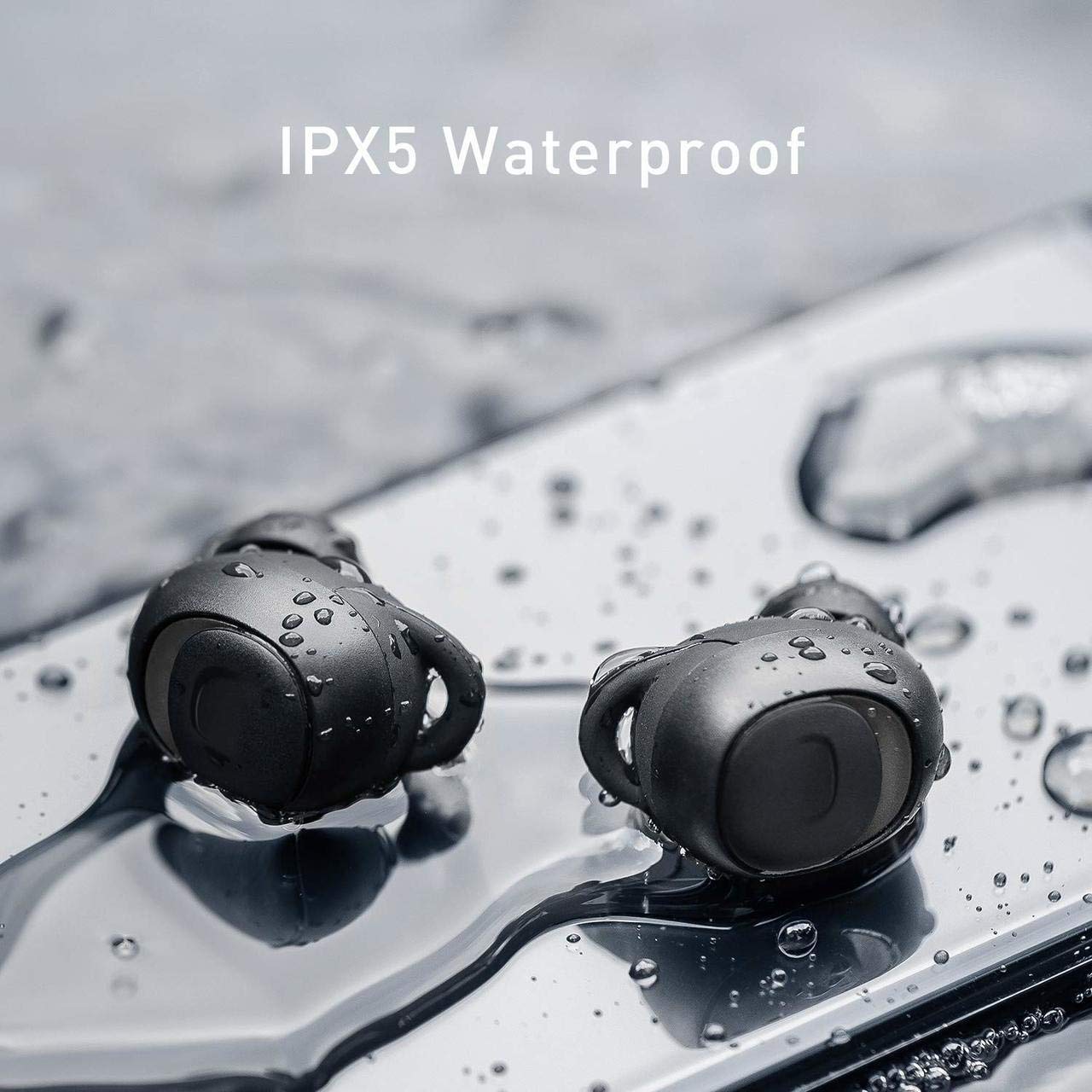
Figure 5: The IPX5 waterproof rating protects against sweat and splashes.
6. Troubleshooting
If you encounter issues with your Havit i93 earphones, refer to the following common problems and solutions:
| Problem | Possible Cause | Solution |
|---|---|---|
| Earphones do not power on. | Low battery. | Place earphones in the charging case and charge fully. |
| Cannot pair with device. | Bluetooth is off on device; earphones not in pairing mode; too far from device. | Ensure Bluetooth is enabled on your device. Take earphones out of case to enter pairing mode. Move earphones closer to the device (within 10 meters). Try forgetting "Havit i93" from your device's Bluetooth list and re-pairing. |
| Only one earphone works. | Earphones not properly synced; one earphone has low battery. | Place both earphones back into the charging case, close the lid, wait a few seconds, then take them out again. Ensure both earphones are fully charged. |
| Poor sound quality or disconnections. | Interference; low battery; distance from device. | Move away from sources of strong electromagnetic interference. Charge earphones. Reduce distance between earphones and device. |
| Touch controls not responding. | Temporary software glitch; dirty sensor. | Place earphones back in case and take them out again to reset. Clean the touch sensor area on the earphones with a dry cloth. |
7. Specifications
Key technical specifications for the Havit i93 Truly Wireless Bluetooth Earphones:
| Feature | Detail |
|---|---|
| Model | i93 |
| Connectivity Technology | Bluetooth 5.0 |
| Wireless Communication Technology | Bluetooth |
| Earphone Battery Life | Approximately 4.5 hours (single charge) |
| Charging Case Battery Capacity | 2200 mAh (can charge mobile phone) |
| Combined Talk Time | Up to 50 hours (with charging case) |
| Water Resistance Rating | IPX5 (sweat and splash proof) |
| Control Method | Touch |
| Microphone | Built-in (for clear calls) |
| Special Features | Noise Cancellation, Auto Pairing, Power Bank Function |
| Material | Plastic |
| Item Weight | 110 Grams (total) |
| Product Dimensions | 8 x 3.8 x 3.5 cm |
| Compatible Devices | Smartphones, Tablets, Laptops, Bluetooth-enabled Devices |

Figure 6: Key features of the Havit i93 earphones.
8. Warranty and Support
8.1. Warranty Information
The Havit i93 Truly Wireless Bluetooth Earphones come with a 1-year warranty from the date of purchase by the end customer. This warranty covers manufacturing defects. Please retain your purchase receipt as proof of purchase for warranty claims.
8.2. Customer Support
For any questions, technical assistance, or warranty claims, please contact Havit customer service. Refer to the contact information provided on the product packaging or the official Havit website for the most up-to-date support details.
Included components: 1 Headphone, 2 Eartips, 1 USB Cable and 1 User Manual.