
1. Introduction
The Power Watchdog Smart RV Surge Protector is designed to safeguard your recreational vehicle's electrical system from damaging power spikes and provide real-time monitoring of electrical conditions. This device offers robust surge protection and advanced connectivity features to ensure the safety and longevity of your RV's electrical appliances.
2. Product Overview
The Power Watchdog PWD50 is a portable 50 Amp smart surge protector equipped with patented Bluetooth connectivity. It allows users to monitor critical electrical parameters such as voltage, amperage, and wattage directly from a mobile application. Its durable, IP65-rated water-resistant construction makes it suitable for outdoor use in various weather conditions. A key feature is its replaceable surge module, which eliminates the need to replace the entire unit after a significant surge event.
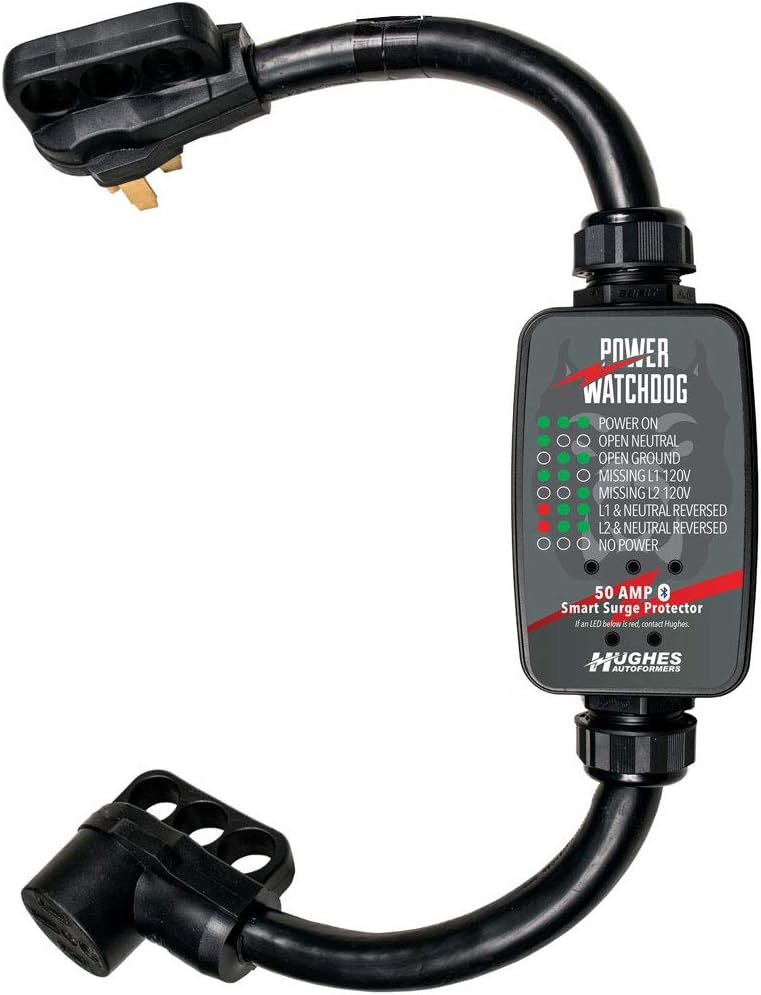
Figure 1: Hughes Power Watchdog PWD50 Smart RV Portable Surge Protector.
3. Key Features
- 6,000 Joules of Surge Protection: Provides robust defense against electrical surges.
- Patented Bluetooth Connectivity: Enables real-time monitoring via a dedicated mobile app.
- Real-time Monitoring: Track voltage, amperage, and wattage directly from your smartphone.
- Replaceable Surge Module: Allows for cost-effective replacement of the surge protection component without replacing the entire unit.
- IP65 Water-Resistant Design: Ensures reliable performance in various outdoor and weather conditions.
- LED Diagnostics: Visual indicators for power status and fault conditions.
- Wireless Alerts: Customizable voltage and wattage alerts for proactive electrical issue detection.
- Compatibility: Works seamlessly with dogbone adapters for versatile setup.
- Optional RVWhisper Add-on: Extends monitoring capabilities via Wi-Fi or cellular networks (sold separately).
4. Setup Instructions
- Inspect the Power Pedestal: Before connecting the Power Watchdog, ensure the RV power pedestal's circuit breaker is in the OFF position.
- Connect the Power Watchdog: Plug the male end of the Power Watchdog PWD50 into the RV power pedestal's receptacle. Ensure it is fully inserted.
- Activate Power: Turn the circuit breaker on the RV power pedestal to the ON position.
- Check LED Indicators: Observe the LED indicators on the Power Watchdog unit. Green lights indicate correct wiring and power status. If any red lights appear, refer to the Troubleshooting section.
- Connect Your RV: Once the LED indicators confirm safe power, connect your RV's power cord to the female receptacle of the Power Watchdog PWD50.
- Download the App: Download the Power Watchdog mobile application from your device's app store.
- Pair via Bluetooth: Open the app and follow the on-screen instructions to pair your smartphone with the Power Watchdog unit via Bluetooth. This will enable real-time monitoring.
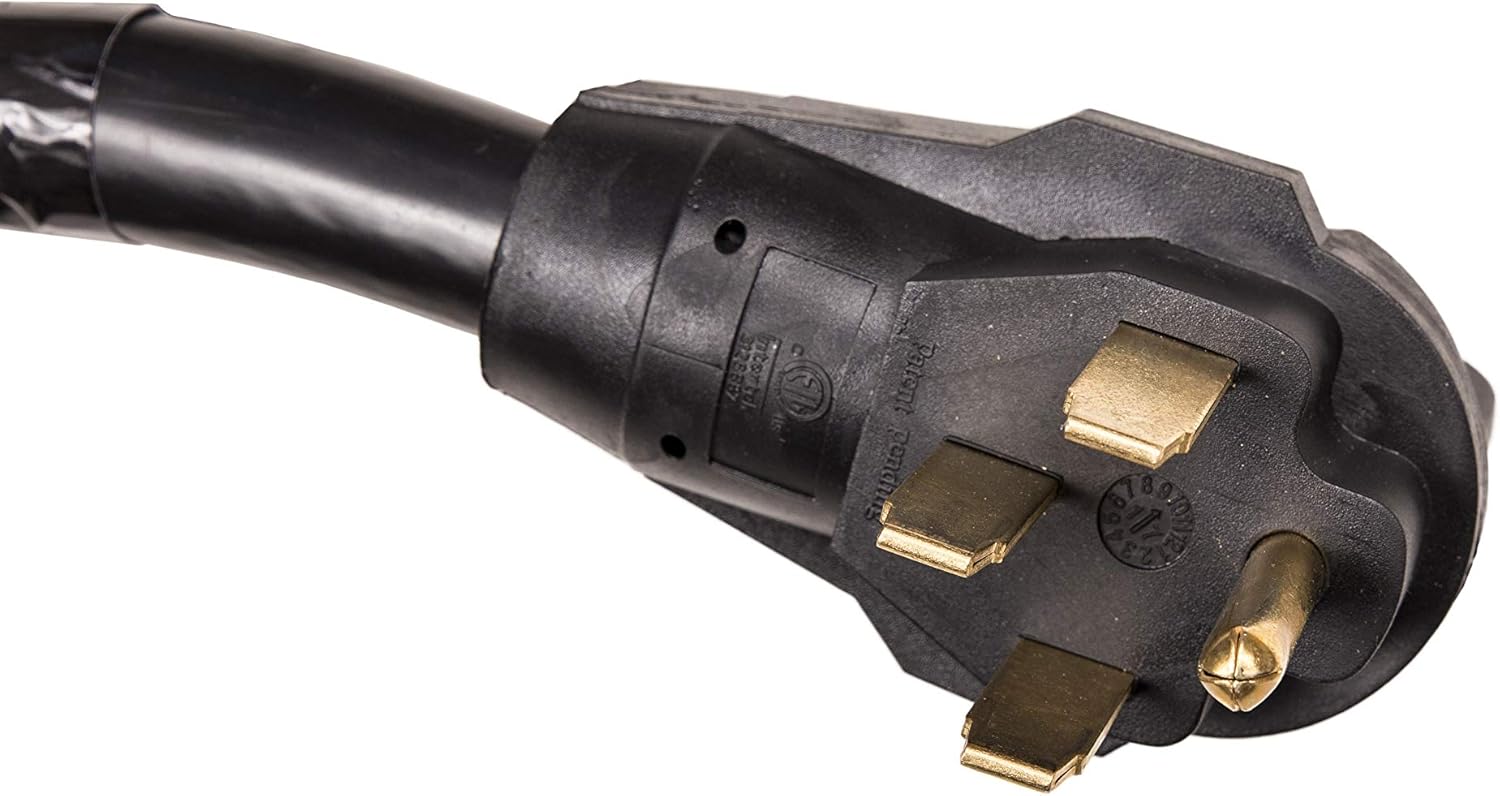
Figure 2: Male plug of the Power Watchdog.

Figure 3: LED indicator panel showing power status.

Figure 4: Female receptacle for RV connection.

Figure 5: Power Watchdog connected to the mobile app.
5. Operating Instructions
Once connected and powered on, the Power Watchdog PWD50 continuously monitors the electrical supply to your RV. The LED indicators provide immediate visual feedback on the power status. For detailed information and advanced monitoring, use the Power Watchdog mobile application.
5.1. Understanding LED Indicators
| Indicator | Status | Meaning |
|---|---|---|
| Green LEDs (all) | Solid Green | Power On, all wiring correct. |
| Open Neutral | Red LED | Indicates an open neutral condition. |
| Open Ground | Red LED | Indicates an open ground condition. |
| Missing L1 120V / Missing L2 120V | Red LED | Indicates a missing line voltage. |
| L1 & Neutral Reversed / L2 & Neutral Reversed | Red LED | Indicates reversed wiring. |
| No Power | No LEDs | No power detected. |
Note: If any red LEDs are illuminated, contact Hughes Autoformers for assistance or consult a qualified electrician.
5.2. Mobile Application Usage
The Power Watchdog app provides a comprehensive view of your RV's power consumption and status:
- Real-time Data: View live readings for energy (KWH), wattage (W), voltage (V), and amperage (A).
- Customizable Alerts: Set specific thresholds for voltage and wattage to receive wireless fault alerts on your smartphone, ensuring you are immediately notified of potential electrical issues.
- Energy Reset: The app allows you to reset energy consumption readings.
6. Maintenance
The Power Watchdog PWD50 is designed for durability and minimal maintenance. Its IP65 water-resistant construction protects internal components from environmental elements. The primary maintenance aspect involves the replaceable surge module.
6.1. Replacing the Surge Module
In the event of a significant power surge that sacrifices the surge protection module, the unit is designed for easy replacement of this component. This feature extends the lifespan of your Power Watchdog unit.
- Ensure the Power Watchdog is disconnected from all power sources.
- Locate the surge module compartment (refer to product diagrams or packaging for exact location).
- Carefully remove the old surge module.
- Insert the new, compatible surge module, ensuring it is securely seated.
- Close the compartment.

Figure 6: Product packaging indicating the replaceable surge unit.
7. Troubleshooting
If you encounter issues with your Power Watchdog PWD50, refer to the following common troubleshooting steps:
- Red LED Indicators: If any red LEDs are illuminated on the unit, this indicates a wiring fault or an issue with the power supply at the pedestal. Do not connect your RV until the issue is resolved. Contact Hughes Autoformers support or a qualified electrician.
- No Power: If no LEDs are illuminated, ensure the Power Watchdog is securely plugged into the pedestal and the circuit breaker at the pedestal is ON.
- App Connectivity Issues: Ensure Bluetooth is enabled on your smartphone and the Power Watchdog unit is within range. Restarting the app or your phone may resolve minor connectivity glitches.
- Inaccurate Readings: Verify that the unit is properly connected and receiving stable power. If readings appear erratic, try disconnecting and reconnecting the unit.
8. Specifications
| Attribute | Detail |
|---|---|
| Product Dimensions | 16 x 12 x 5 inches |
| Item Weight | 3 pounds |
| Model Number | PWD50 |
| Brand | Power Watchdog |
| Total Power Outlets | 1 |
| Voltage | 120.0 V |
| Manufacturer | Hughes Autoformer |
| First Available Date | January 16, 2018 |
9. Warranty & Support
The Power Watchdog PWD50 Smart RV Portable Surge Protector is backed by a limited lifetime warranty. For warranty claims, technical support, or any inquiries regarding the product, please contact Hughes Autoformers directly.
Manufacturer: Hughes Autoformer


