1. Introduction
This manual provides detailed instructions for the safe and efficient operation of your Baofeng GT-3TP Mark III Dual Band UHF/VHF Walkie Talkie. Please read this manual thoroughly before using the device to ensure proper functionality and to prevent damage.
The Baofeng GT-3TP Mark III is an advanced two-way radio designed for reliable communication across VHF (144-146 MHz) and UHF (430-440 MHz) frequency bands. It features a selectable tri-power output (8W/4W/1W) for optimized range and battery life, 128 memory channels, and various functions including CTCSS/DCS tones, DTMF, VOX, and FM radio reception.
2. Important Safety Information
- Battery Safety: Use only the specified Lithium-ion battery and charger. Do not short-circuit, incinerate, or disassemble the battery. Dispose of batteries according to local regulations.
- Antenna: Do not touch the antenna during transmission. Do not operate the radio with a damaged antenna.
- Interference: Turn off the radio in areas where two-way radios are prohibited, such as hospitals, aircraft, or near blasting sites.
- Water Resistance: This device is not waterproof. Avoid exposure to rain, moisture, or submersion in water.
- Operating Temperature: Do not expose the radio to extreme temperatures.
- Cleaning: Clean the radio with a soft, damp cloth. Do not use harsh chemicals.
3. Package Contents
Verify that all items are present in your package:
- Baofeng GT-3TP Mark III Radio Unit
- 1800mAh Lithium-ion Battery
- Antenna
- Desktop Charger Cradle
- AC Power Adapter for Desktop Charger
- Car Charger Adapter
- Belt Clip
- Hand Strap
- Earpiece with Microphone
- User Manual

Image 3.1: All components included in the Baofeng GT-3TP Mark III package, laid out clearly. This includes the radio unit, battery, antenna, desktop charger, AC adapter, car charger, belt clip, hand strap, earpiece, and user manual.
4. Radio Components Overview
Familiarize yourself with the main parts of your GT-3TP Mark III radio:

Image 4.1: Front view of the Baofeng GT-3TP Mark III radio, highlighting the display, keypad, and function buttons. The display shows current frequency and selectable power levels (High, Mid, Low).

Image 4.2: Multiple views of the radio, illustrating the Push-To-Talk (PTT), CALL, and MONI buttons on the side, the antenna connector, and the volume/power knob on top.
- Antenna: For transmitting and receiving signals.
- Power/Volume Knob: Turns the radio on/off and adjusts volume.
- LCD Display: Shows frequency, channel, battery status, and other indicators.
- Keypad: For entering frequencies, channel numbers, and accessing menu functions.
- PTT (Push-To-Talk) Button: Press and hold to transmit, release to receive.
- MONI (Monitor) Button: Opens the squelch to listen for weak signals.
- CALL Button: Activates alarm or 1750Hz tone.
- Speaker/Microphone Jack: For connecting external audio accessories.
5. Initial Setup
5.1. Installing the Battery
- Align the battery pack with the grooves on the back of the radio.
- Slide the battery upwards until it clicks into place.
- To remove, press the battery release latch (usually at the bottom of the battery) and slide the battery downwards.
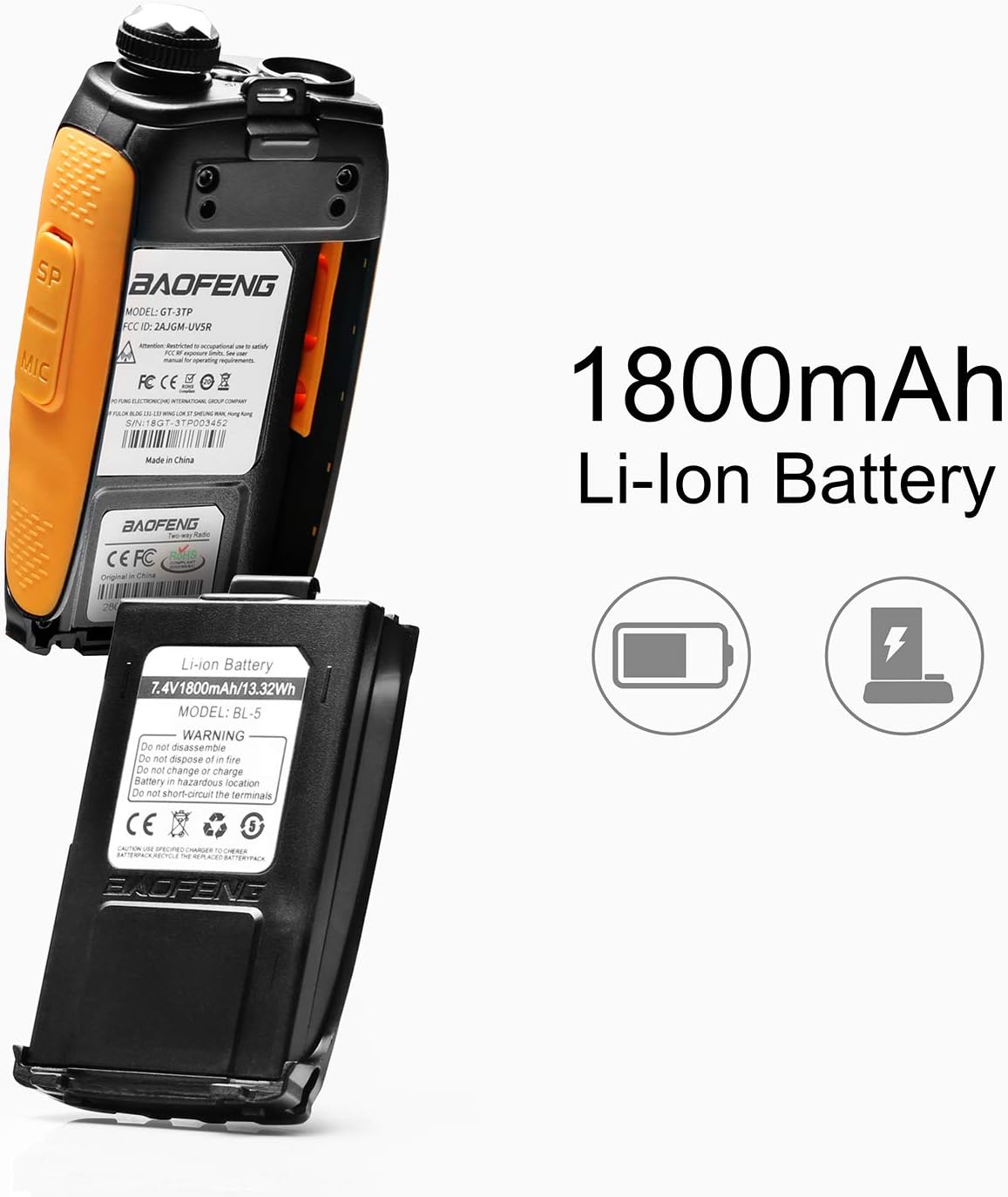
Image 5.1: The Baofeng GT-3TP Mark III radio with its 1800mAh Lithium-ion battery detached, showing the battery contacts and how it connects to the radio body.
5.2. Attaching the Antenna
- Screw the antenna into the connector on the top of the radio clockwise until it is finger-tight. Do not overtighten.
- Ensure the antenna is securely attached before operation.

Image 5.2: Illustration of the two included antennas for the Baofeng GT-3TP Mark III, showing their respective lengths (210mm and 150mm).
5.3. Charging the Battery
- Connect the AC adapter to the desktop charger cradle and plug it into a power outlet.
- Place the radio with the battery installed (or just the battery) into the charging cradle.
- The charger indicator light will typically turn red while charging and green when fully charged.
- A full charge takes approximately 4-5 hours.
The included car charger allows for convenient charging on the go:
- Plug the car charger into your vehicle's 12V accessory socket.
- Connect the other end of the car charger to the desktop charger cradle.
- Place the radio/battery into the cradle to charge.
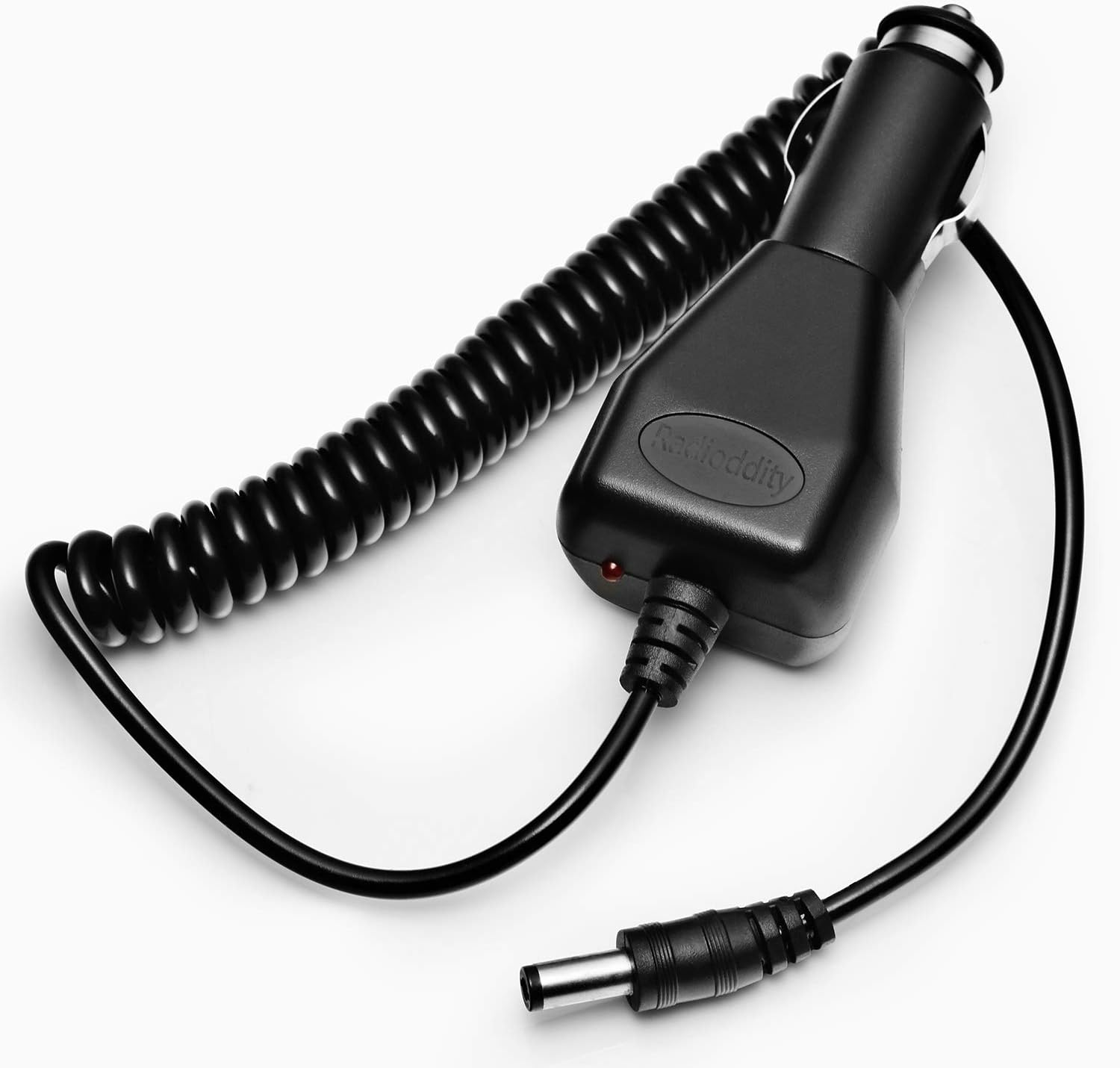
Image 5.3: The car charger accessory for the Baofeng GT-3TP Mark III, featuring a coiled cord and a standard 12V car adapter plug.
6. Basic Operation
6.1. Power On/Off and Volume Adjustment
- Power On: Rotate the Power/Volume knob clockwise until you hear a click. The display will light up.
- Volume Adjustment: Continue rotating the knob clockwise to increase volume, counter-clockwise to decrease.
- Power Off: Rotate the Power/Volume knob counter-clockwise until you hear a click.
6.2. Selecting Frequency/Channel Mode
The radio operates in two main modes: Frequency Mode (VFO) and Channel Mode (MR).
- Press the VFO/MR button to switch between these modes.
- In Frequency Mode (VFO), you can manually enter frequencies using the keypad.
- In Channel Mode (MR), you can select pre-programmed channels. Use the UP/DOWN arrow keys or the keypad to select a channel.
6.3. Transmitting and Receiving
- Receiving: When the radio is on and tuned to an active frequency/channel, it will automatically receive incoming transmissions.
- Transmitting:
- Ensure you are on a clear frequency or channel.
- Press and hold the PTT button on the left side of the radio.
- Speak clearly into the microphone, holding the radio approximately 2-5 cm from your mouth.
- Release the PTT button to stop transmitting and return to receive mode.
6.4. Adjusting Transmit Power
The GT-3TP Mark III offers three power levels: High (8W), Mid (4W), and Low (1W).
- Press the MENU button.
- Navigate to the TXP (Transmit Power) setting (usually Menu 2).
- Press MENU again to enter the setting.
- Use the UP/DOWN arrow keys to select HIGH, MID, or LOW.
- Press MENU to confirm your selection.
- Press EXIT to return to the main screen.
Note: Higher power consumes more battery. Use the lowest power necessary for reliable communication.
7. Advanced Features
7.1. CTCSS/DCS Tones (Squelch Codes)
CTCSS (Continuous Tone-Coded Squelch System) and DCS (Digital Coded Squelch) tones are used to filter out unwanted signals. Your radio will only open its squelch and receive audio if the incoming signal carries the correct tone.
- Press MENU.
- Navigate to R-CTCS (Receive CTCSS) or R-DCS (Receive DCS) for receive tones, and T-CTCS (Transmit CTCSS) or T-DCS (Transmit DCS) for transmit tones.
- Press MENU to enter the setting.
- Use UP/DOWN to select the desired tone.
- Press MENU to confirm, then EXIT.
7.2. VOX Function (Voice Operated Transmit)
VOX allows you to transmit automatically by speaking into the microphone, without pressing the PTT button. This is useful for hands-free operation.
- Press MENU.
- Navigate to VOX setting (usually Menu 4).
- Press MENU to enter.
- Use UP/DOWN to select the VOX sensitivity level (1-10, 1 being most sensitive). Select OFF to disable.
- Press MENU to confirm, then EXIT.
7.3. FM Radio Reception
Your GT-3TP Mark III can also receive commercial FM radio broadcasts.
- Press the FM button (often shared with the CALL button, requiring a short press).
- The radio will switch to FM broadcast mode.
- Use the UP/DOWN arrow keys to scan for stations or manually enter a frequency.
- Press the FM button again to exit FM radio mode.
8. Maintenance
8.1. Cleaning
- Wipe the radio's surface with a soft, lint-free cloth.
- For stubborn dirt, use a cloth lightly dampened with water. Do not use solvents or abrasive cleaners.
- Ensure the radio is completely dry before use or charging.
8.2. Battery Care
- Charge the battery fully before first use.
- Avoid overcharging or completely draining the battery, as this can reduce its lifespan.
- If the radio will not be used for an extended period, remove the battery and store it in a cool, dry place.
- Replace the battery if its operating time significantly decreases.
9. Troubleshooting
| Problem | Possible Cause | Solution |
|---|---|---|
| Radio does not power on. | Battery is dead or not installed correctly. | Charge the battery. Ensure the battery is securely attached. |
| Cannot transmit or receive. | Incorrect frequency/channel, squelch too high, antenna loose, battery low. | Verify frequency/channel. Adjust squelch level. Check antenna connection. Charge battery. |
| Poor audio quality or static. | Weak signal, interference, antenna issue. | Move to a location with better signal. Check antenna. Reduce distance to other radio. |
| Battery drains quickly. | High transmit power, frequent transmissions, aging battery. | Use lower transmit power when possible. Reduce transmission time. Consider replacing the battery. |
10. Technical Specifications
| Feature | Detail |
|---|---|
| Brand | BaoFeng |
| Model Number | GT-3TP |
| Frequency Range | VHF: 144-146 MHz, UHF: 430-440 MHz |
| Transmit Power | Tri-Power: 8W / 4W / 1W |
| Number of Channels | 128 |
| Battery Type | 1800mAh Lithium-ion (7.4 Volts) |
| Special Features | Rechargeable, CTCSS/DCS, DTMF, Key Lock, VOX, Wide/Narrow Bandwidth, FM Radio |
| Maximum Range | Up to 10 Kilometers (terrain dependent) |
| Water Resistance | Not waterproof |
| Dimensions (Radio Unit) | 3.2D x 5.9W x 11.2H cm (approximate, without antenna) |
11. Warranty and Support
For warranty information and technical support, please refer to the documentation provided with your purchase or contact your retailer. You may also visit the official BaoFeng website for further assistance.
Seller: Radioddity France
Amazon Store: Visit the BaoFeng Store on Amazon


