
1. Introduction
This manual provides instructions for installing and operating the Start-X Remote Starter Kit. This kit adds remote start functionality to your vehicle, allowing you to pre-heat or cool your vehicle for a comfortable driving experience. The system utilizes your existing factory key fob for activation.

Image: Remote starting a vehicle for comfort in various weather conditions.
2. Vehicle Compatibility and Requirements
This remote starter kit is compatible with the following vehicles:
- Ford Transit 150 (2015, 2016, 2017, 2018, 2019)
- Ford Transit 250 (2015, 2016, 2017, 2018, 2019)
- Ford Transit 350 (2015, 2016, 2017, 2018, 2019)
Important Vehicle Requirements:
- Key Ignition Only: This kit is designed exclusively for vehicles with a traditional key blade ignition. It is not compatible with push-to-start vehicles.
- Gas and Automatic Transmission Only: Ensure your vehicle meets these specifications.
- Two Factory Keys Required for Programming: Due to the vehicle's anti-theft system, two original factory OEM keys are necessary for the programming process. Please confirm you have two available before proceeding with installation.

Image: Visual representation of vehicle compatibility requirements.
3. Package Contents
Verify that all the following components are included in your Start-X Remote Starter Kit:
- Remote Start Module
- Vehicle Connection T-Harness
- Pry Tool
- Zip Ties
- Installation Guide
- Welcome Card
- Warning Sticker

Image: All components included in the kit.
4. Installation
The Start-X Remote Starter Kit features a plug-and-play design with a vehicle-specific T-harness to simplify installation. While most connections are plug-and-play, one wire splice is required, and some vehicle disassembly may be necessary. Refer to the detailed installation video and guide for specific instructions for your vehicle.

Image: Illustrates the plug-and-play installation process with the T-harness.
Installation Steps Overview:
- Connect T-Harness: Connect the vehicle-specific T-harness to the appropriate vehicle connections.
- Program Module: Program the remote start module. This step requires two factory OEM keys. Follow the LED indicators on the module for guidance during programming.
- Final Connections: Plug in any remaining connectors and confirm all connections are secure.
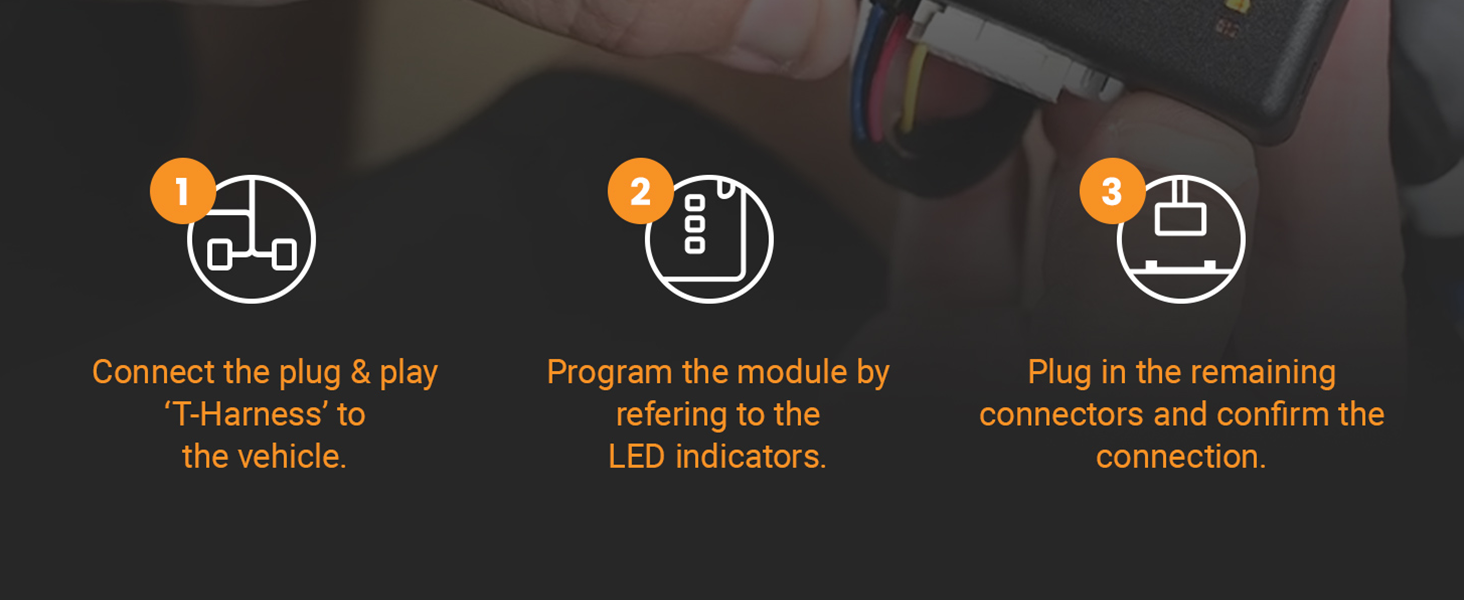
Image: A visual guide to the three main installation steps.
5. Operating Instructions
The Start-X Remote Starter Kit uses your vehicle's existing factory key fob for remote start functionality. No additional remote is included or required.
To Remote Start Your Vehicle:
- Ensure your vehicle is off and all doors are closed.
- Press the Lock button on your factory OEM key fob three (3) times consecutively.
- The vehicle's parking lights will flash, and the engine will start.
To Turn Off Your Vehicle (after remote start):
- Press the Lock button on your factory OEM key fob three (3) times consecutively.
Important Notes:
- Safety Precaution: The vehicle will shut down automatically if any door is opened after a remote start. The vehicle must be restarted manually before driving.
- Remote Distance: The effective range for remote starting is the same as the range for locking/unlocking your vehicle with the factory key fob. Optional range extender kits are available separately to increase this distance.

Image: The remote starter system integrates with your existing factory key fob.
6. Maintenance
The Start-X Remote Starter Kit is designed to be maintenance-free. Ensure all connections remain secure and free from moisture or damage. No user-serviceable parts are inside the module.
7. Troubleshooting
If you encounter issues with your remote starter, consider the following:
- Remote Start Not Activating:
- Ensure you are pressing the Lock button three times quickly and consecutively.
- Verify that all vehicle doors, hood, and trunk are fully closed.
- Check your factory key fob battery.
- Confirm your vehicle meets all compatibility requirements (key ignition, gas, automatic transmission).
- Programming Issues:
- Ensure you have two functional factory OEM keys for the programming process. This is a common requirement for successful module programming.
- Review the installation guide and video carefully for the exact programming sequence.
- Vehicle Shuts Down Unexpectedly:
- This is a safety feature. The vehicle will shut down if a door is opened after remote starting. This is normal operation.
- Reduced Remote Range:
- The remote start range is limited by your factory key fob's range. Obstructions or interference can reduce this. Consider a Start-X range extender kit (sold separately) for increased distance.
For further assistance, refer to the official Start-X installation video or contact customer support.
8. Specifications
| Brand | Start-X |
| Model Number | FO-TR |
| Compatible Vehicles | Ford Transit 150, 250, 350 (2015-2019) |
| Ignition Type | Key Ignition Only |
| Transmission Type | Automatic Transmission Only |
| Fuel Type | Gas Only |
| Material | Polyvinyl Chloride (PVC) |
| Item Weight | 0.47 Kilograms |
| Connector Type | Automotive Standard Connectors |
| UPC | 810154290659 |
9. Warranty and Support
Start-X provides technical and customer support for their products. If you require assistance with installation, programming, or troubleshooting, please contact the manufacturer directly.
For specific warranty information, refer to the documentation included with your product or visit the official Start-X website. Warranty terms and conditions may vary.


