
Introduction
This manual provides instructions for the YING RAY Replacement Remote Control, model AKB73616103 P12G10, designed for use with compatible Friedrich Air Conditioners. This remote control offers direct functionality without the need for complex programming.
Setup
Battery Installation
To begin using your replacement remote control, install two AAA batteries (not included) into the battery compartment located on the back of the remote. Ensure the batteries are inserted with the correct polarity (+/-) as indicated inside the compartment. Once batteries are installed, the remote is ready for immediate use without any additional programming.
Operating Instructions
The remote control features an intuitive button layout for easy operation of your Friedrich Air Conditioner. Point the remote directly at the air conditioner's receiver for optimal performance.
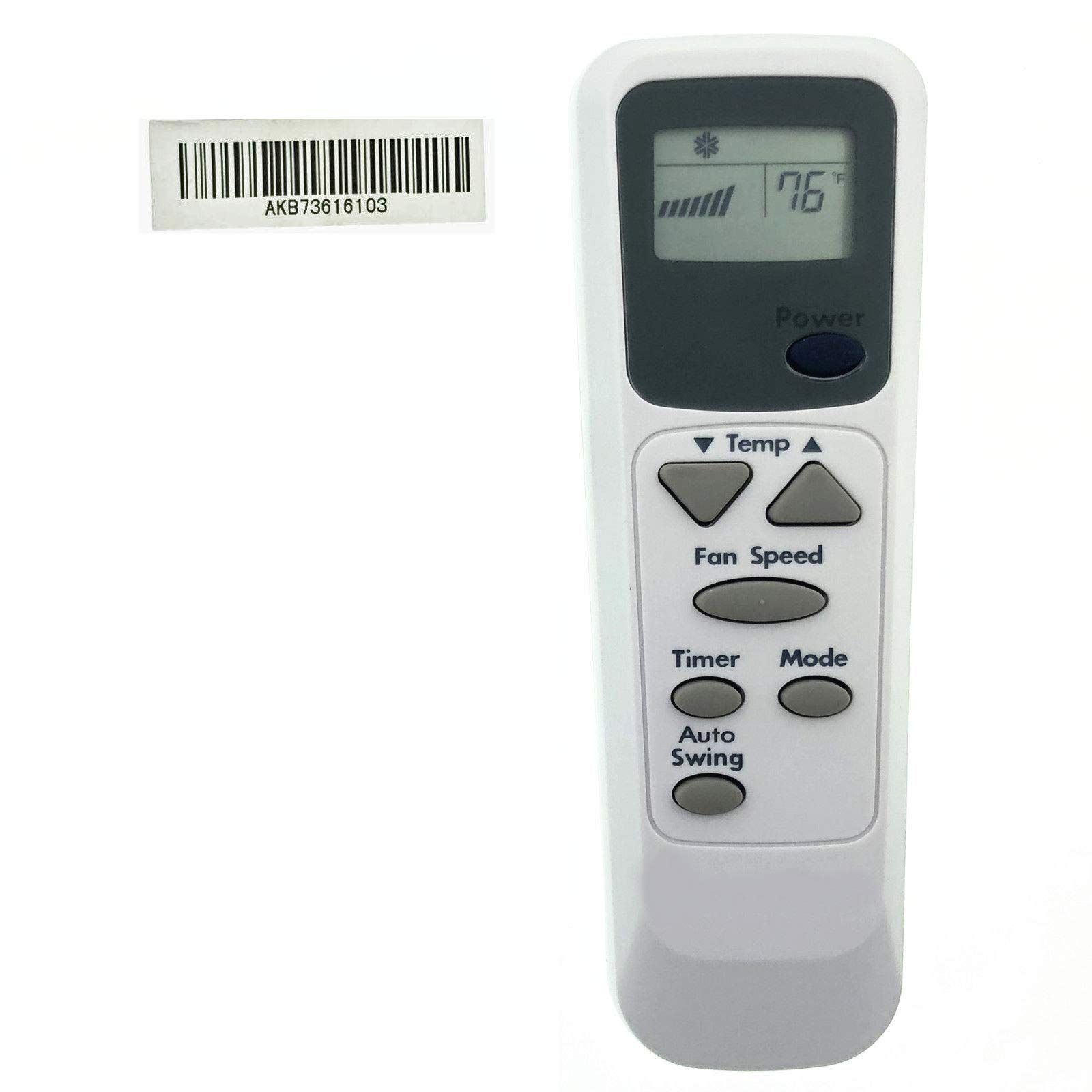
Image: YING RAY Replacement Remote Control AKB73616103 P12G10. This image displays the white remote control with a dark grey display screen showing '76°F' and fan speed bars. Below the screen are various grey buttons: a large oval 'Power' button, 'Temp' up and down arrows, 'Fan Speed', 'Timer', 'Mode', and 'Auto Swing' buttons.
- Power Button: Located below the display screen, this button turns the air conditioner on or off.
- Temp ▲ / ▼ Buttons: These triangular buttons adjust the desired temperature setting. The display shows the temperature in Fahrenheit.
- Fan Speed Button: Press this button to cycle through available fan speed settings (e.g., Low, Medium, High, Auto).
- Timer Button: Use this button to set or cancel the air conditioner's timer function. Refer to your air conditioner's manual for specific timer programming details.
- Mode Button: This button cycles through the various operating modes of the air conditioner, such as Cool, Fan, Dry, or Auto.
- Auto Swing Button: Activates or deactivates the automatic louver swing function, which helps distribute air evenly.
Display Information
The remote's LCD screen displays the current temperature setting in Fahrenheit and indicates the selected fan speed and operating mode.
Maintenance
Battery Replacement
Replace batteries when the remote's range decreases or if the display becomes dim or unresponsive. Always replace both batteries simultaneously with new AAA batteries. Do not mix old and new batteries or different types of batteries.
Cleaning
Wipe the remote control with a soft, dry cloth. Do not use liquid cleaners, abrasive materials, or chemical solvents, as these can damage the remote's surface or internal components.
Troubleshooting
- Remote not responding: Ensure batteries are correctly installed and not depleted. Replace batteries if necessary. Check for any obstructions between the remote and the air conditioner's receiver.
- Short operating range: This typically indicates low battery power. Replace the batteries. Ensure you are within the maximum operating range of 10 meters and have a clear line of sight to the air conditioner.
- Incorrect temperature display: Verify that the remote is set to Fahrenheit display. This model is designed to display in Fahrenheit.
Specifications
| Brand | YING RAY |
| Model | AKB73616103 P12G10 |
| Display Unit | Fahrenheit |
| Maximum Range | 10 Meters |
| Supported Devices | 1 (Air Conditioner) |
| Controller Type | Button Control |
| Special Feature | Ergonomic Design |
Warranty and Support
Specific warranty information for this replacement remote control is not provided in this manual. For warranty details, technical support, or further assistance, please contact the manufacturer, YING RAY, directly or refer to the product packaging and purchase documentation.