1. Product Overview
The Ford FPW1015-12V 12V Cordless Impact Drill is a versatile tool designed for various drilling and driving applications. It features a lightweight design for comfortable handling and an ergonomic grip for reduced fatigue during extended use. The integrated LED light enhances visibility in dimly lit work areas.
Key features include:
- Maximum voltage of 12V for consistent power.
- Variable speed trigger for precise control across different tasks.
- Two-speed gearbox (0-400 RPM and 0-1500 RPM) for optimized performance.
- 21 torque settings plus an impact setting for diverse material applications.
- Durable nylon body construction.
- 3/8-inch (10mm) chuck size.
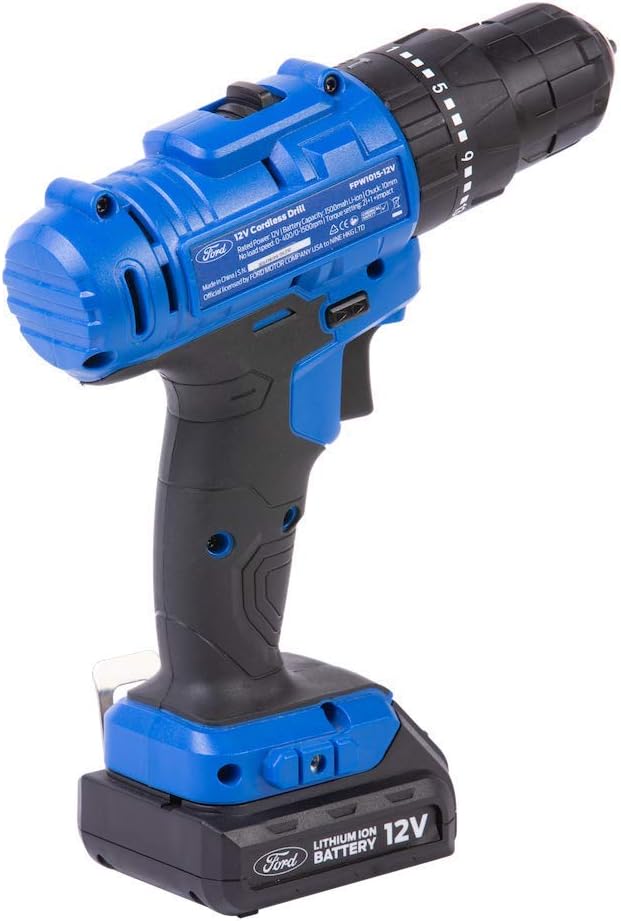
Image 1: The Ford FPW1015-12V 12V Cordless Impact Drill with battery installed.
2. General Safety Instructions
Always read and understand all safety warnings, instructions, illustrations, and specifications provided with this power tool. Failure to follow all instructions listed below may result in electric shock, fire, and/or serious injury.
2.1 Work Area Safety
- Keep the work area clean and well-lit. Cluttered or dark areas invite accidents.
- Do not operate power tools in explosive atmospheres, such as in the presence of flammable liquids, gases, or dust. Power tools create sparks which may ignite the dust or fumes.
- Keep children and bystanders away while operating a power tool. Distractions can cause you to lose control.
2.2 Electrical Safety
- Power tool plugs must match the outlet. Never modify the plug in any way.
- Avoid body contact with earthed or grounded surfaces, such as pipes, radiators, ranges, and refrigerators. There is an increased risk of electric shock if your body is earthed or grounded.
- Do not expose power tools to rain or wet conditions. Water entering a power tool will increase the risk of electric shock.
2.3 Personal Safety
- Always wear eye protection. Use safety glasses, goggles, or a face shield.
- Wear appropriate personal protective equipment such as dust masks, non-skid safety shoes, hard hats, or hearing protection when necessary.
- Dress properly. Do not wear loose clothing or jewelry. Keep your hair and clothing away from moving parts.
- Stay alert, watch what you are doing, and use common sense when operating a power tool.
2.4 Power Tool Use and Care
- Do not force the power tool. Use the correct power tool for your application.
- Disconnect the plug from the power source and/or remove the battery pack from the power tool before making any adjustments, changing accessories, or storing power tools.
- Store idle power tools out of the reach of children and do not allow persons unfamiliar with the power tool or these instructions to operate the power tool.
- Maintain power tools and accessories. Check for misalignment or binding of moving parts, breakage of parts, and any other condition that may affect the power tool’s operation.
2.5 Battery Tool Use and Care
- Recharge only with the charger specified by the manufacturer. A charger that is suitable for one type of battery pack may create a risk of fire when used with another battery pack.
- Use power tools only with specifically designated battery packs. Use of any other battery packs may create a risk of injury and fire.
- When battery pack is not in use, keep it away from other metal objects, like paper clips, coins, keys, nails, screws or other small metal objects, that can make a connection from one terminal to another. Shorting the battery terminals together may cause burns or a fire.
- Under abusive conditions, liquid may be ejected from the battery; avoid contact. If contact accidentally occurs, flush with water. If liquid contacts eyes, additionally seek medical help. Liquid ejected from the battery may cause irritation or burns.
3. Package Contents
Upon unpacking, ensure all items listed below are present and in good condition. If any parts are missing or damaged, contact your retailer immediately.
- 1 x Ford FPW1015-12V Cordless Impact Drill
- 2 x 12V Lithium-Ion Batteries
- 1 x Battery Charger
- 1 x BMC (Blow Molded Case)
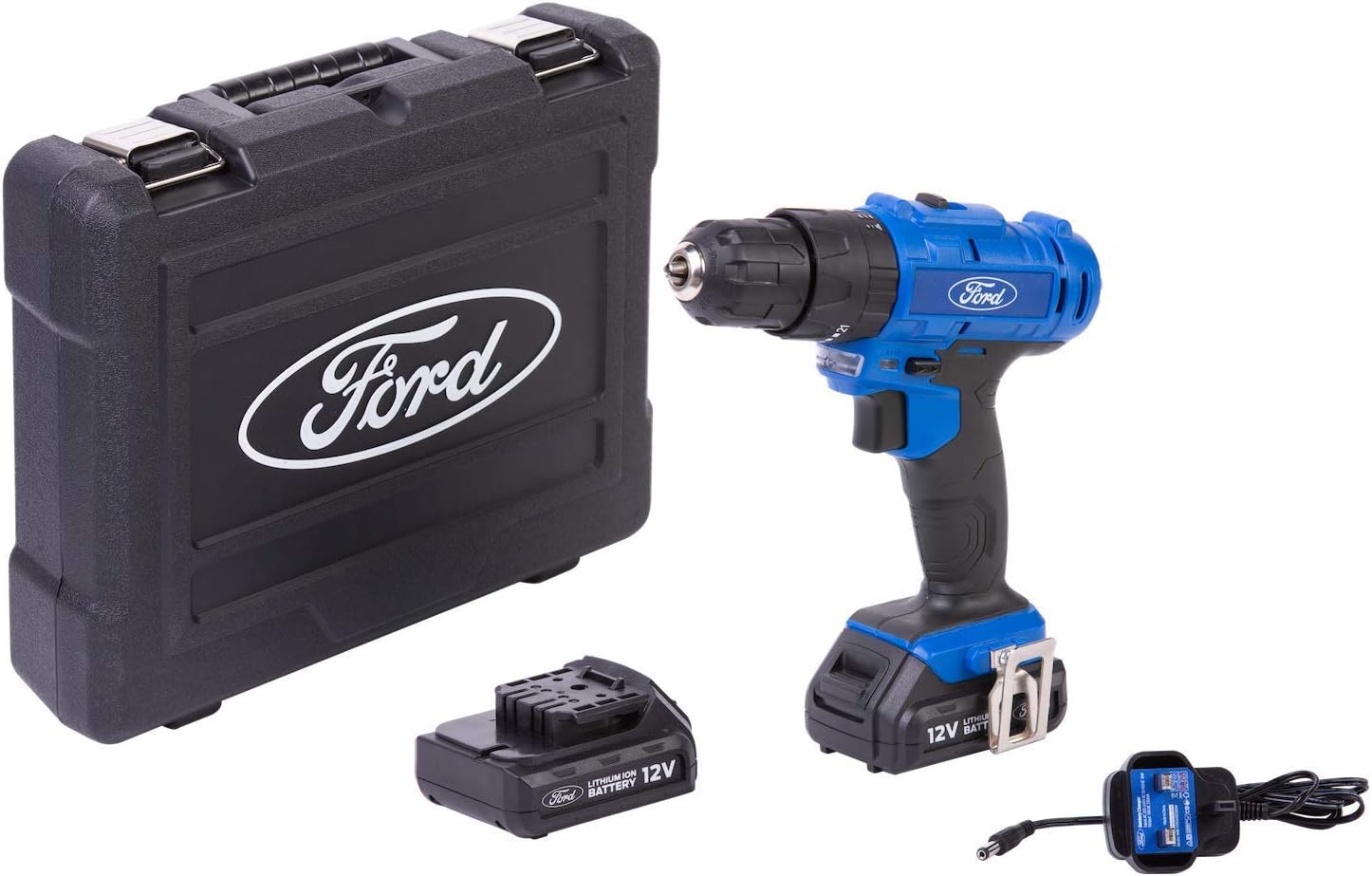
Image 2: Contents of the Ford FPW1015-12V package, including the drill, two batteries, charger, and BMC case.
4. Setup
4.1 Charging the Battery
- Connect the charger to a standard power outlet.
- Slide the 12V Lithium-Ion battery into the charger. Ensure it clicks into place.
- Allow the battery to charge fully. The charger will typically indicate charging status (e.g., red light for charging, green light for fully charged).
- Once charged, disconnect the battery from the charger and unplug the charger from the outlet.
Note: For optimal battery life, fully charge the battery before first use.
4.2 Installing the Battery
- Align the charged battery with the base of the drill handle.
- Slide the battery firmly into the handle until it locks securely into place. You should hear a click.
- To remove the battery, press the release buttons on the sides of the battery pack and slide it out.
4.3 Installing Drill Bits/Driver Bits
- Ensure the drill is switched off and the battery is removed for safety.
- Hold the rear part of the chuck firmly with one hand.
- Rotate the front part of the chuck counter-clockwise to open the jaws.
- Insert the drill bit or driver bit into the chuck jaws. Ensure it is centered and inserted as far as possible.
- Rotate the front part of the chuck clockwise to tighten the jaws securely around the bit. Hand-tighten firmly.
- For extra security, you may briefly engage the drill in a low-speed setting to further tighten the chuck, then release the trigger.
5. Operating Instructions
5.1 Powering On/Off and Variable Speed Control
- To turn the drill on, press the trigger switch. The speed of the drill is controlled by how far you depress the trigger.
- To turn the drill off, release the trigger switch.
5.2 Forward/Reverse Rotation
- The forward/reverse selector switch is located above the trigger.
- Push the switch to the left for forward rotation (for drilling and driving screws).
- Push the switch to the right for reverse rotation (for removing screws or freeing jammed bits).
- When the switch is in the center position, the trigger is locked, preventing accidental startup.
5.3 Speed Settings (Gear Selector)
The drill features a two-speed gearbox, controlled by a slider switch on top of the drill housing.
- Position 1 (Low Speed, 0-400 RPM): Ideal for high torque applications, such as driving large screws or drilling into tough materials.
- Position 2 (High Speed, 0-1500 RPM): Suitable for fast drilling in wood, plastic, or light metals, and for smaller screws.
Caution: Do not change speed settings while the drill is running.
5.4 Torque Settings and Impact Mode
The torque adjustment collar is located behind the chuck. It allows you to select the desired torque level for driving screws, preventing overtightening or stripping.
- Rotate the collar to select one of the 21 torque settings. Lower numbers are for smaller screws and softer materials; higher numbers are for larger screws and harder materials.
- For drilling, select the drill symbol (impact mode) on the collar. This provides maximum power and is suitable for drilling into various materials.
5.5 LED Work Light
The integrated LED light automatically illuminates the work area when the trigger is pressed, providing better visibility in dark or confined spaces.
6. Maintenance
Regular maintenance ensures the longevity and optimal performance of your Ford FPW1015-12V Cordless Impact Drill.
6.1 Cleaning
- Always remove the battery pack before cleaning.
- Use a soft, damp cloth to wipe down the exterior of the tool. Do not use harsh chemicals or abrasive cleaners.
- Keep the ventilation openings clear of dust and debris to prevent overheating. Use compressed air if necessary.
- Clean the chuck jaws regularly to ensure proper grip on bits.
6.2 Storage
- Store the drill and batteries in a cool, dry place, away from direct sunlight and extreme temperatures.
- Always remove the battery from the drill before storing for extended periods.
- Store batteries with a partial charge (around 50%) for best long-term health.
- Keep the tool and accessories in the provided BMC case for protection.
7. Troubleshooting
If you encounter issues with your drill, refer to the following common problems and solutions:
| Problem | Possible Cause | Solution |
|---|---|---|
| Drill does not start | Battery not charged or improperly installed. Forward/reverse switch in center (locked) position. | Charge battery and ensure it is securely installed. Move forward/reverse switch to forward or reverse position. |
| Loss of power during operation | Battery charge is low. Overload protection activated. | Recharge the battery. Reduce pressure on the tool or use a lower speed/higher torque setting. |
| Bit slips in chuck | Chuck not tightened sufficiently. Bit shank is dirty or damaged. | Ensure chuck is hand-tightened firmly. Clean or replace the bit. |
| Battery not charging | Charger not plugged in. Battery or charger is faulty. | Check power connection. Try another outlet. If problem persists, contact customer support. |
8. Technical Specifications
| Model Number | FPW1015-12V |
| Manufacturer Part Number | 2724537384799 |
| Brand | Ford |
| Voltage | 12 Volts |
| Battery Type | Lithium-Ion |
| No-Load Speed | 0-400 RPM (Low), 0-1500 RPM (High) |
| Torque Settings | 21 + Impact Mode |
| Chuck Size | 10 mm (3/8 inch) |
| Maximum Power | 95 Watts |
| Power Source | Battery Powered |
| Material | Nylon (Body) |
| Item Weight | 2.3 Kilograms |
| Product Dimensions | 9.8 x 30.8 x 26.4 cm |
| Included Components | 1 Cordless Drill, 2 12V Batteries |
9. Warranty and Support
This Ford FPW1015-12V Cordless Impact Drill comes with a Limited One Year Warranty from the date of purchase. This warranty covers defects in materials and workmanship under normal use.
The warranty does not cover:
- Damage caused by misuse, abuse, or accident.
- Damage from unauthorized repairs or modifications.
- Normal wear and tear.
For warranty claims or technical support, please contact your retailer or the authorized Ford service center with your proof of purchase.


