1. Product Overview
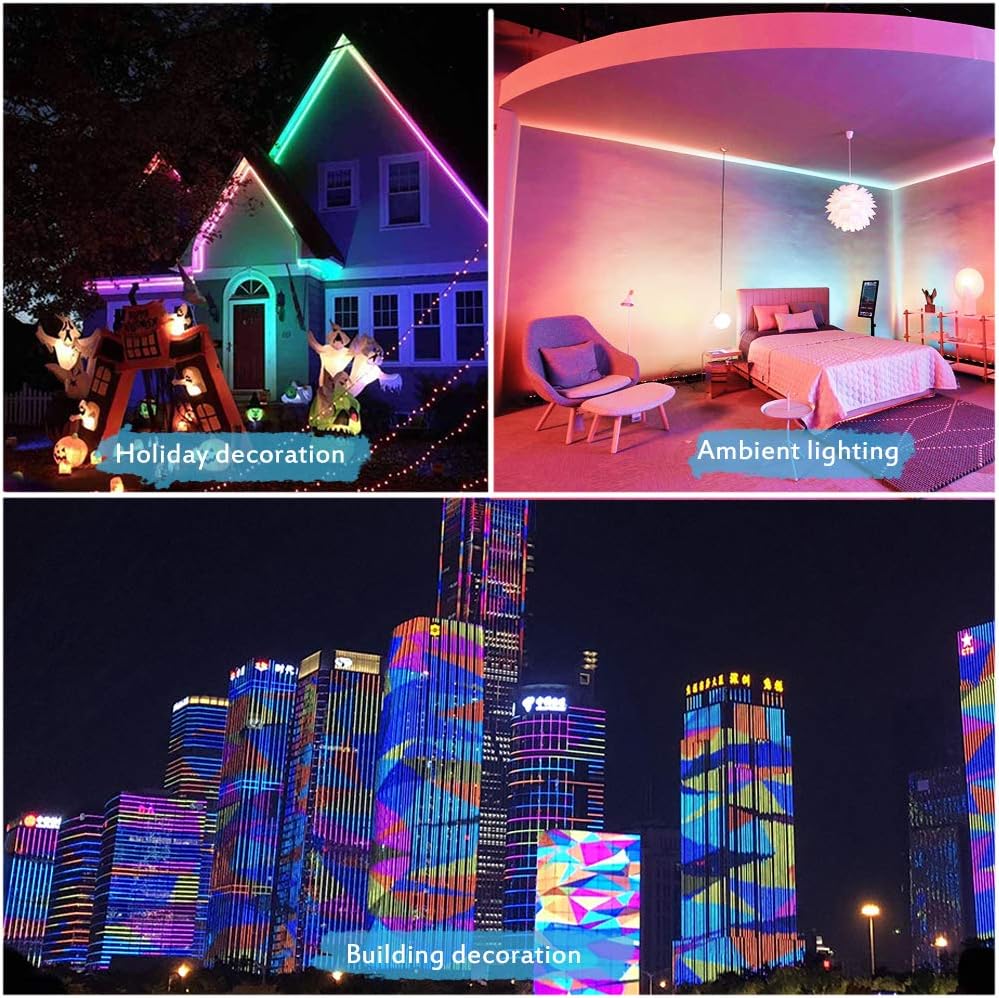
The ALITOVE WS2811 Addressable RGB LED Strip Light is a versatile and programmable lighting solution designed for various indoor and outdoor applications. This 10-meter (32.8ft) strip features 600 individual 5050 RGB LEDs, with each group of 6 LEDs controlled by a WS2811 IC, allowing for dynamic and customizable lighting effects. Its 24V DC input ensures consistent brightness across the entire length without significant voltage drop, making it ideal for larger installations. The strip is encased in an IP67 waterproof silicone tube, providing durability and protection against environmental elements.
Key Features
- WS2811 Addressable RGB LED Strip: 10 meters long with 600pcs 5050 RGB LEDs and 100pcs WS2811 ICs. Each group of 6 LEDs is individually controllable, offering 256 brightness levels and 24-bit color display.
- Dynamic Color Effects: When connected to a compatible controller (sold separately), it can produce a wide range of dynamic color effects such as rainbow, wave, breathing, strobing, gradual change, color cycle, comet, fading, and chasing. Programmable controllers allow for nearly unlimited color combinations and gradients.
- 10m Continuous Length with No Voltage Drop: Designed with a 24V DC input, this 10-meter strip maintains consistent brightness across its entire length, even when all 600 LEDs are illuminated in full white. This eliminates the need for power injection at multiple points, simplifying installation for large lighting projects.
- Wide Compatibility: Compatible with various programmable controllers including Raspberry Pi, T1000S, K1000C, SP105E, SP108E, SP110E (app controllers), SP106E, SP107E (music controllers), SP501E, and MHCTRWF5V (smart WiFi Controllers). Controllers are not included.
- User-friendly Design: Features 3-pin JST-SM connectors on both ends for easy connection. Separate power/ground wires are provided for power injection if needed. The strip is covered with a silicone weatherproof sheathing (IP67 waterproof) and can be cut and re-welded along designated cutting lines to meet specific length requirements. Installation clips and screws are included.
2. Specifications
| Model | SMD-10M-600LED-24V |
| Light Source | 5050 RGB SMD LED |
| LED Quantity | 60 LEDs/meter, 600 LEDs total (10 meters) |
| IC Model | WS2811 IC |
| IC Quantity | 100 pcs |
| LEDs per IC | 6 LEDs per IC (individually addressable group) |
| RGB Order | BRG |
| Working Voltage | 24V DC |
| Max Working Current | 6A |
| Max Output Power | 144W |
| FPCB Color | White |
| Protection Rate | IP67 Waterproof Silicone Tube (Outdoor use, not submersible) |
| Beam Angle | 120 degrees |
| Dimensions (L x W x T) | 1000cm (10M) x 1.2cm x 0.3cm (393.7 x 0.47 x 0.12 inches) |
| Item Weight | 500g (1.1 lbs) |
| Special Feature | Dimmable |
| Control Method | App Control (via compatible controller) |
3. Package Contents
The following items are included in your ALITOVE WS2811 LED Strip Light package:
- 1 x 10M/32.8ft 24V 600 LEDs WS2811 LED strip light
- 1 x 3-pin JST connector
- Silicone clips
- Mini screws
Note: A 24V 6A power supply and a WS2811 24V controller are required for operation and are not included in this package. Please acquire these separately.
4. Setup Instructions
Required Components (Not Included)
- 24V DC Power Supply (minimum 6A recommended)
- WS2811 Compatible LED Controller (e.g., Raspberry Pi, T1000S, SP105E, etc.)
Connection Diagram

Installation Steps
- Prepare the Installation Surface: Ensure the surface where the LED strip will be installed is clean, dry, and smooth. For optimal adhesion, avoid dusty or oily surfaces.
- Plan the Layout: Before removing the adhesive backing, lay out the LED strip to determine the desired path and length. This helps avoid unnecessary cuts or repositioning.
- Connect to Controller and Power Supply:
- Connect the 24V+ wire from the LED strip to the positive (+) terminal of your 24V DC power supply.
- Connect the GND wire from the LED strip to the negative (-) terminal of your 24V DC power supply and also to the GND pin of your WS2811 controller.
- Connect the Data wire from the LED strip to the data output pin of your WS2811 controller. Ensure the data direction arrow on the strip points away from the controller.
- Power Injection (Optional for 24V Strip): Due to its 24V design, this 10-meter strip typically does not require power injection at the end. However, if you experience any dimming or color inconsistencies on extremely long runs or under specific high-power patterns, you can use the separate power/ground wires provided at both ends to inject additional power.
- Cutting and Re-connecting: The LED strip can be cut at designated cutting marks (usually indicated by a copper pad and a scissor icon) to adjust its length. After cutting, you can re-connect sections by soldering new wires or connectors to the copper pads. Ensure proper polarity (24V+, Data, GND) when re-connecting.
- Secure the Strip: Use the included silicone clips and mini screws to securely fasten the LED strip, especially for outdoor or vertical installations, to prevent it from detaching over time.

5. Operating Instructions
Controller Compatibility
The ALITOVE WS2811 LED strip requires an external controller to function. It is compatible with a wide range of WS2811-compatible controllers, including:

- Raspberry Pi
- Arduino
- T1000S, K1000C programmable controllers
- SP105E, SP108E, SP110E app controllers
- SP106E, SP107E music controllers
- SP501E, MHCTRWF5V smart WiFi Controllers
Refer to your specific controller's instruction manual for detailed operating procedures, app usage, and programming guides.
Dynamic Color Effects and Programming
Once connected to a compatible controller, you can utilize the controller's features to:
- Select from pre-programmed dynamic color effects (e.g., rainbow, chasing, fading).
- Adjust brightness and speed of effects.
- Create custom lighting patterns and animations using the controller's software or programming interface.
- Synchronize lighting with music (with compatible music controllers).


6. Maintenance
Proper maintenance ensures the longevity and optimal performance of your LED strip light.
- Cleaning: Periodically clean the surface of the LED strip with a soft, dry cloth to remove dust and debris. For outdoor installations, gently wipe away dirt or water spots. Avoid using harsh chemicals or abrasive materials.
- Inspection: Regularly inspect the strip for any signs of damage, such as cuts in the silicone tubing, loose connections, or discolored LEDs. Address any issues promptly to prevent further damage.
- Environmental Protection: While the strip is IP67 waterproof, it is designed for outdoor exposure to rain and splashes, not for continuous submersion in water. Ensure all connections are properly sealed, especially in humid or wet environments.
7. Troubleshooting
If you encounter issues with your ALITOVE WS2811 LED strip, refer to the following common troubleshooting steps:
- No Power/Lights Not Turning On:
- Check if the 24V DC power supply is correctly connected and receiving power.
- Verify that the power supply output voltage is 24V DC.
- Ensure all wiring connections (24V+, GND, Data) are secure and correctly polarized.
- Incorrect Colors or Flickering:
- Confirm that your controller is set to the correct LED type (WS2811) and color order (BRG).
- Check the data connection between the controller and the LED strip for any loose wires or damage.
- Ensure the controller's pixel count matches the number of addressable segments on your strip (100 ICs for 600 LEDs).
- Partial Lighting or Dead Sections:
- Inspect the affected section of the strip for physical damage or cuts.
- If a section is dead after a cut, ensure the re-connection or soldering was done correctly.
- For very long runs, consider adding power injection at the end of the strip if you haven't already, even with 24V, to rule out minor voltage drop under specific load conditions.
- Controller Not Responding:
- Ensure the controller itself is powered on and functioning correctly.
- Refer to the controller's manual for specific troubleshooting steps related to its operation or app connectivity.
8. Warranty and Support
Specific warranty details for the ALITOVE WS2811 Addressable RGB LED Strip Light are not provided within this manual. For information regarding product warranty, returns, or technical support, please contact ALITOVE directly through their official channels or the retailer from whom the product was purchased.
ALITOVE is a professional manufacturer of LED lighting and control systems. For further assistance, please visit the ALITOVE store or contact their customer service.