
1. Introduction
This manual provides detailed instructions for the setup, operation, and maintenance of your Bewinner YHD-5100 Wireless & USB Barcode Scanner. Please read this manual thoroughly before using the device to ensure proper functionality and to extend its lifespan.
The Bewinner YHD-5100 is a versatile 1D barcode scanner designed for efficiency and reliability. It offers dual connection modes (2.4GHz wireless and USB wired) and wide compatibility with various operating systems.

2. Product Features
- Dual Connection Modes: Supports both 2.4GHz wireless and USB wired transmission for flexible connectivity.
- Wide Device Compatibility: Compatible with iOS, Android, and Windows systems (7/8/10/XP), suitable for smartphones, tablets, and computers.
- Ergonomic Design & Durability: Constructed with ABS plastic and silicone for shock and drop resistance, ensuring a long lifespan. The ergonomic grip provides comfortable handling.
- High-Performance Scanning: Features a 32-bit ARM microprocessor, offering a scanning speed of 300 scans per second with high error correction capability. The high-quality, high-precision scanning head provides high sensitivity, allowing it to scan slightly imperfect codes.
- Extensive Decoding Capabilities: Supports a wide range of 1D barcodes including UPC/EAN, Code128, Code39, Code 39Full ASCII, Codebar, Industrial/Interleaved 2 of 5, ISBN, ISSN, China Post, GS1 Databar, Code32, and more.
- High Rebound Button: Designed for durability with a button life of up to 8 million presses.


3. Package Contents
Verify that all items are present in the package:
- 1 x Bewinner YHD-5100 Barcode Scanner
- 1 x USB Cable
- 1 x USB Receiver (for 2.4GHz wireless connection)
- 1 x User Manual
4. Setup
4.1. USB Wired Connection
- Connect the provided USB cable to the scanner's port.
- Plug the other end of the USB cable into an available USB port on your computer or host device.
- The scanner will be automatically recognized as a keyboard device. No driver installation is typically required.
- A successful connection will be indicated by an audible beep and/or LED indicator.
4.2. 2.4GHz Wireless Connection
- Plug the USB receiver into an available USB port on your computer or host device.
- Turn on the barcode scanner.
- The scanner should automatically pair with the receiver. A successful connection will be indicated by an audible beep and/or LED indicator.
- If pairing fails, refer to the small configuration card included in the package for specific pairing instructions (usually involves scanning a "Match" barcode).
5. Operating Instructions
5.1. Basic Scanning
- Ensure the scanner is properly connected (wired or wireless).
- Open a text editor, spreadsheet, or application where you want the scanned data to appear.
- Point the scanner's laser window at the barcode you wish to scan.
- Press the trigger button. A red laser line will appear. Position the laser line across the entire barcode.
- Upon successful scan, the scanner will emit a beep (from the buzzer) and the LED indicator will flash. The barcode data will appear in your active application.

5.2. Scanning Modes
The scanner supports two primary scanning modes:
- Manual Mode: Press the trigger button to activate the laser and scan a barcode. Release the button after scanning. This is the default mode.
- Automatic Mode: The scanner continuously emits the laser and scans barcodes without needing to press the trigger. This mode is useful for hands-free operation. Refer to the user manual (physical copy or digital) for instructions on how to switch to automatic mode, typically by scanning a specific configuration barcode.
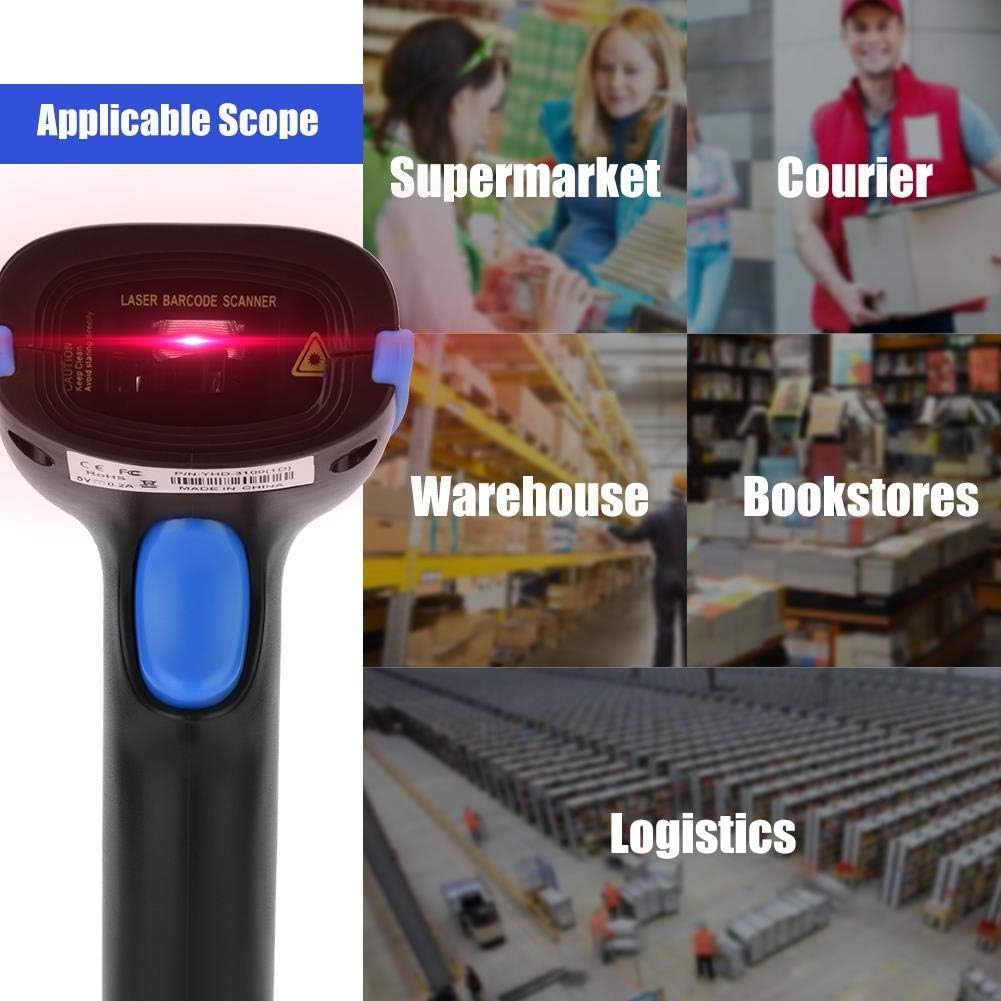
5.3. Application Scope
The Bewinner YHD-5100 barcode scanner is suitable for various environments:
- Supermarkets and Retail Stores
- Warehouses and Inventory Management
- Logistics and Shipping
- Bookstores and Libraries
- Courier Services

6. Maintenance
- Cleaning: Use a soft, dry cloth to clean the scanner's exterior. For the scanning window, use a soft, lint-free cloth lightly dampened with water or a mild glass cleaner. Avoid abrasive cleaners or solvents.
- Storage: Store the scanner in a cool, dry place away from direct sunlight and extreme temperatures.
- Battery (Wireless Mode): Ensure the scanner is charged regularly if used in wireless mode. Avoid fully depleting the battery for extended periods.
- Drop Protection: While designed to be shock-resistant, avoid unnecessary drops or impacts to prevent damage.
7. Troubleshooting
- Scanner not responding:
- Check if the USB cable is securely connected or if the wireless receiver is properly plugged in.
- Ensure the scanner is powered on and the battery is charged (for wireless mode).
- Try connecting to a different USB port or restarting your computer.
- For wireless mode, try re-pairing the scanner with the receiver by scanning the "Match" barcode (refer to the configuration card).
- Barcode not scanning:
- Ensure the barcode is clean, undamaged, and clearly printed.
- Adjust the distance and angle between the scanner and the barcode. The laser line should cover the entire barcode.
- Check if the barcode type is supported by the scanner (refer to "Decoding Capabilities" in Section 2).
- Ensure there is sufficient lighting, but avoid direct strong light that might cause glare.
- Scanned data is incorrect or incomplete:
- Ensure the cursor is in the correct input field in your application.
- Verify the barcode is fully covered by the laser during scanning.
- If using wireless mode, ensure you are within the transmission range (up to 100m in open space).
8. Specifications
| Feature | Specification |
|---|---|
| Model | YHD-5100 (Bewinnero0g7wfym1p-02) |
| Color | Black with Blue accents |
| Dimensions | 16 x 9 x 7 cm (6.3 x 3.5 x 2.8 inches) |
| Weight | 270 g |
| Material | ABS + Silicone |
| Connectivity | 2.4GHz Wireless, USB Wired |
| Transmission Distance (Wireless) | Up to 100m (open space) |
| Power Input | 5V - 400mA |
| Working Current | 3.5V 40mA |
| Standby Current | 18uA - 5mA |
| Scan Type | Bidirectional |
| Light Source | 650nm VLD (Visible Laser Diode) |
| CPU | ARM 32-bit |
| Reading Precision | 3 mil |
| Scan Width | 30cm |
| Decoding Speed | 300 scans/second |
| Bit Error Rate | 1/200 million |
| Scan Mode | Manual, Automatic |
| Sweep Angle | Rotation ±30°, Inclination ±45°, Declination ±60° |
| Anti-interference | Unaffected by strong light and sunlight |
| Button Life | 8,000,000 presses |
| Lifespan | 12,000 hours |
| Drop Test | 2.0m |
| Certifications | CE, FCC, RoHS, IP54 |
| Compatible Devices | Desktop computer, Laptop, Tablet |
| Country of Origin | China |
| UPC / GTIN | 724942388254 |

9. Warranty and Support
Bewinner products are designed for reliability and performance. For warranty information and technical support, please refer to the official Bewinner website or contact your retailer.
Please retain your purchase receipt for warranty claims.